


Service Management System
Our Service Management System streamlines every workshop operation — from job management and customer payments to stock control, goods received notes, and invoicing for retail and final jobs. It also manages petty cash, collection summaries, and daily, monthly, and profit analysis, providing a complete overview of business performance and financial operations.
Core Modules & Architecture
- ✦ Overview Dashboard
- ✦ Job management
- ✦ Customer Payments
- ✦ stock management
- ✦ Goods Received Notes
- ✦ Retail Invoices
- ✦ Final Invoices
- ✦ Petty Cash Management
- ✦ Collection Summary
- ✦ Daily & Profit Analysis
- ✦ Monthly Profit Analysis
Overview Dashboard
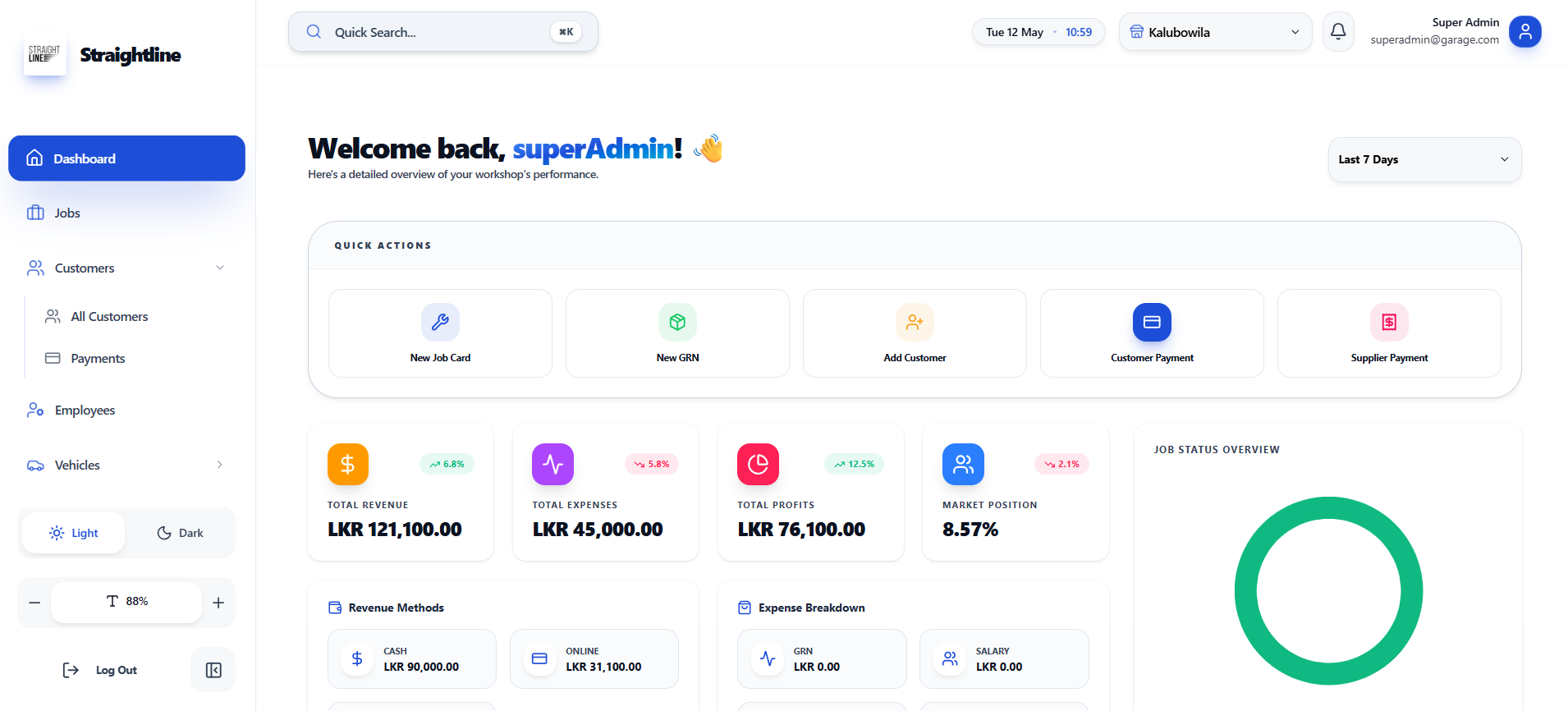
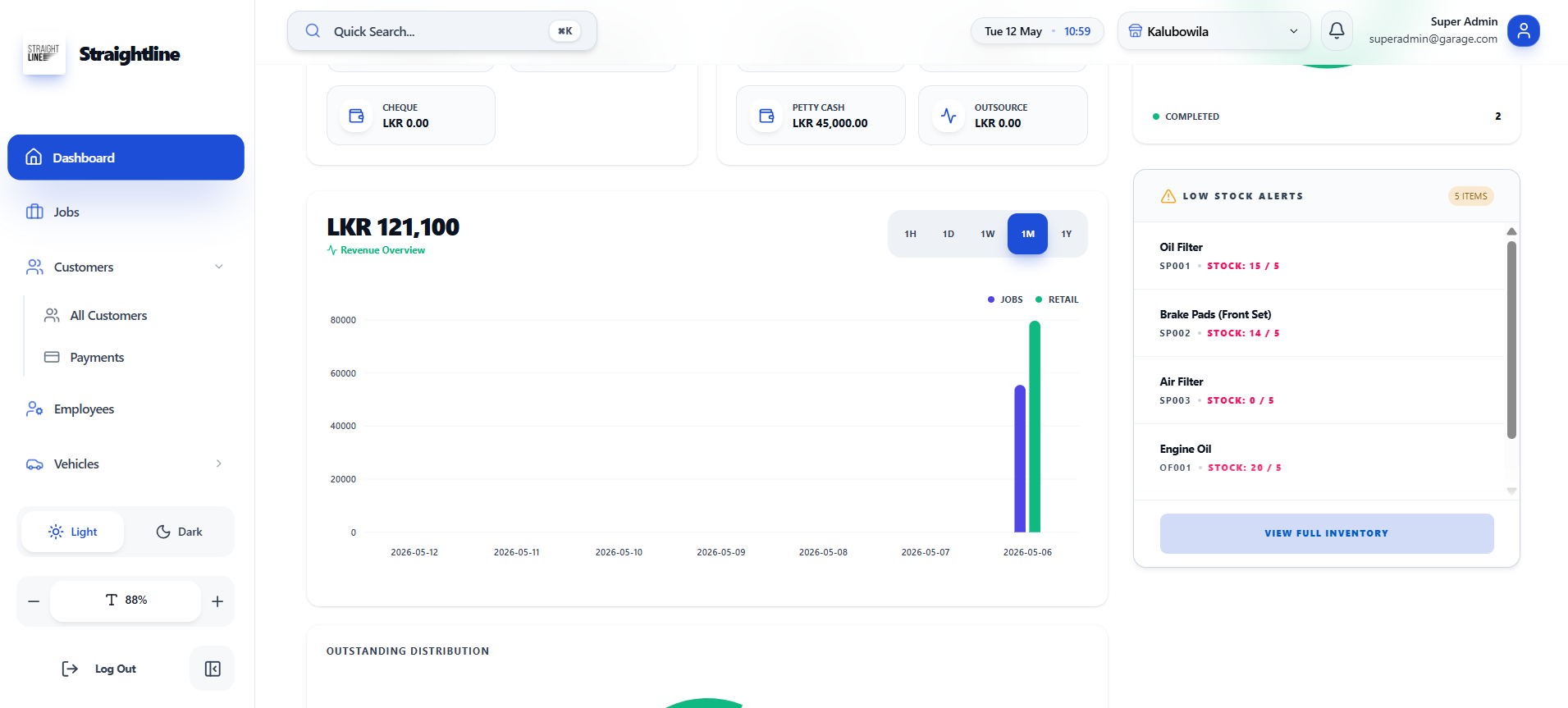
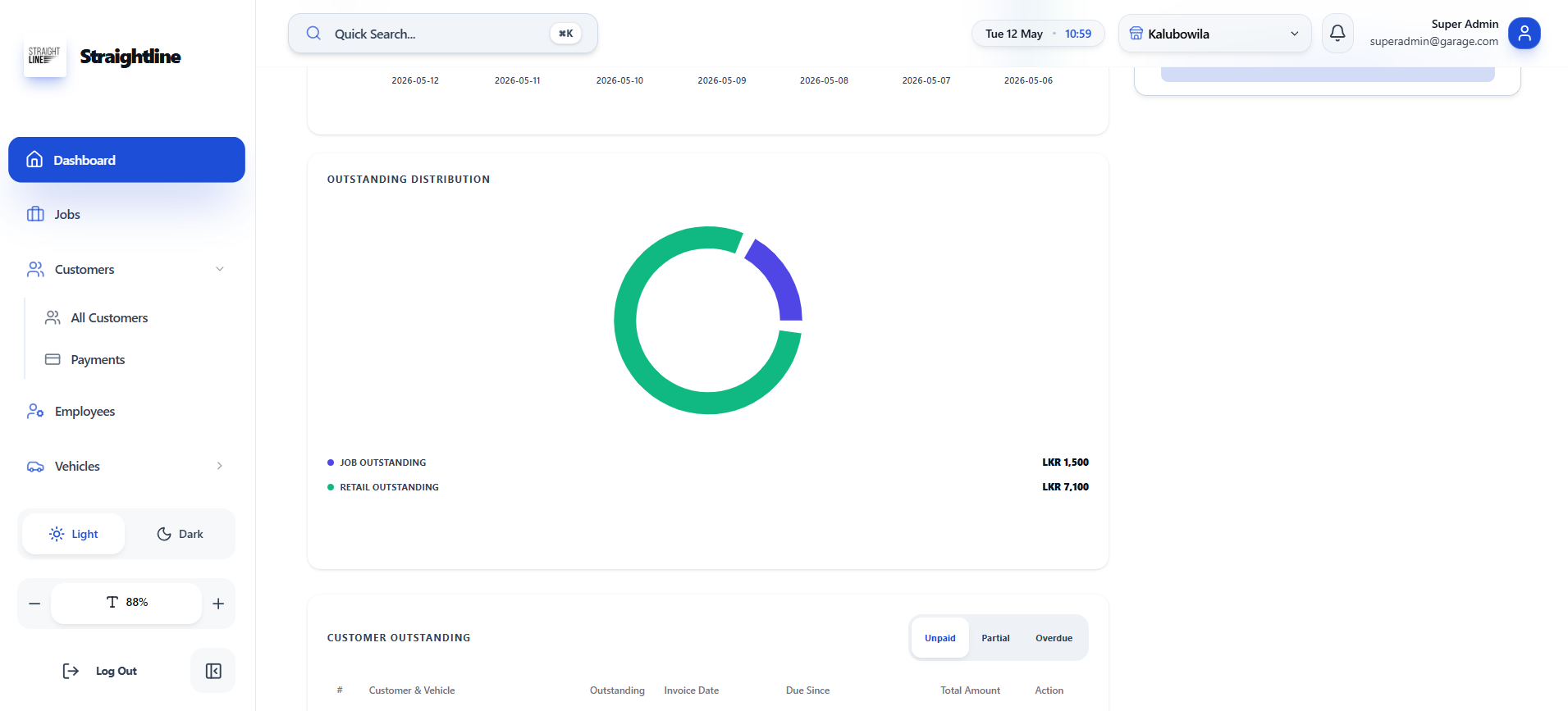
Vehicle management dashboard showing key business metrics, outstanding balances, quick actions, revenue breakdown by method, job status overview, low stock alerts, and a revenue trend chart.
Customer outstanding table
- ✦Total revenue, expenses, and profits
- ✦Outstanding distribution (job & retail)
- ✦Quick actions (New Job Card, Add Customer, Customer Payment)
- ✦Revenue breakdown by method (Cash, Online)
- ✦Jobs status overview
- ✦Low stock alerts
- ✦Revenue trend chart (with date range filter)
Job management
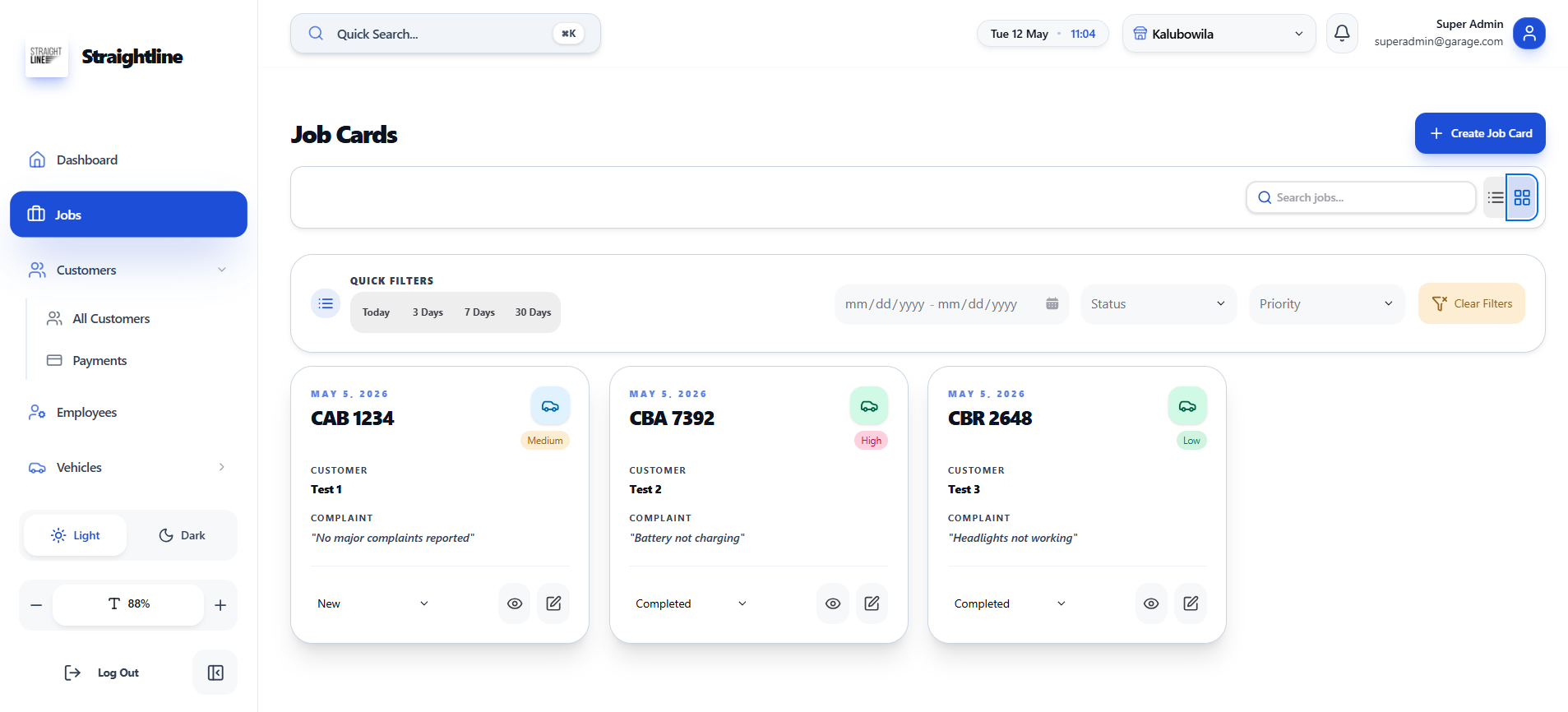
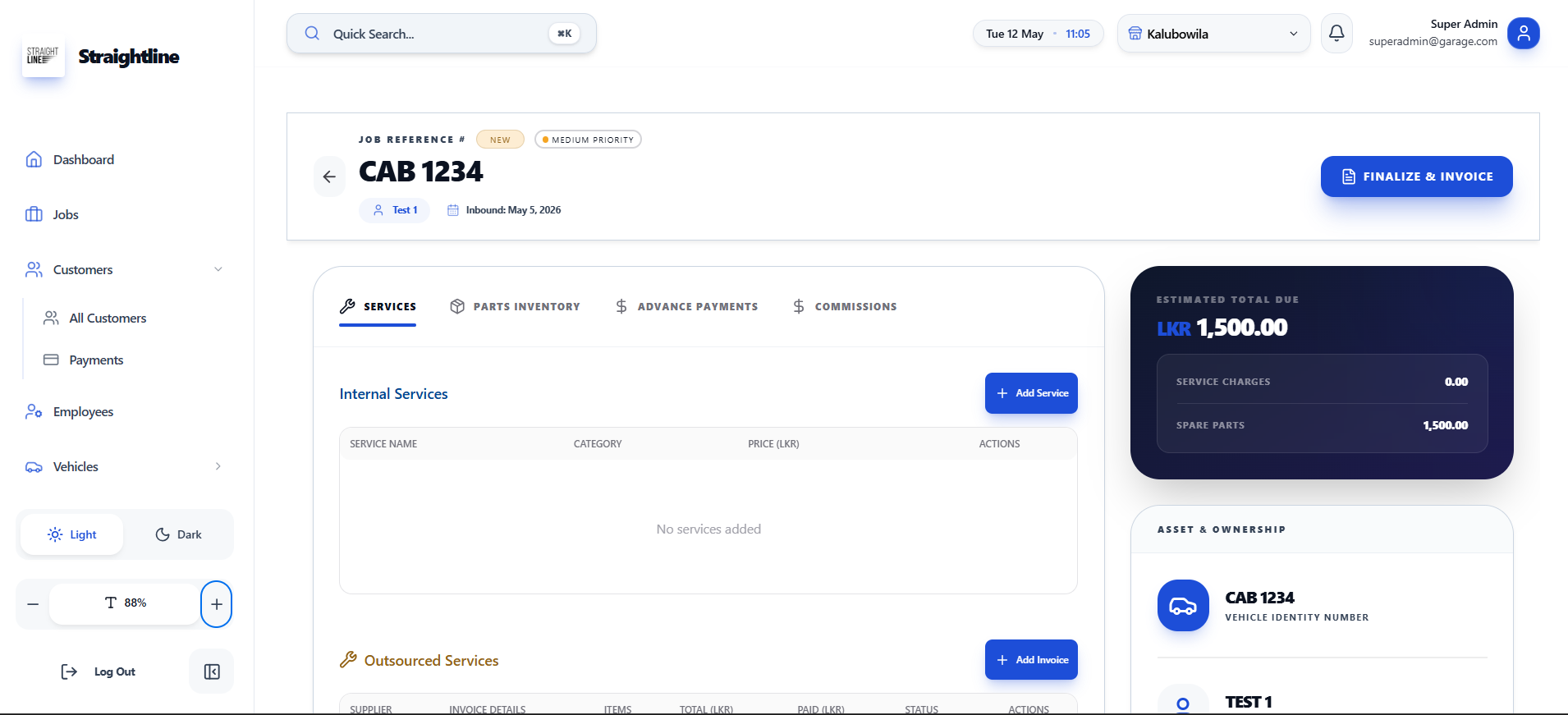
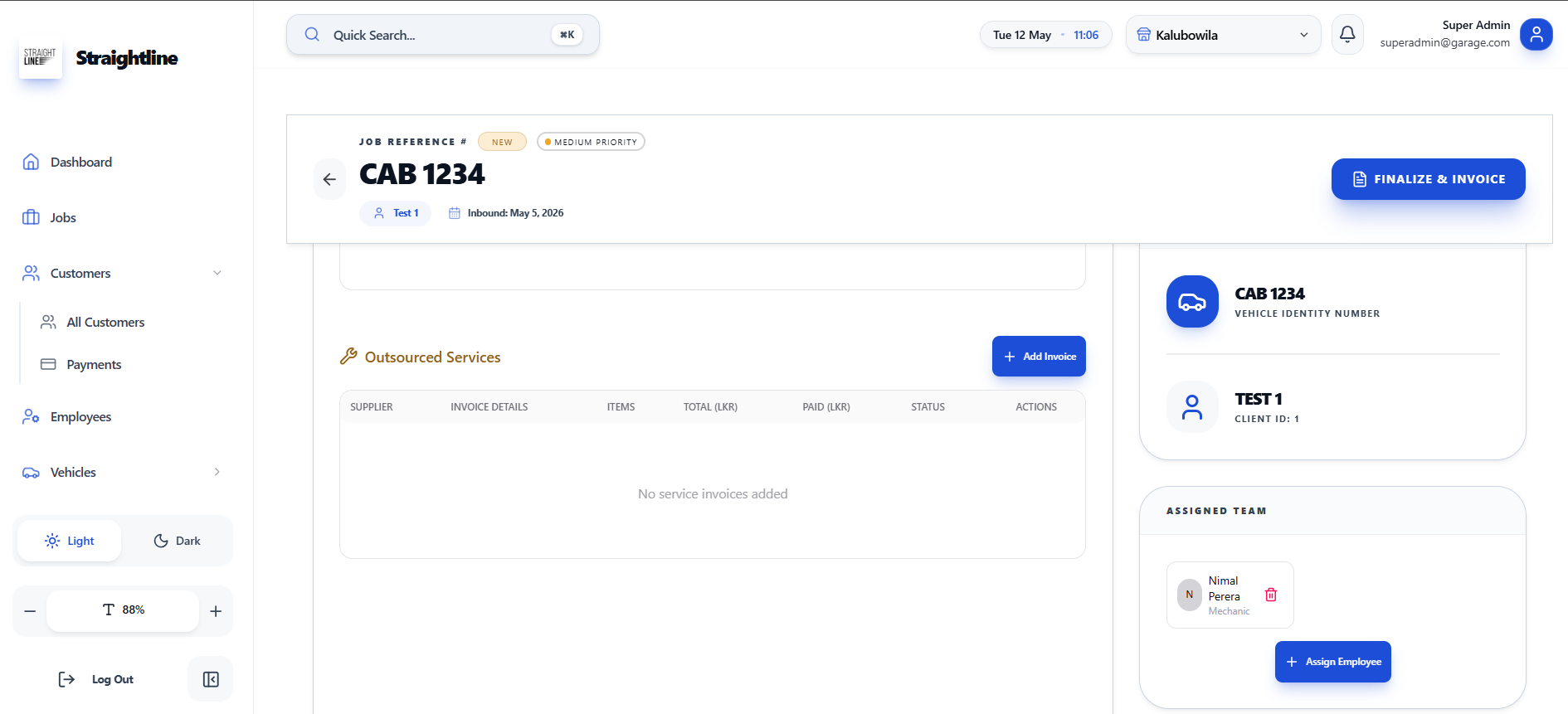
Job management interface for a garage, displaying job cards (active/completed), job details (customer, complaint, priority), vehicle info, assigned mechanics, services, spare parts, outsourced services, advance payments, and finalize & invoice option.
- ✦Job cards list with customer, complaint, priority, and date
- ✦Vehicle details (registration, customer ID)
- ✦Assigned employee / mechanic
- ✦Estimated total due
- ✦Finalize & invoice
Customer Payments
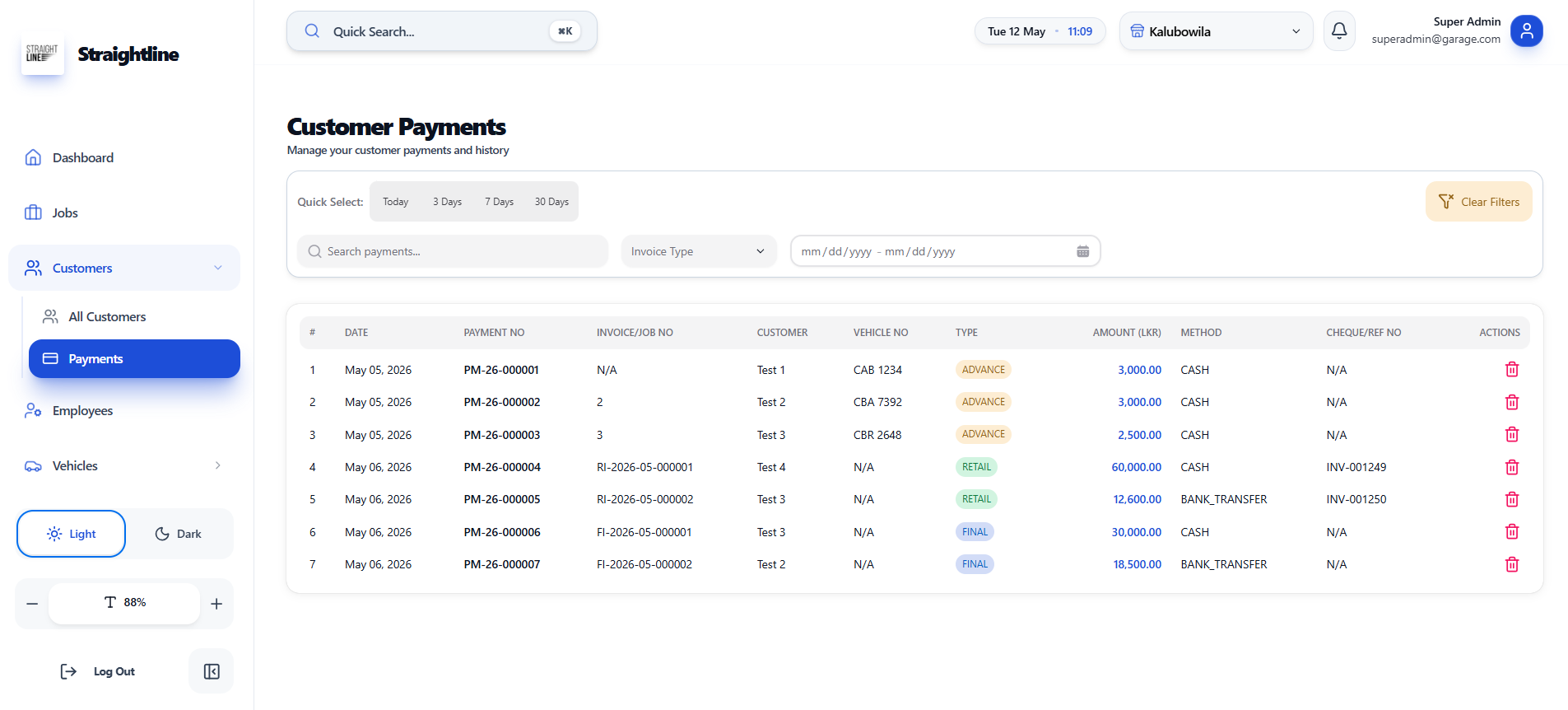
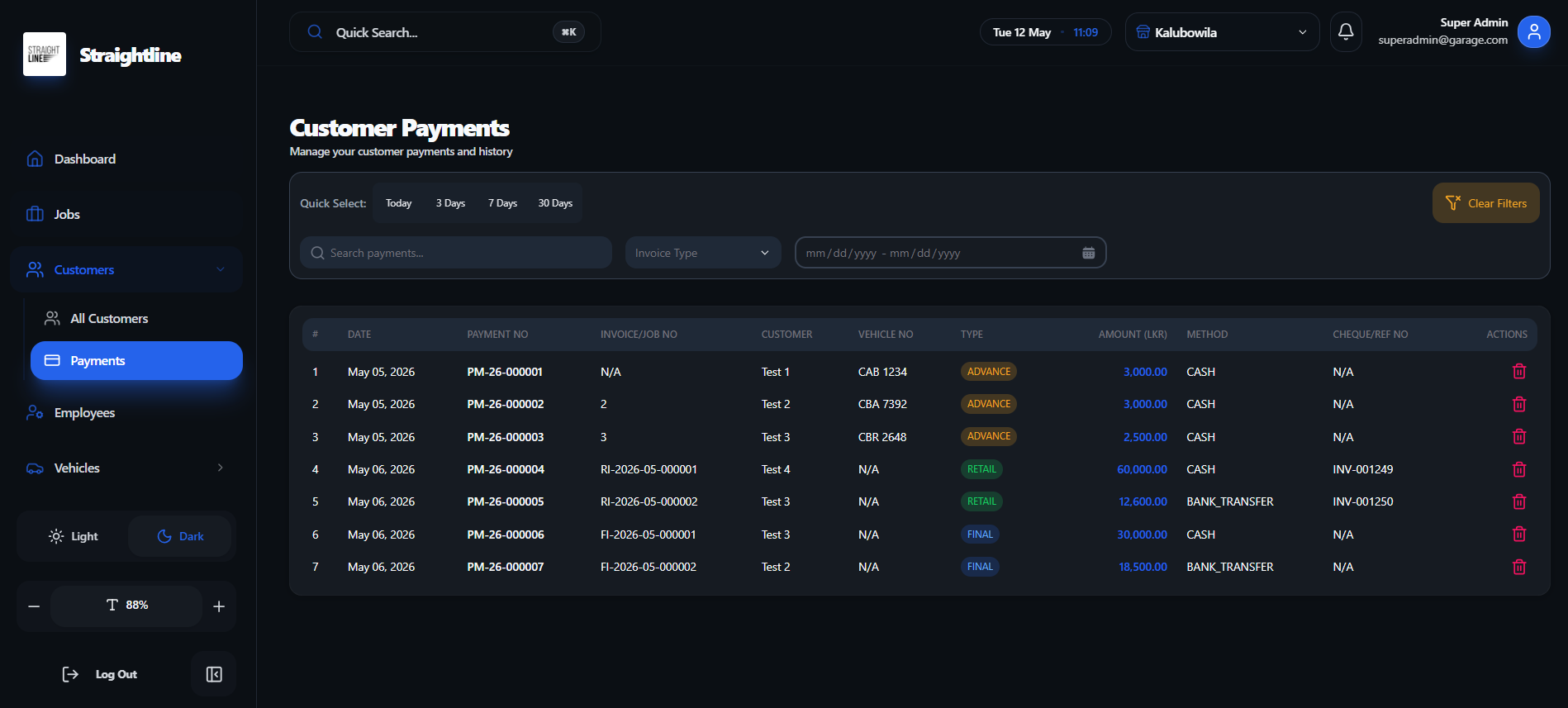
Customer payments management interface that lists all payment transactions with filters, showing payment details like date, customer, vehicle, type (advance/retail/final), amount, method, and reference number.
- ✦Payment search and filtering (date range, invoice type)
- ✦Quick date filters (Today, 3 Days, 7 Days, 30 Days)
- ✦Payment list with date, payment number, invoice/job number
- ✦Customer and vehicle number
- ✦Payment type (Advance, Retail, Final)
- ✦Amount and payment method (Cash, Bank Transfer)
- ✦Cheque/reference number
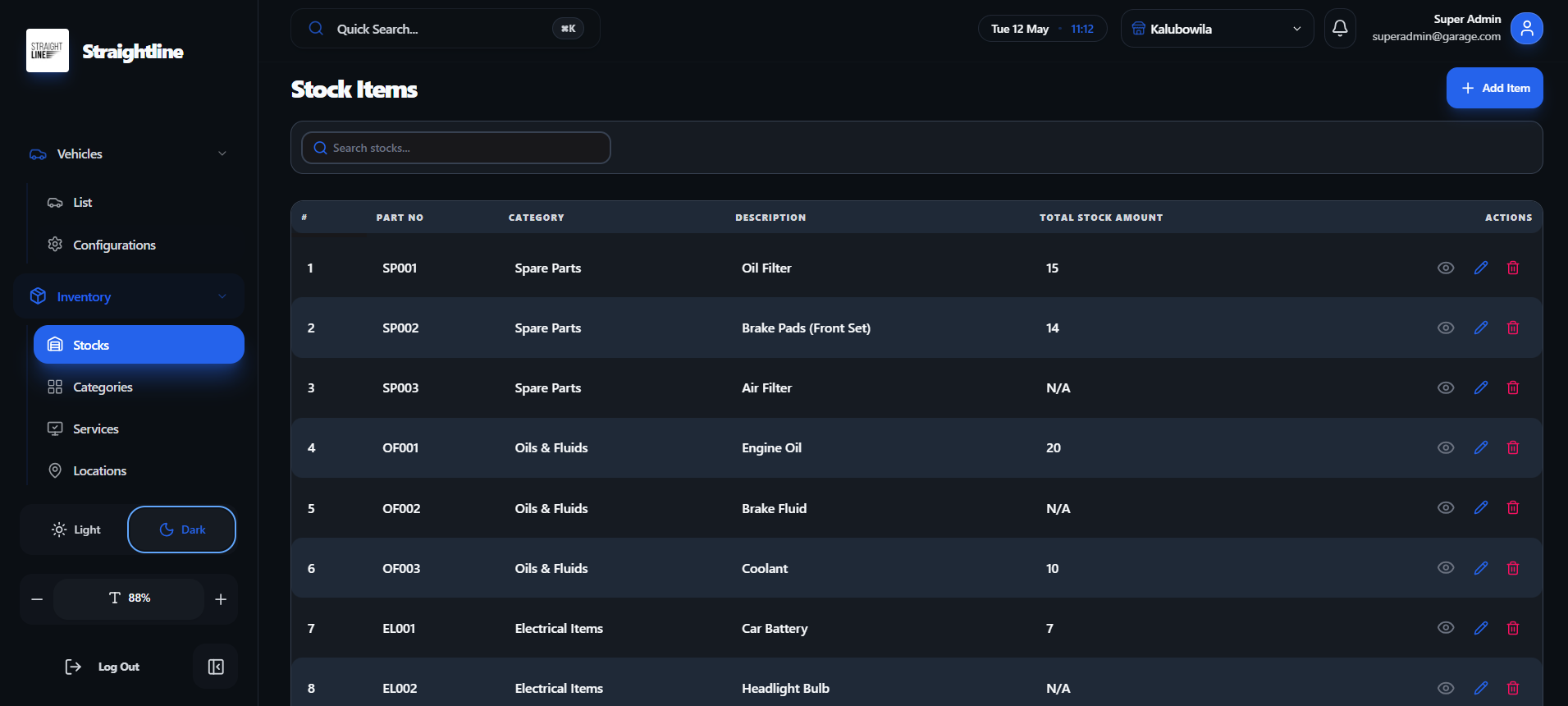
stock management
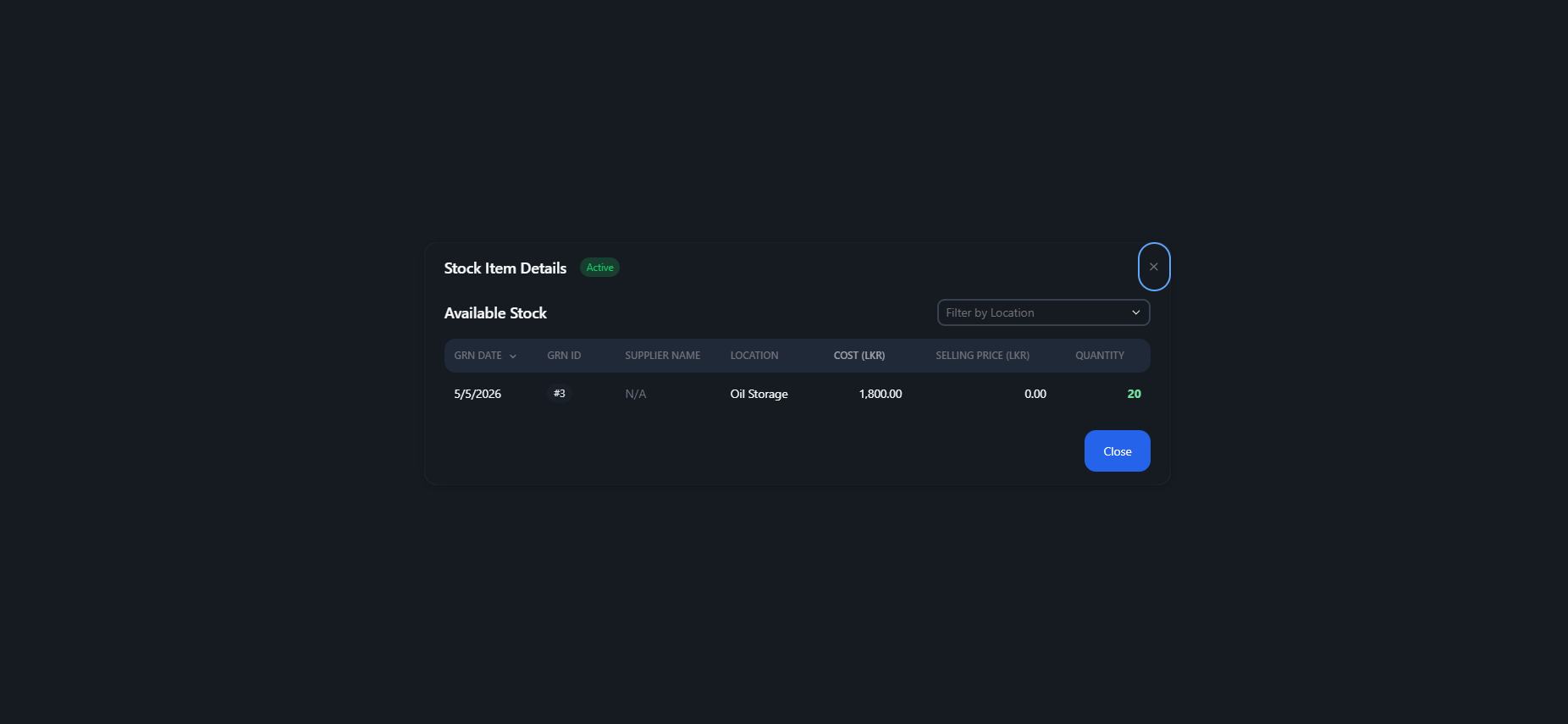
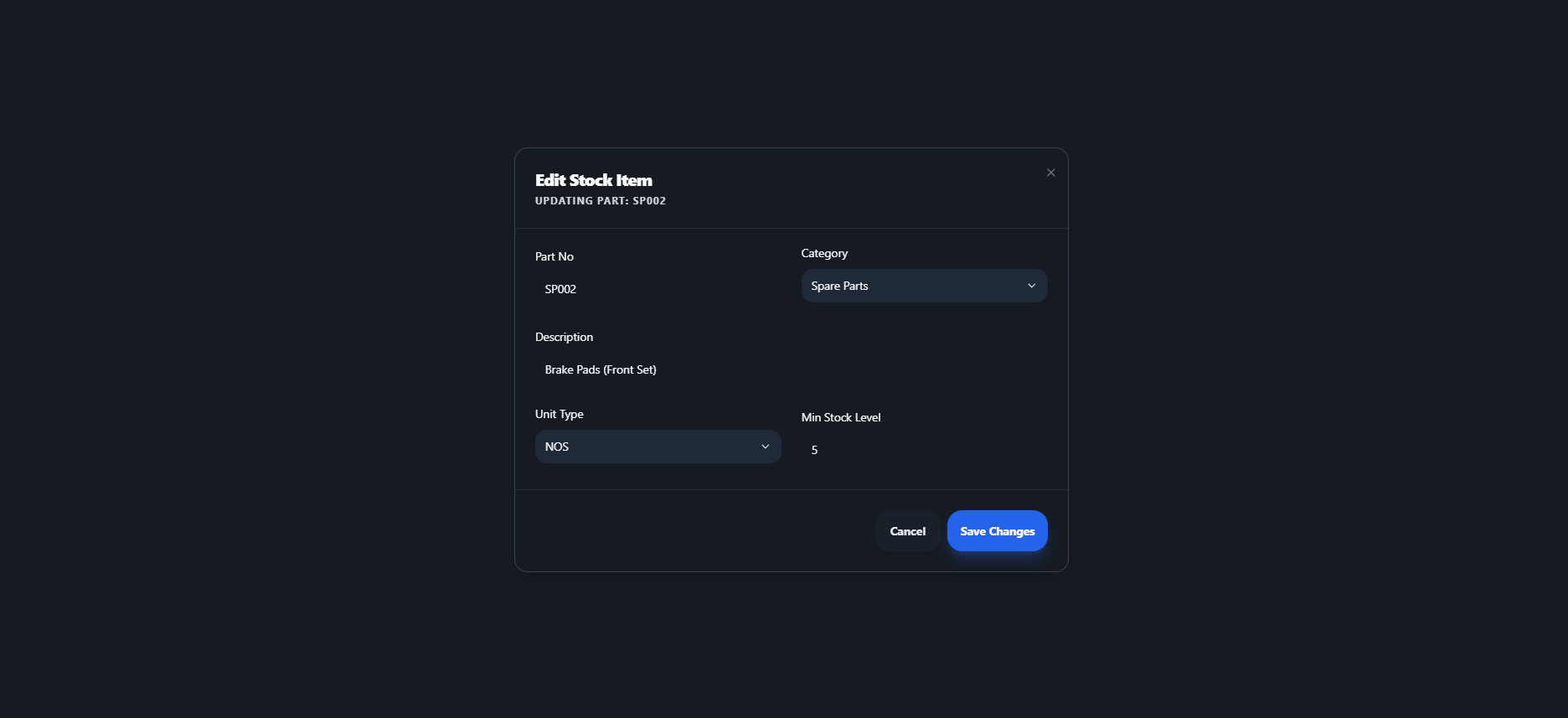
This is a stock management interface for a garage/service center. Users can view all stock items in a table, search/filter items, edit existing item details (as shown in the edit modal), view transaction history (GRN details with cost/price/quantity), and add new items.
- ✦View stock items with part number, category, description, and total stock amount
- ✦Search and filter stocks
- ✦Edit stock item details (part no, category, description, unit type, min stock level)
- ✦View GRN (Goods Received Note) history with cost, selling price, quantity, supplier, and location
- ✦Add new stock items
- ✦Dark/light theme toggle
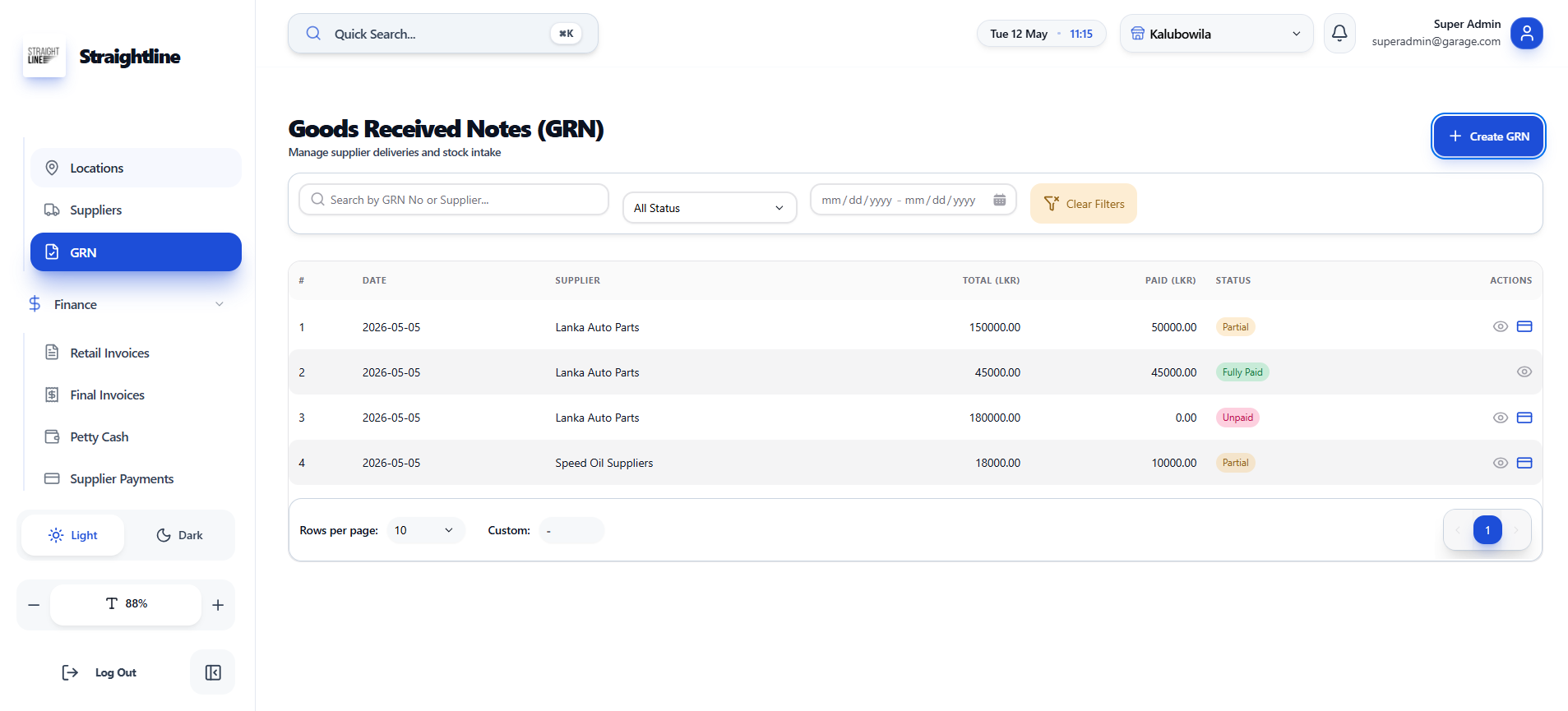
Goods Received Notes
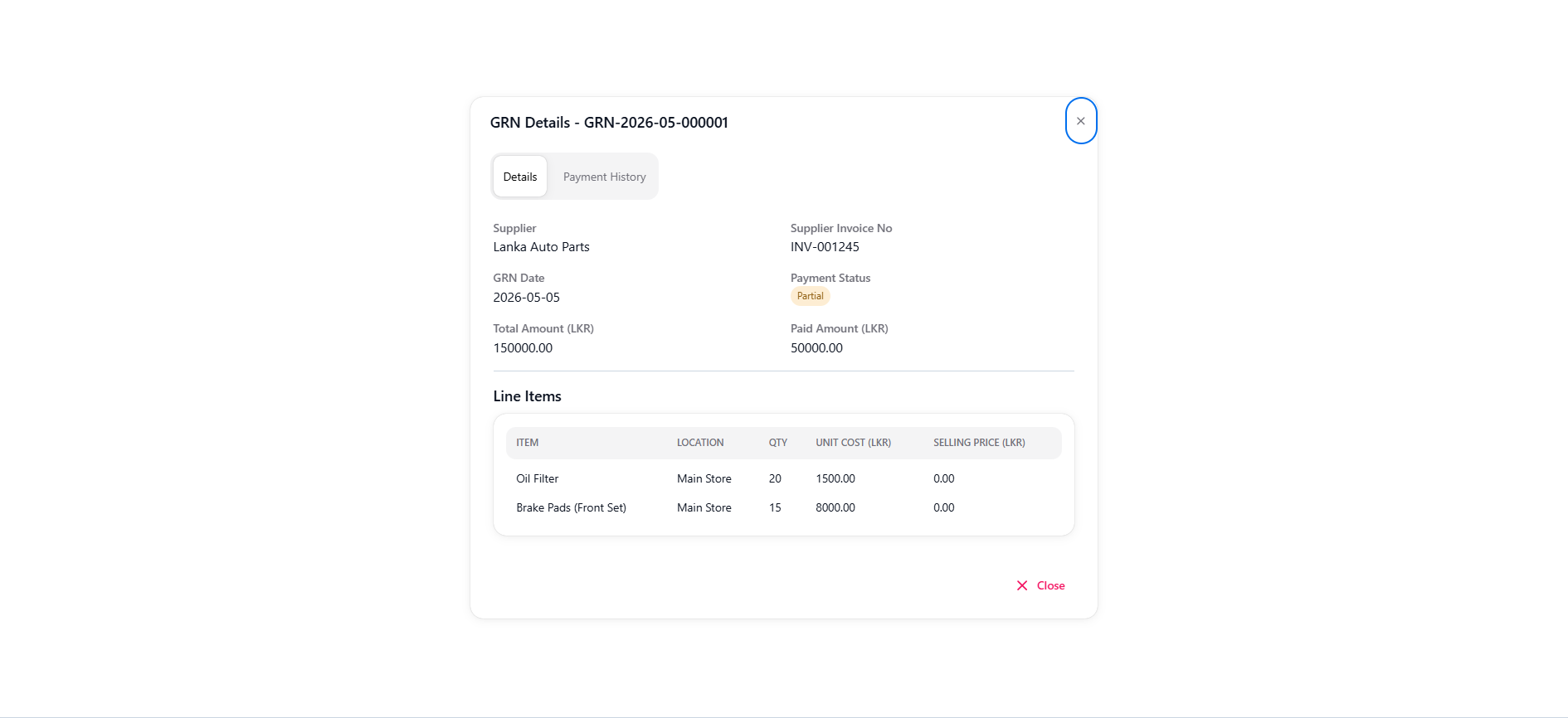
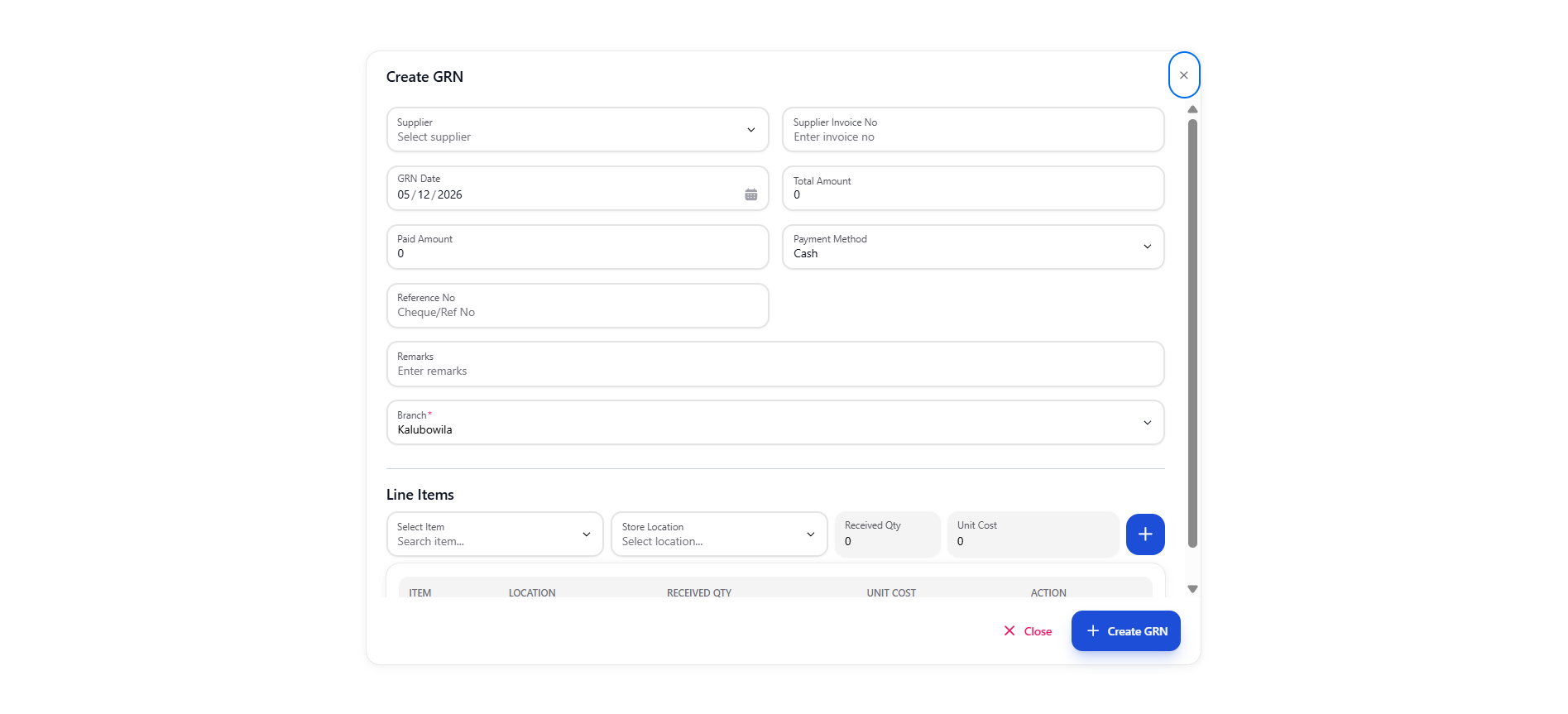
This is a Goods Received Notes (GRN) management interface for tracking supplier deliveries, stock intake, and payment statuses. Users can create new GRNs, view all GRN records with filtering, and see detailed GRN information including line items and payment history.
- ✦Create GRN (invoice, supplier, date, total, payment method, line items)
- ✦View GRN table (number, date, supplier, total, paid, status)
- ✦Search and filter GRNs
- ✦View GRN details
- ✦Manage supplier payments
Retail Invoices
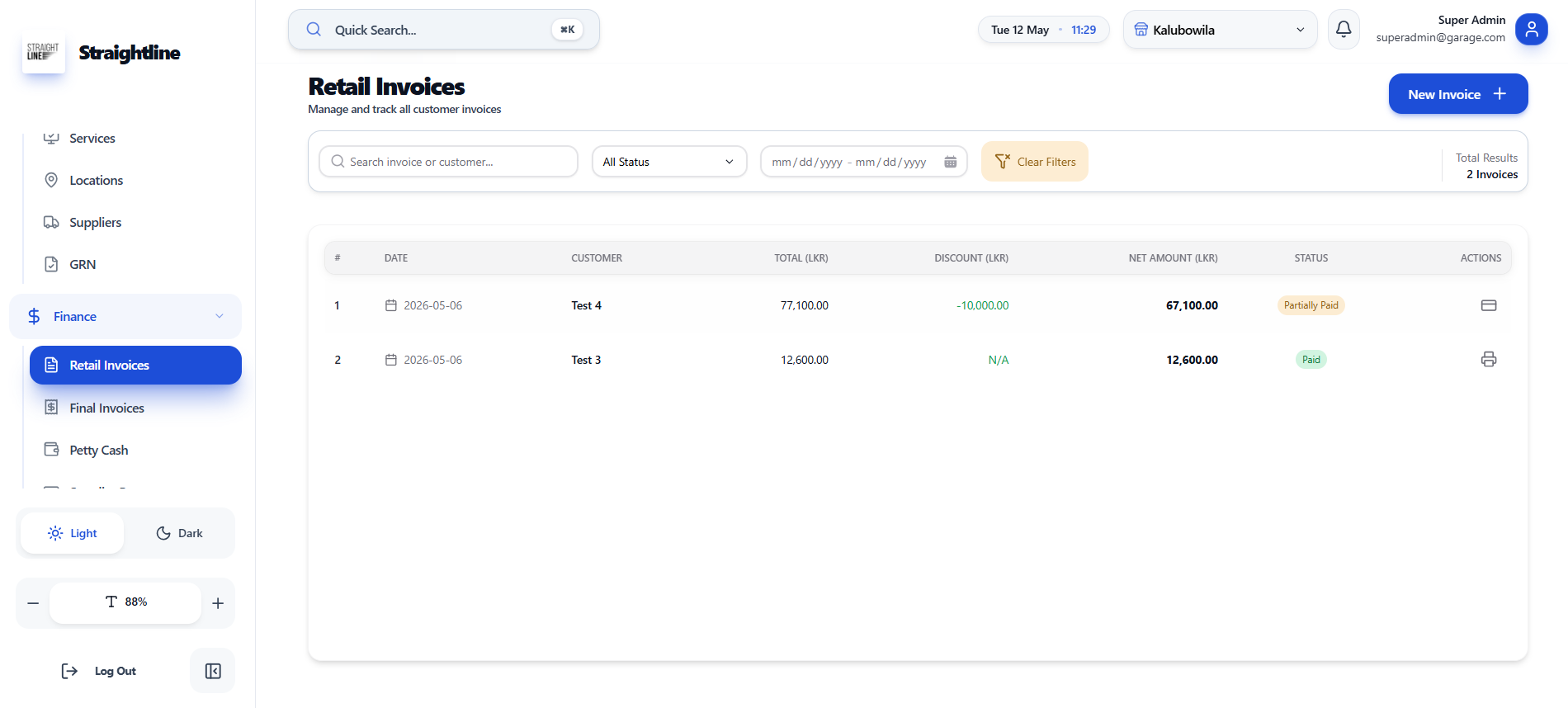
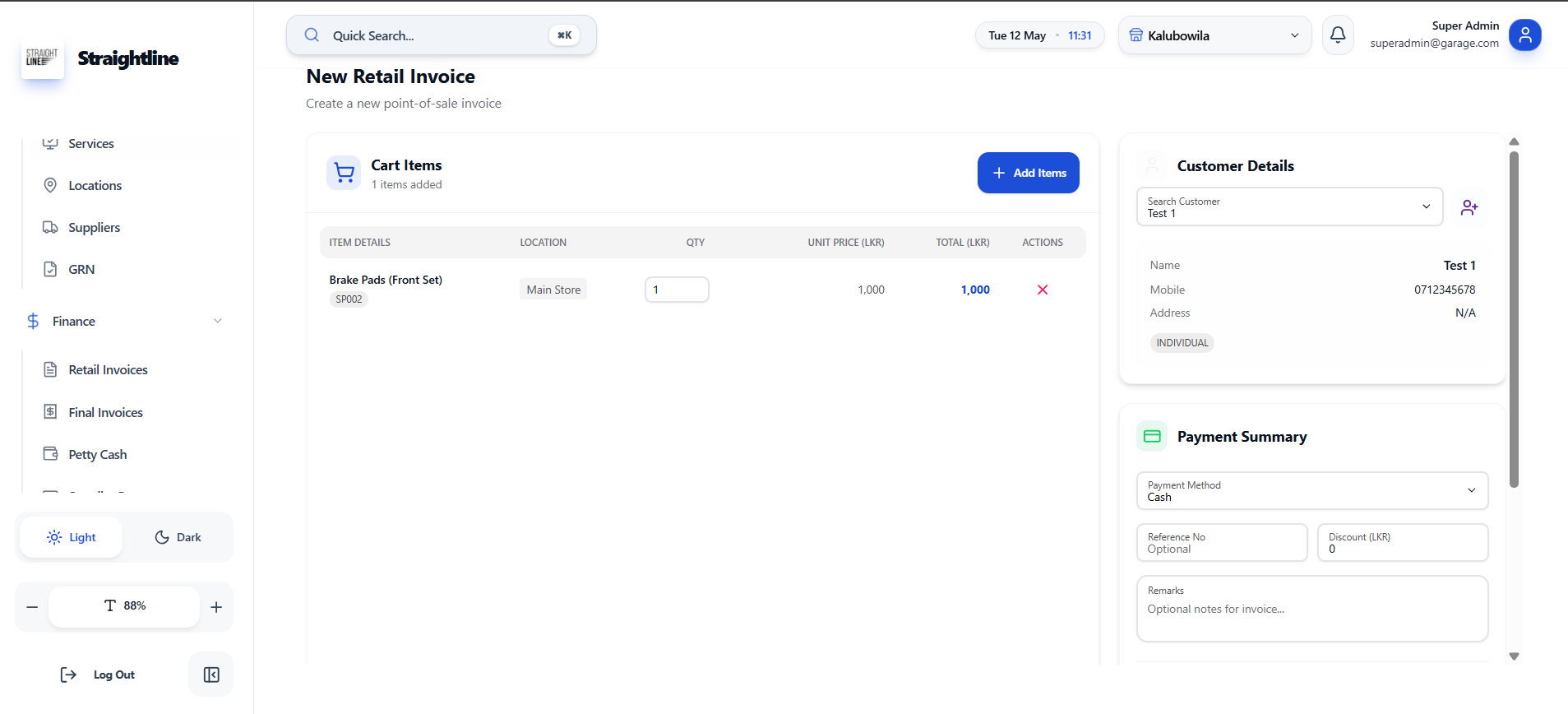
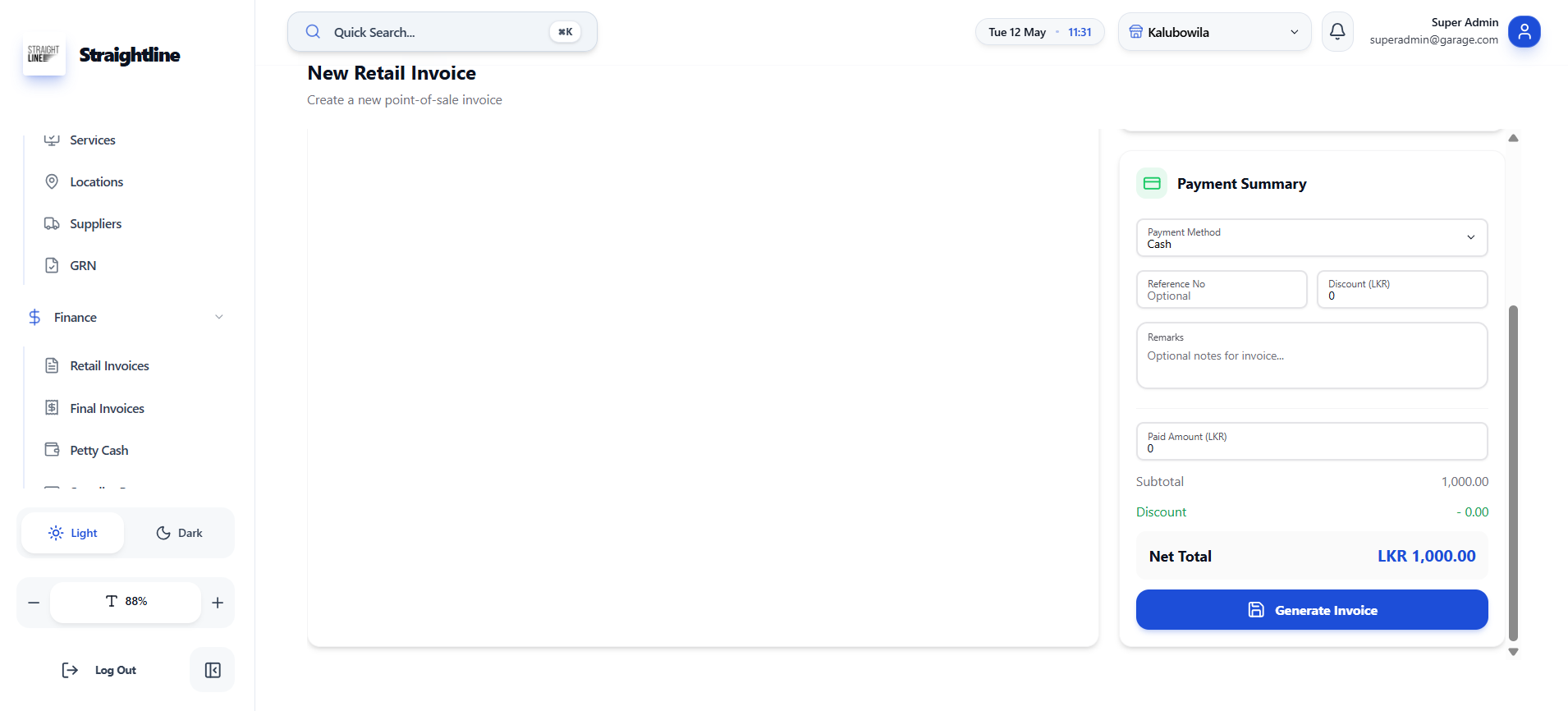
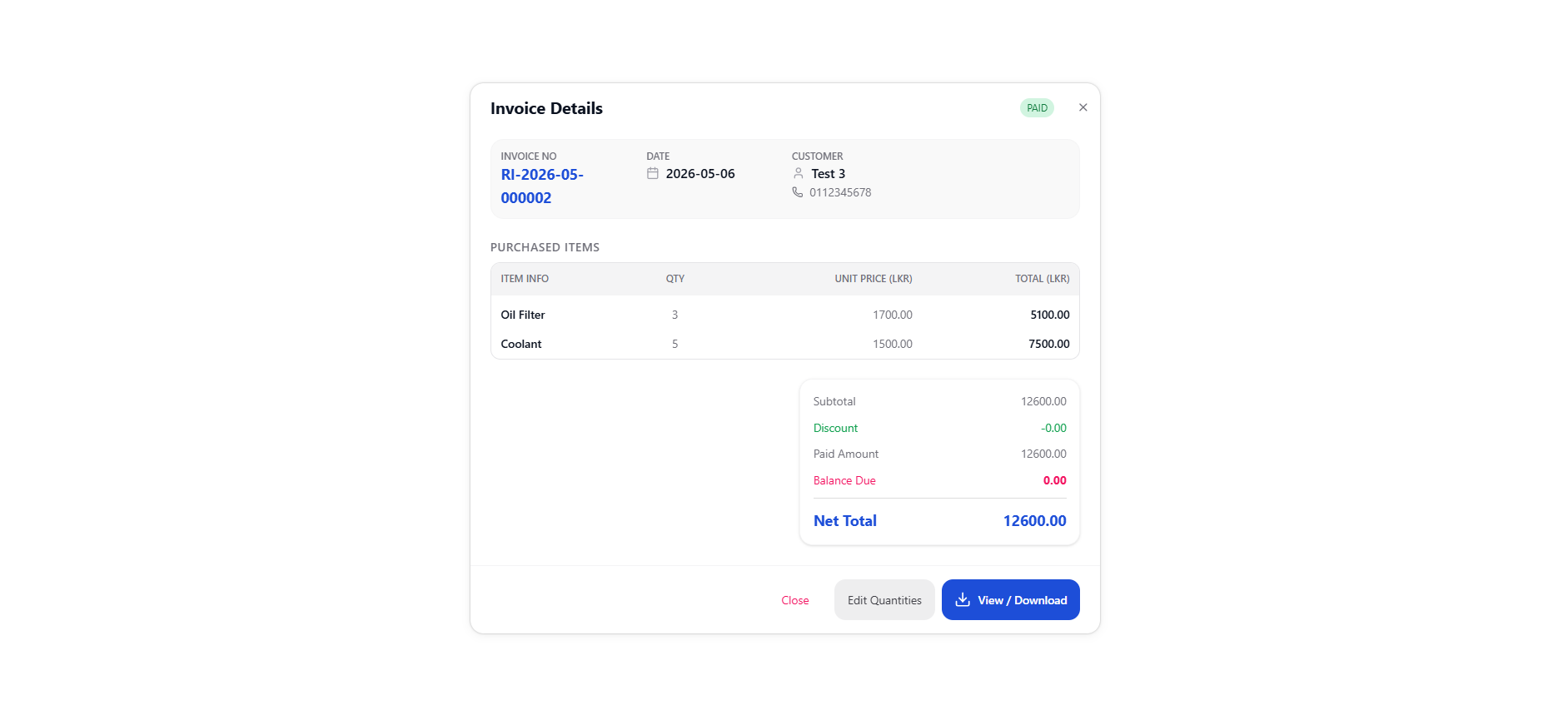
This is a retail invoice management interface for creating and tracking customer sales. Users can create new invoices, add items to cart, manage customer details, process payments, and view all invoice history with status tracking.
- ✦Create new retail invoice
- ✦View all invoices table
- ✦Search & filter invoices by customer or status
- ✦View invoice details
- ✦Edit quantities on existing invoices
Final Invoices
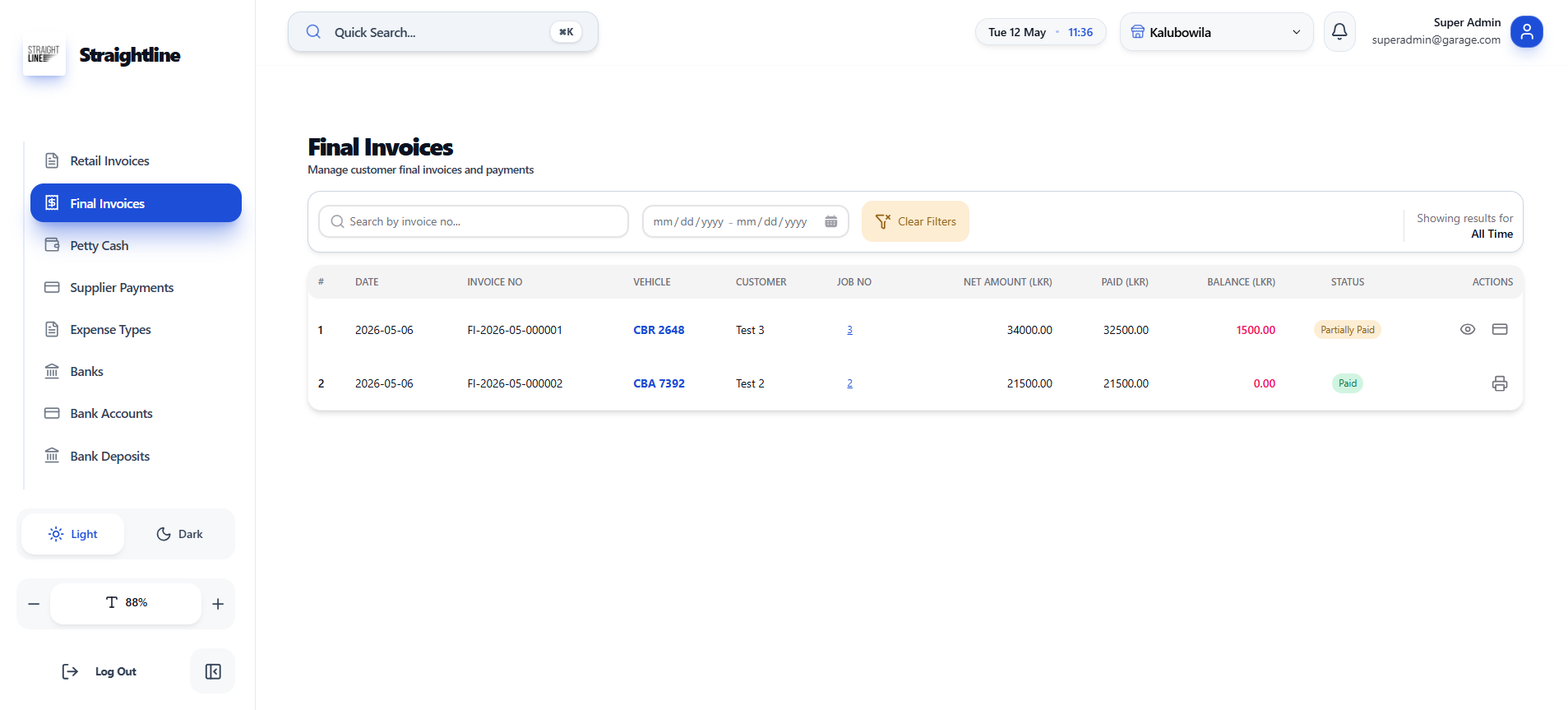
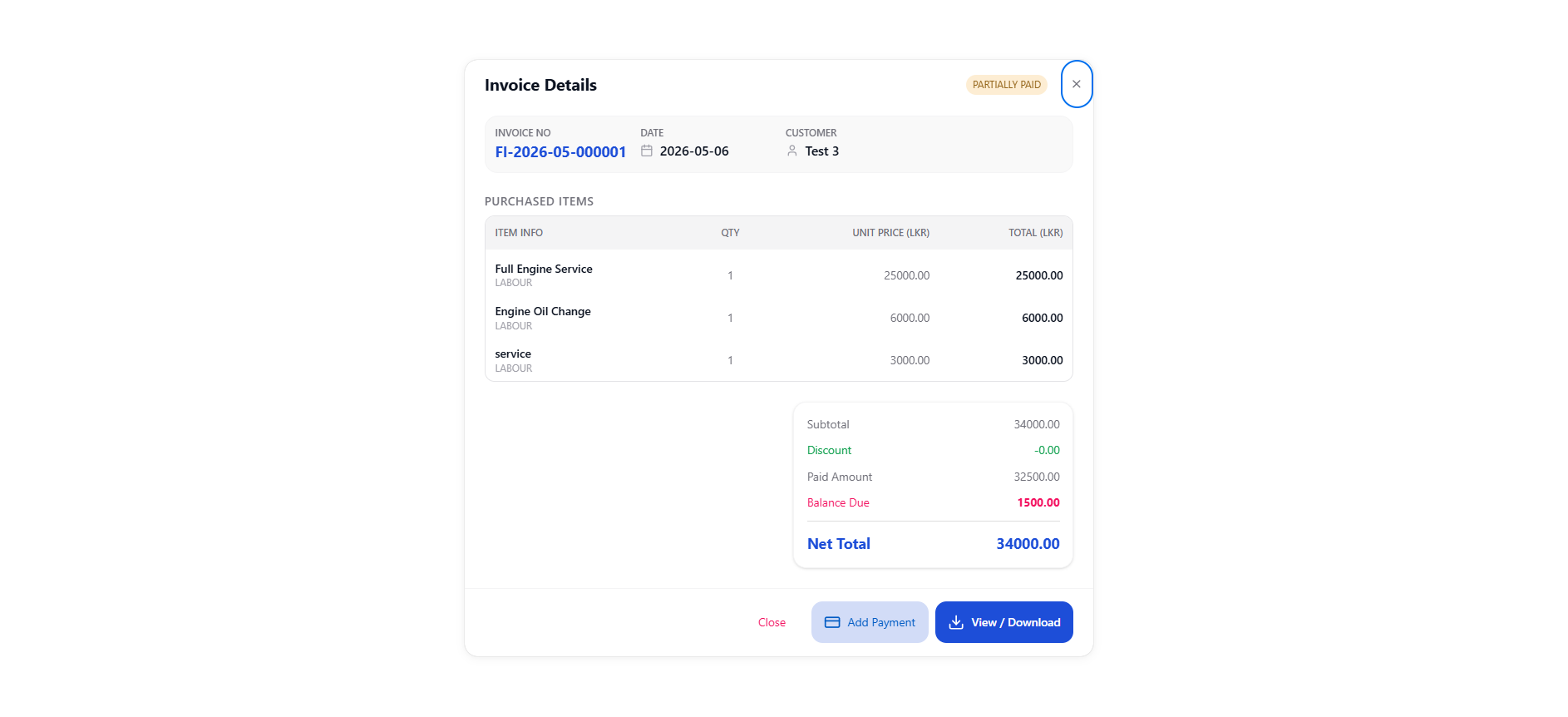
This is a final invoice management interface for service/job-based billing (including labour charges). Users can track invoices linked to vehicles and job numbers, view payment statuses, and manage outstanding balances.
- ✦View final invoices table
- ✦Search & filter invoices by invoice number or date range
- ✦View invoice details
- ✦Add payment to partially paid invoices
- ✦View/download invoices
Petty Cash Management
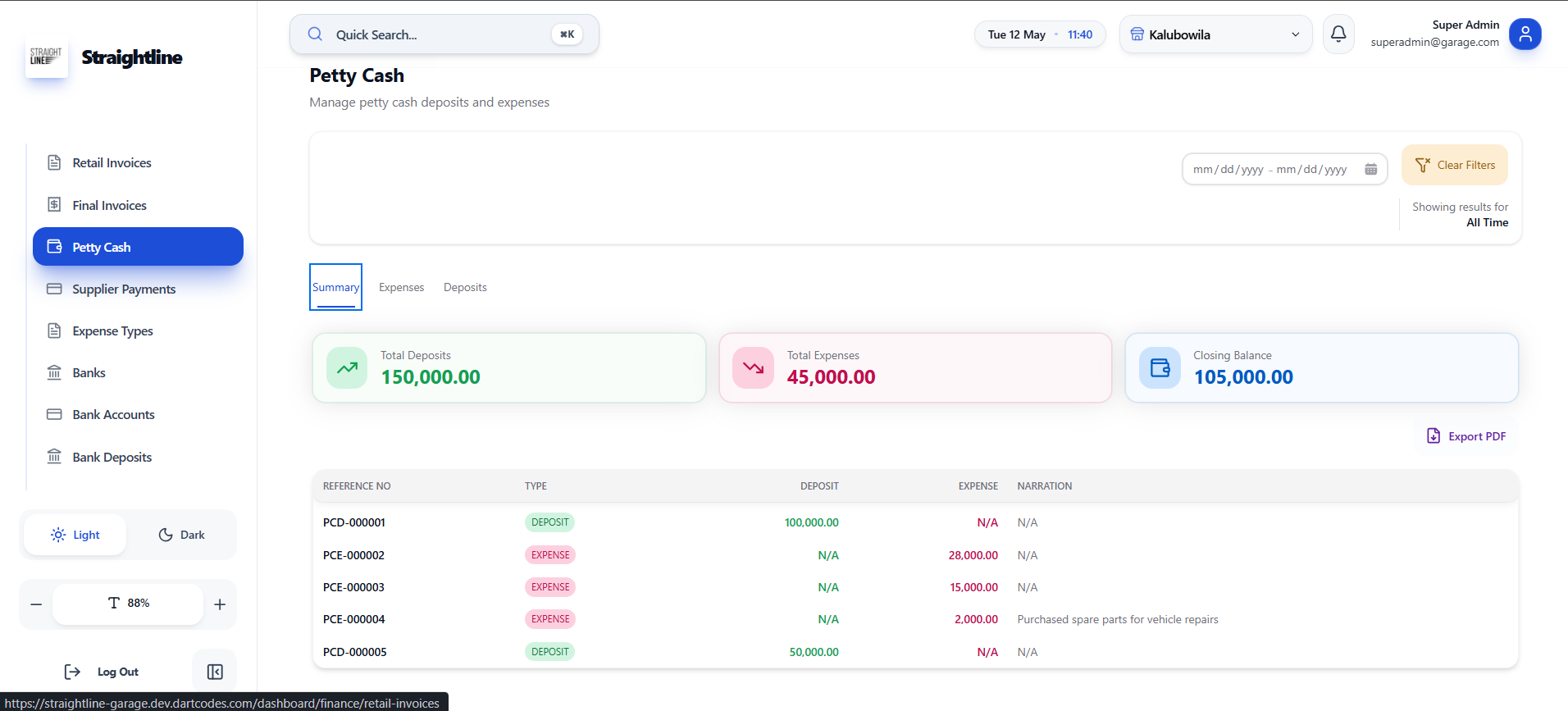
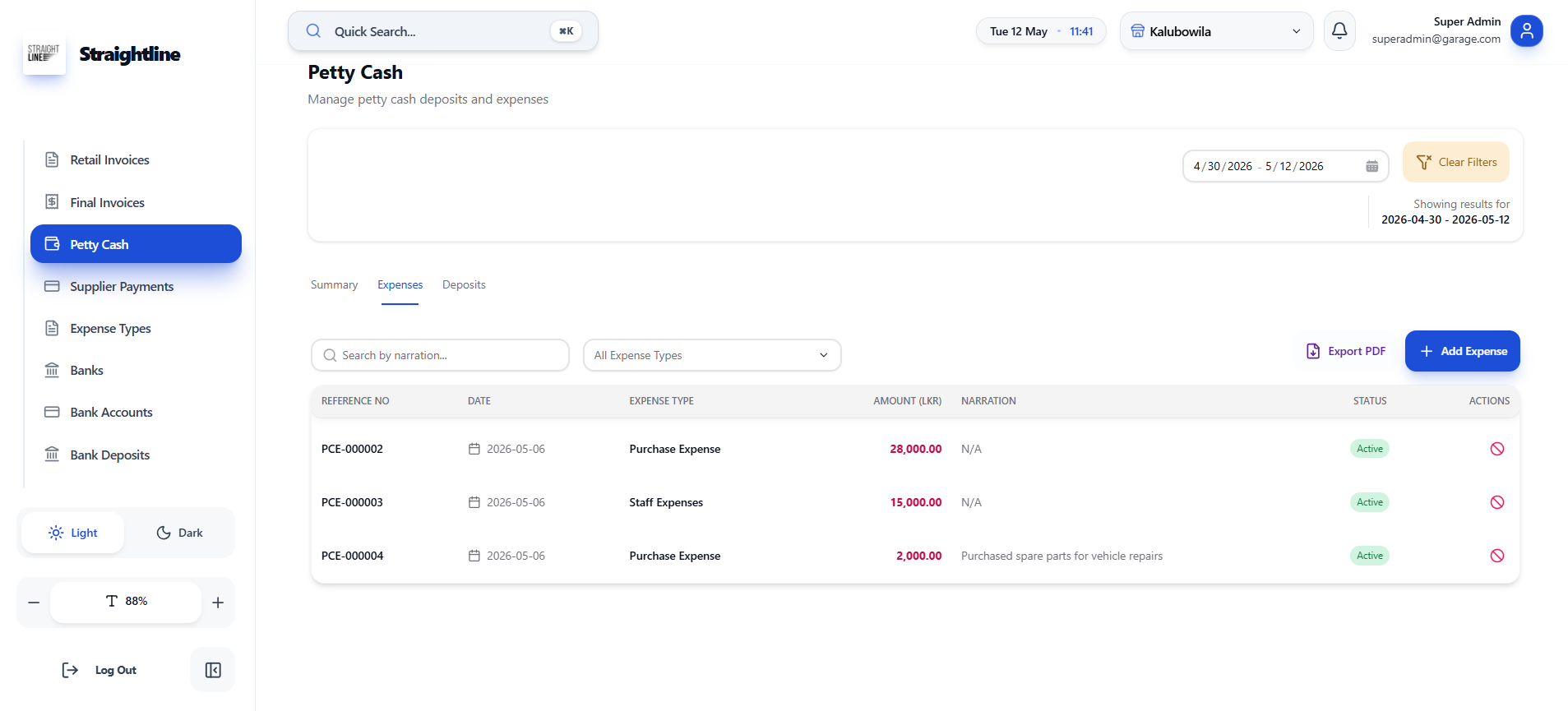
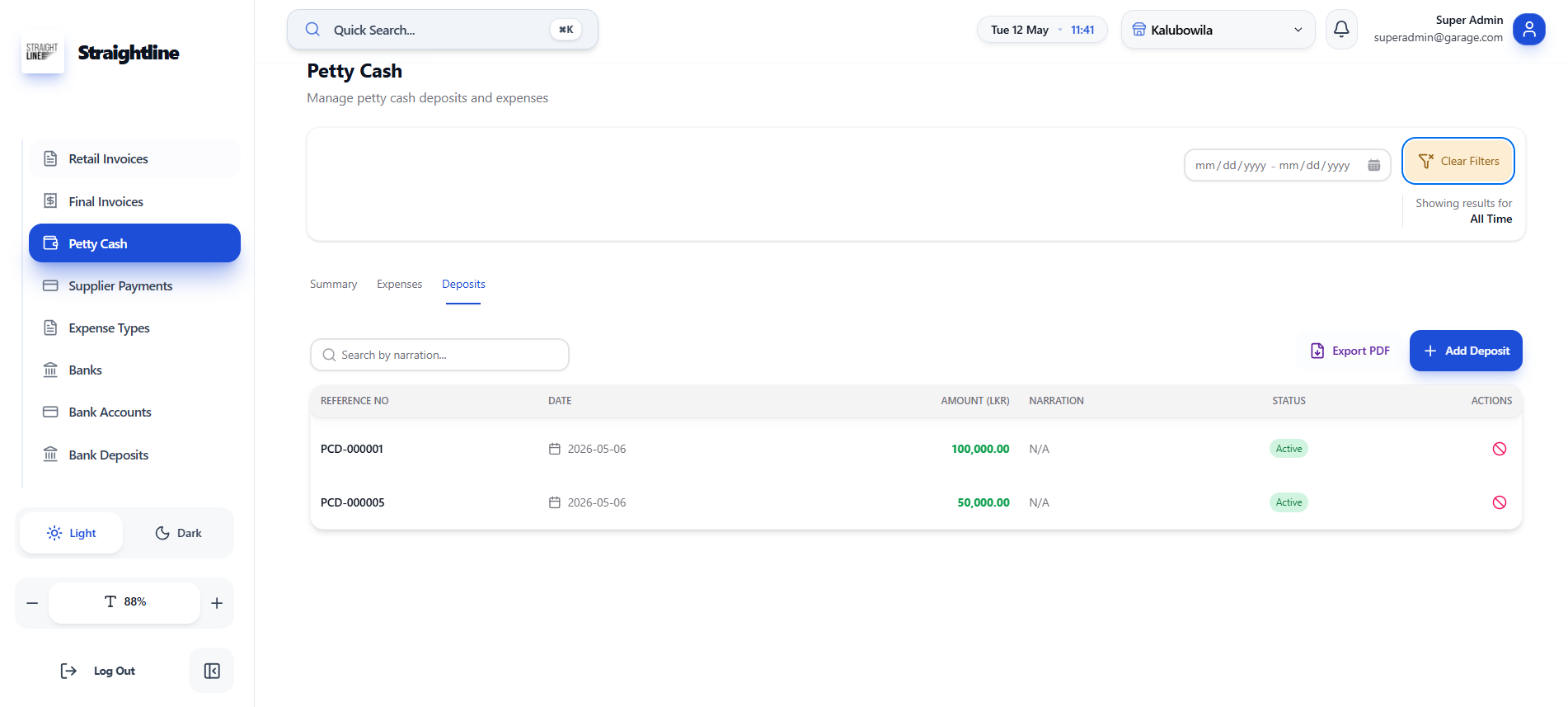
This is a petty cash management interface for tracking small deposits and expenses. Users can view summary totals, record deposits/expenses, and monitor closing balance.
- ✦View summary (total deposits, total expenses, closing balance)
- ✦Add deposit or expense with narration
- ✦View transaction table (reference no, type, amount, narration)
- ✦Filter by date range
- ✦Export to PDF
Collection Summary
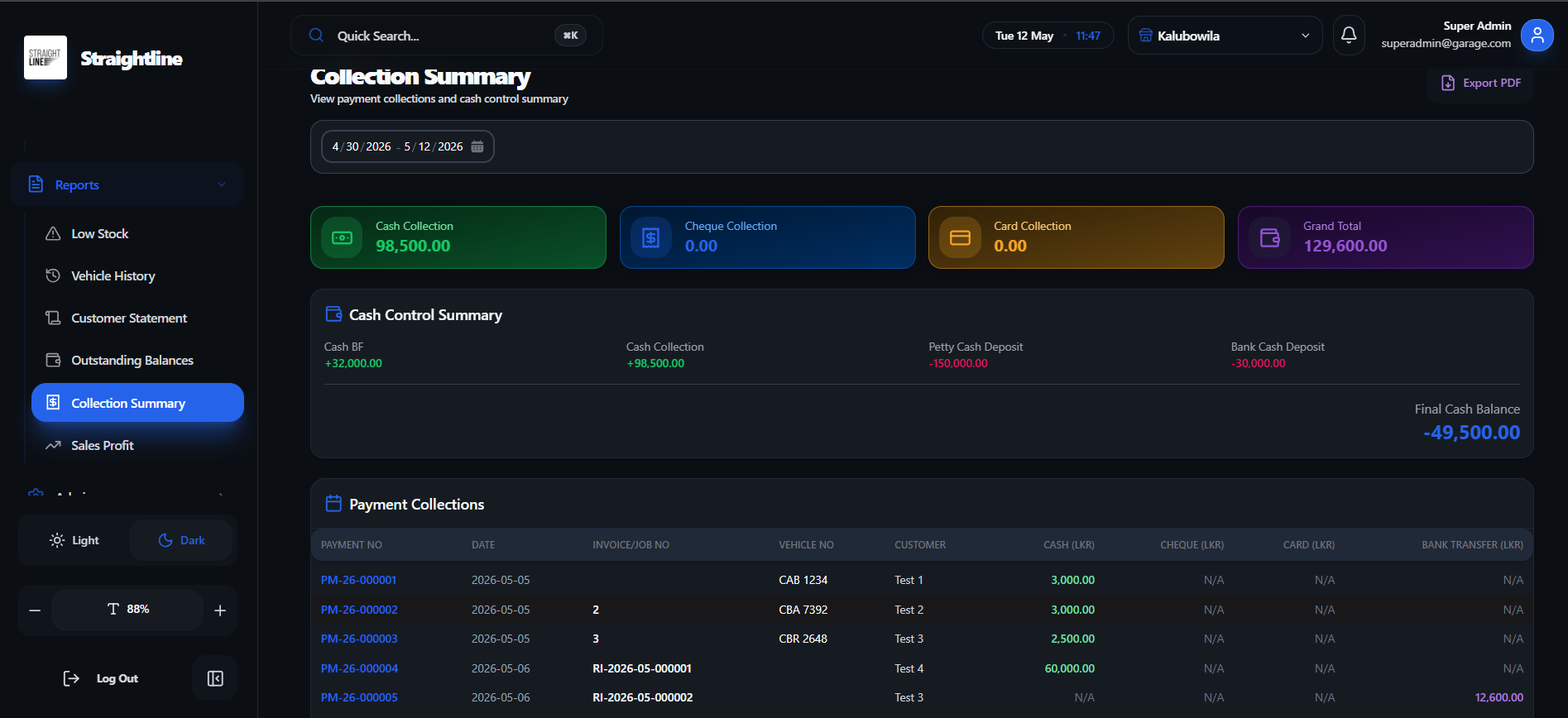
This is a collection summary dashboard for tracking payment receipts across cash, cheque, card, and bank transfer methods.
- ✦Cash control summary (Cash BF, collections, grand total)
- ✦Filter by date range
- ✦Payment collections table (payment no, date, invoice/job no, customer, payment method amounts)
- ✦Export to PDF
Daily & Profit Analysis
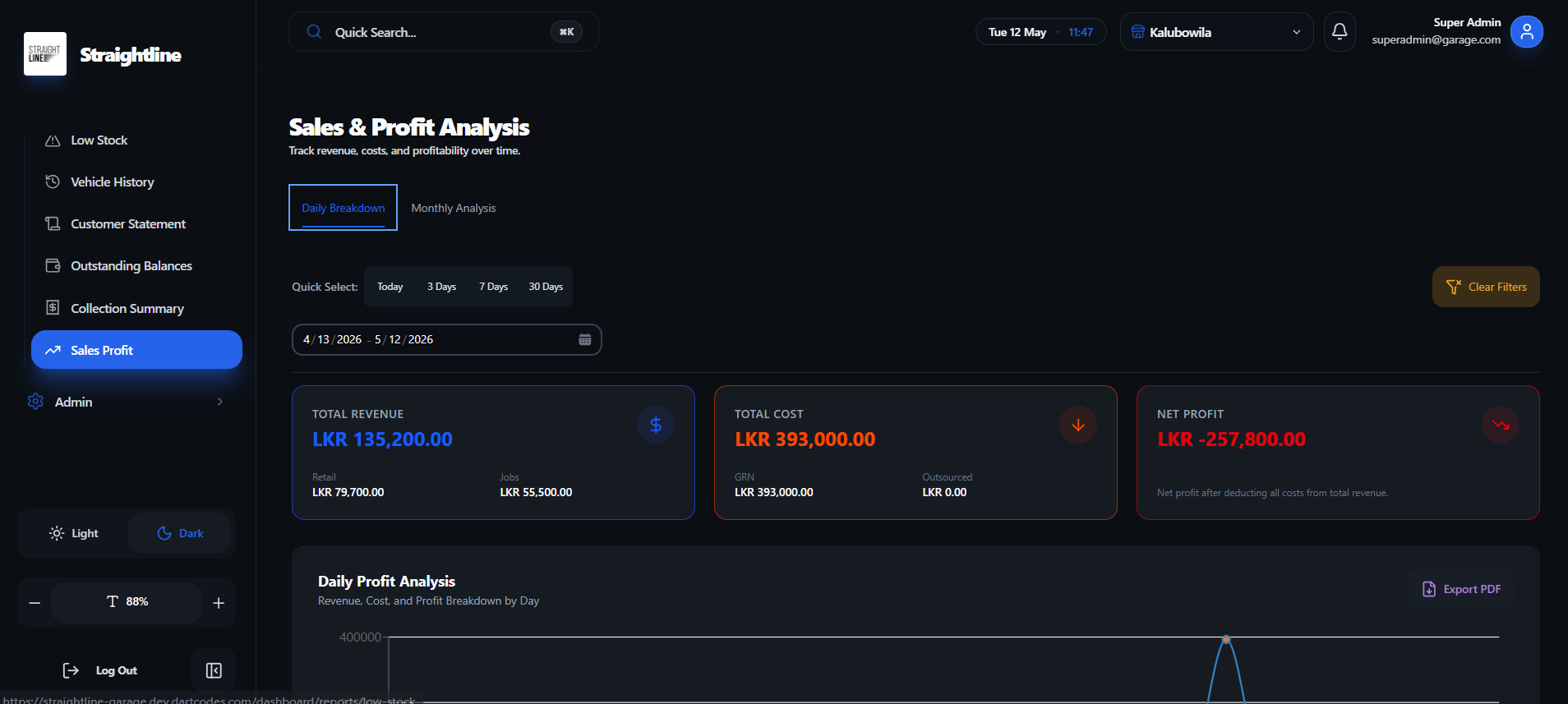
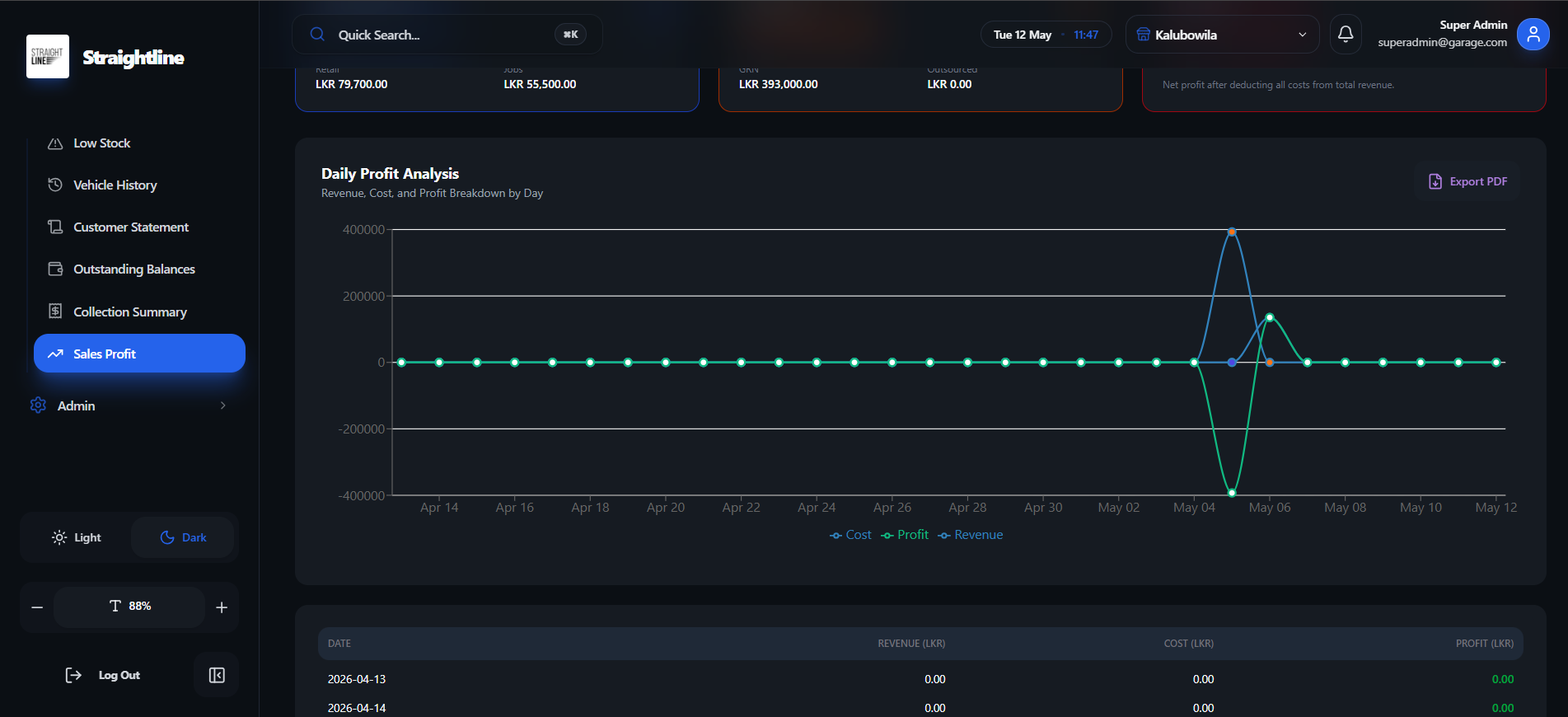
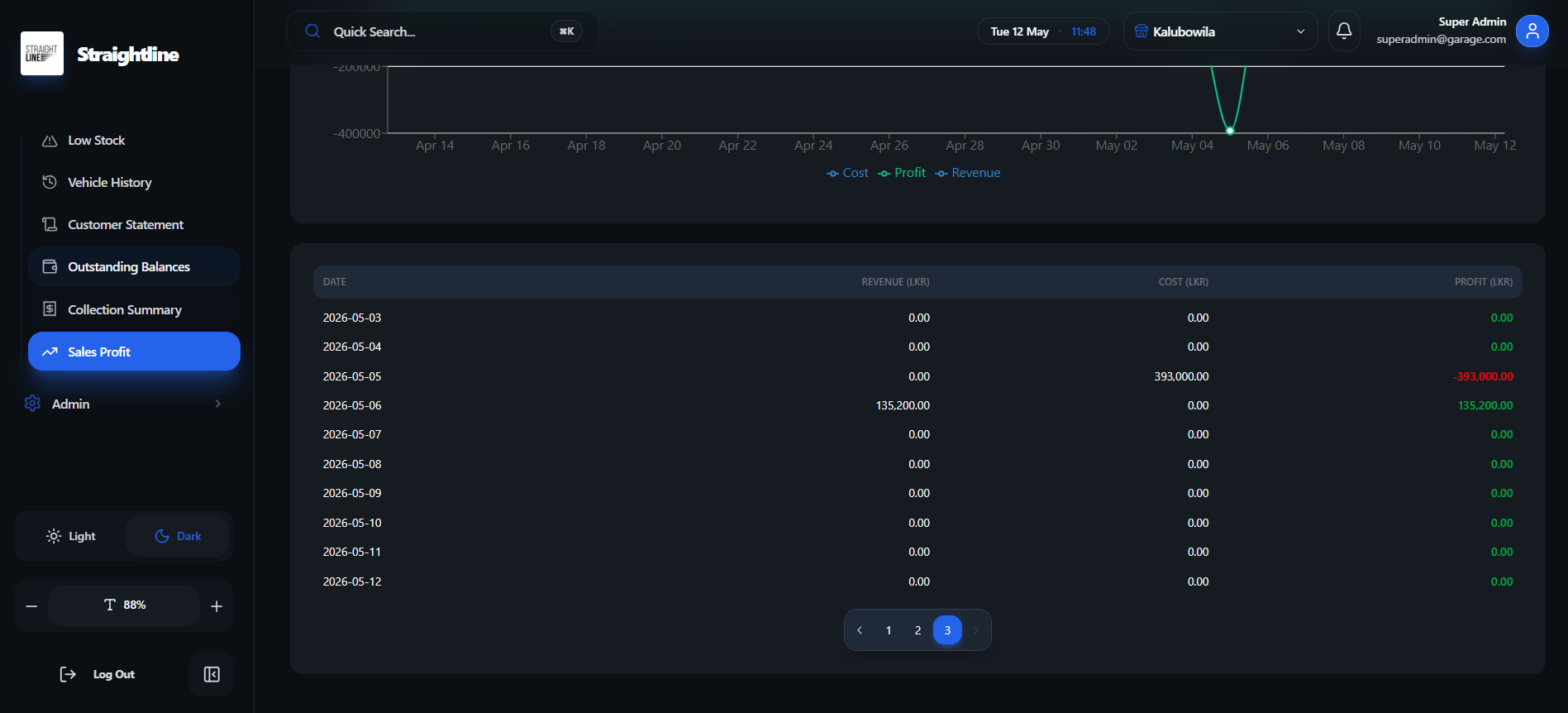
This is a sales and profit analysis dashboard for tracking revenue, costs, and net profit over time. Users can view daily/monthly breakdowns with visual charts and data tables.
- ✦View total revenue, total cost, and net profit summary
- ✦Daily/Monthly breakdown toggle
- ✦Quick date presets (Today, 3/7/30 Days)
- ✦Line chart showing revenue, cost, and profit trends
- ✦Data table with daily revenue, cost, and profit figures
- ✦Export to PDF
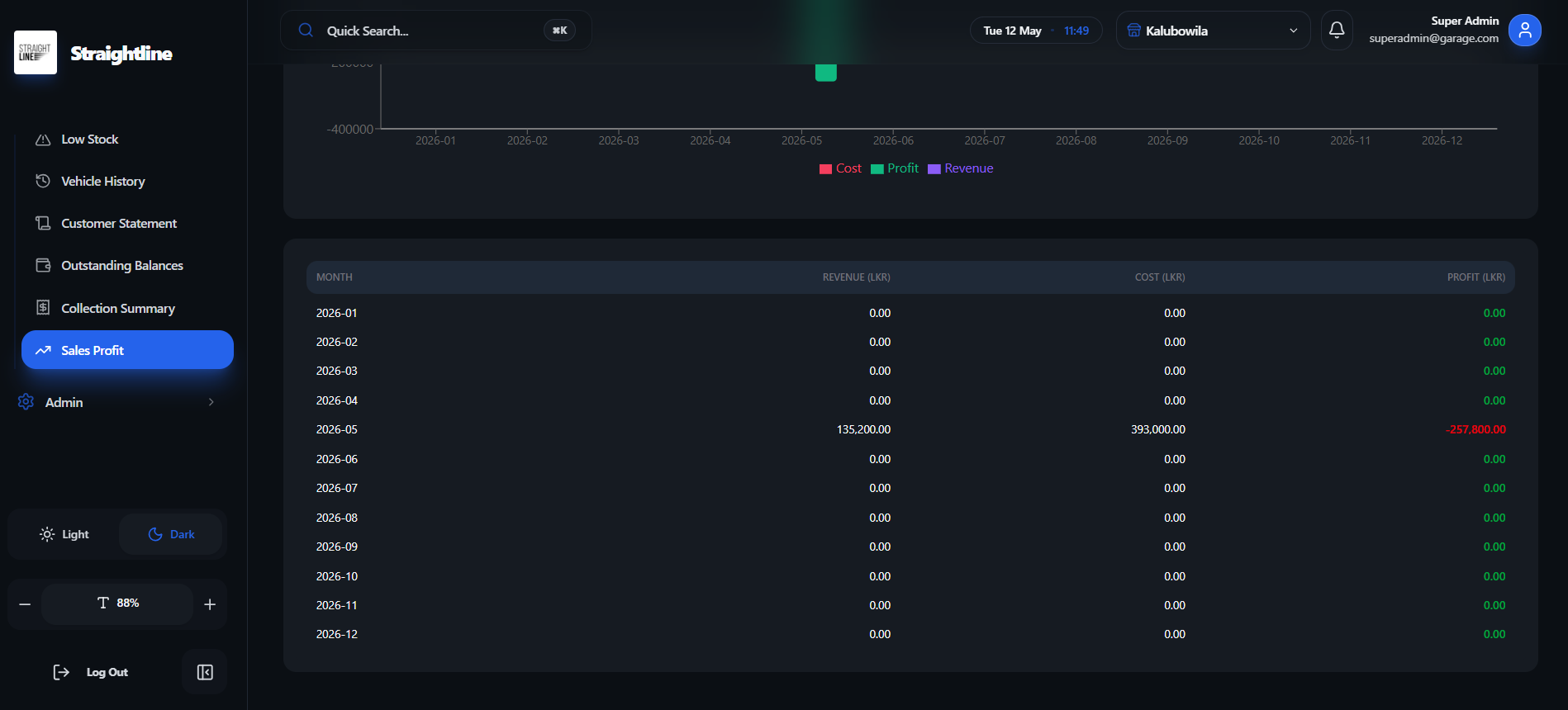
Monthly Profit Analysis
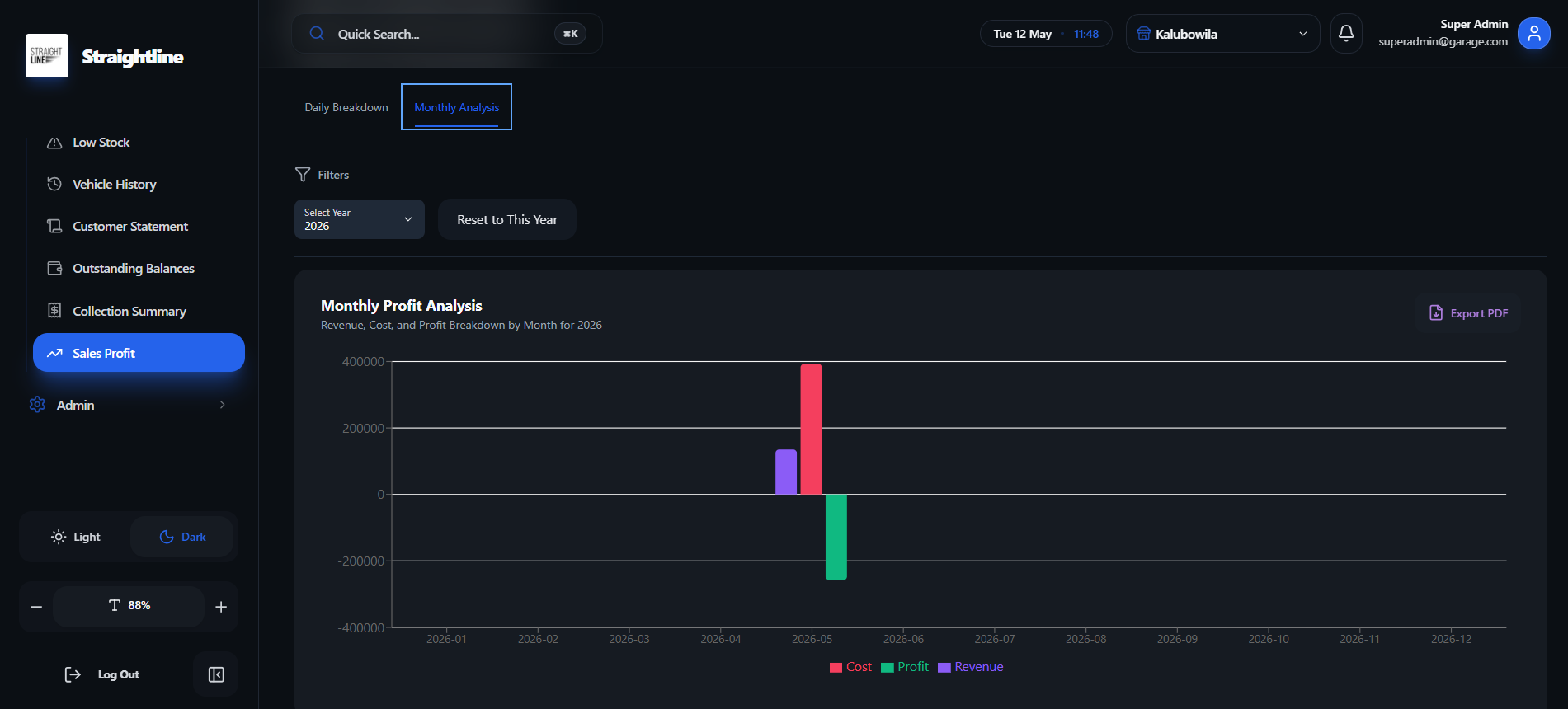
This is a monthly profit analysis view showing revenue, cost, and profit trends across months of a selected year.
- ✦Select year with reset option
- ✦Line chart comparing revenue, cost, and profit by month
- ✦Negative profit visualization