

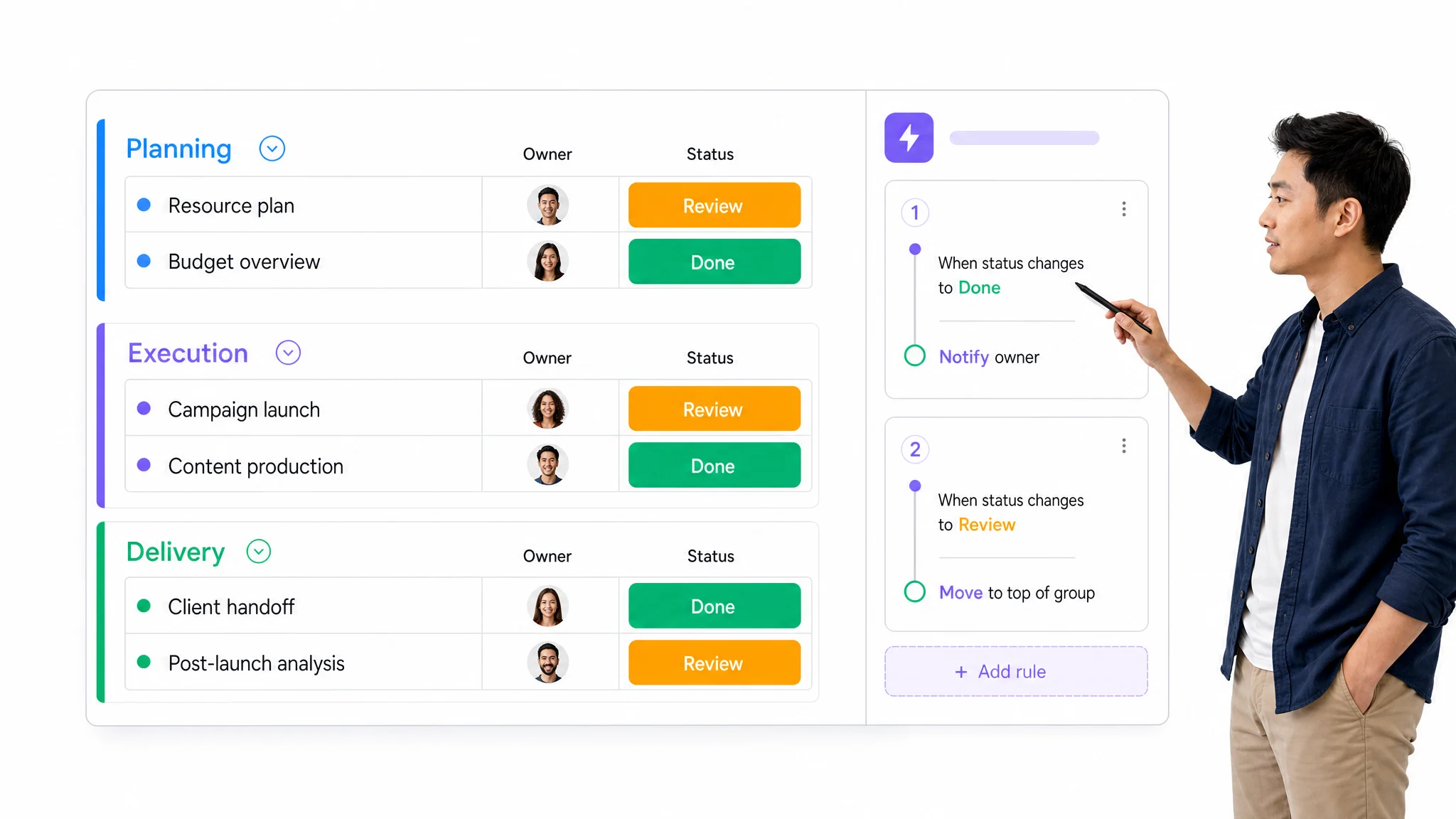
Workflow Management System
This application operates on a custom-built Workflow Management System that keeps every project on track. From active project dashboards and task progress tracking to petty cash, BOQ, quotations, and material planning, everything is managed in one place. This system helps us deliver work on time, reduce delays, and maintain full transparency across all stages of construction.
Core Modules & Architecture
- ✦ Active Projects Dashboard
- ✦ Project Management Dashboard
- ✦ Stage & Task Progress
- ✦ Work flow
- ✦ BOQ & Quotation
- ✦ Meterial Plan
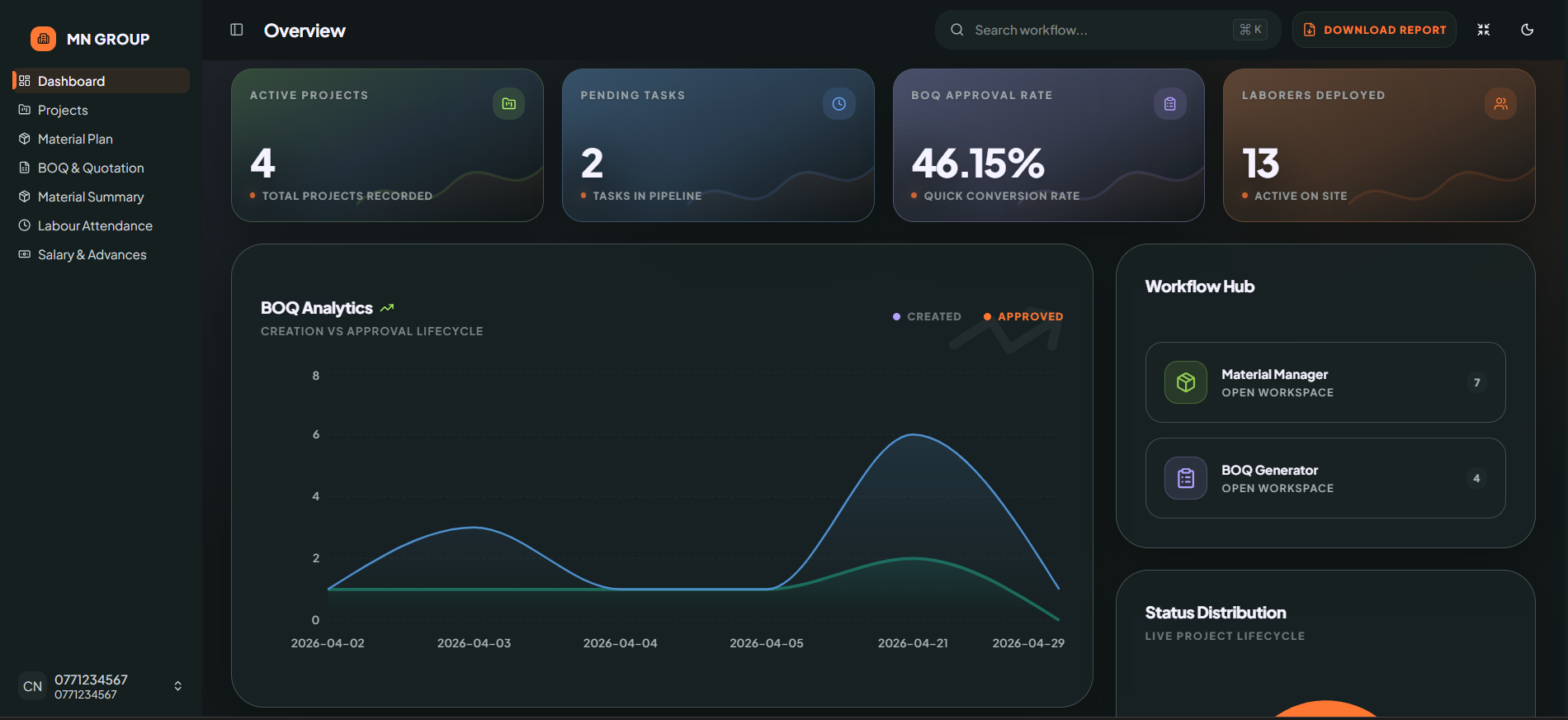
Active Projects Dashboard
A clean project tracking dashboard designed for admins to monitor active projects, task pipelines, and conversion rates. It provides a complete view of project metrics alongside BOQ creation vs. approval analytics—helping teams track progress over time.
- ✦Total Projects Recorded
- ✦Tasks in Pipeline
- ✦Quick Conversion Rate
- ✦Active on Site
- ✦BOQ Analytics Chart (Creation vs Approval Lifecycle)
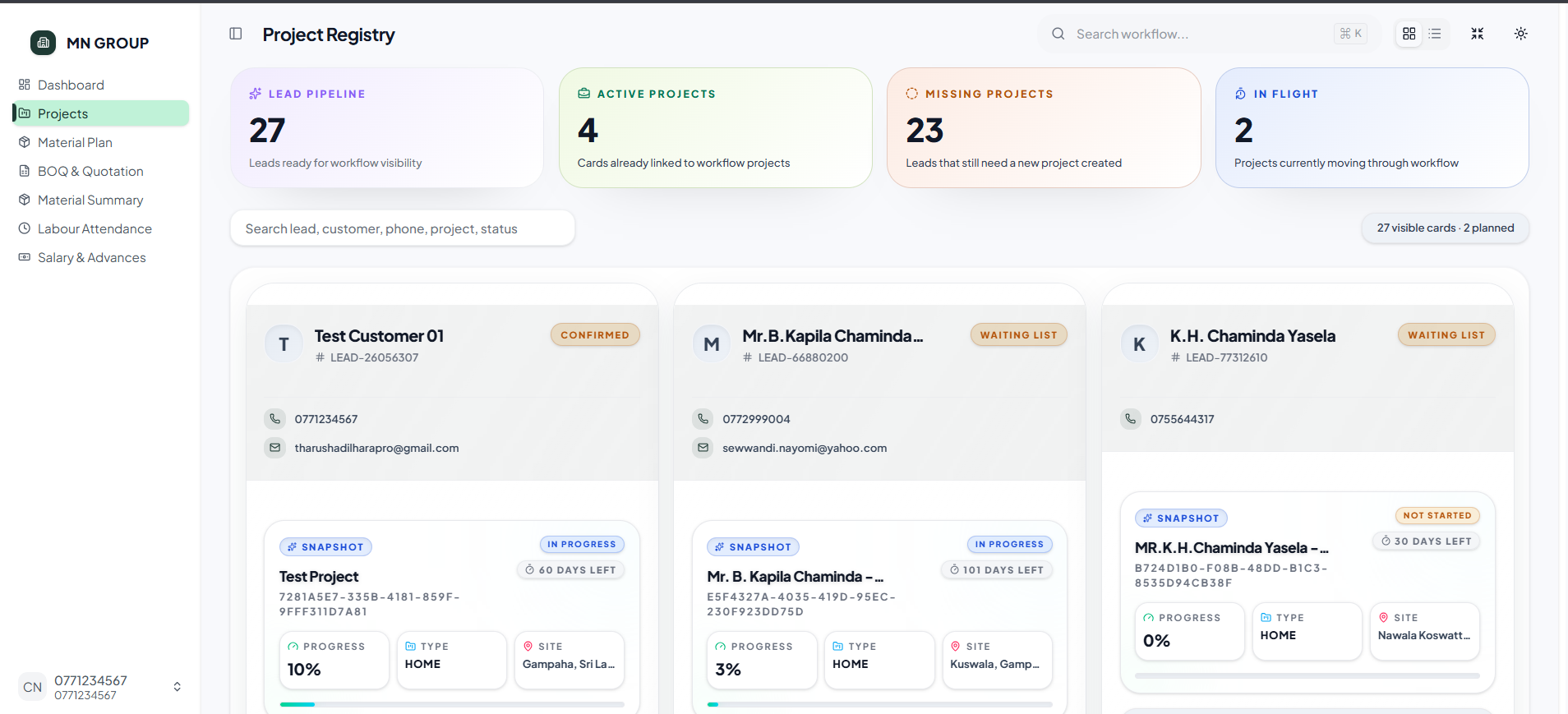
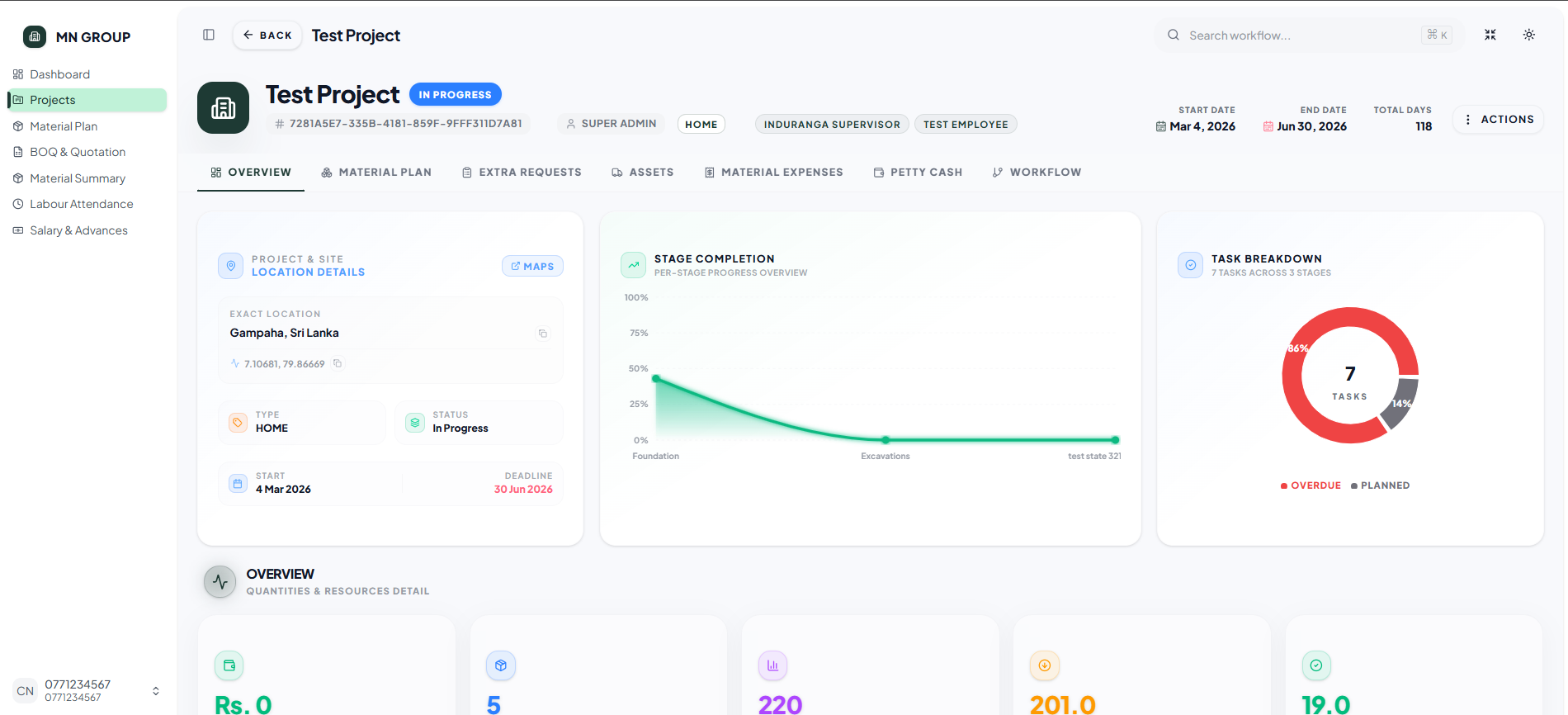
Project Management Dashboard
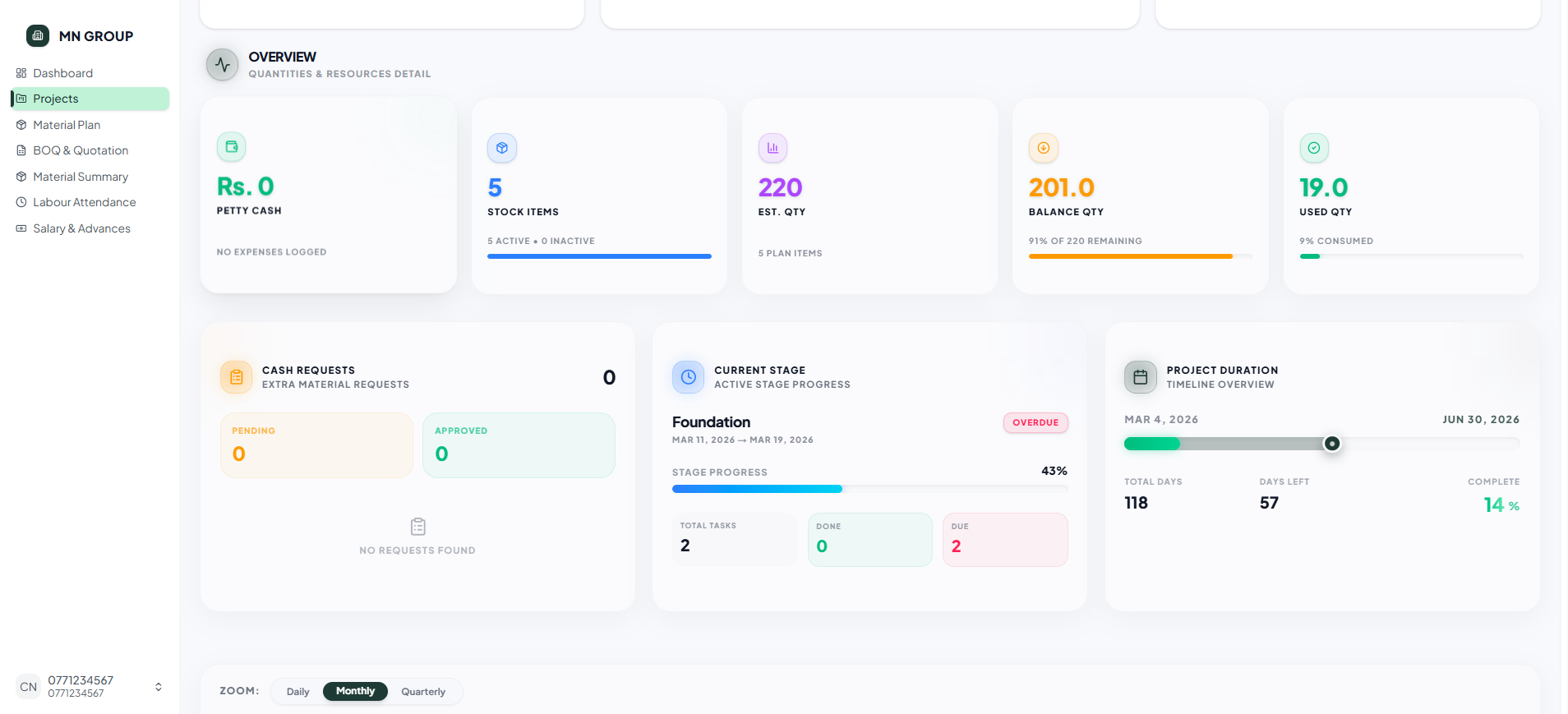
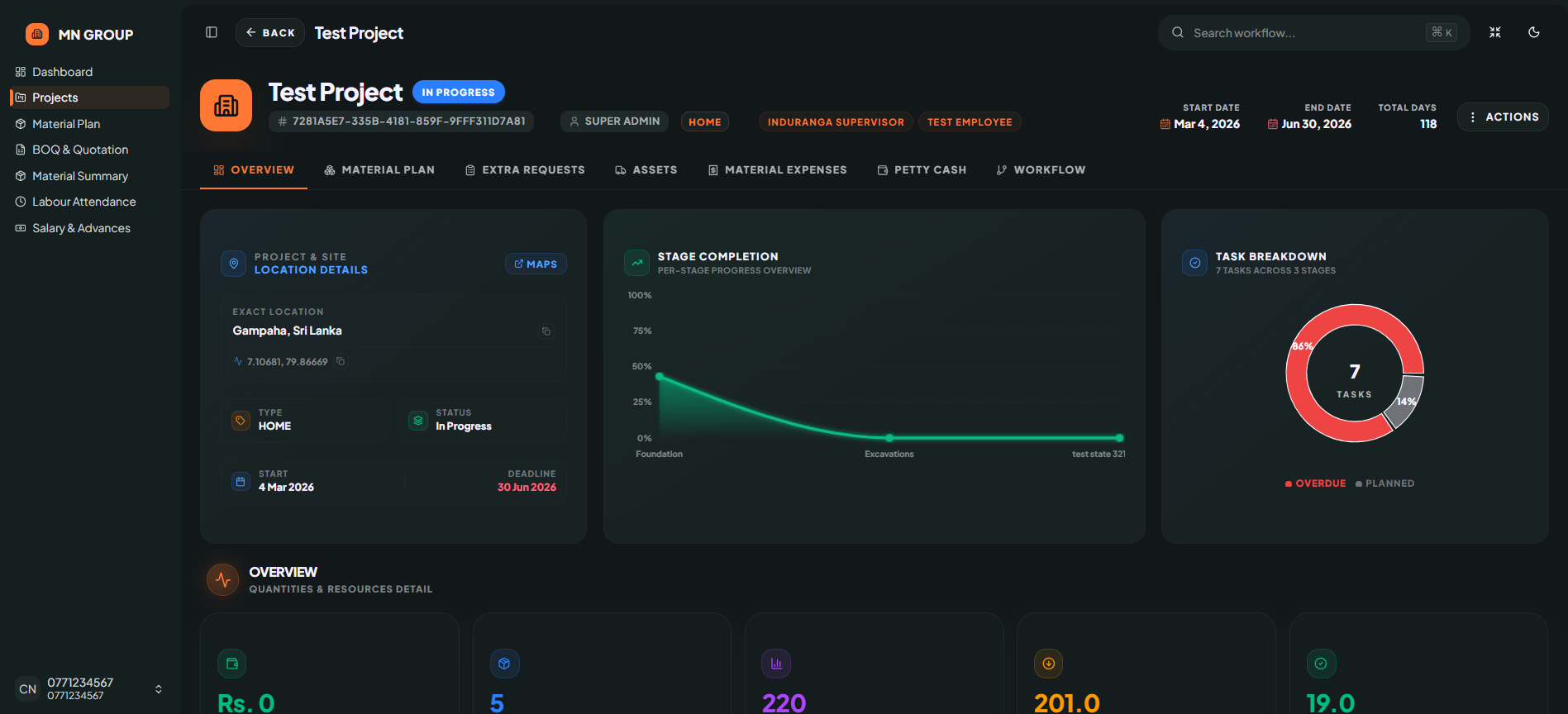
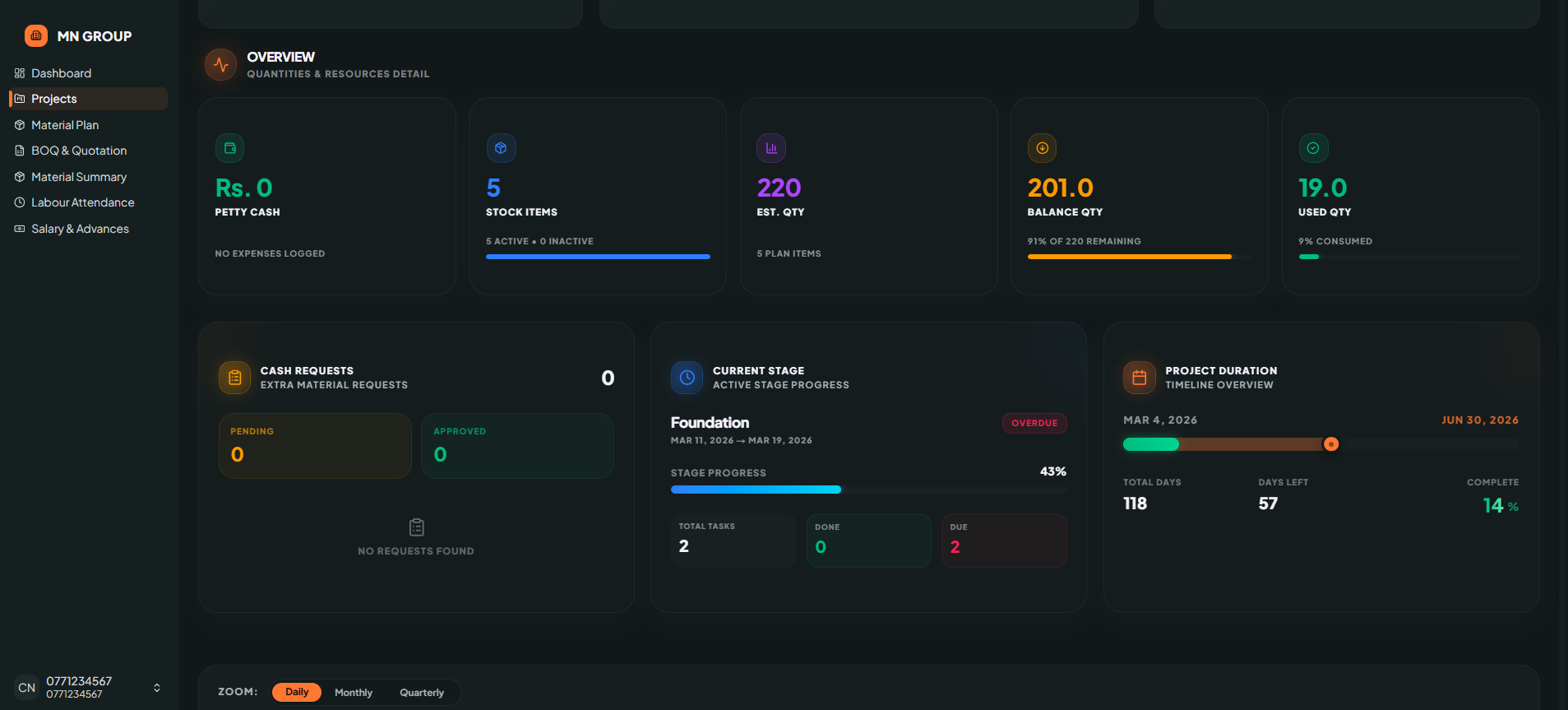
A clean construction project dashboard combining project overview, stage completion, task breakdown, quantities, resources, cash requests, and timeline. It helps admins track project progress, stock items, material requests, and stage-wise task status all in one place.
- ✦Stage Completion Chart (Foundation, Excavations, etc.)
- ✦Task Breakdown (Overdue vs Planned)
- ✦Petty Cash, Stock Items & Estimated Quantity
- ✦Balance & Used Quantity with Percentage
- ✦Extra Material Requests (Pending / Approved)
- ✦Project Duration (Total Days, Days Left, Complete Percentage)
Stage & Task Progress
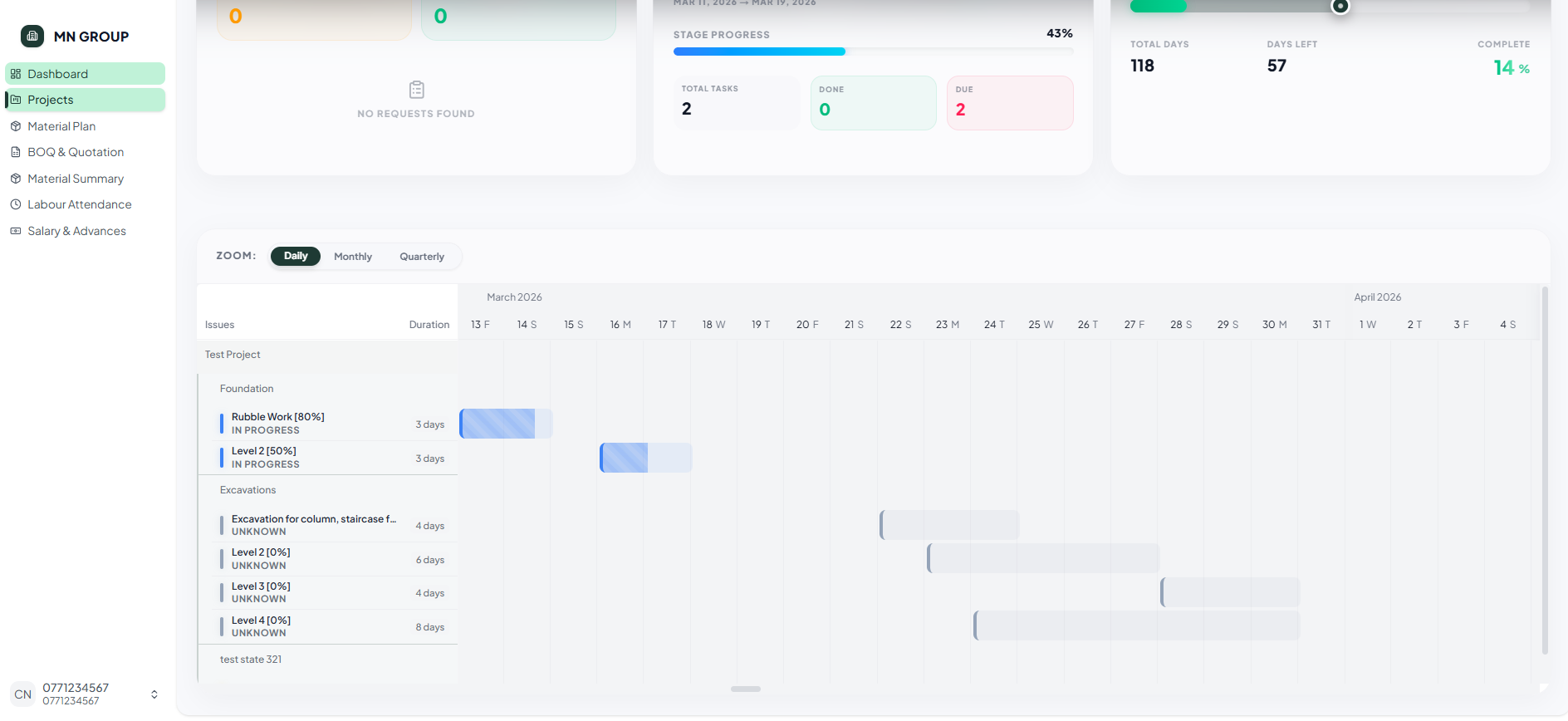
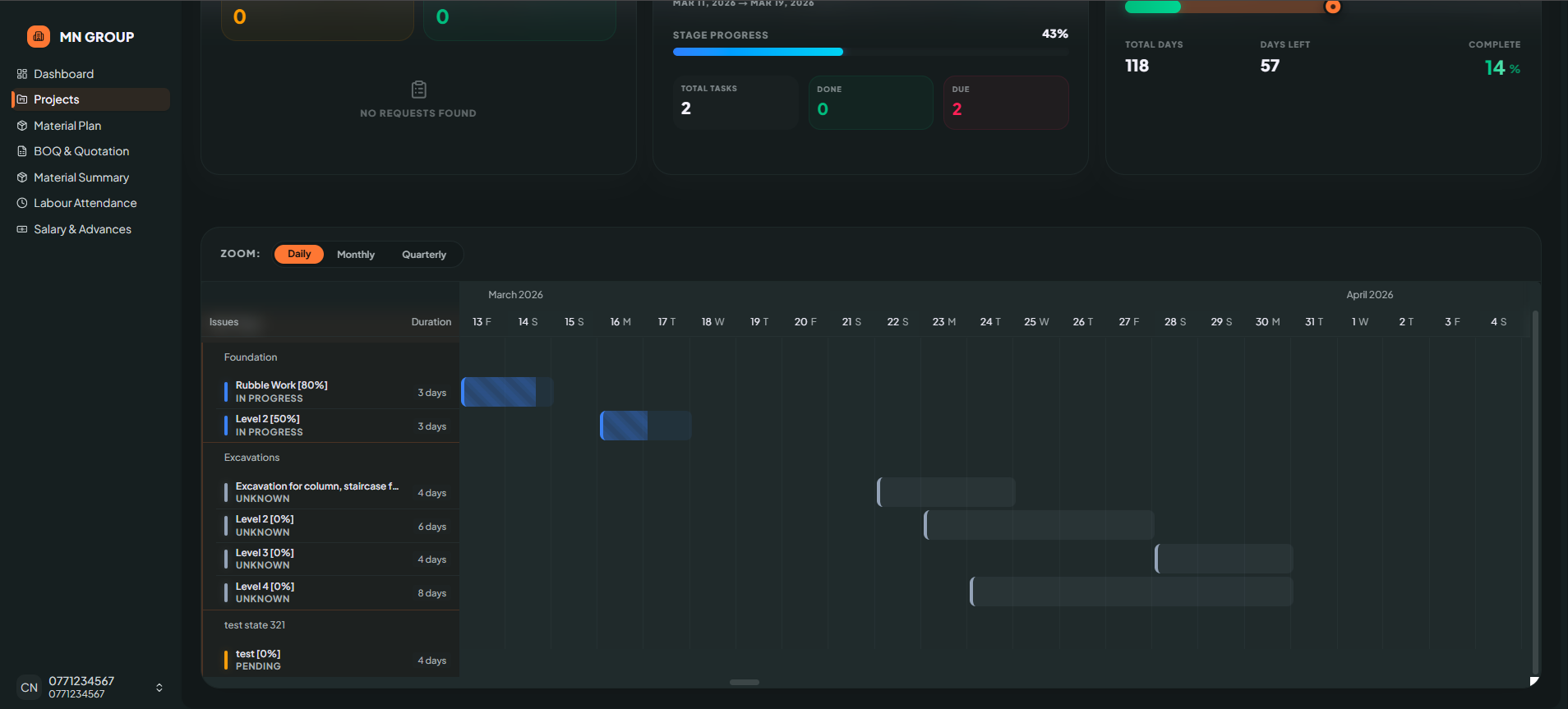
A clean task tracking interface showing stage-wise progress with individual task percentages, status labels, and duration days. It includes a timeline zoom option, progress summary stats, and a calendar view for date tracking.
- ✦Stage Progress Summary
- ✦Total Tasks, Done & Due Counters
- ✦Stage-wise Task List (Foundation, Excavations, etc.)
- ✦Individual Task Progress Percentages
- ✦Task Duration in Days
- ✦Calendar View with Dates
Work flow
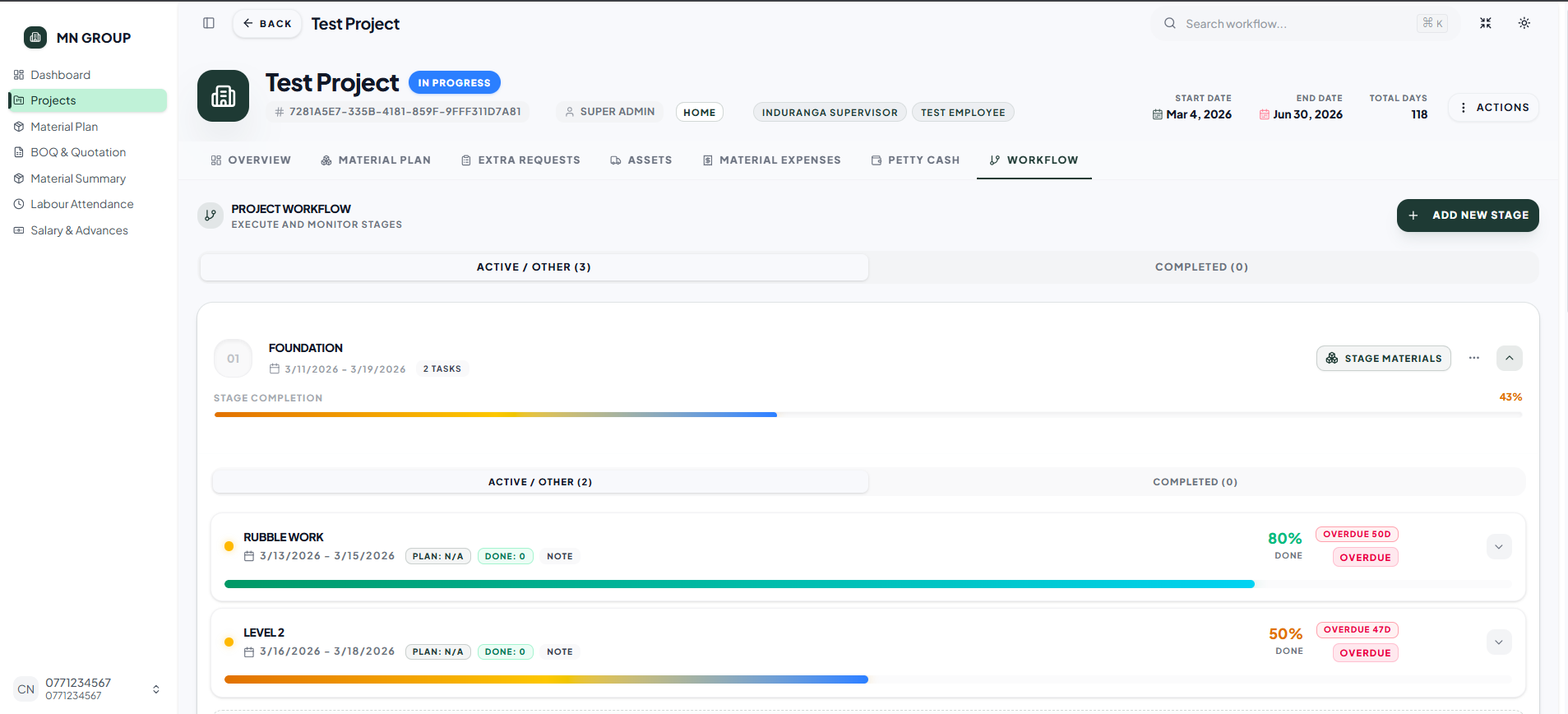
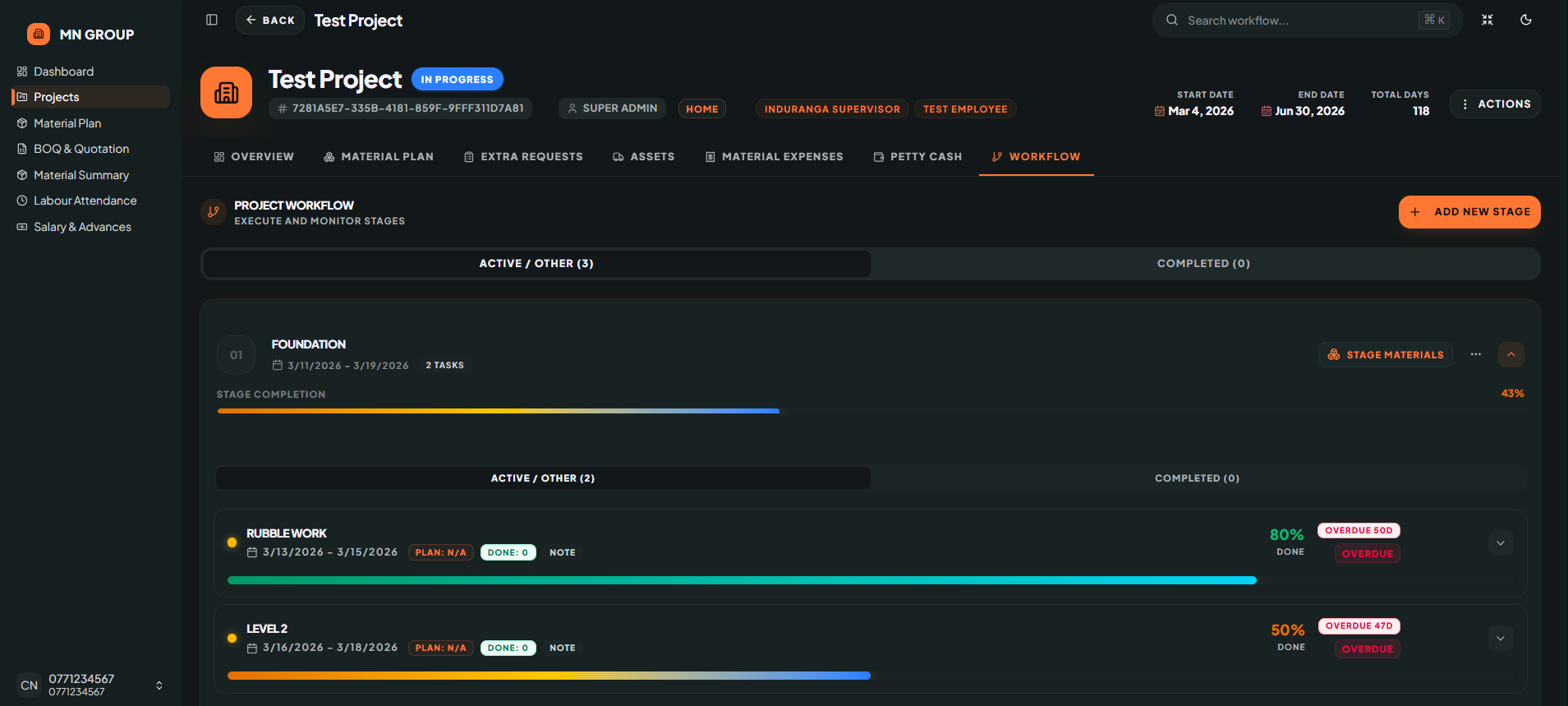
A clean workflow tracking interface for construction project stages. It separates active stages from completed stages, showing task counts, completion percentages, date ranges, and overdue status for each stage.
- ✦Active / Other Stages
- ✦Completed Stages Counter
- ✦Stage Completion Percentage
- ✦Task Count per Stage
- ✦Stage Date Ranges
- ✦Overdue Status with Days Overdue
- ✦Note Field per Stage
- ✦Actions Button
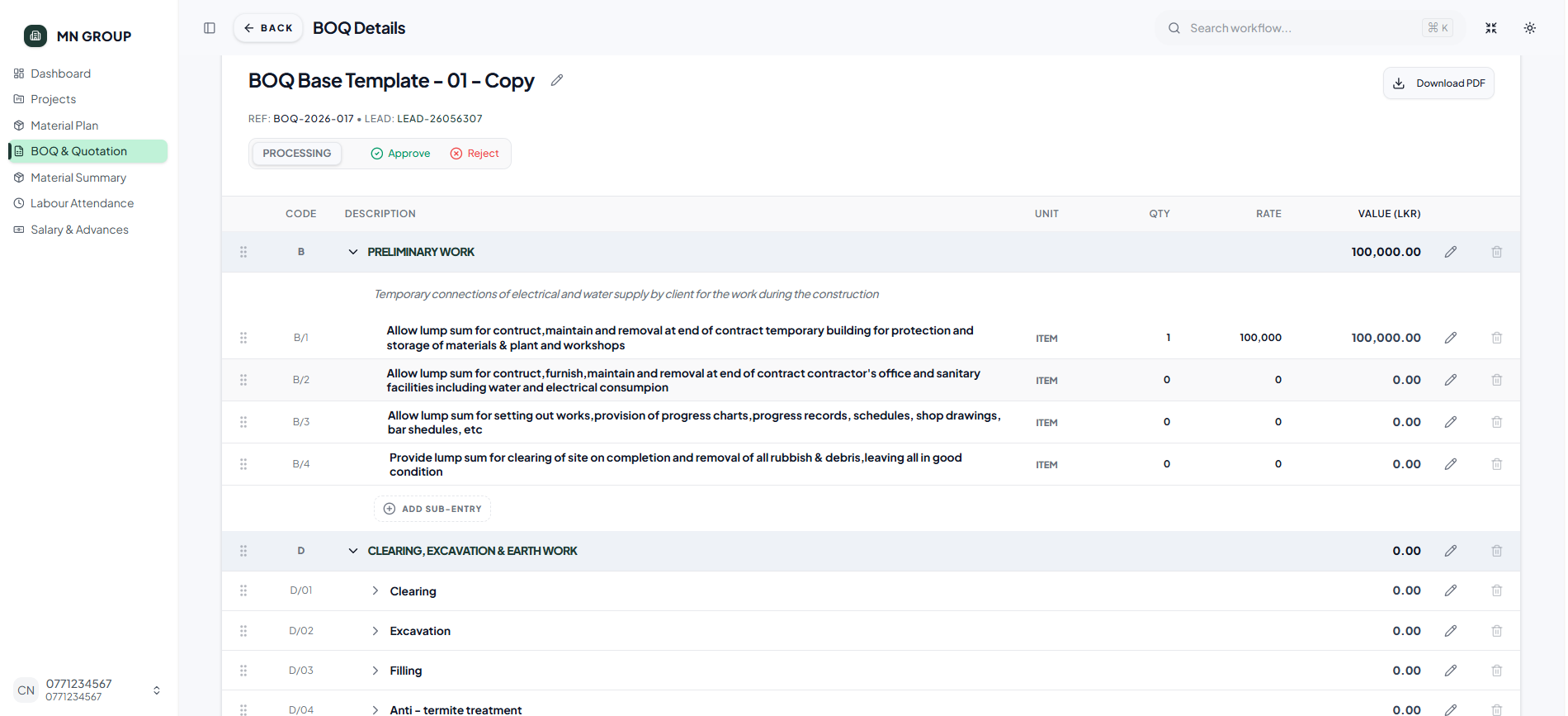
BOQ & Quotation
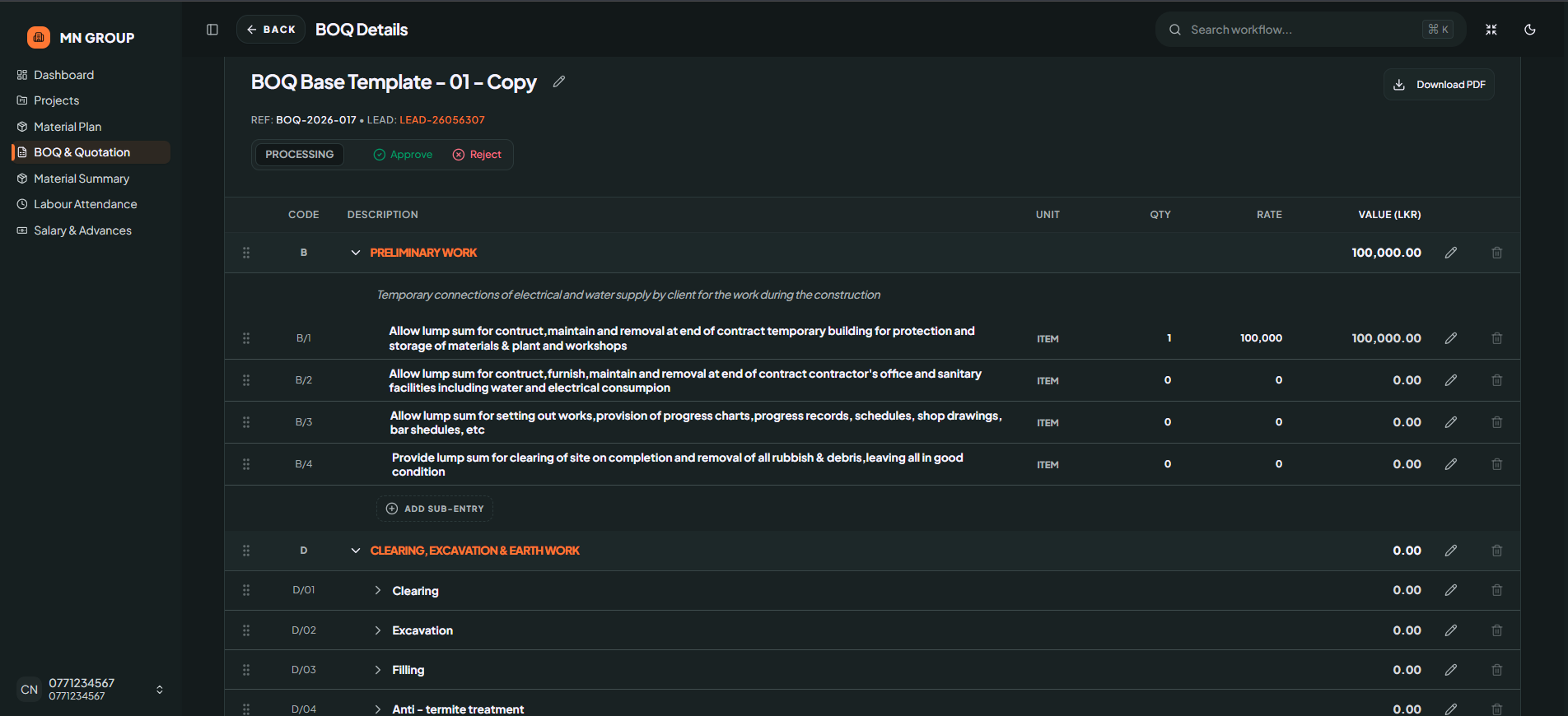
A clean bill of quantities dashboard designed for construction project management. It organizes all work categories—from preliminary work to painting—in a simple table format with code, description, unit, quantity, rate, and value, making cost tracking and approval easy for admins.
- ✦Work Categories (Preliminary, Excavation, Concrete, Masonry, Roof, Plumbing, Electrical, Painting, etc.)
- ✦Unit, Quantity, Rate & Value Columns
- ✦Status Checkmarks per Category
- ✦Action Buttons (Processing, Approve, Reject)
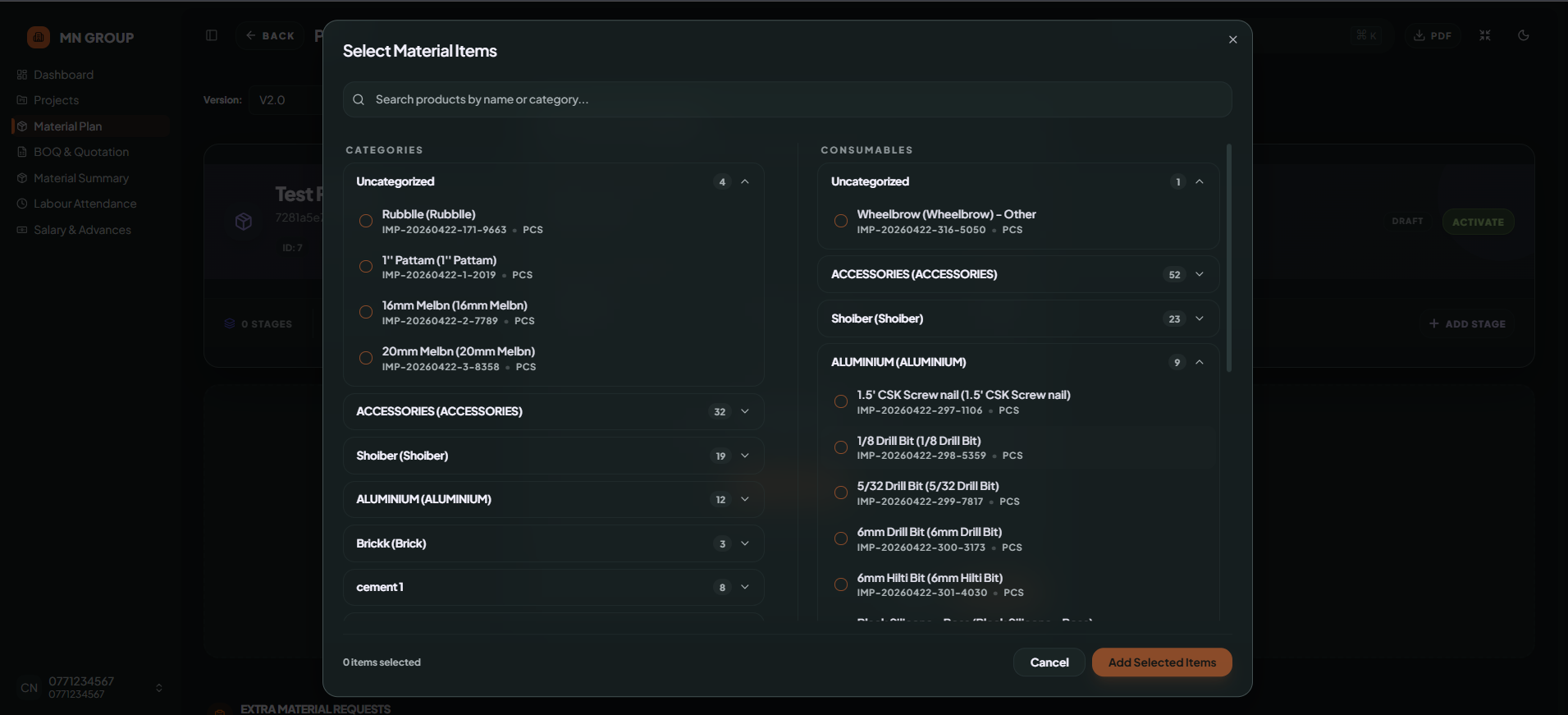
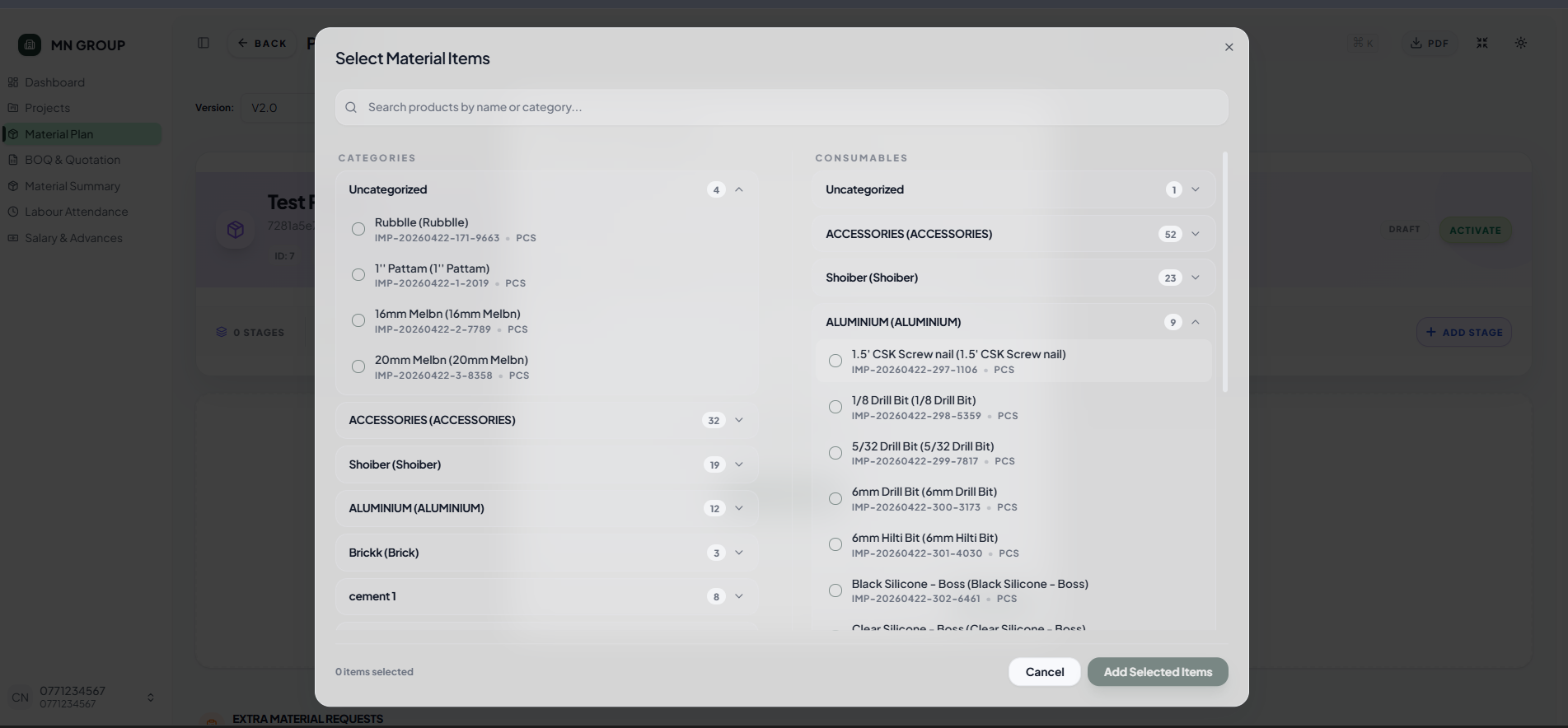
Meterial Plan
A clean bill of quantities dashboard designed for construction project management. It organizes all work categories—from preliminary work to painting—in a simple table format with code, description, unit, quantity, rate, and value, making cost tracking and approval easy for admins.
- ✦Work Categories (Preliminary, Excavation, Concrete, Masonry, Roof, Plumbing, Electrical, Painting, etc.)
- ✦Unit, Quantity, Rate & Value Columns
- ✦Status Checkmarks per Category
- ✦Action Buttons (Processing, Approve, Reject)