

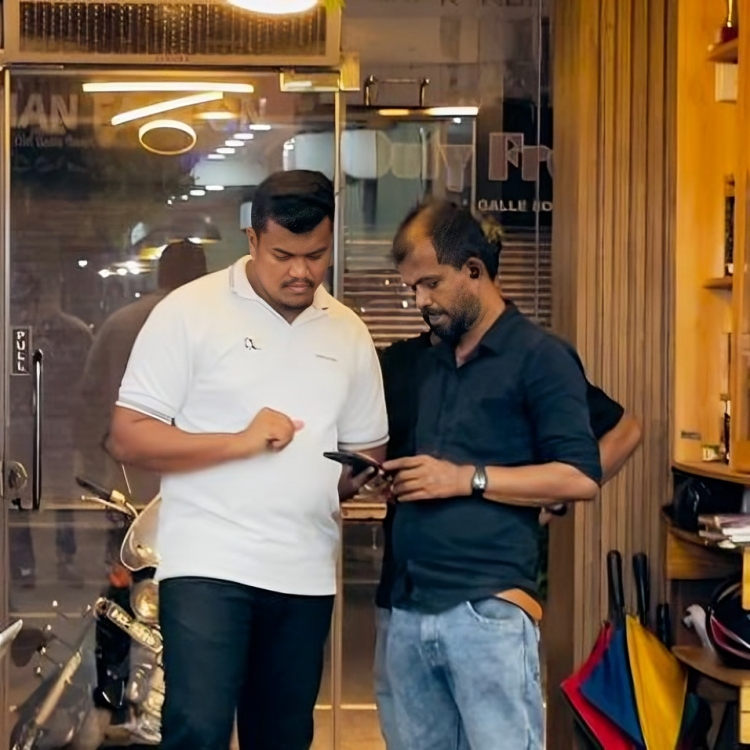
Salon Management System
A professional Salon Management System designed to streamline appointment scheduling, service tracking, and staff management with a real-time administrative dashboard.
Core Modules & Architecture
- ✦ Admin Dashboard
- ✦ Employee Management
- ✦ Payroll
- ✦ Cashier Dashboard
- ✦ Cashier Cash Drawer
- ✦ Invoice Management
- ✦ Employee Dashboard
- ✦ Employee Job Cards & Mobile App
- ✦ Employee Performance
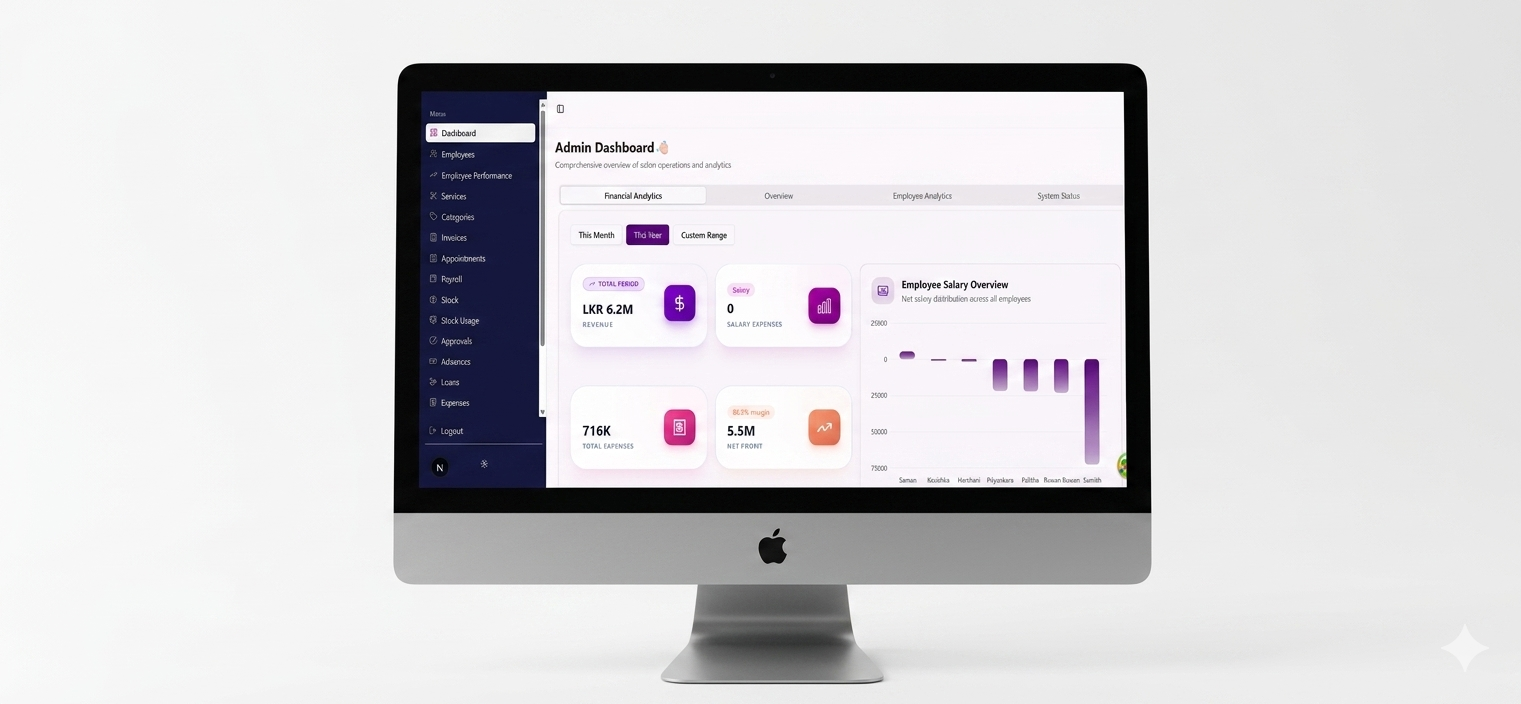
Admin Dashboard
This UI features a sleek, high-contrast layout that pairs a dark sidebar with a clean, airy workspace. It uses a soft-UI aesthetic with rounded corners, subtle shadows, and vibrant purple and orange gradients to draw attention to key data.
- ✦KPI Cards
- ✦Data Visualization
- ✦Navigation & UX
- ✦Visual Hierarchy
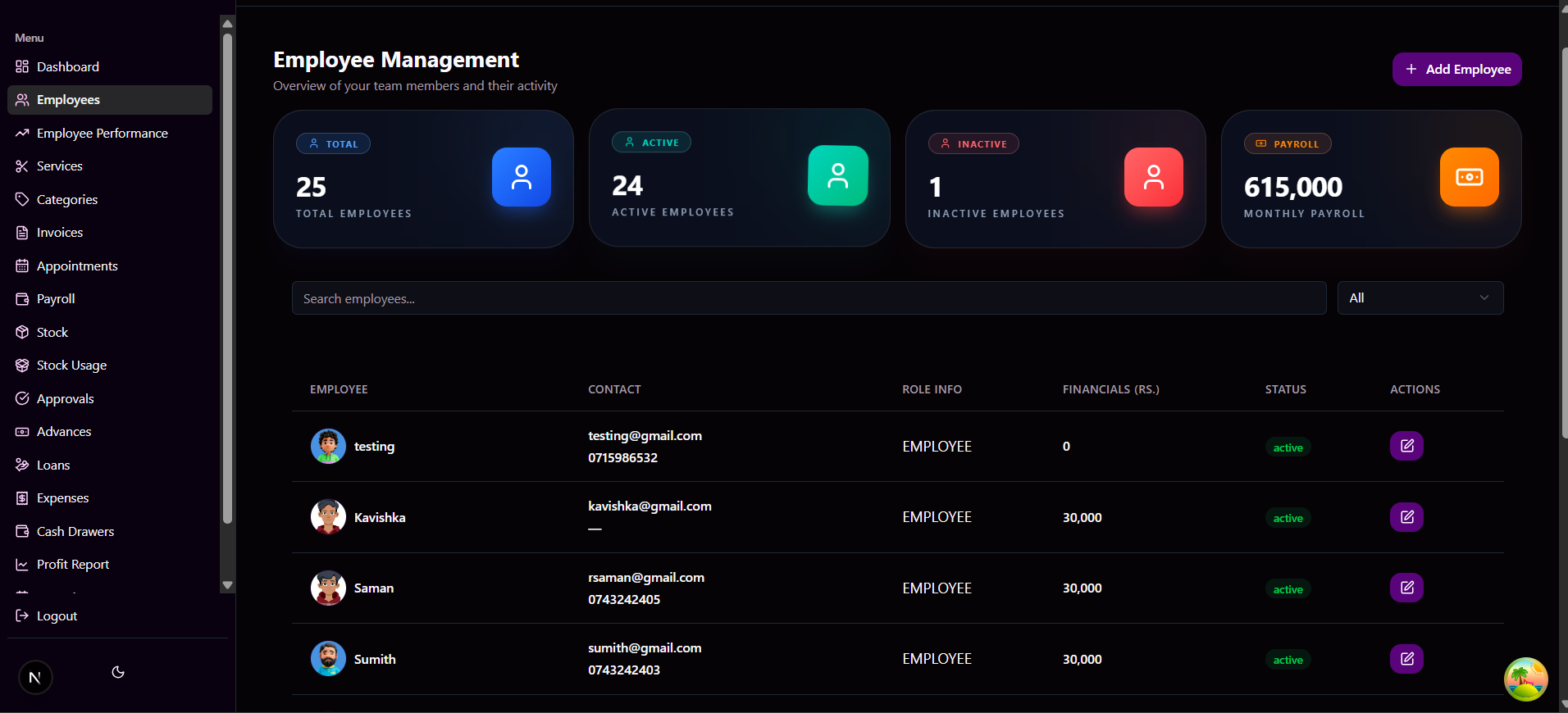
Employee Management
A clean, high-functioning employee management interface that balances visual clarity with data density. The layout uses a soft-shadow floating effect for KPI cards and a spacious, high-contrast table for structured employee data, making complex information easy to scan and act upon.
- ✦Summary KPI Cards
- ✦Structured Data Table
- ✦Functional UI Elements
- ✦Search & Filter Integration
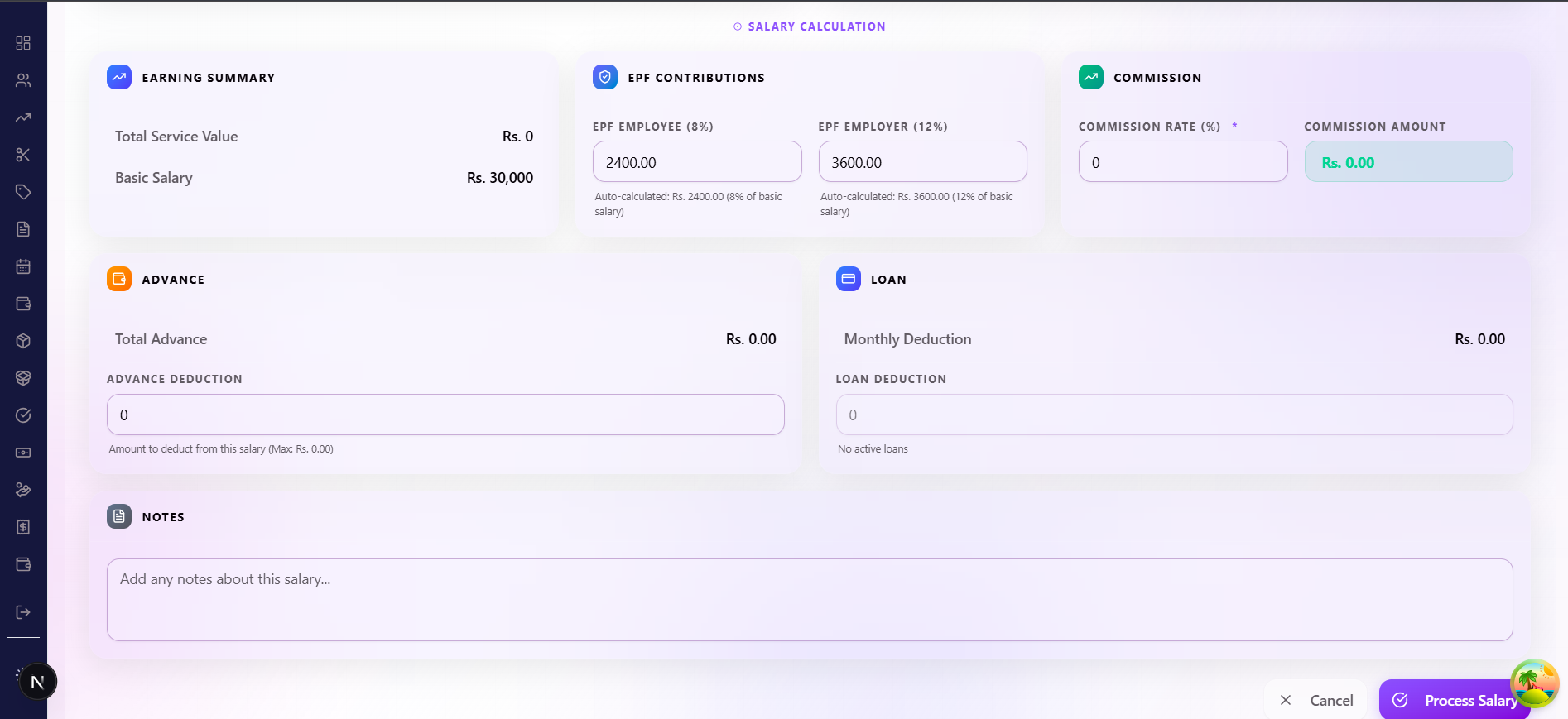
Payroll
A clean salary calculation interface for admins to calculate employee salaries based on commission or daily rate. It brings together employee details, attendance, advances, loans, EPF contributions, commissions, and earnings—all in one organized view for accurate payroll processing.
- ✦Commission Mode & Daily Rate Options
- ✦Employee Selection & Date Range
- ✦Auto Advance Deduction
- ✦Employee Basic Details & Attendance Summary
- ✦Advance & Loan Summary
- ✦Earning Summary
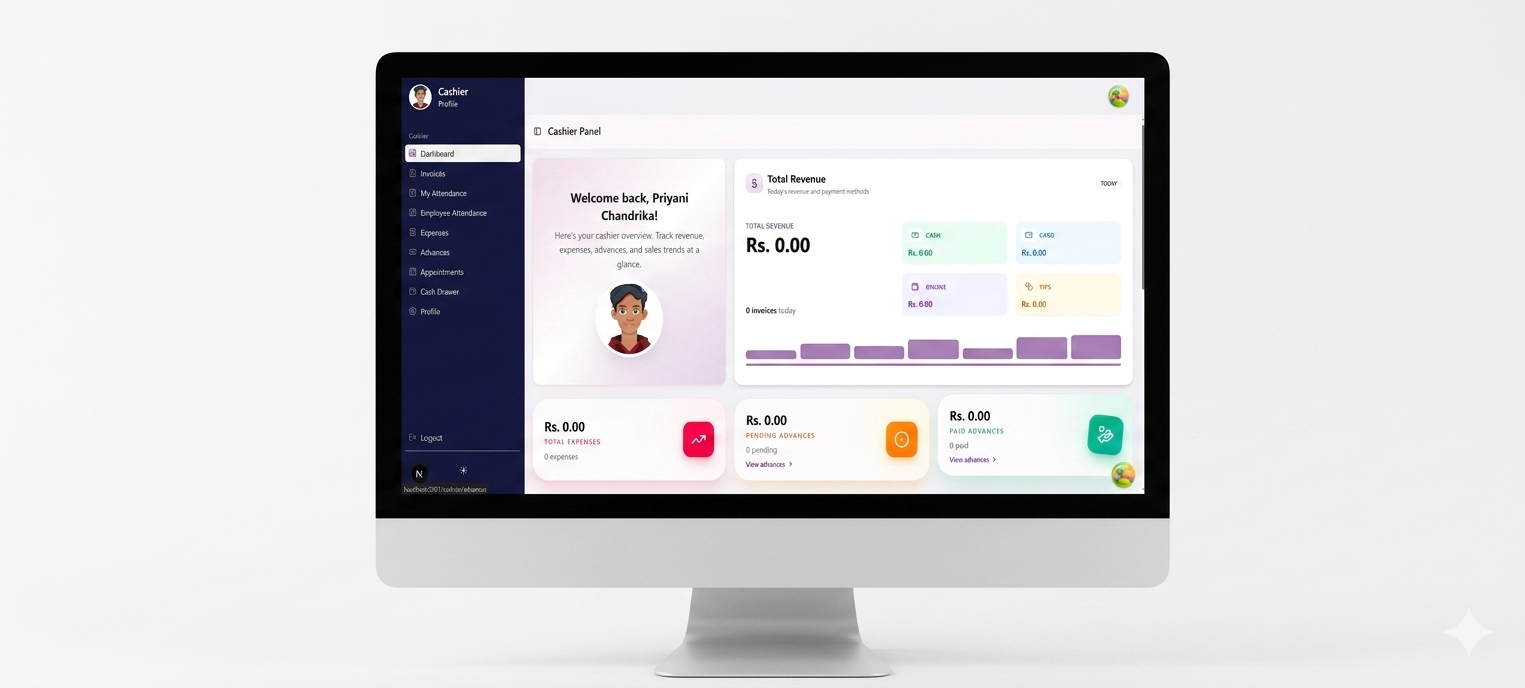
Cashier Dashboard
A data-driven cashier dashboard designed for real-time financial oversight and performance tracking. The layout uses a sophisticated card-based hierarchy with interactive charts, giving salon managers instant visibility into revenue, staff performance, and operational trends without digging through multiple screens.
- ✦Data-Driven Visual Hierarchy
- ✦Comprehensive Revenue Insights
- ✦Performance Analytics
- ✦Operational Trend Tracking
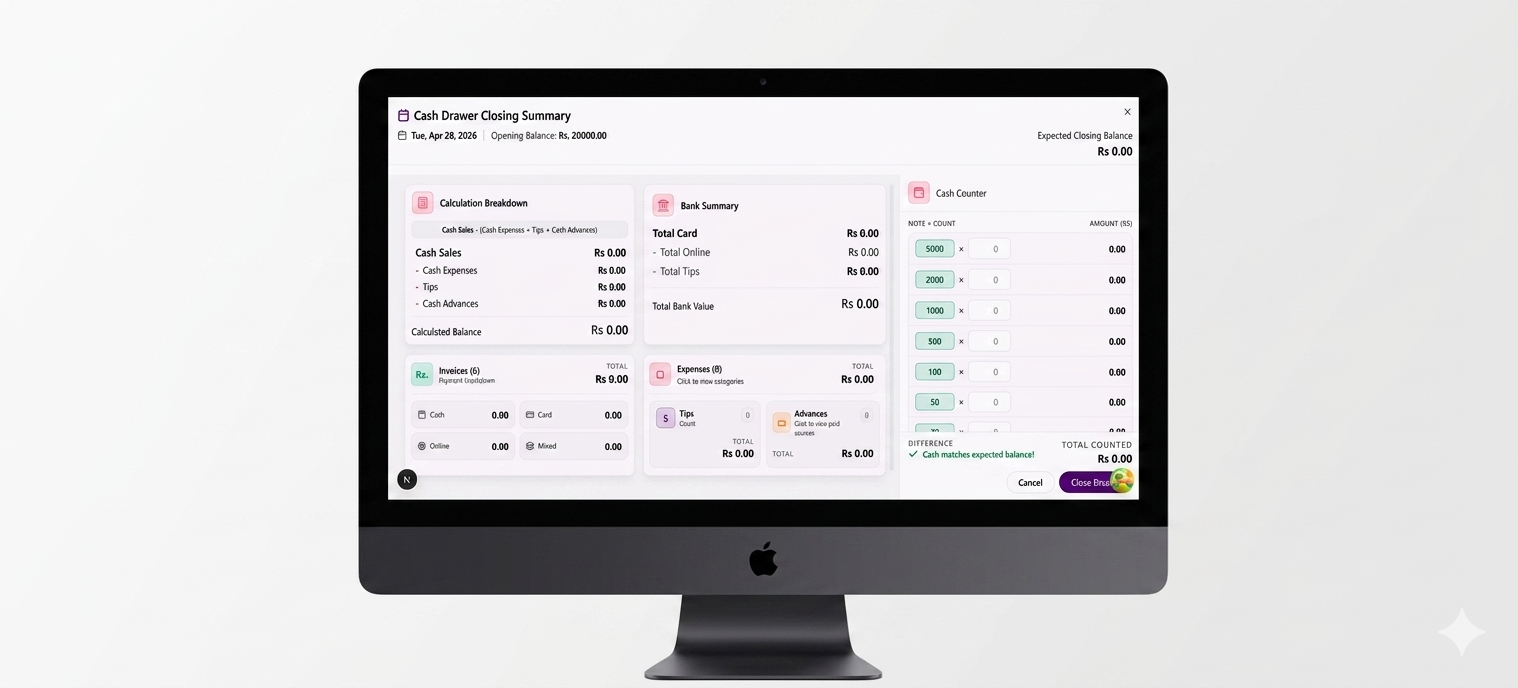
Cashier Cash Drawer
A structured cash reconciliation interface designed for accurate end-of-day drawer closure. The layout uses a well-organized modal grid system that separates bank summaries from cash counter inputs, preventing information overload while ensuring every note and transaction is accounted for before closing.
- ✦Structured Modal Layout
- ✦Automated Reconciliation Logic
- ✦Physical Cash Denomination Counter
- ✦Real-time Discrepancy Tracking
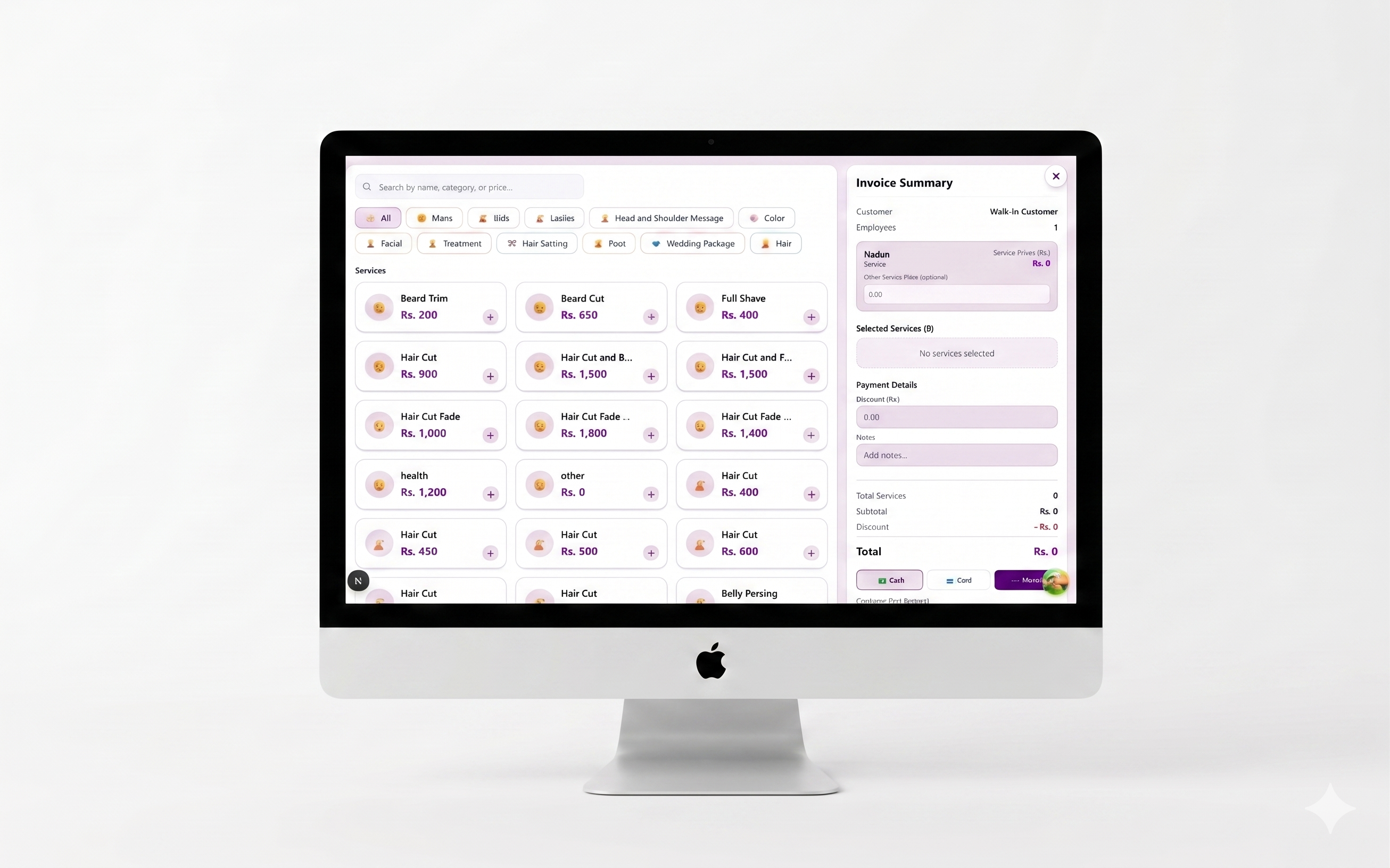
Invoice Management
A fast and simple billing screen for cashiers. It uses a split-screen design with services on one side and the bill summary on the other. Cashiers can find items, add them to the bill, and complete payments—all without leaving the page.
- ✦Easy Split-Screen Layout
- ✦Quick Service Search & Filters (Mens, Kids, Ladies)
- ✦Custom Price & Staff Assignment
- ✦Flexible Payments (Cash, Card) with Discounts & Notes
Employee Dashboard
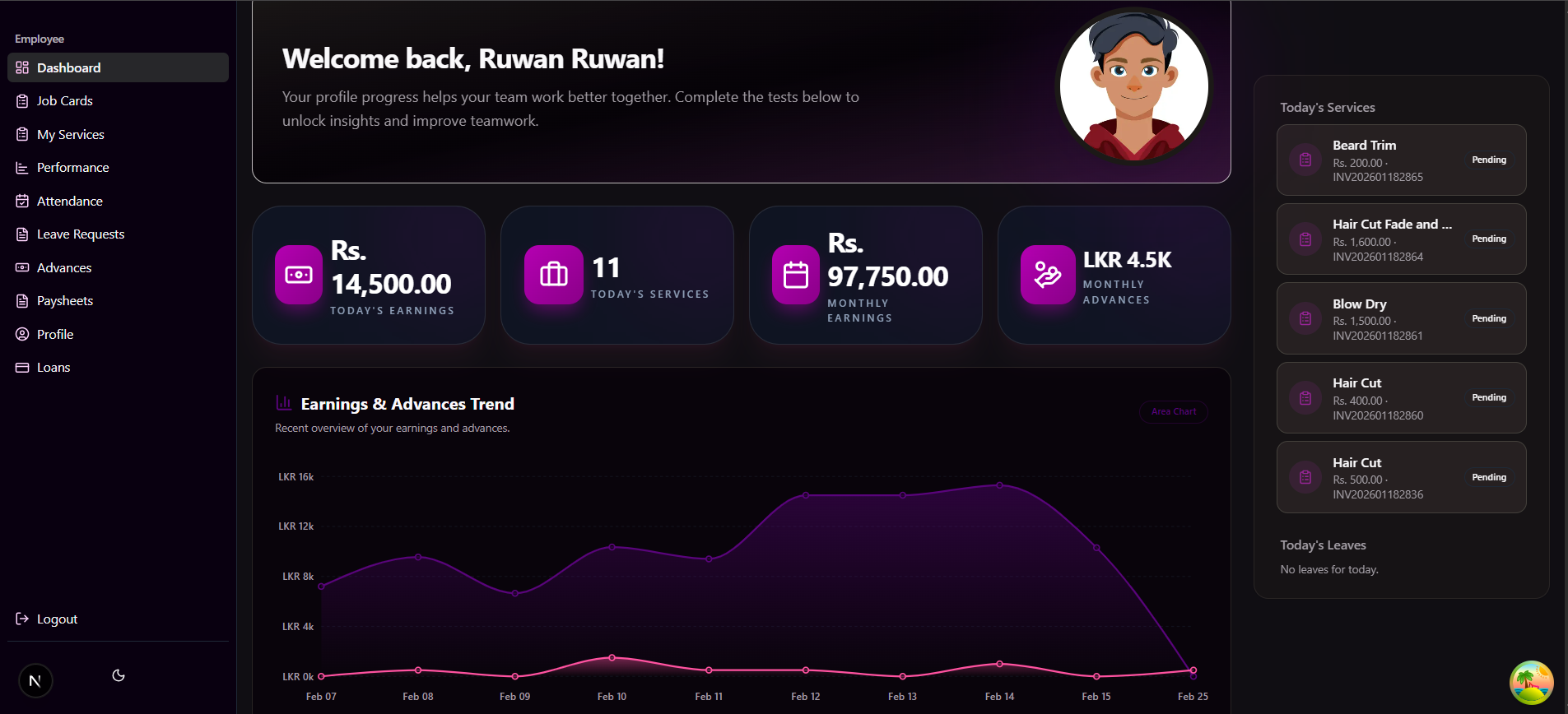
A clean, personal dashboard for employees to track their own performance and earnings. It uses a simple card layout with a purple theme, showing daily totals, monthly income, and recent work history—all in one place.
- ✦Simple Personal Dashboard
- ✦Daily & Monthly Earnings Summary
- ✦Easy Earnings Trend Chart
- ✦Today's Service List with Status
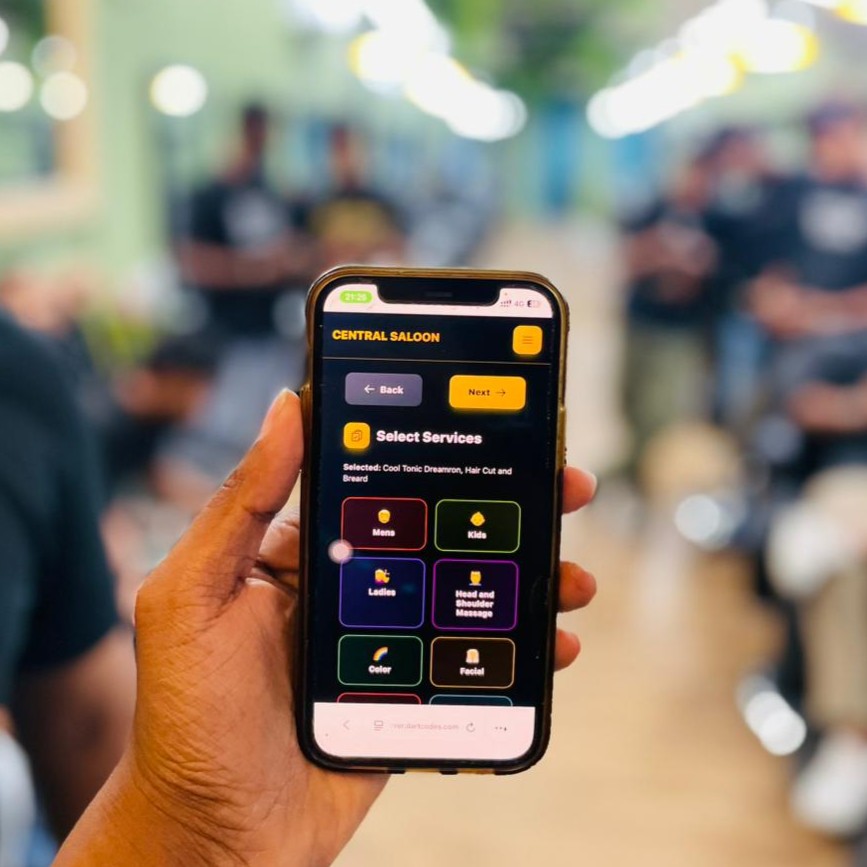
Employee Job Cards & Mobile App
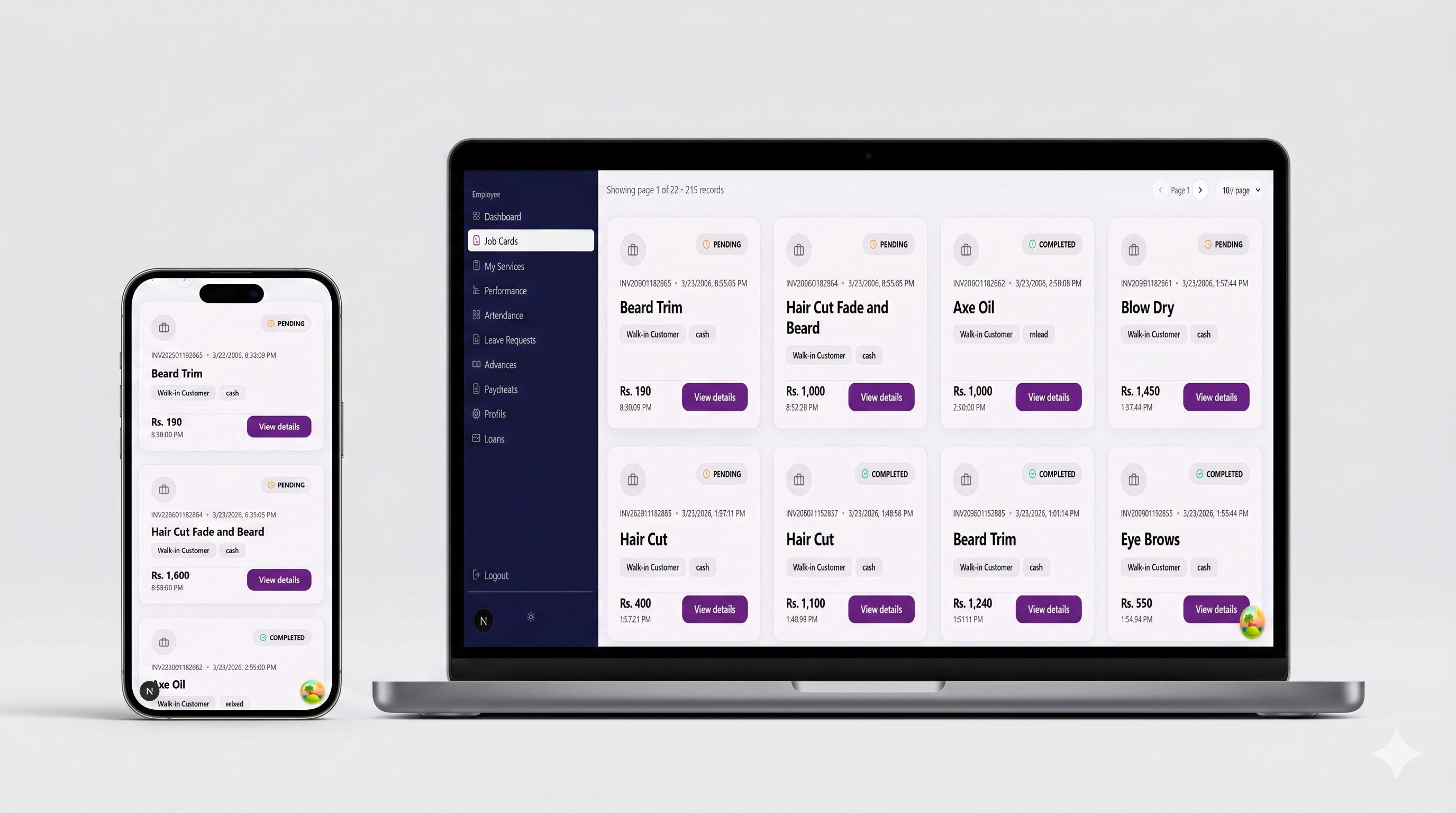
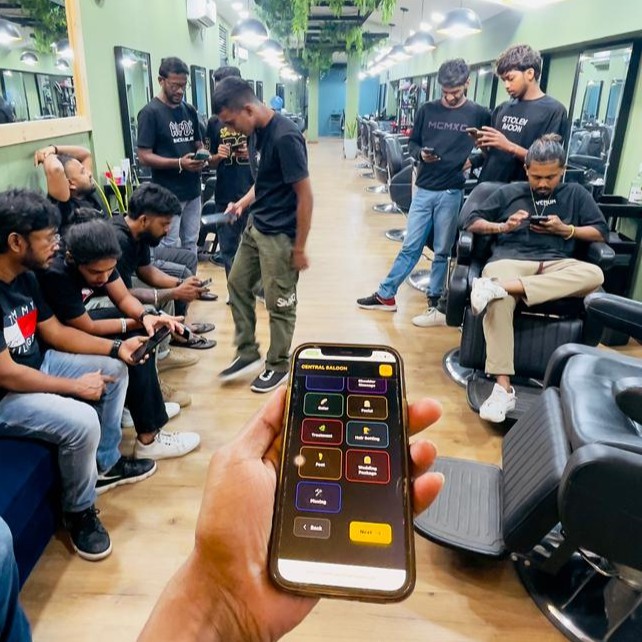
A dedicated mobile experience and card layout that shows each service job assigned to an employee. Workers and salon staff can view pending and completed tickets right on their mobile devices or tablets on the salon floor.
- ✦Mobile App & Floor Operations
- ✦Clean & Repeatable Card Design
- ✦Color-Coded Status (Pending / Completed)
- ✦Key Job Details (Invoice ID, Service, Price, Payment Type)
- ✦Real-time Status Updates on the Go
Employee Performance
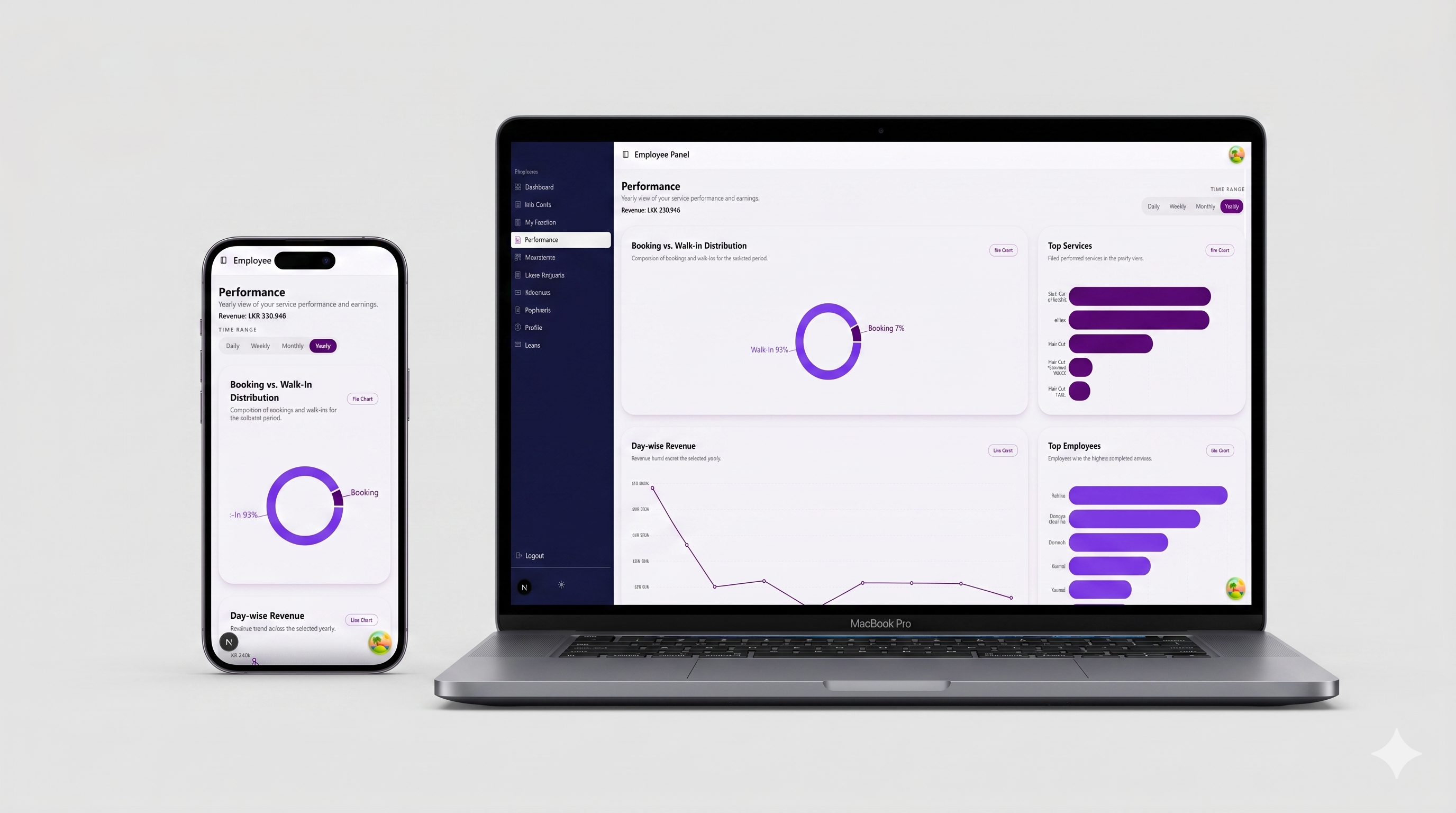
A clean analytics dashboard that helps employees see how well they're performing. It uses simple charts like donuts and bars to show earnings, top services, and how they compare with teammates—all in one place.
- ✦Simple Charts (Bar, Line, Donut)
- ✦Easy Date Filters (Daily, Weekly, Monthly, Yearly)
- ✦Booking vs. Walk-In Breakdown
- ✦Top Services & Team Comparison