


Distribution Management System
Our Distribution Management System simplifies the entire distribution process — from ref registration and purchase orders to sales invoices. The overview dashboard gives you a real-time snapshot of all transactions, helping you track sales, manage orders, and keep your distribution network running smoothly.
Core Modules & Architecture
- ✦ Overview Dashboard
- ✦ Ref Registration
- ✦ Sales Invoices
- ✦ Sales Invoices
- ✦ Purchase Orders
- ✦ Ref Application Home
- ✦ Ref Application Customer
- ✦ Ref Application Order
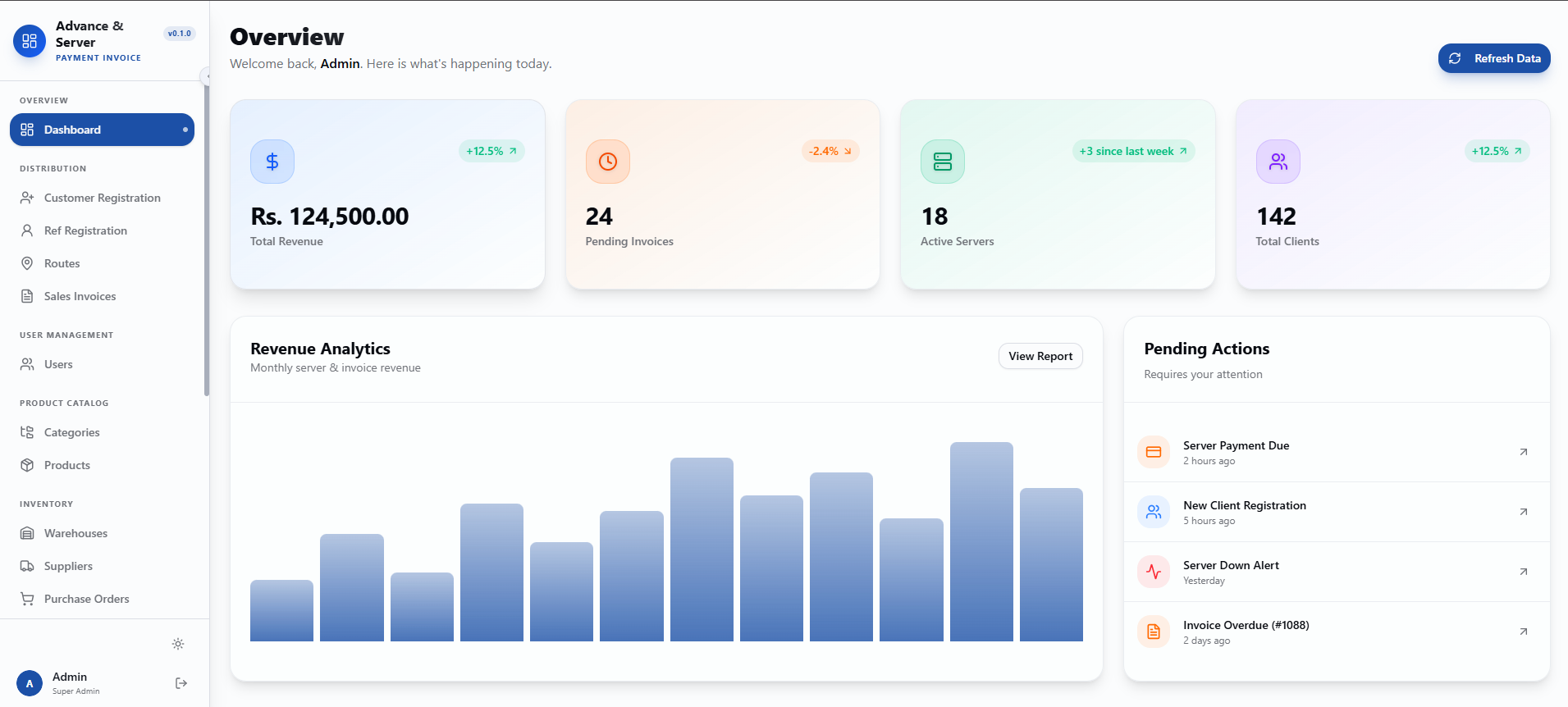
Overview Dashboard
A clean admin dashboard showing key business metrics and pending actions. It includes revenue analytics with total revenue, pending invoices, active servers, and total clients. The sidebar provides navigation for distribution, user management, product catalog, and inventory. A pending actions section lists alerts like server payment due, new client registration, server down alert, and invoice overdue.
- ✦Total Revenue, Pending Invoices, Active Servers & Total Clients
- ✦Revenue Analytics Chart (Monthly Server & Invoice Revenue)
- ✦View Report Button
- ✦Sidebar Navigation (Distribution, Routes, Sales Invoices, User Management, Product Catalog, Inventory)
- ✦Pending Actions List (Server Payment Due, New Client Registration, Server Down Alert, Invoice Overdue)
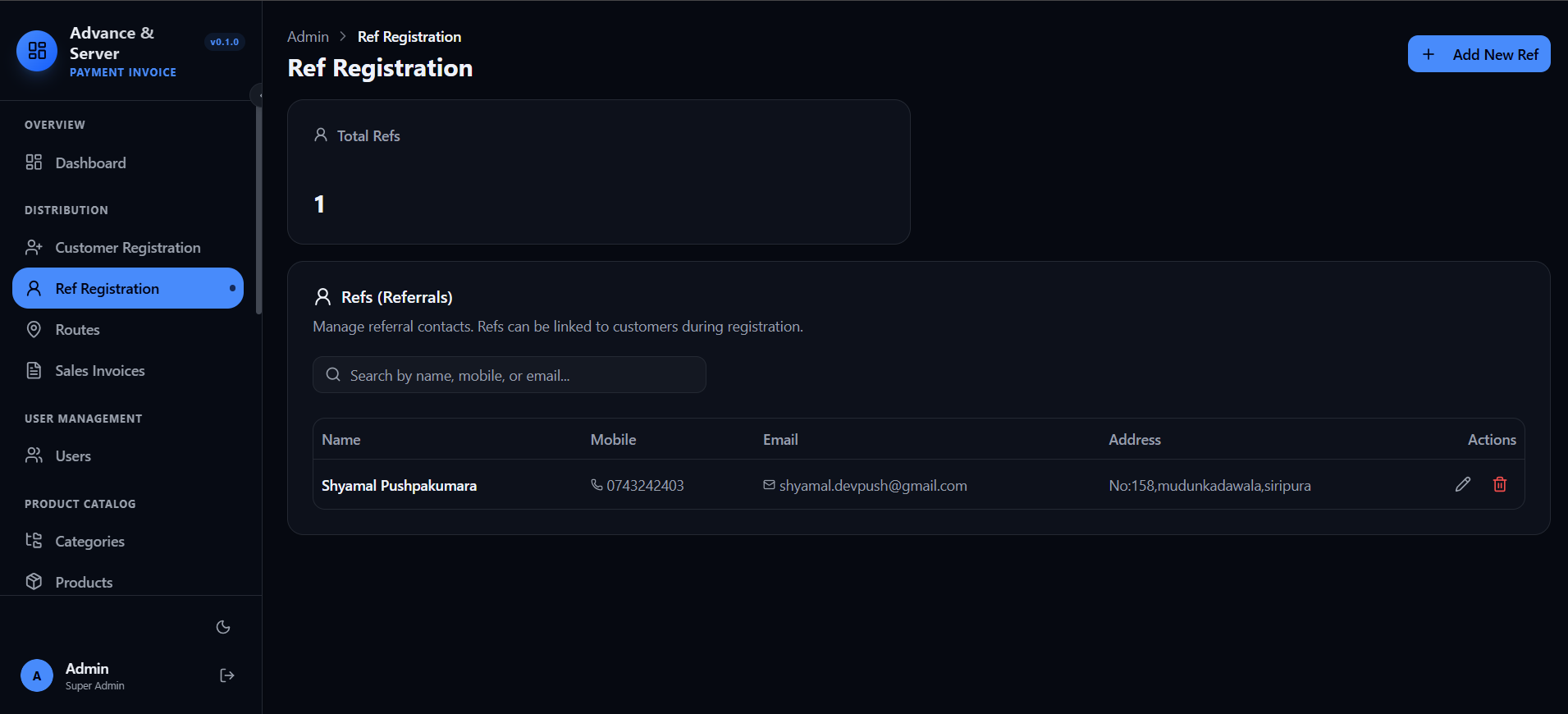
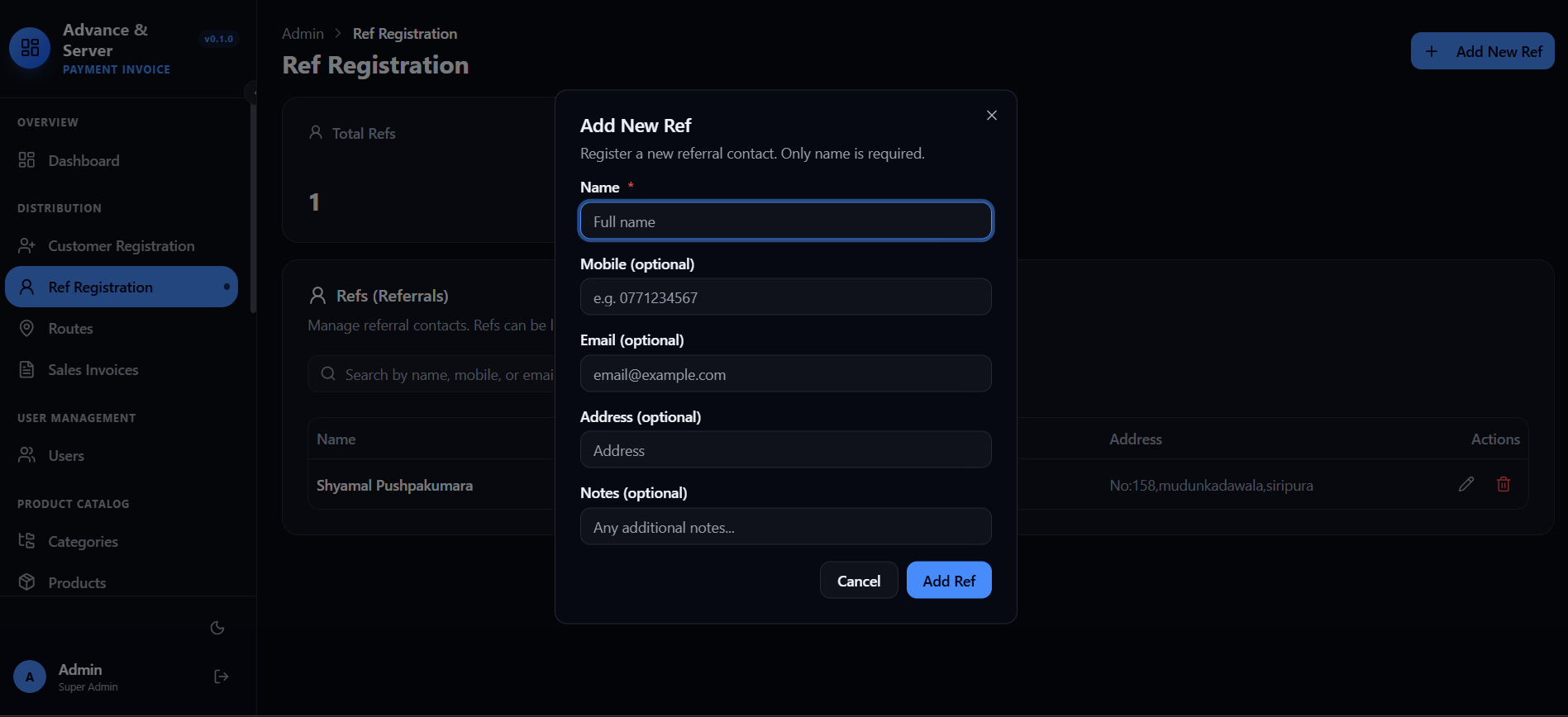
Ref Registration
A clean referral contact management interface for registering and managing referral contacts. It includes a simple form with required name field and optional mobile, email, address, and notes. The referral list shows total refs count, searchable table with name, mobile, email, address, and actions, plus an add new ref button.
- ✦Total Refs Count
- ✦Add New Ref Form
- ✦Search by Name, Mobile or Email
- ✦Refs Table
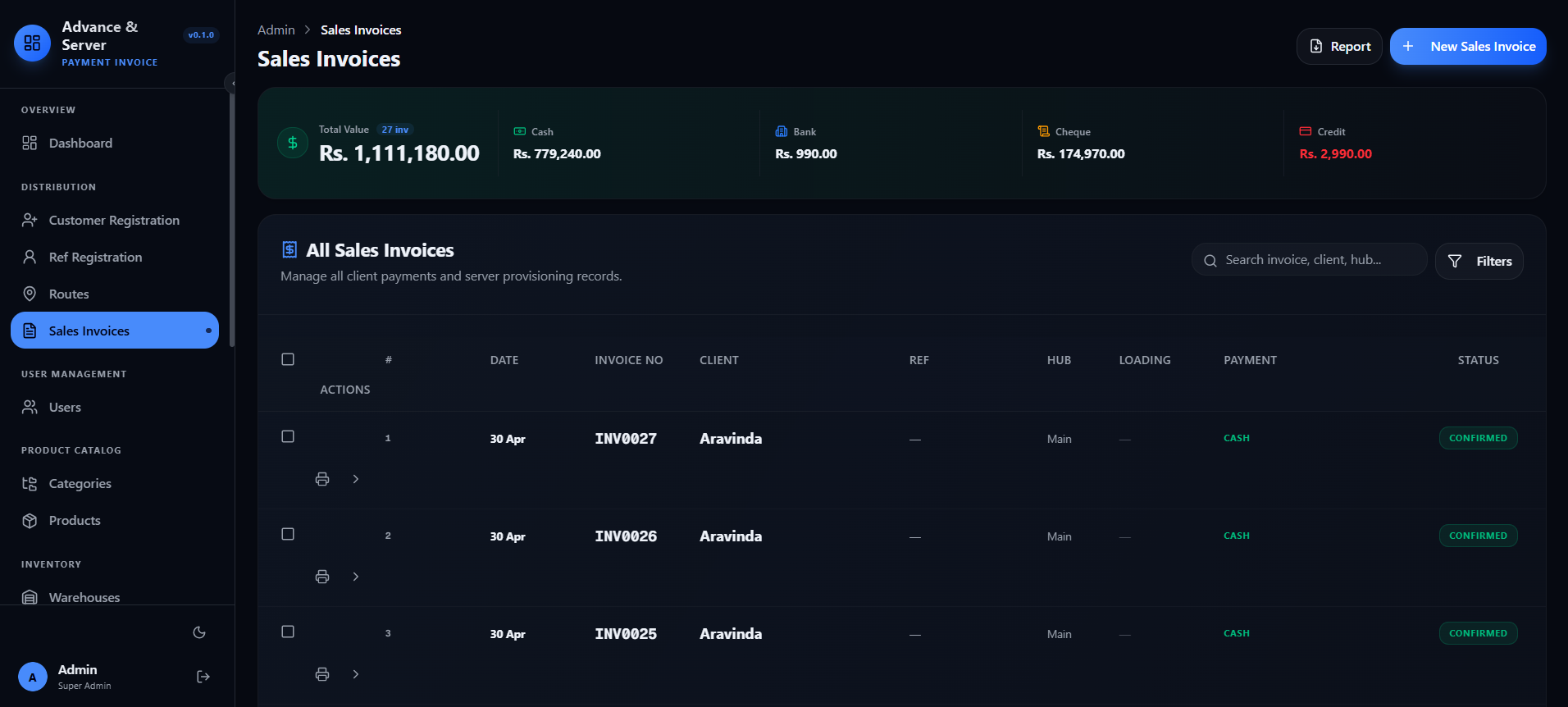
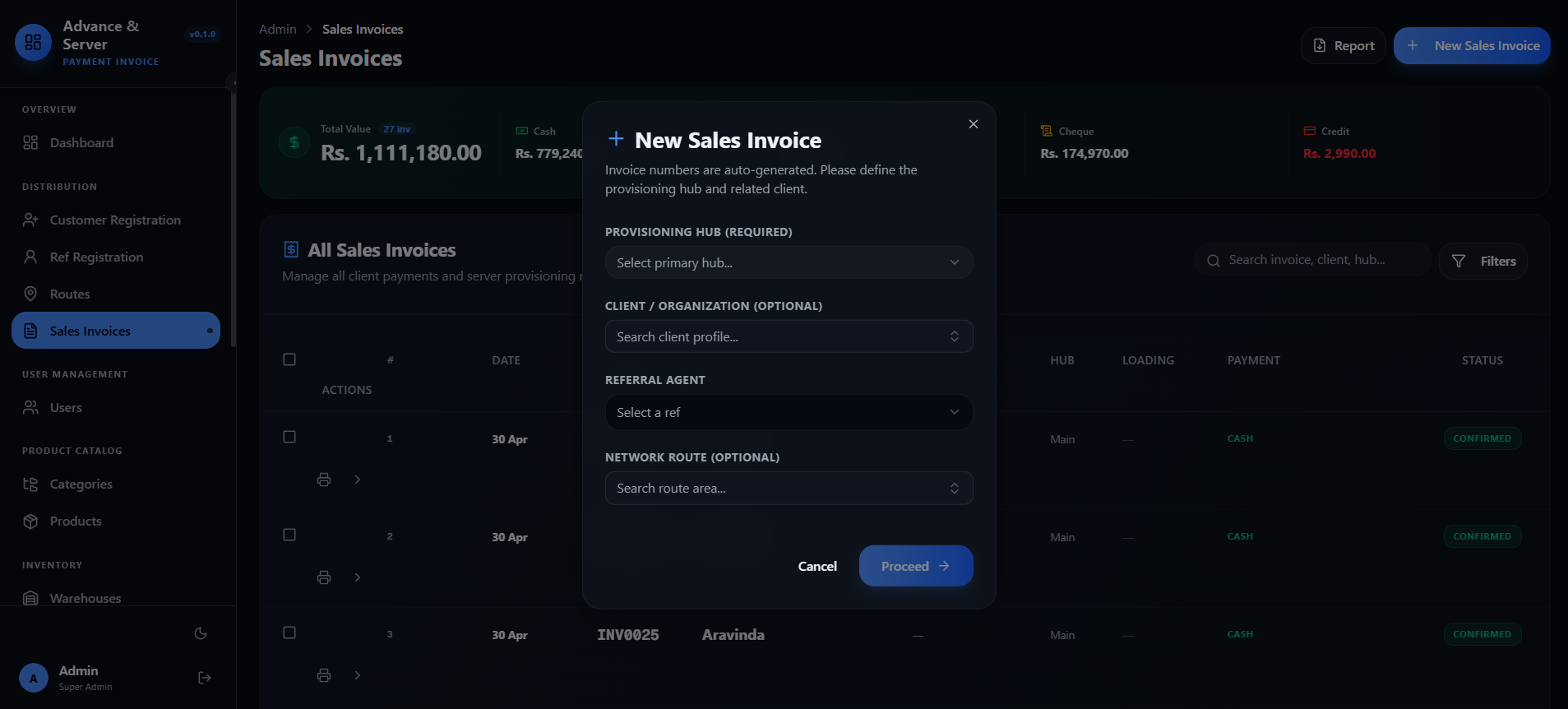
Sales Invoices
A clean sales invoice management interface for tracking client payments and creating new invoices. The invoice list includes total count and payment breakdown by Cash, Bank, and Cheque — with a searchable table showing date, invoice number, client, hub, payment method, and status. The new invoice form allows users to select provisioning hub, client, and referral agent before proceeding.
- ✦Total Invoice Count & Payment Breakdown
- ✦Search by Invoice, Client or Hub
- ✦Invoice Table
- ✦New Sales Invoice Form
Sales Invoices
A clean sales invoice management interface for tracking client payments and creating new invoices. The invoice list includes total count and payment breakdown by Cash, Bank, and Cheque — with a searchable table showing date, invoice number, client, hub, payment method, and status. The new invoice form allows users to select provisioning hub, client, and referral agent before proceeding.
- ✦Invoice Overview
- ✦Search & Filter
- ✦Invoice Table
- ✦New Invoice Creation
- ✦Provisioning Hub
- ✦Referral Agent
- ✦Form Actions
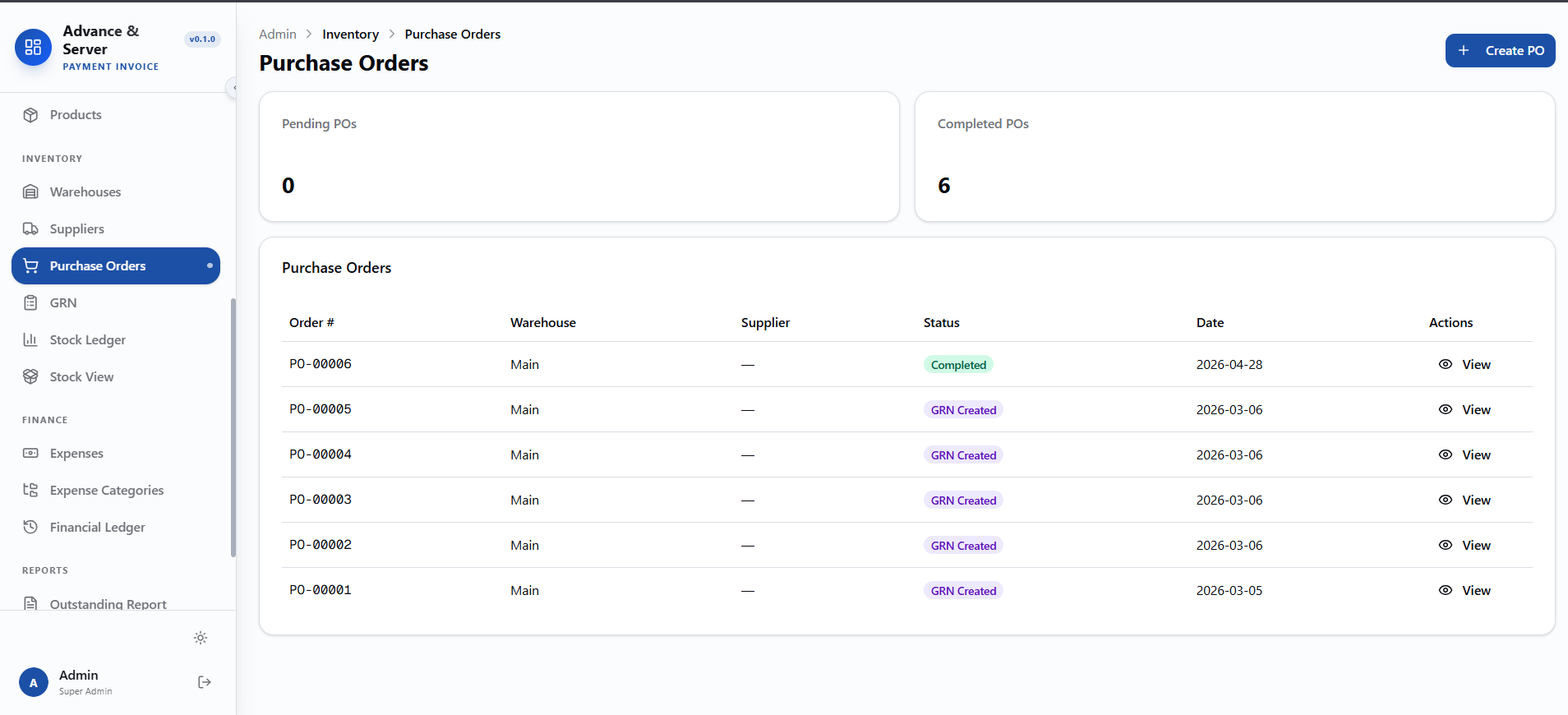
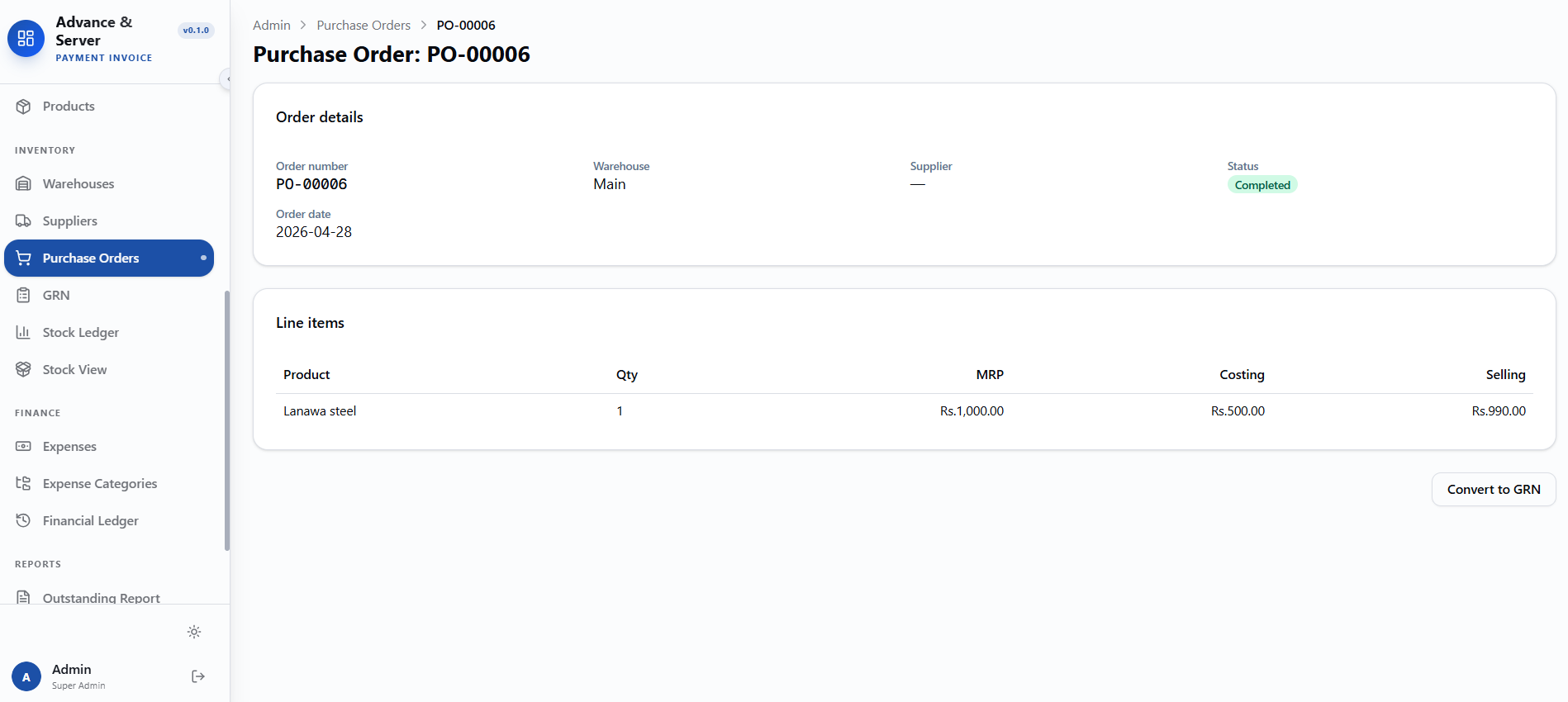
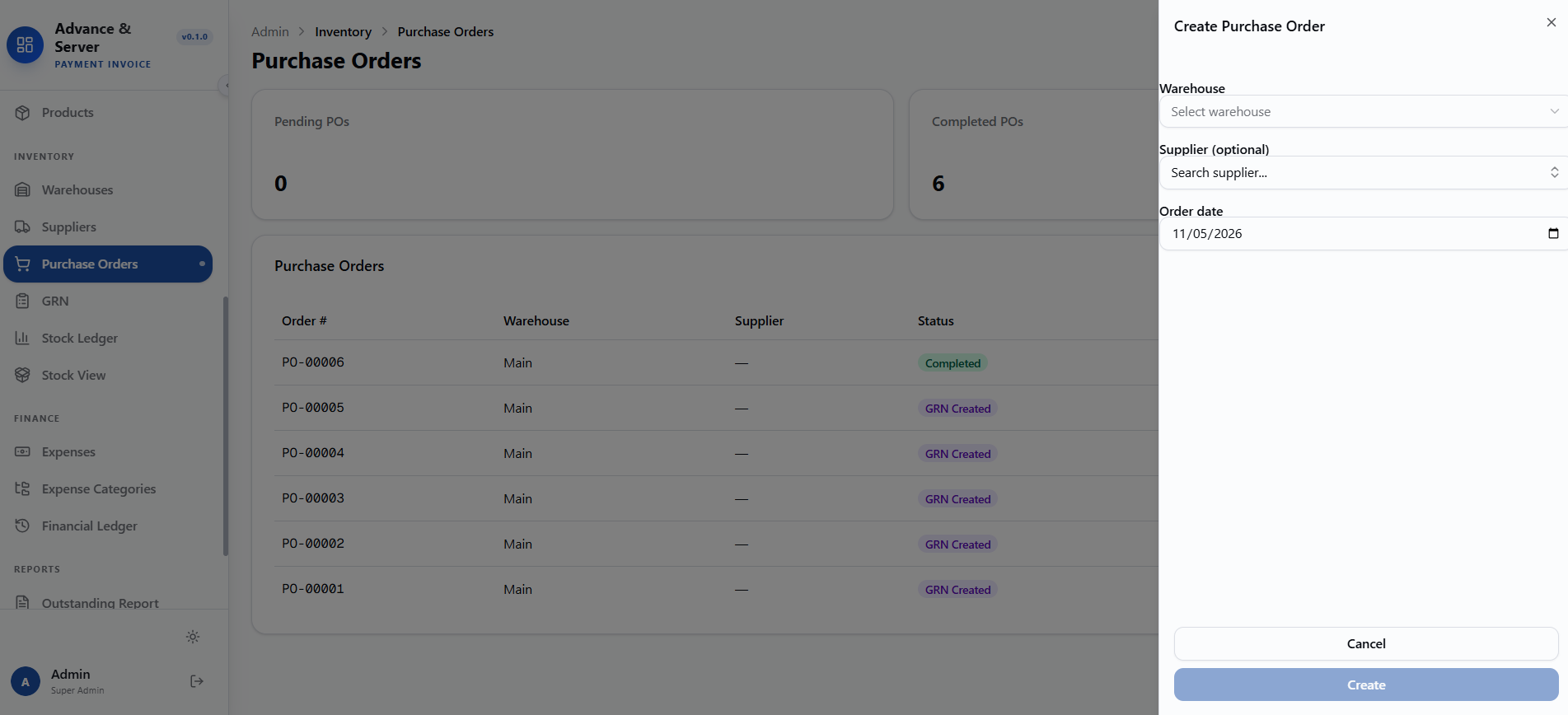
Purchase Orders
A complete purchase order management system for tracking and creating supplier orders.
- ✦PO Overview
- ✦Purchase Orders Table
- ✦Order Statuses
- ✦Create Purchase Order Form
- ✦Warehouse Selection
- ✦Supplier Selection
- ✦Order Date
- ✦Form Actions
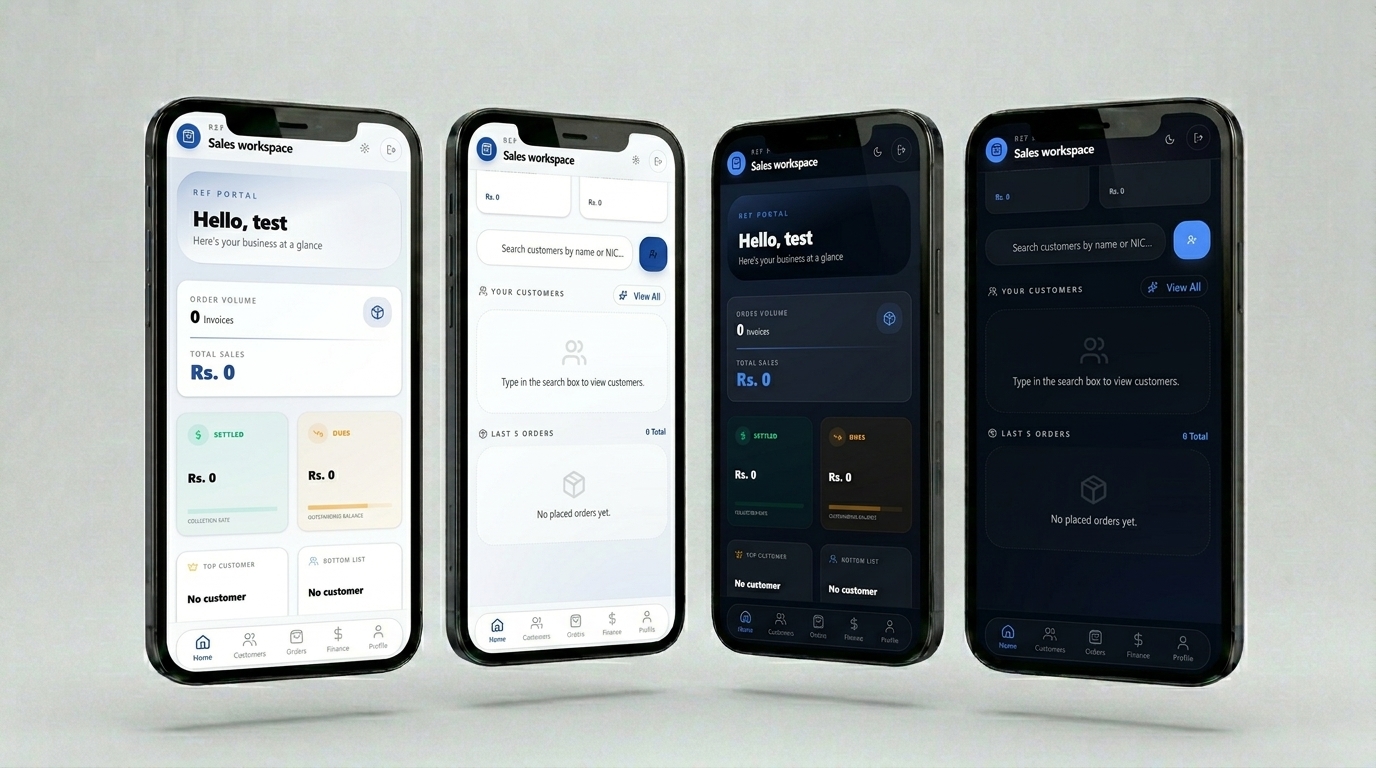
Ref Application Home
This is a Sales Workspace Dashboard for a salesperson. Instead of tracking attendance or site tasks, this screen provides a financial and customer overview at a glance. It shows order volume, total sales, settled amounts, collection rate, outstanding balance, top/bottom customers, and dues — all with zero-state placeholders when no data exists yet.
- ✦Key Metrics Cards
- ✦Customer Search & Listing
- ✦Recent Orders
- ✦Bottom Navigation Bar
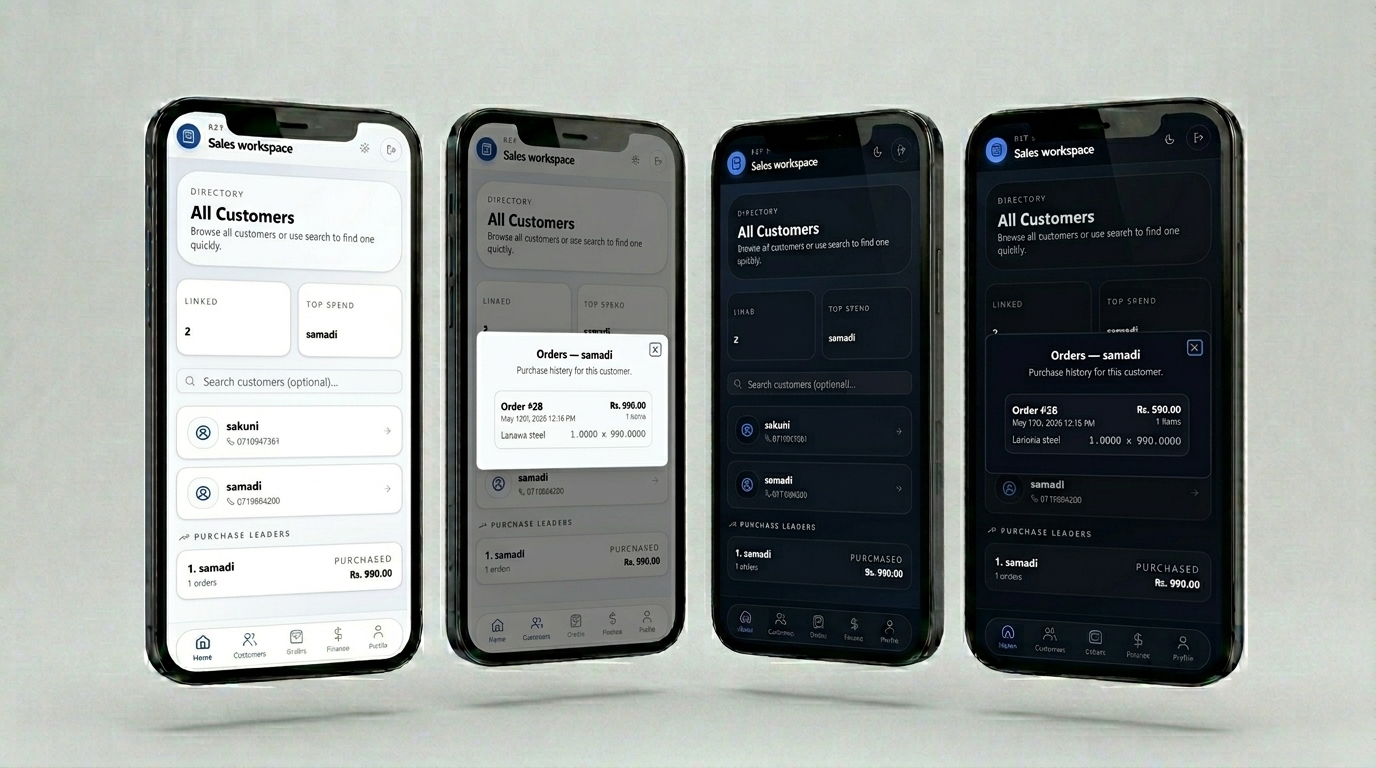
Ref Application Customer
This is a sales customers interface for a salesperson. It displays customer directory,search functionality,linked customers,top spending customers,and purchase leaders.On the second screen,it shows a detailed order history for a specific customer (samadi),including order date, total amount, items, and unit pricing.
- ✦All Customers browse
- ✦Search customers
- ✦Top spend customer highlight
- ✦Purchase leaders ranking
- ✦Order history view per customer
- ✦Order total amount
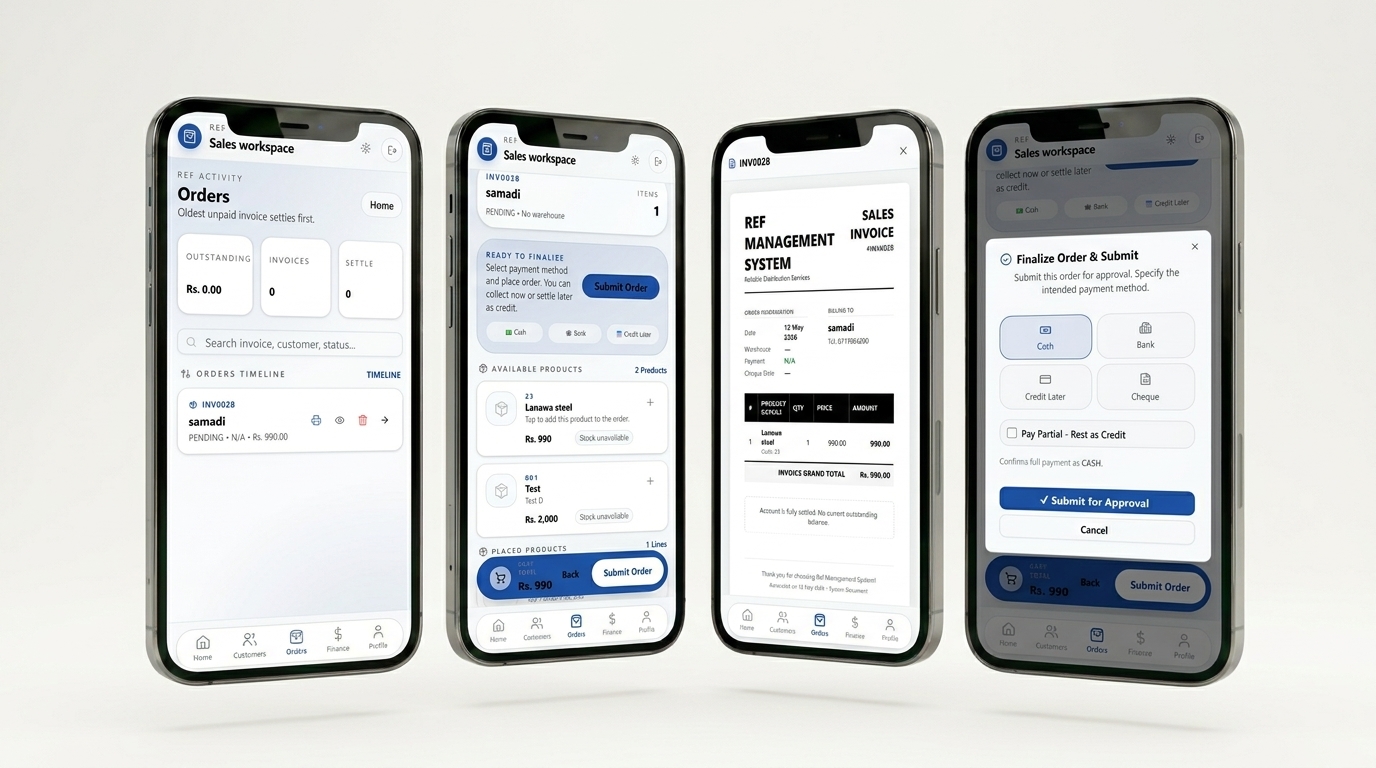
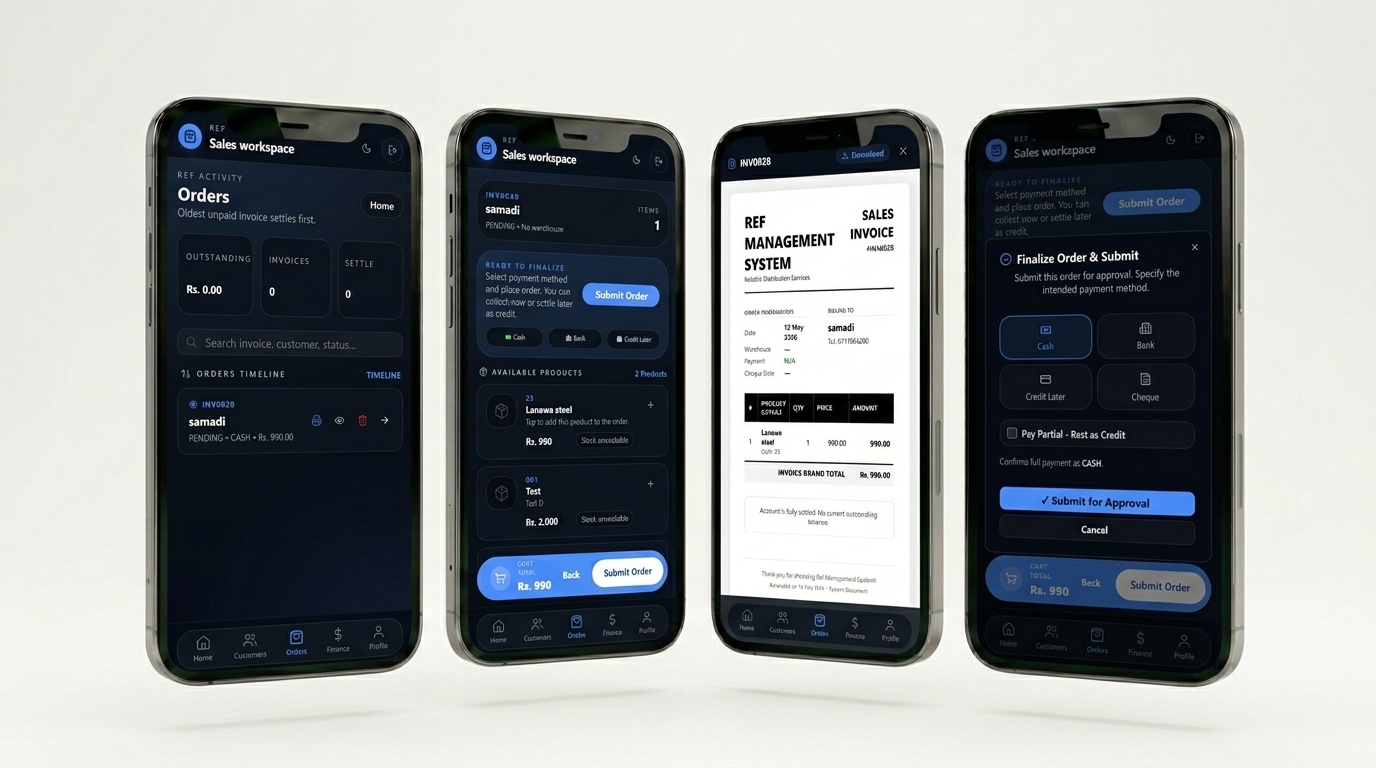
Ref Application Order
Order finalization and invoicing interface for a salesperson, covering payment selection, order submission, outstanding balances, order timeline, and finalized invoice with billing, products, and settlement status.
- ✦Payment method selection
- ✦Submit order for approval
- ✦Cart total display
- ✦Outstanding balance view
- ✦Orders timeline (with status and amount)
- ✦Sales invoice generation
- ✦Itemized product details
- ✦Grand total
- ✦Account settlement status (fully settled / outstanding)