


Operation Management System
Our Operation Management System keeps daily site activities organized — from attendance tracking and labor management to daily task updates and subcontractor coordination. With a clear dashboard overview and purchase request handling, it ensures every operational detail on the ground is monitored and managed efficiently.
Core Modules & Architecture
- ✦ Dashboard & Attendance Overview
- ✦ Attendance
- ✦ Daily Site Task Update
- ✦ Labor & Site Attendance Management
- ✦ Subcontractors
- ✦ Purchase Request
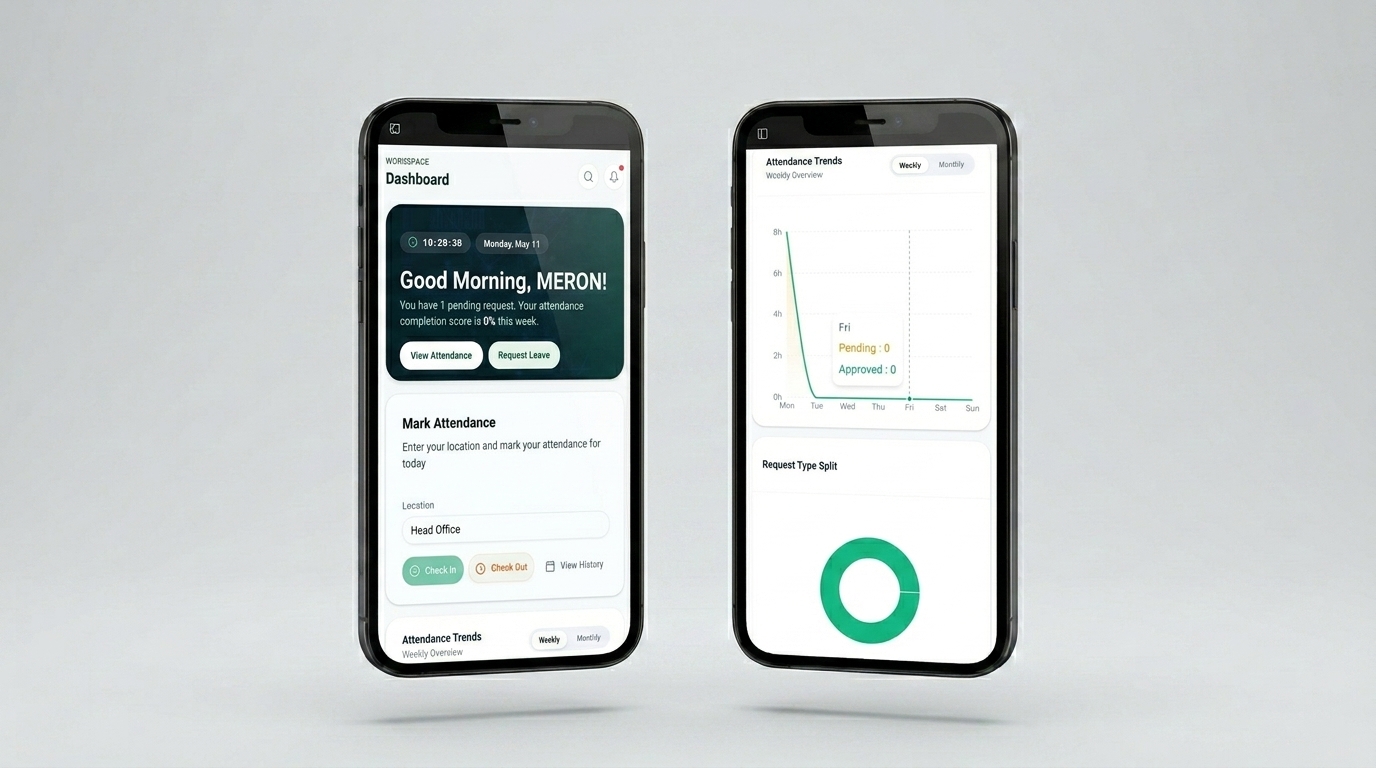
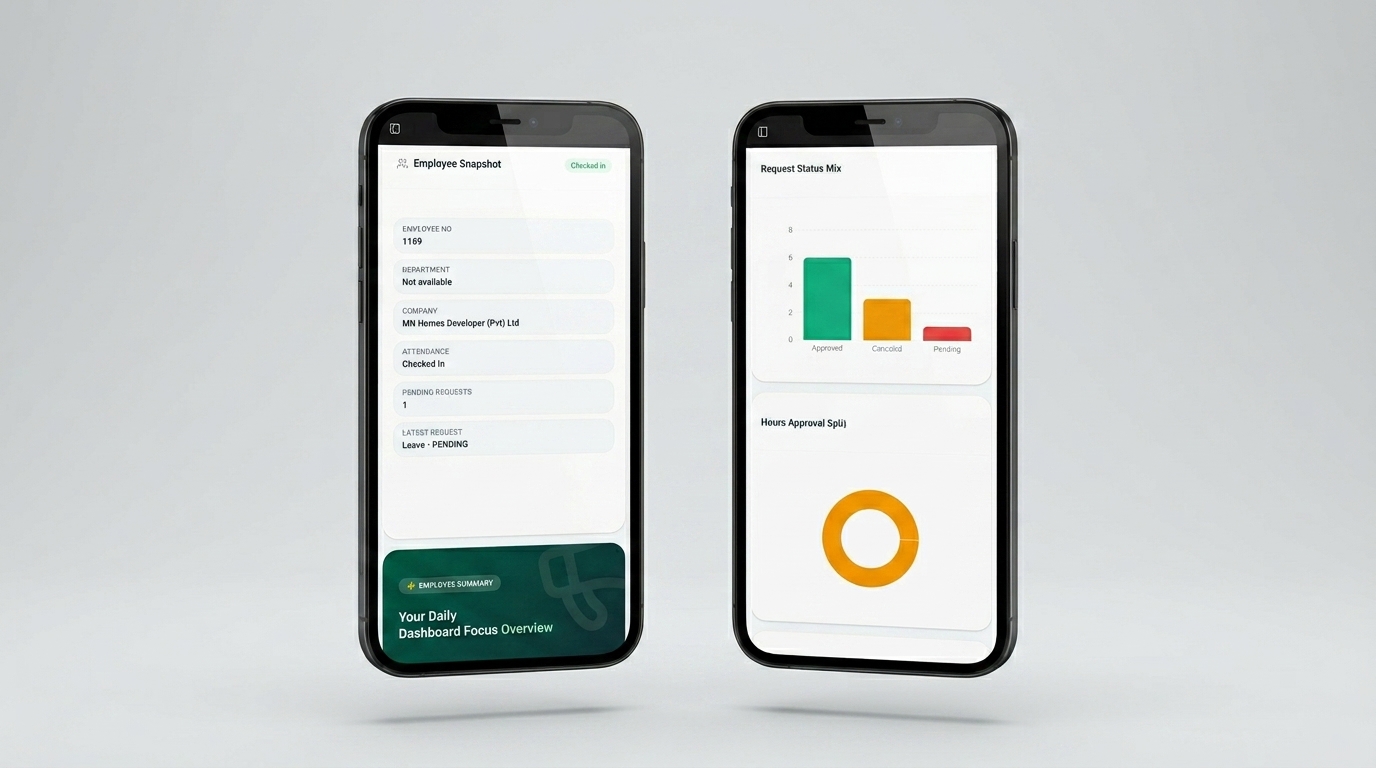
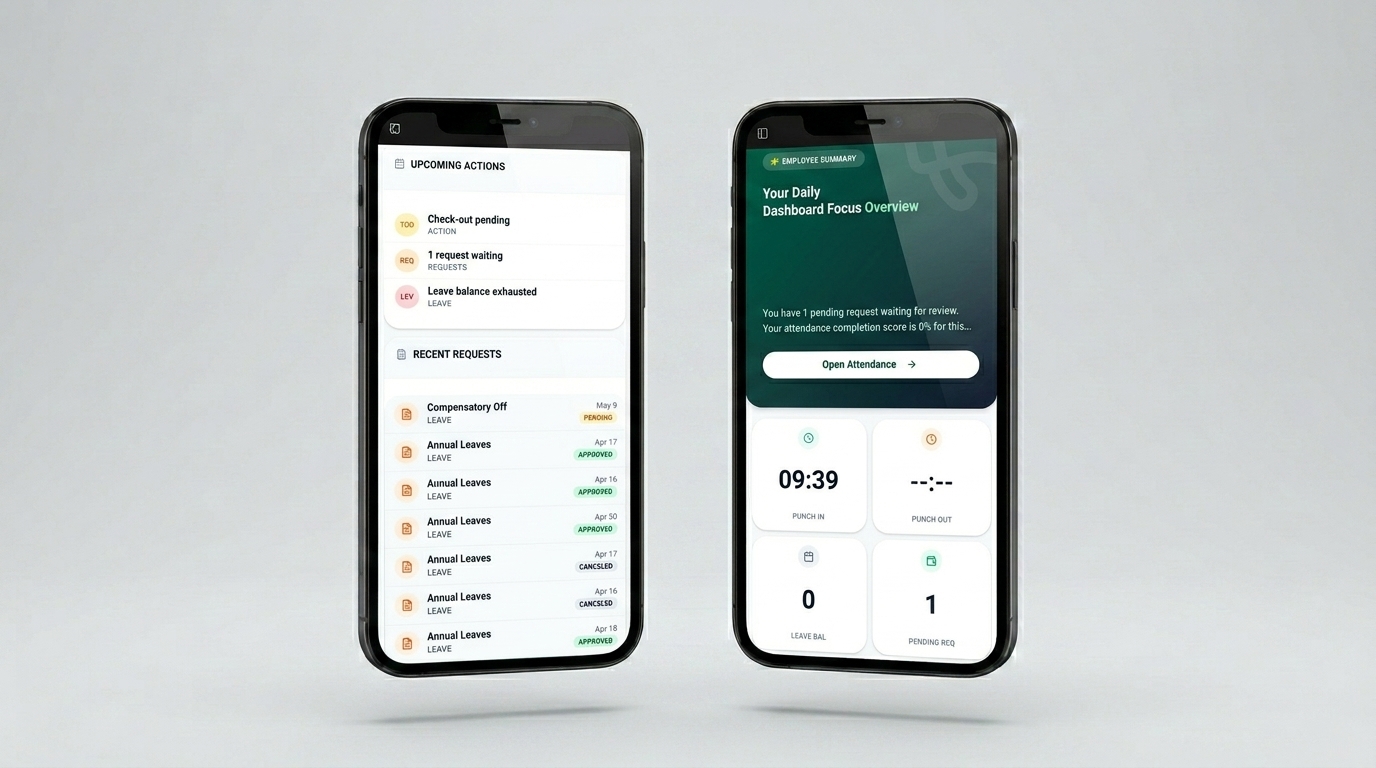
Dashboard & Attendance Overview
This is an employee self-service attendance dashboard for daily work tracking. It allows clock in/out, viewing pending requests, and checking weekly attendance scores. Leave balances, attendance trends, and upcoming actions (e.g., missing check-out) are shown.Recent request histories with approval statuses are also displayed at a glance.
- ✦Dashboard Summary
- ✦Attendance Actions
- ✦Attendance Trends
- ✦Request Status Mix
- ✦Employee Snapshot
- ✦Upcoming Actions & Recent Requests
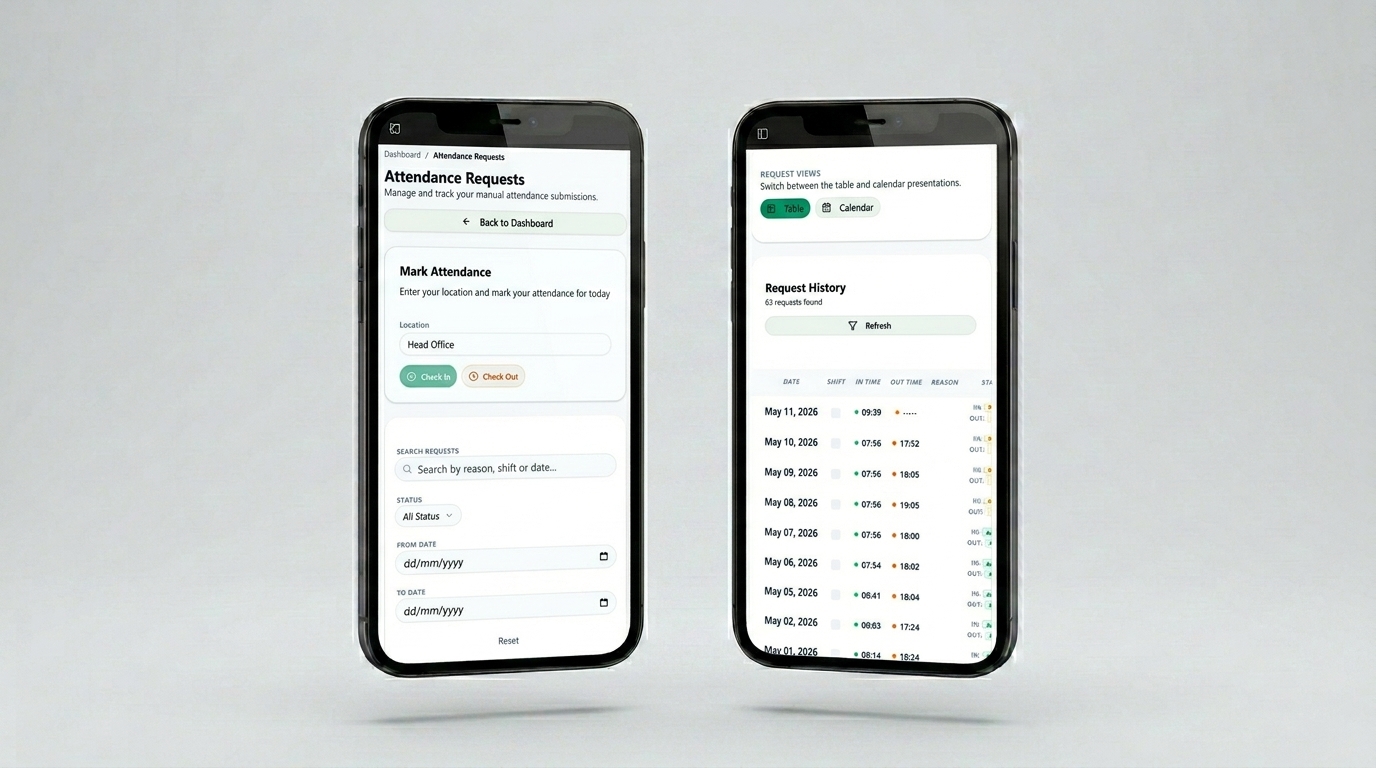
Attendance
This is a Manual Attendance & Request Management interface. Unlike a simple punch clock, this screen allows employees to submit, track, and correct their attendance records. It provides a searchable, filterable history log (table or calendar view) where users can monitor the approval status of their clock-ins and clock-outs.
- ✦Manual Attendance Submission
- ✦Advanced Request Search & Filtering
- ✦Flexible Data Visualization
- ✦Detailed Request History Table
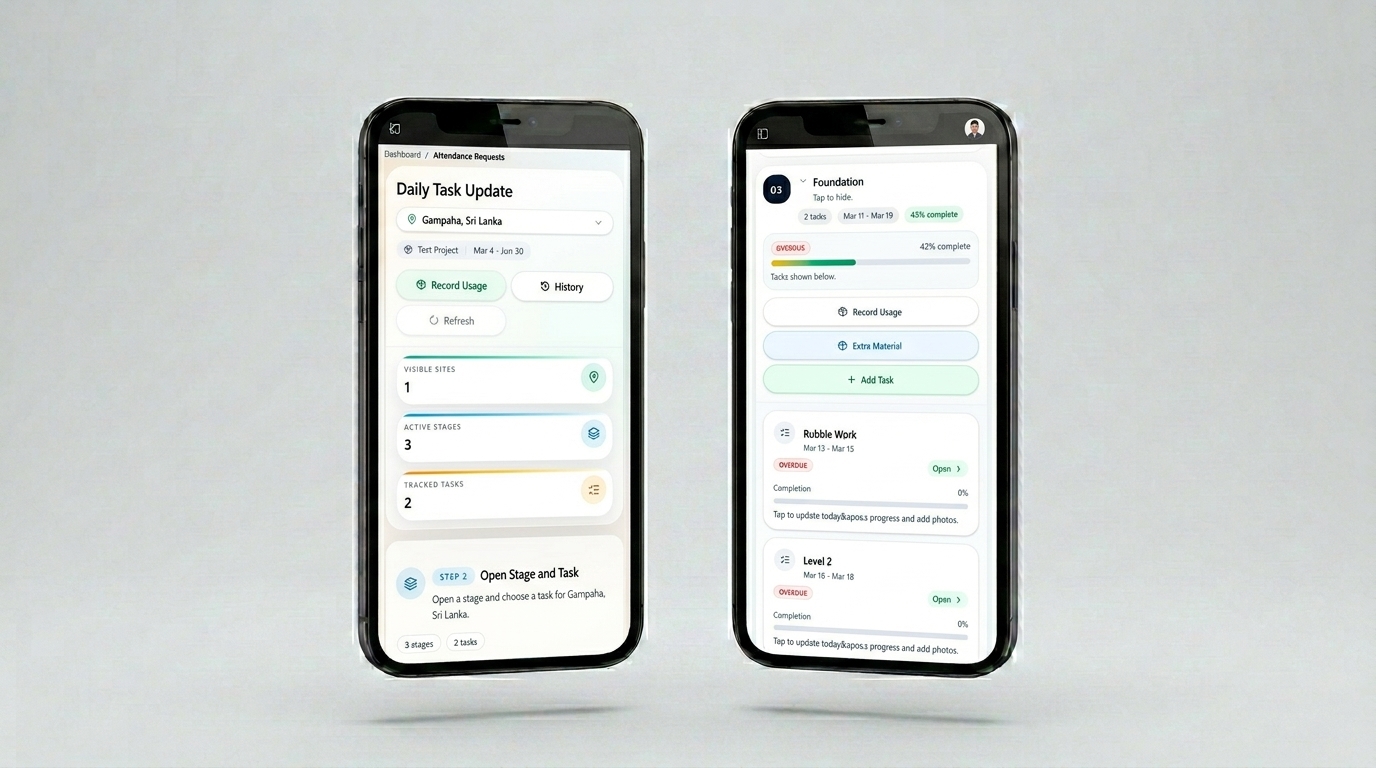
Daily Site Task Update
This is a Daily Site Task Update interface designed for construction or project field teams. Instead of tracking attendance or office requests, this screen helps users monitor and report progress on active site stages (e.g., Preliminary Work). It shows how many tasks are tracked, how many stages are active, and allows workers to update task quantities, record material usage, and automatically update completion progress.
- ✦Site & Project Header
- ✦Summary Metrics (Top Cards)
- ✦Stage & Task Selection
- ✦Task Breakdown per Stage
- ✦Progress Update Mechanism
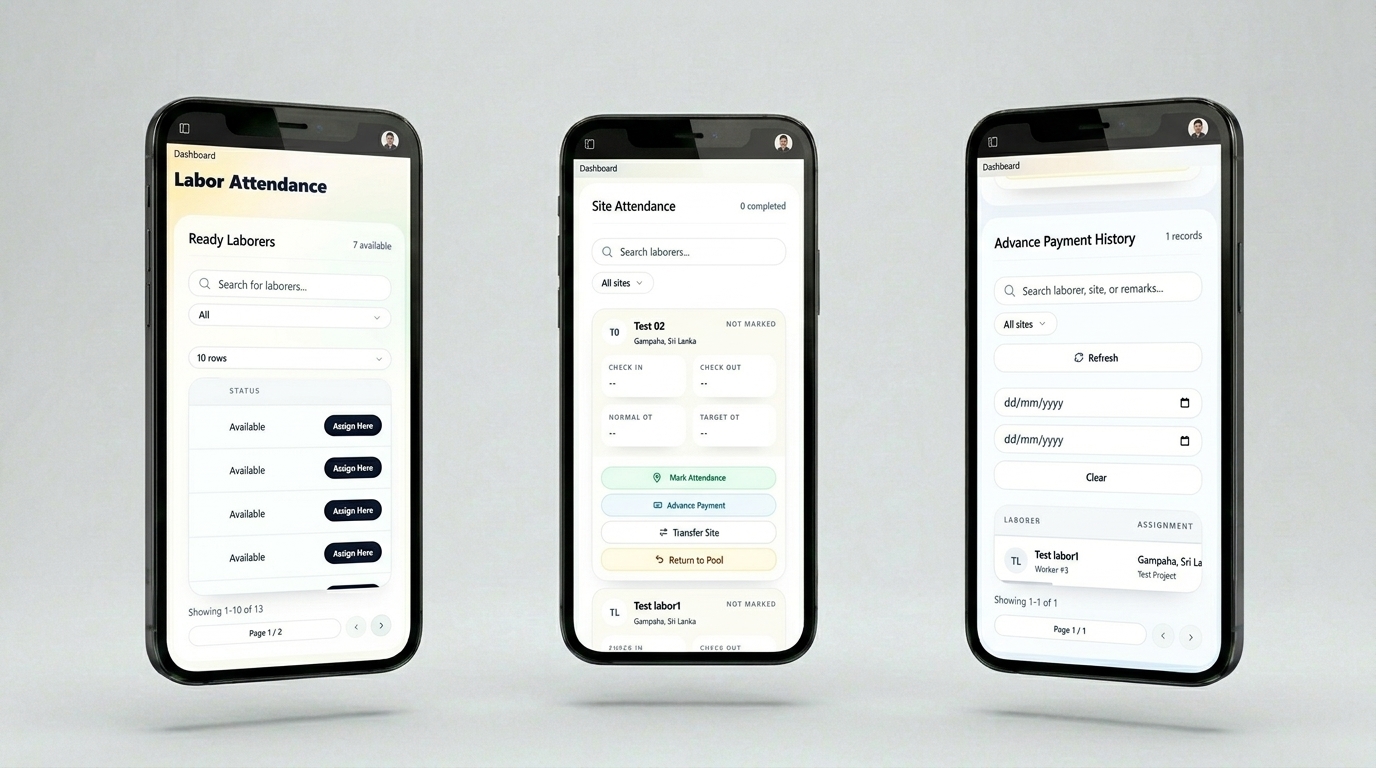
Labor & Site Attendance Management
This is a Labor & Site Attendance Management interface for field supervisors or site managers. Instead of tracking employee self-attendance (like earlier dashboards), this screen helps managers track daily labor availability, mark check-in/out, monitor overtime, and view advance payment history for workers across different sites.
- ✦Labor Attendance Dashboard
- ✦Site Attendance Table
- ✦Advance Payment History
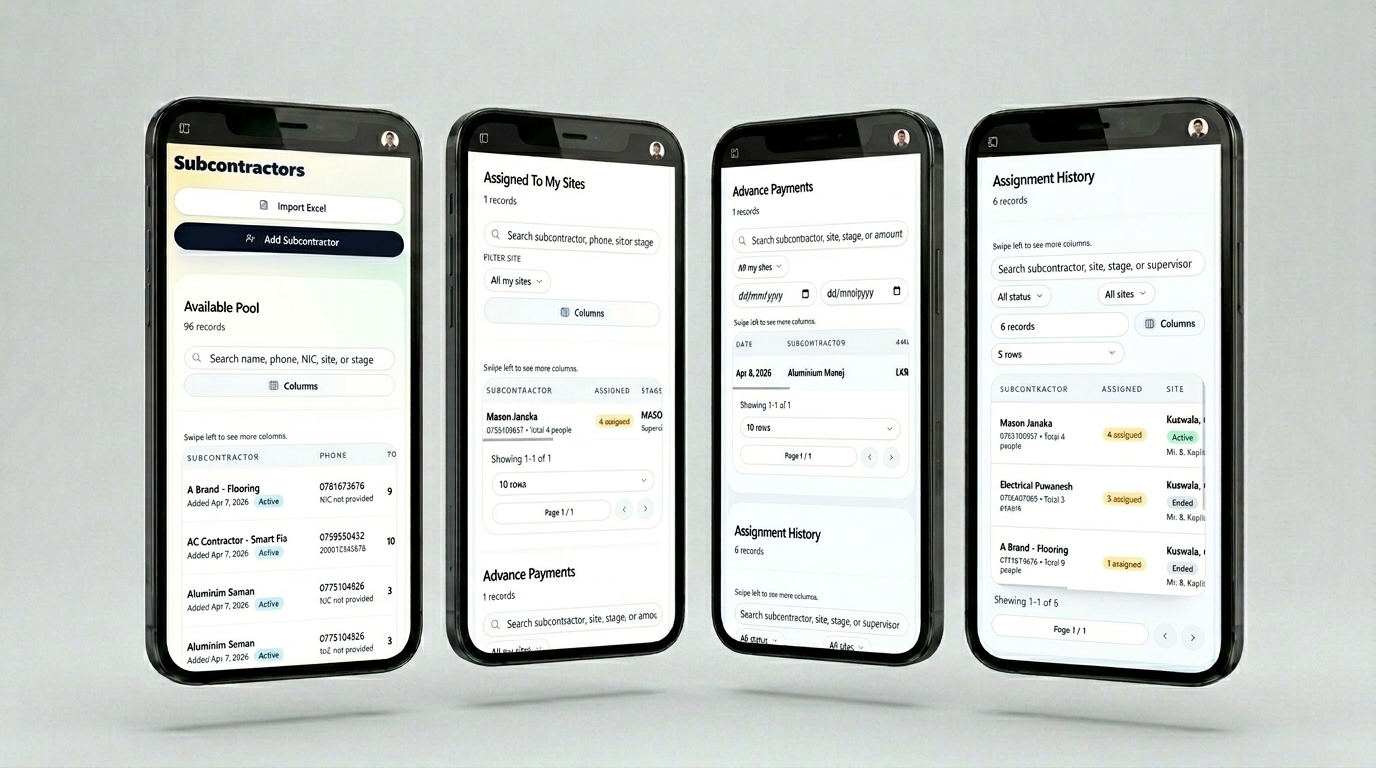
Subcontractors
This is a Subcontractor Management interface for site managers or project coordinators. Instead of tracking individual laborers or employee attendance, this screen helps managers view available subcontractors, assign them to sites, track advance payments, and monitor assignment history — all in one place.
- ✦Available Pool (Subcontractor Directory)
- ✦Assigned To My Sites
- ✦Advance Payments (Subcontractor)
- ✦Assignment History
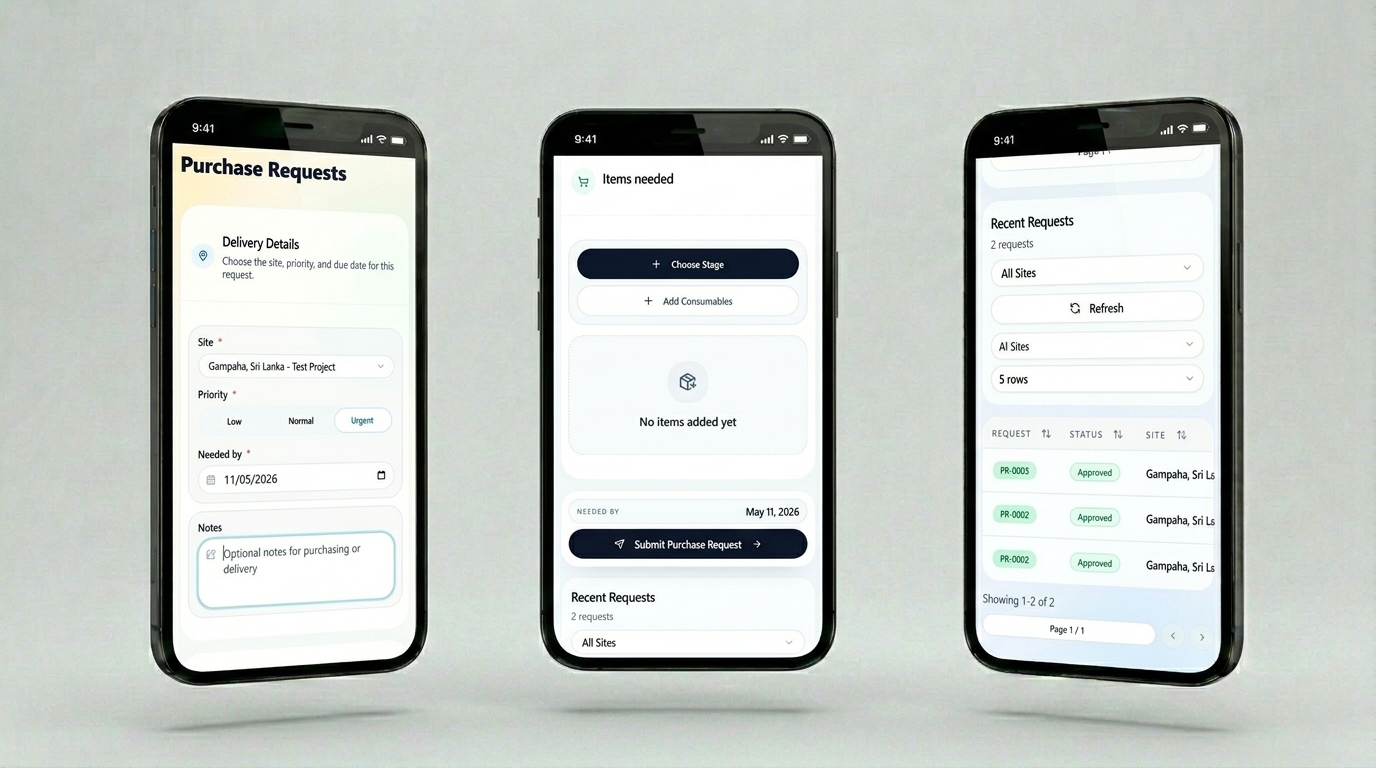
Purchase Request
This is a Purchase Request interface for site managers or project staff. Instead of tracking attendance or subcontractors, this screen allows users to create and submit purchase requests for materials or services needed at a specific site. It includes delivery details, item selection, priority settings, and a history log of recent requests with their approval statuses.
- ✦Delivery Details Section
- ✦Items Needed Section
- ✦Submit Action
- ✦Recent Requests History