


Financial Management System
Our Financial Management System keeps every project cost under control — from an admin dashboard and project-wise expense tracking to a dedicated accountant dashboard. It gives you a clear view of where money is going, helps prevent budget overruns, and makes financial oversight simple and transparent.
Core Modules & Architecture
- ✦ Admin Dashboard
- ✦ Projects Management
- ✦ Expenses
- ✦ Accountant Dashboard
Admin Dashboard
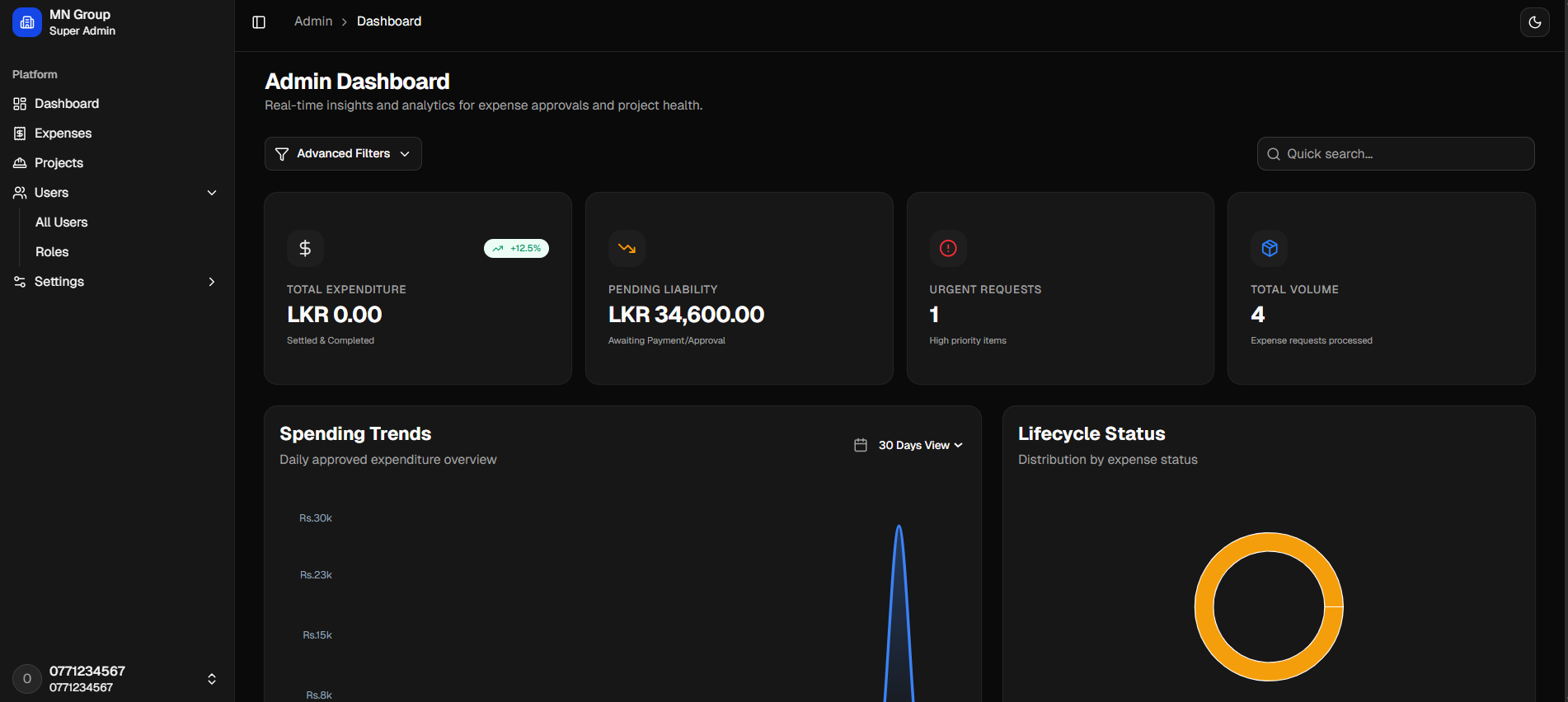
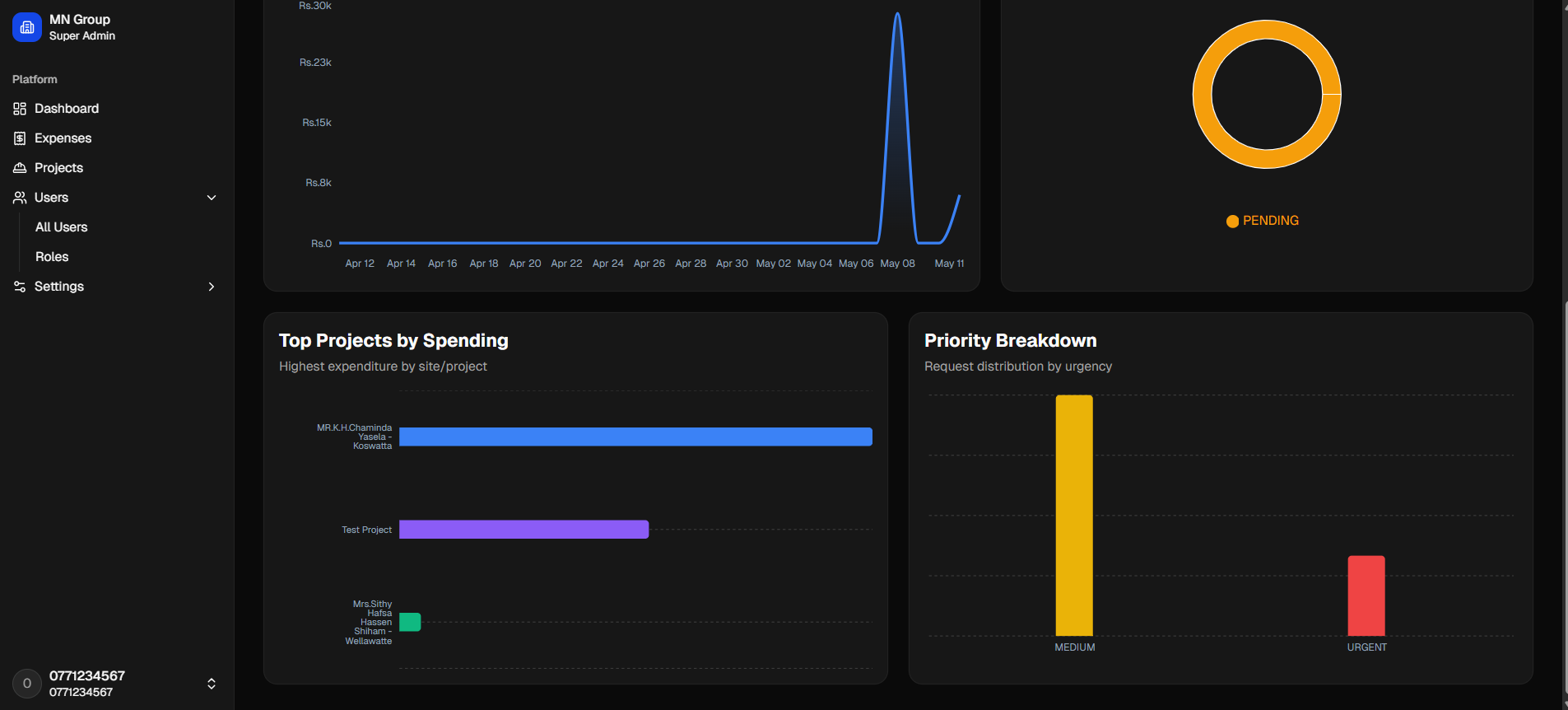
A real-time expense tracking and approval dashboard for project spending. It provides key metrics on total expenditure, pending liability, urgent requests, and request volume — alongside spending trends, expense lifecycle status, top projects by spending, and priority breakdown.
- ✦Total Expenditure
- ✦Pending Liability
- ✦Urgent Requests Count
- ✦Total Volume
- ✦Spending Trends Chart
- ✦Top Projects by Spending
Projects Management
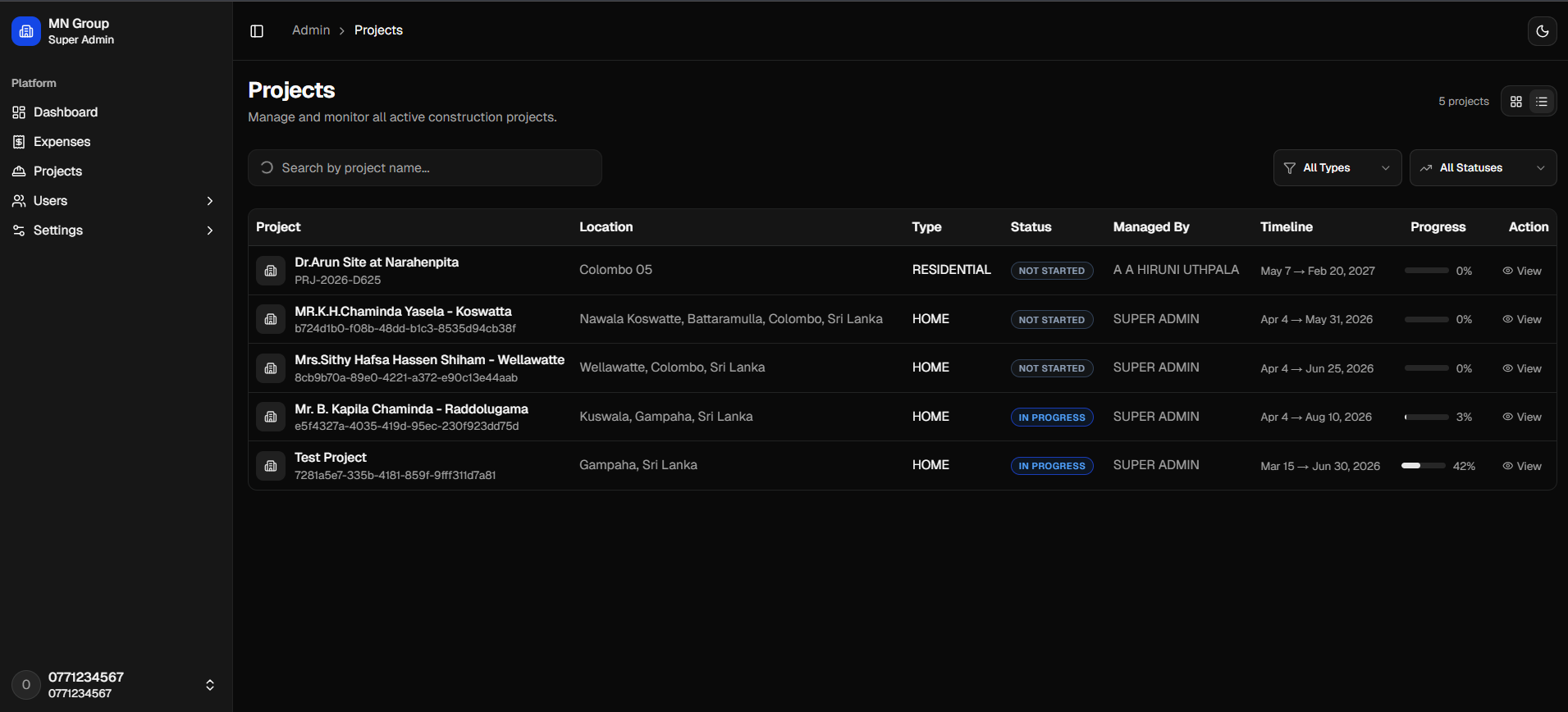
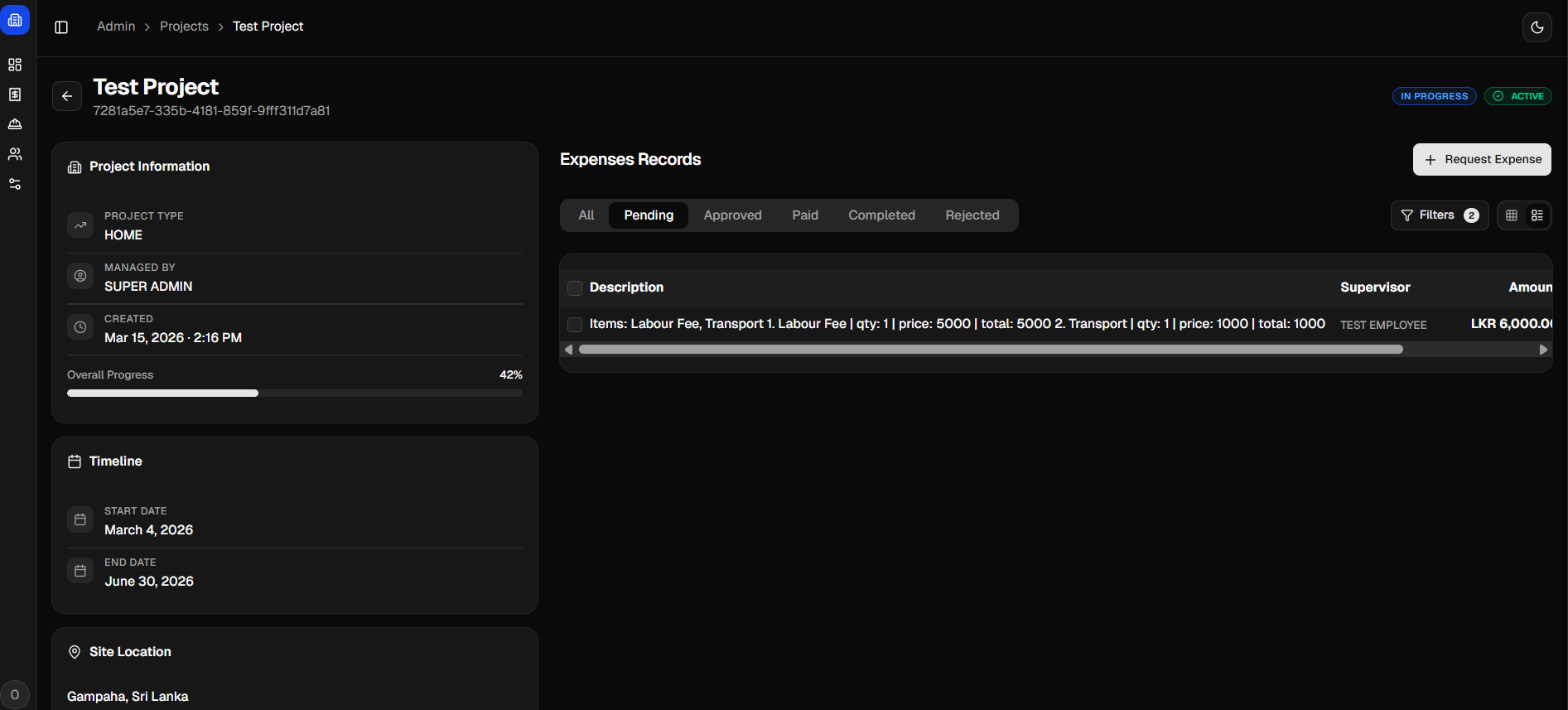
A clean project tracking interface for managing and monitoring all active construction projects. It includes a searchable project table with key details like location, type, status, managed by, timeline, and progress. The detailed view shows project information, overall progress, timeline, and site location for each selected project.
- ✦Search by Project Name
- ✦Project Table (Project, Location, Type, Status, Managed By, Timeline, Progress, Action)
- ✦Progress Percentage per Project
- ✦Timeline (Start Date & End Date)
- ✦Site Location
- ✦Overall Progress Percentage
Expenses
A clean expense review and approval interface for construction projects. It displays total expenses, filtered results, and offers quick status filters (All, Pending, Approved, Paid, Completed, Rejected). Each request shows project details, line items with quantities and prices, approval totals, and rejected counts.
- ✦Total Expenses Overview
- ✦Status Filters
- ✦Itemized Description
- ✦Approved Total & Rejected Count
- ✦Filter Options, Save & Cancel Buttons
- ✦Declined Items Indicator
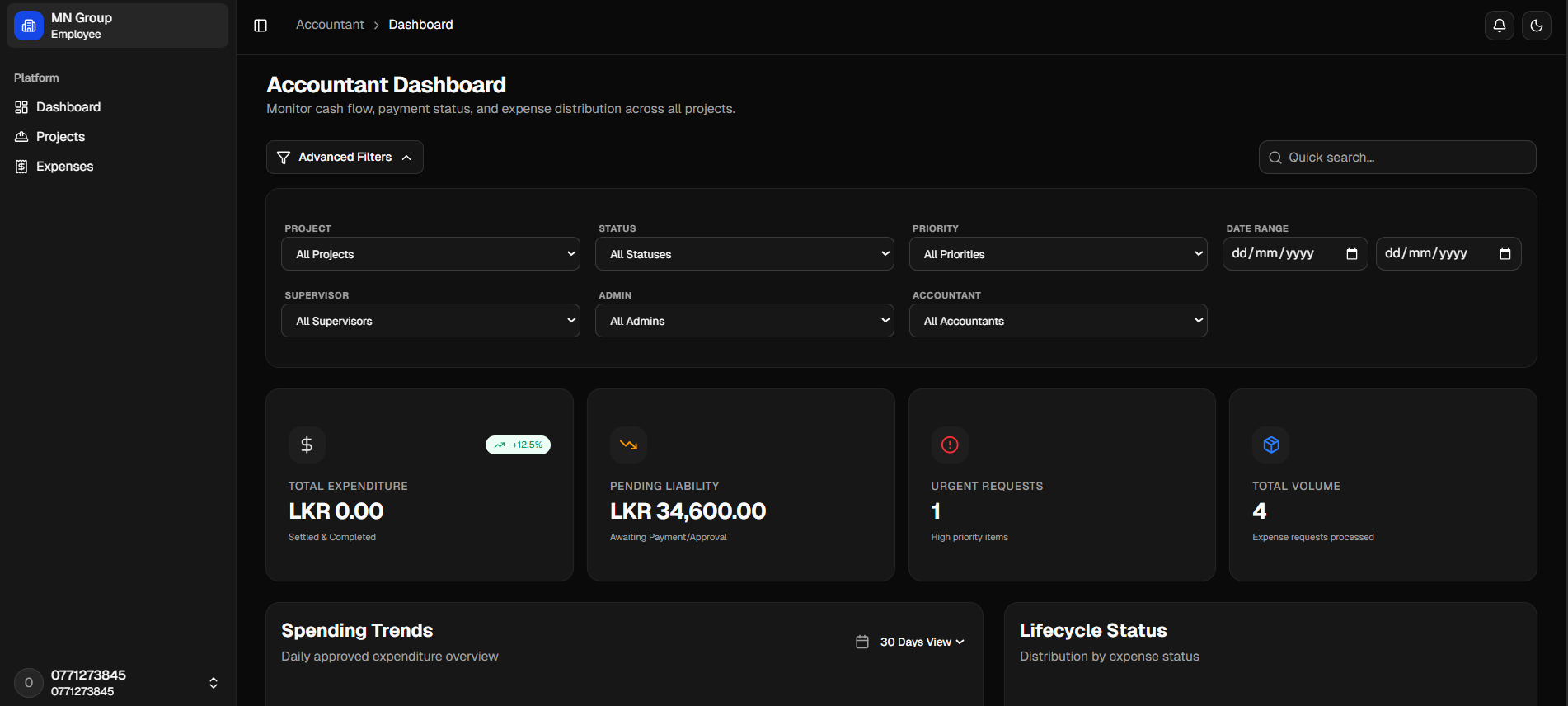
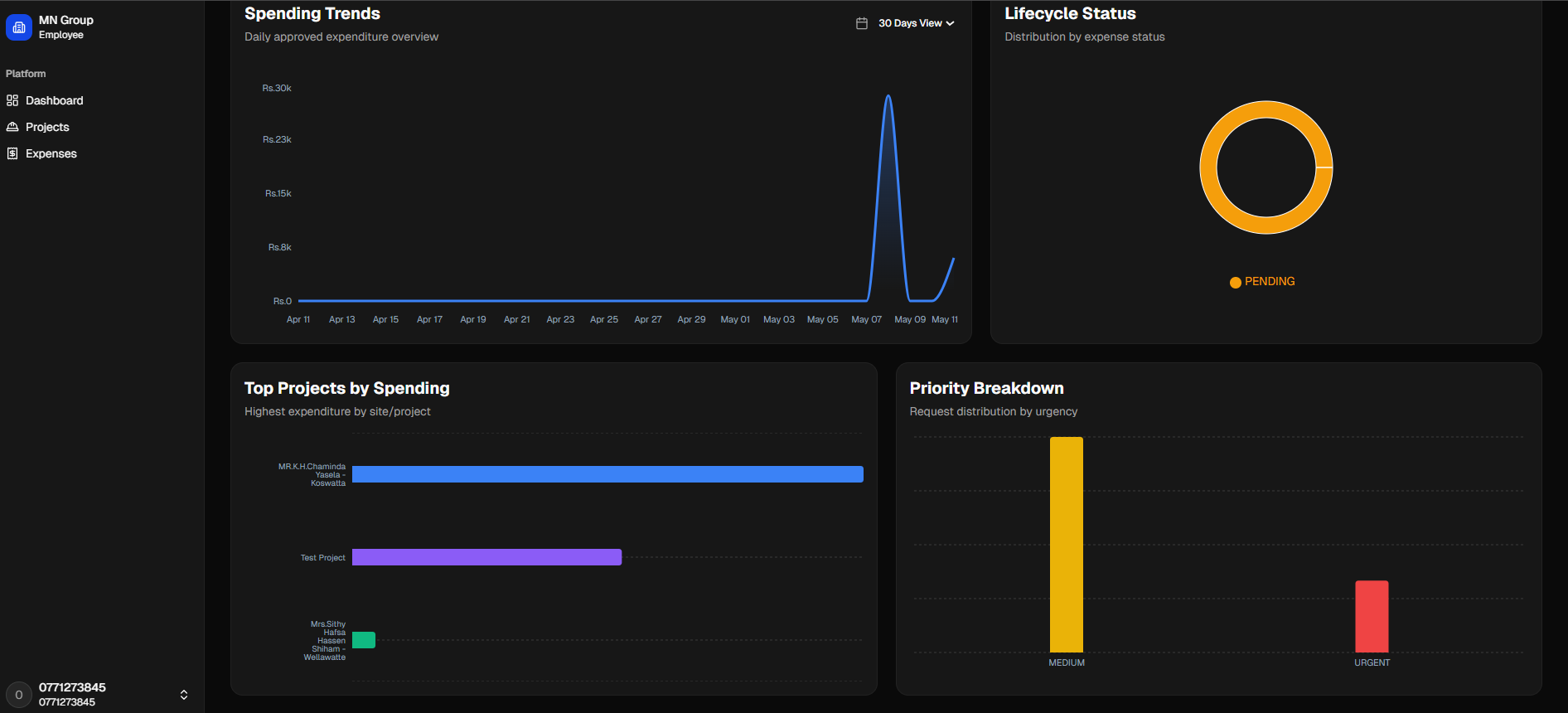
Accountant Dashboard
A financial dashboard for monitoring cash flow, payment status, and expense distribution across all projects. It includes advanced filters for project, status, priority, date range, supervisor, and administrator — along with key metrics and spending trends.
- ✦Advanced Filters
- ✦Total Expenditure
- ✦Pending Liability
- ✦Urgent Requests (High Priority Items)
- ✦Total Volume (Expense Requests Processed)
- ✦Spending Trends Chart with 30 Days View