


Payroll Management System
Our Payroll Management System simplifies employee administration by handling everything from registration and salary calculations to paysheet generation and leave management. It ensures accurate, timely payments and transparent record-keeping for our entire construction team.
Core Modules & Architecture
- ✦ Employee Registration & Management
- ✦ Salary Calculation & Paysheet Generation
- ✦ Leave Management
Employee Registration & Management
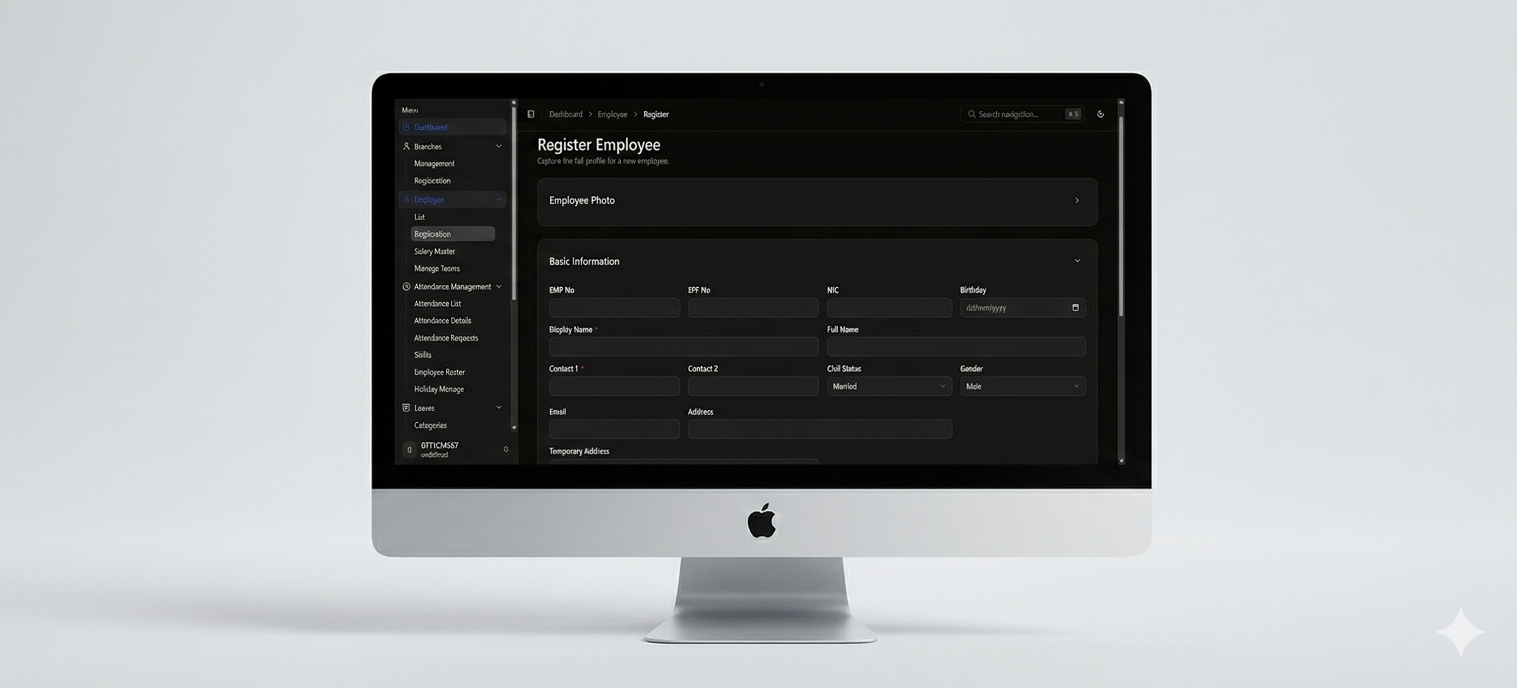
A clean employee registration interface for capturing complete employee profiles. It is organized in a two-column layout with fields for employee photo, EMP No, EPF No, NIC, Birthday, Display Name (required), Full Name, Contact numbers (required), Civil Status, Gender, Email, Address, and Temporary Address.
- ✦Employee Photo Upload
- ✦EMP No, EPF No & NIC
- ✦Birthday & Display Name (Required)
- ✦Full Name & Contact Numbers (Required)
- ✦Civil Status (Married) & Gender (Male)
- ✦Email, Address & Temporary Address
Salary Calculation & Paysheet Generation
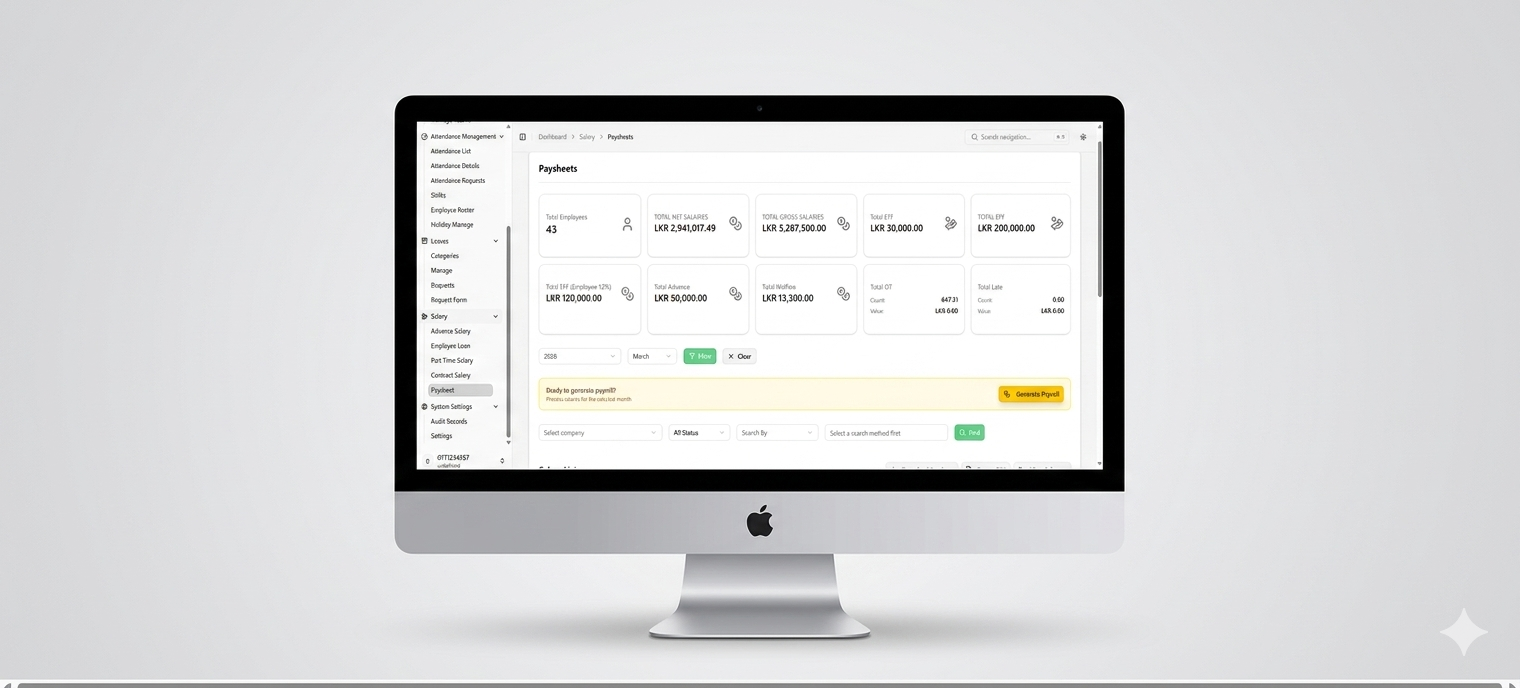
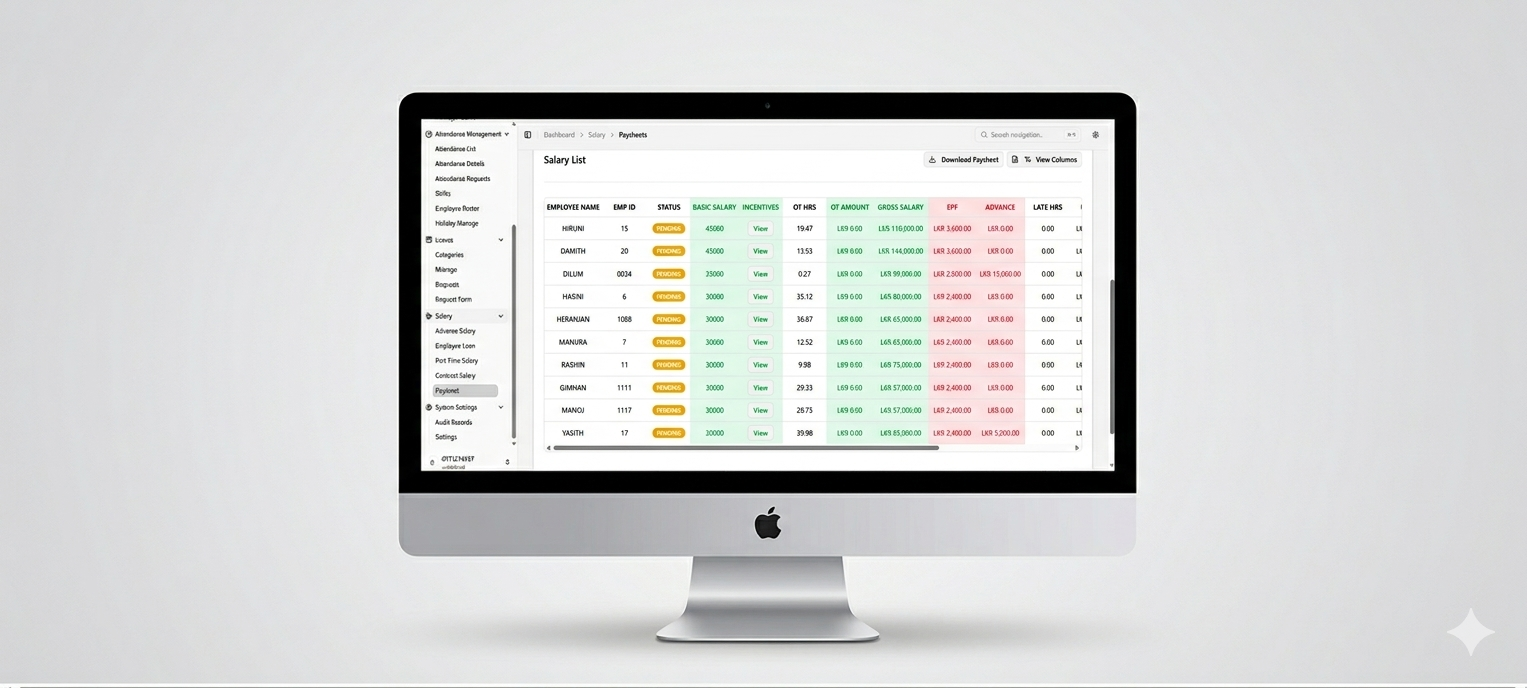
A complete payroll management interface that combines a high-level summary with detailed employee salary breakdowns. The top section shows key metrics like total employees, net and gross salaries, EFT, EPF (total and employee 12%), advances, welfare, OT, and late values. The lower section provides a detailed employee table showing each person's basic salary, incentives, OT hours, OT amount, gross salary, EPF, advance, late hours, rate, and per — all in one place for easy payroll processing.
- ✦Total Employees, Net & Gross Salaries
- ✦Total EFT & Total EPF (Overall & Employee 12%)
- ✦Total Advance & Total Welfare
- ✦Total OT & Total Late (Count & Value)
- ✦Month Filter & Process Payroll
- ✦View Action, Download Paysheet & Export CSV Options
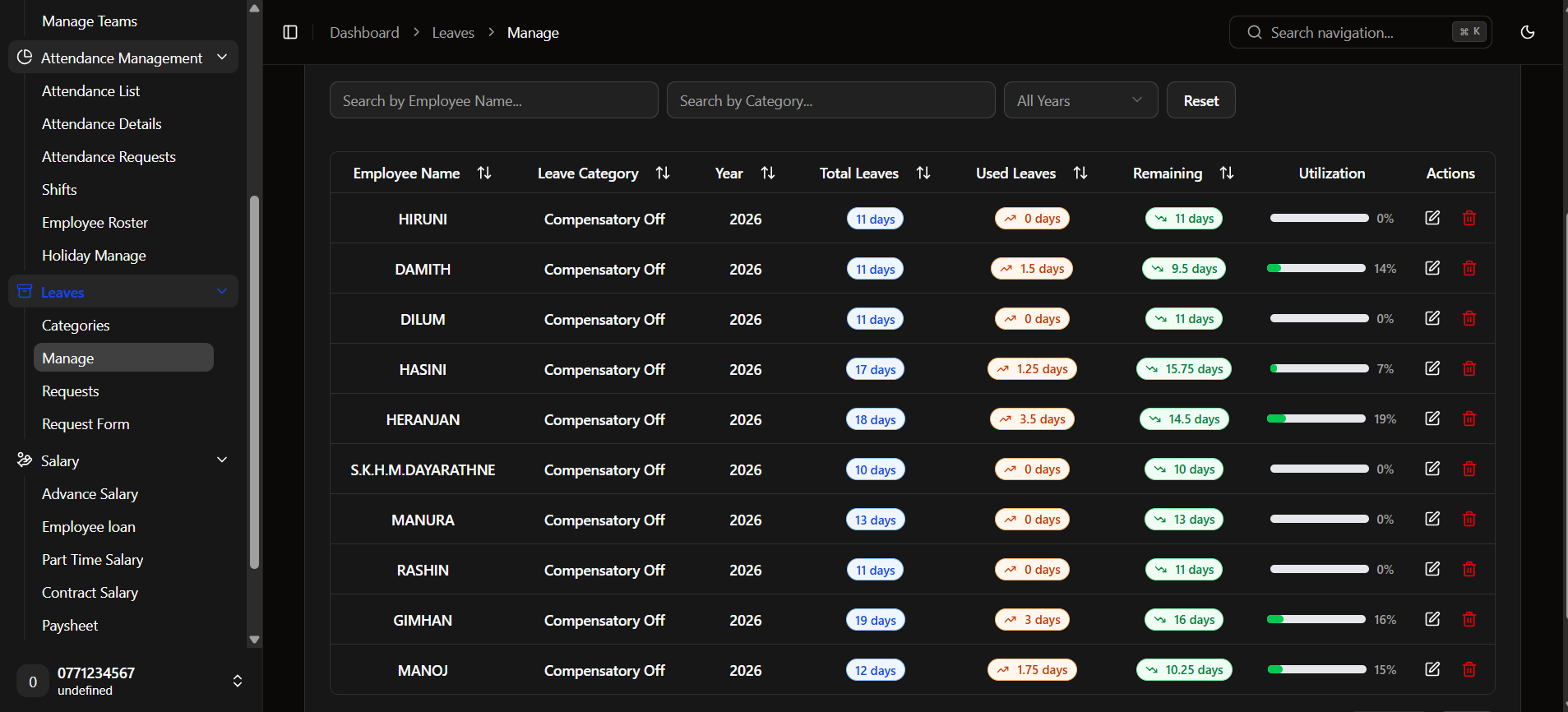
Leave Management
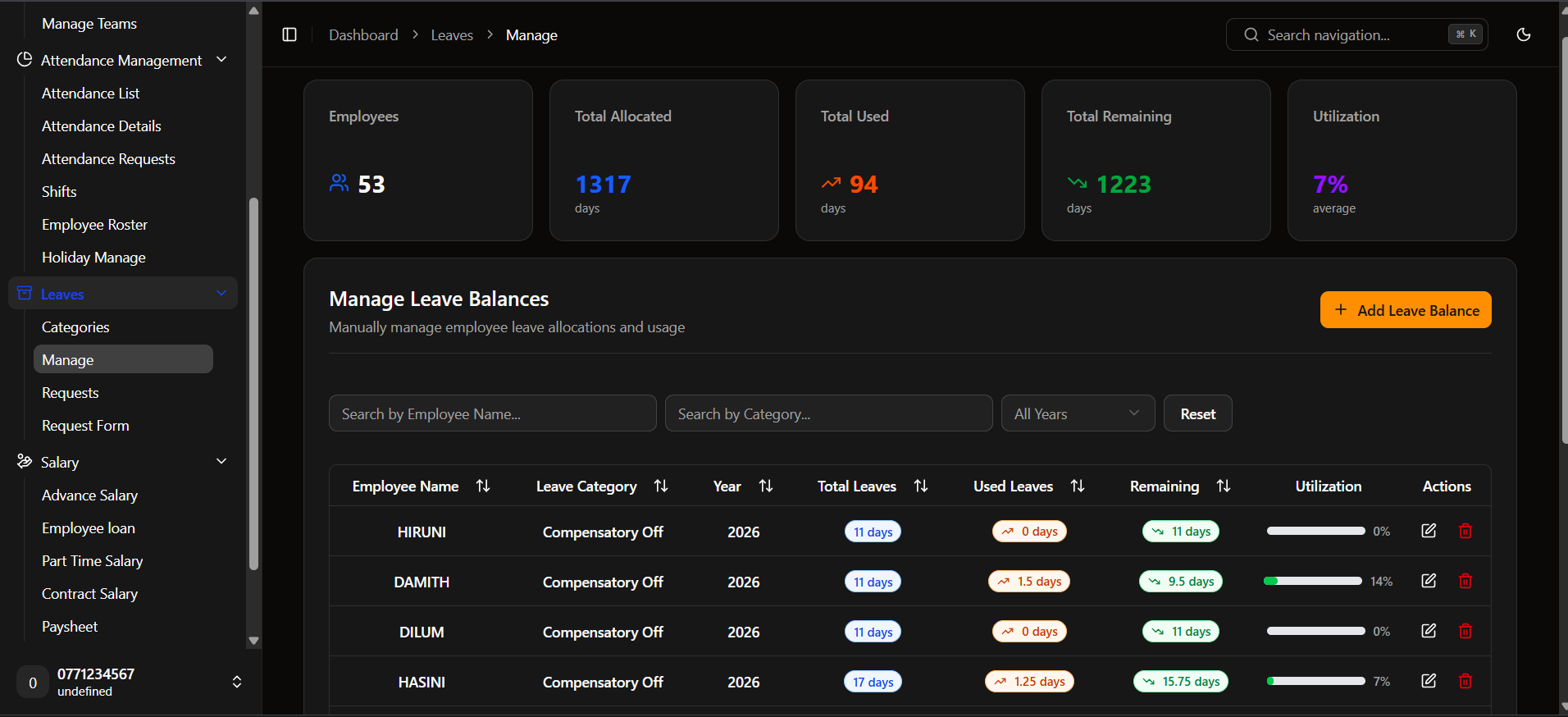
A clean leave management interface for manually managing employee leave allocations and usage. It includes search filters by employee name and leave category, a year dropdown, and a reset button. The table shows employee name, leave category, year, total leaves, used leaves, remaining leaves, utilization percentage, and actions.
- ✦Search by Employee Name & Category
- ✦Year Filter & Reset Button
- ✦Sortable Columns (Year, Total Leaves, Used Leaves, Remaining)
- ✦Employee Name, Leave Category & Year
- ✦Total Leaves, Used Leaves & Remaining
- ✦Utilization Percentage
- ✦Actions Button
- ✦Add Leave Balance Button