


Procument Management System
Our Procurement Management System handles the entire purchasing lifecycle — from procurement requests and purchase orders to goods received notes and site transactions. It also tracks inventory ledgers, product history, sales, finance statistics, and even rent pools. With a central dashboard overview, you get complete visibility into every order, stock movement, and cost from start to finish.
Core Modules & Architecture
- ✦ Dashboard Overview
- ✦ Pending Stock Releases
- ✦ Petty Cash Management
- ✦ Stock Releases
- ✦ Procurement Requests
- ✦ Create Purchase Requests
- ✦ Purchase Orders
- ✦ Purchase Order Preview
- ✦ Site Transactions
- ✦ Goods Received Notes
- ✦ Sales History
- ✦ Products
- ✦ Inventory Ledger
- ✦ Transactions
- ✦ Finance Statistics
- ✦ Rent Pool
Dashboard Overview
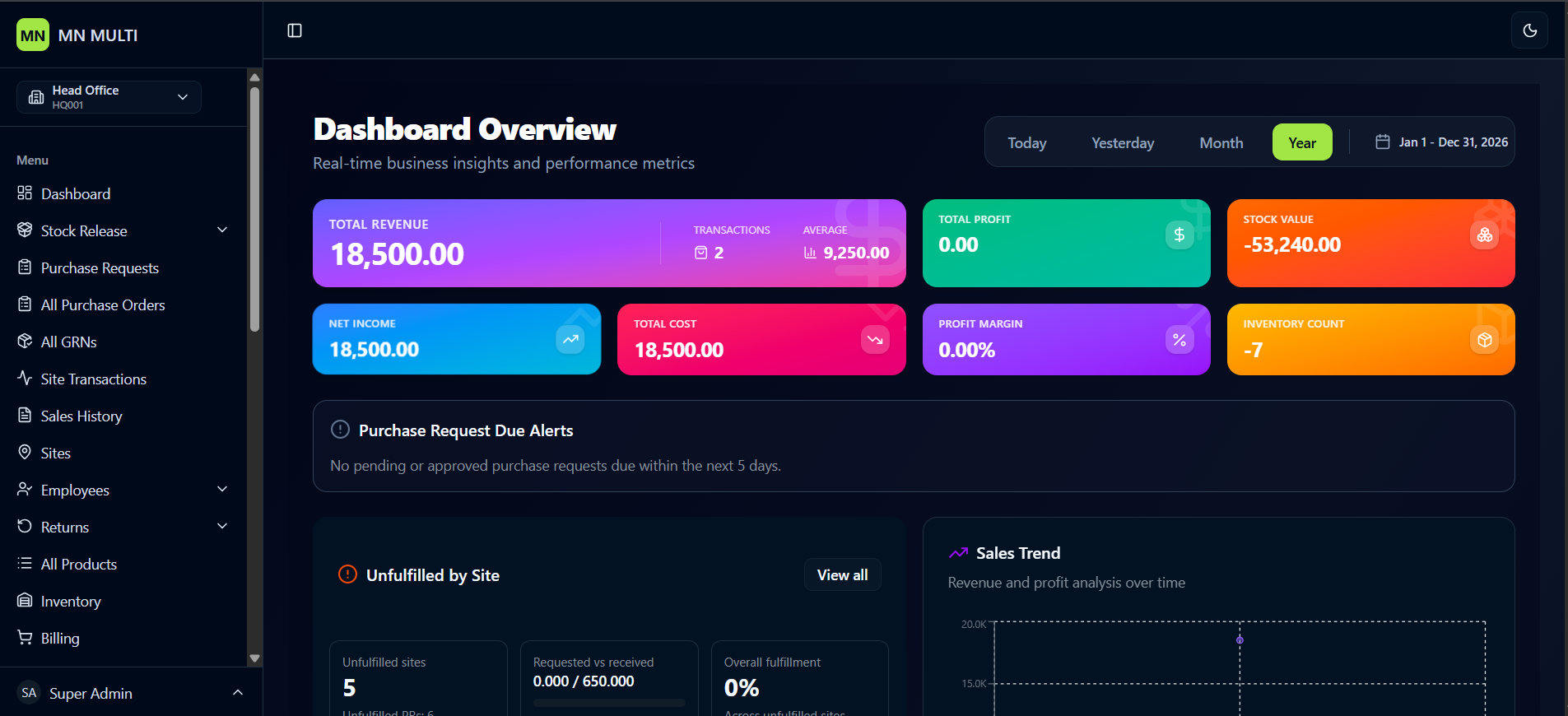
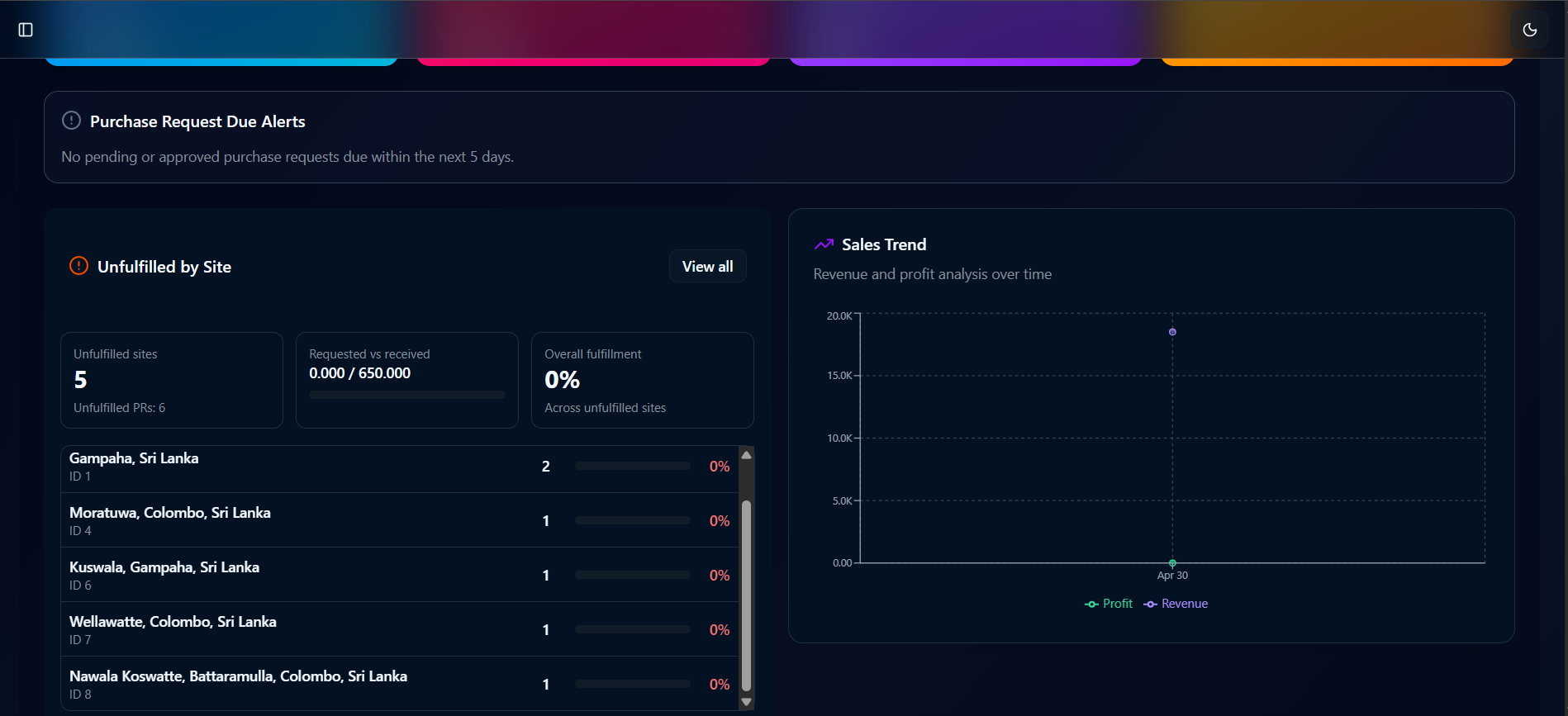
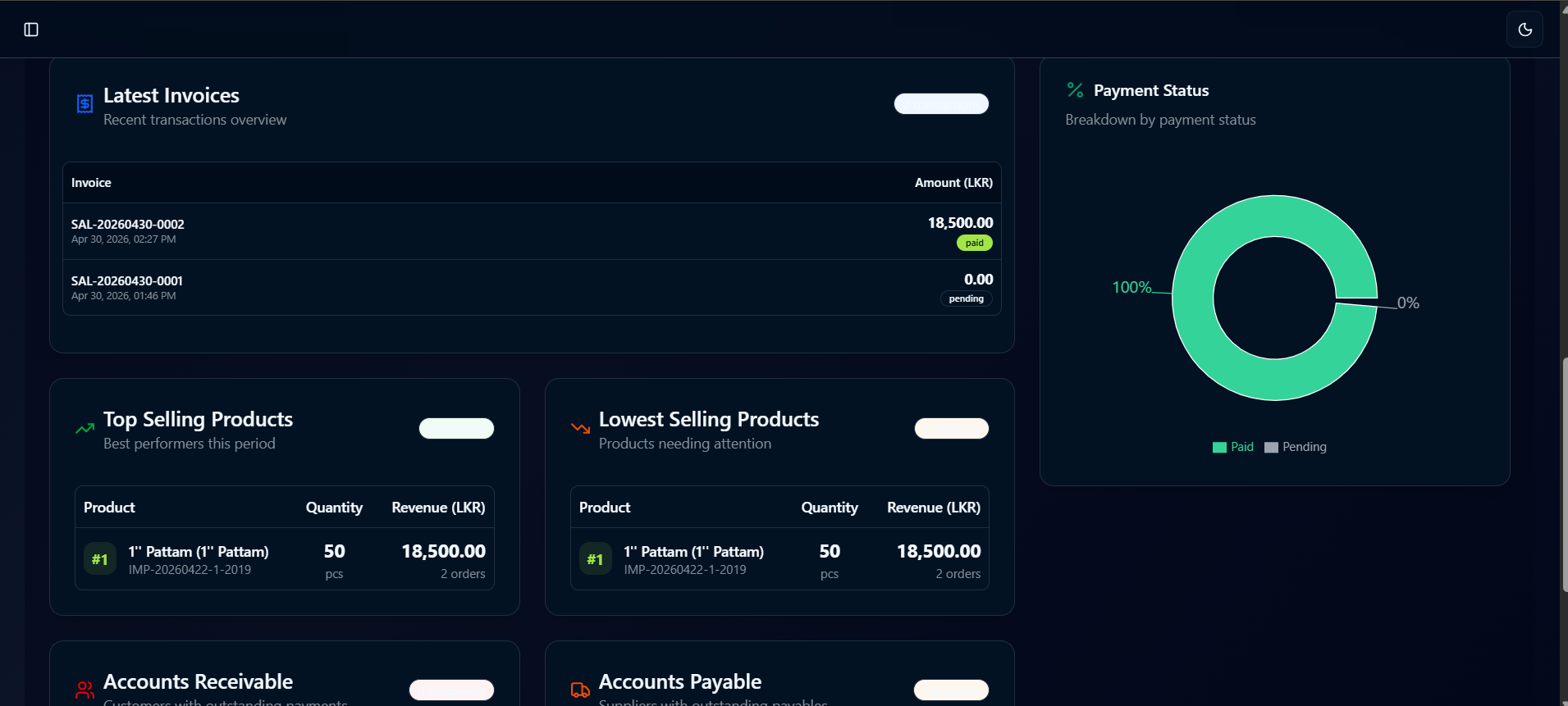
A real-time business insights dashboard showing key financial metrics including total revenue, transactions, average, profit, stock value, net income, total cost, profit margin, and inventory count. It also includes purchase request alerts, unfulfilled site tracking, sales trends, latest invoices, top and lowest selling products, payment status, and accounts receivable.
- ✦Total Revenue, Transactions, Average
- ✦Purchase Request Due Alerts
- ✦Sales Trend Chart (Revenue & Profit Analysis)
- ✦Top Selling Products (Product, Quantity, Revenue)
- ✦Lowest Selling Products (Product, Quantity, Revenue)
- ✦Payment Status Breakdown (Paid vs Pending)
- ✦Accounts Receivable
Pending Stock Releases
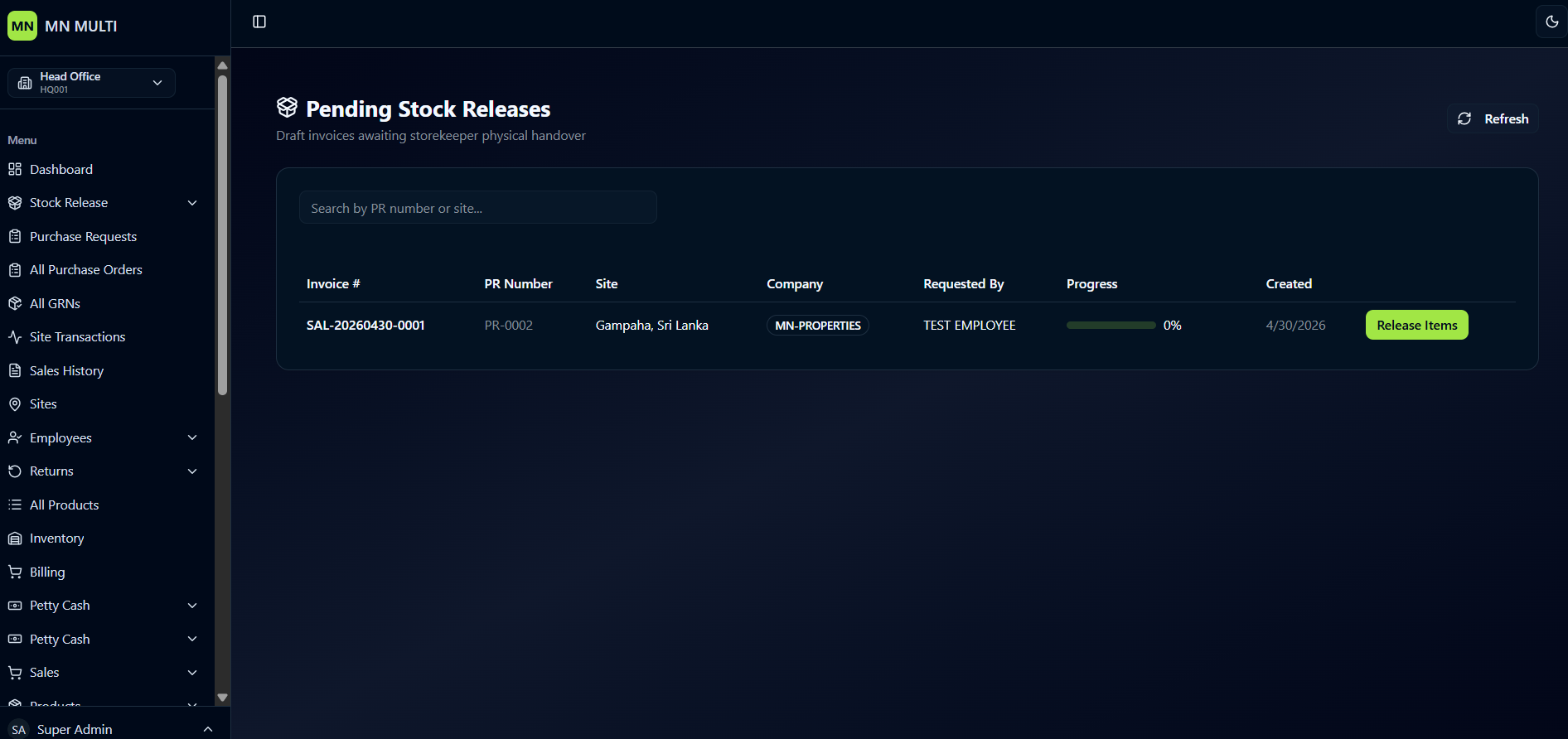
A clean interface for managing draft invoices that are awaiting storekeeper physical handover.
- ✦Search Functionality
- ✦Pending Invoices Table
- ✦Progress Tracking
- ✦Refresh Button
- ✦Release Items Button
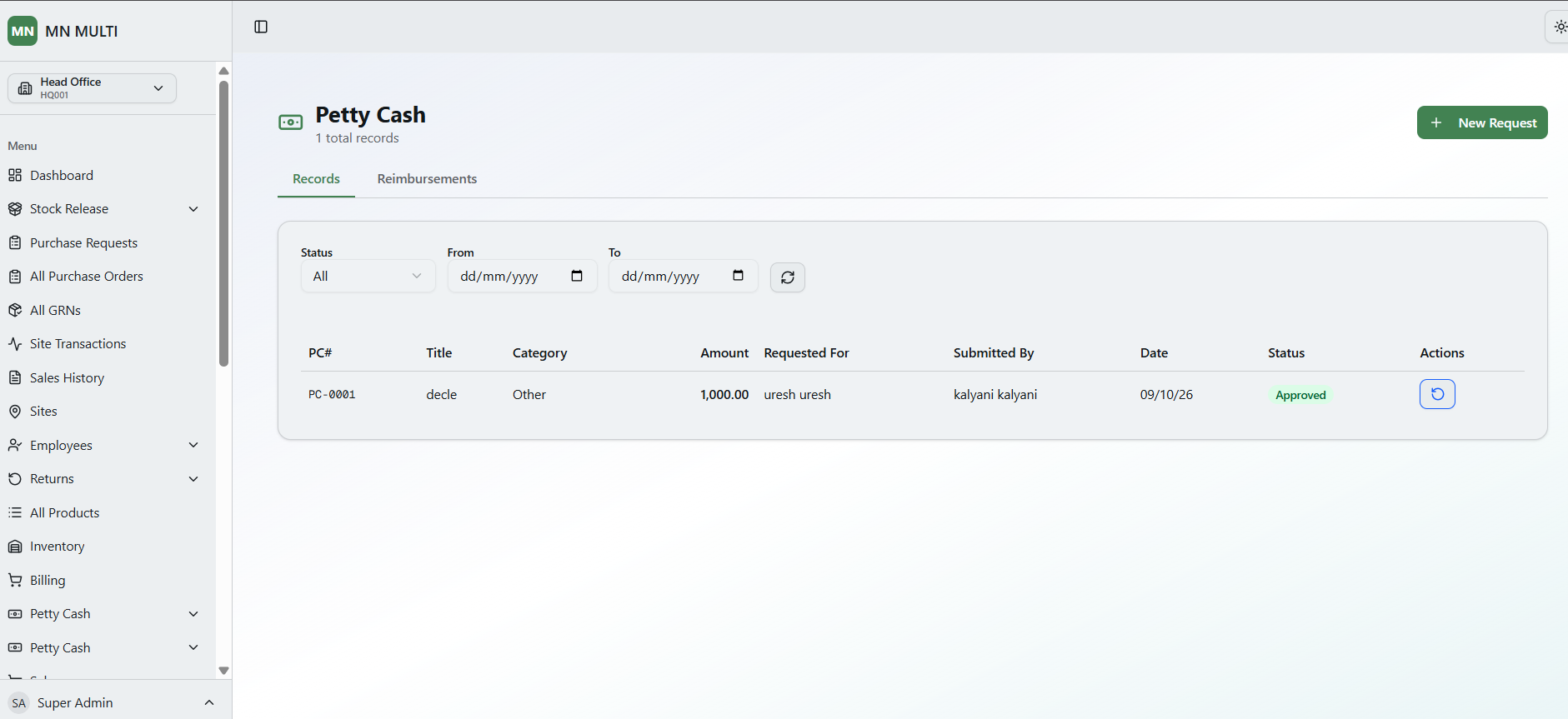
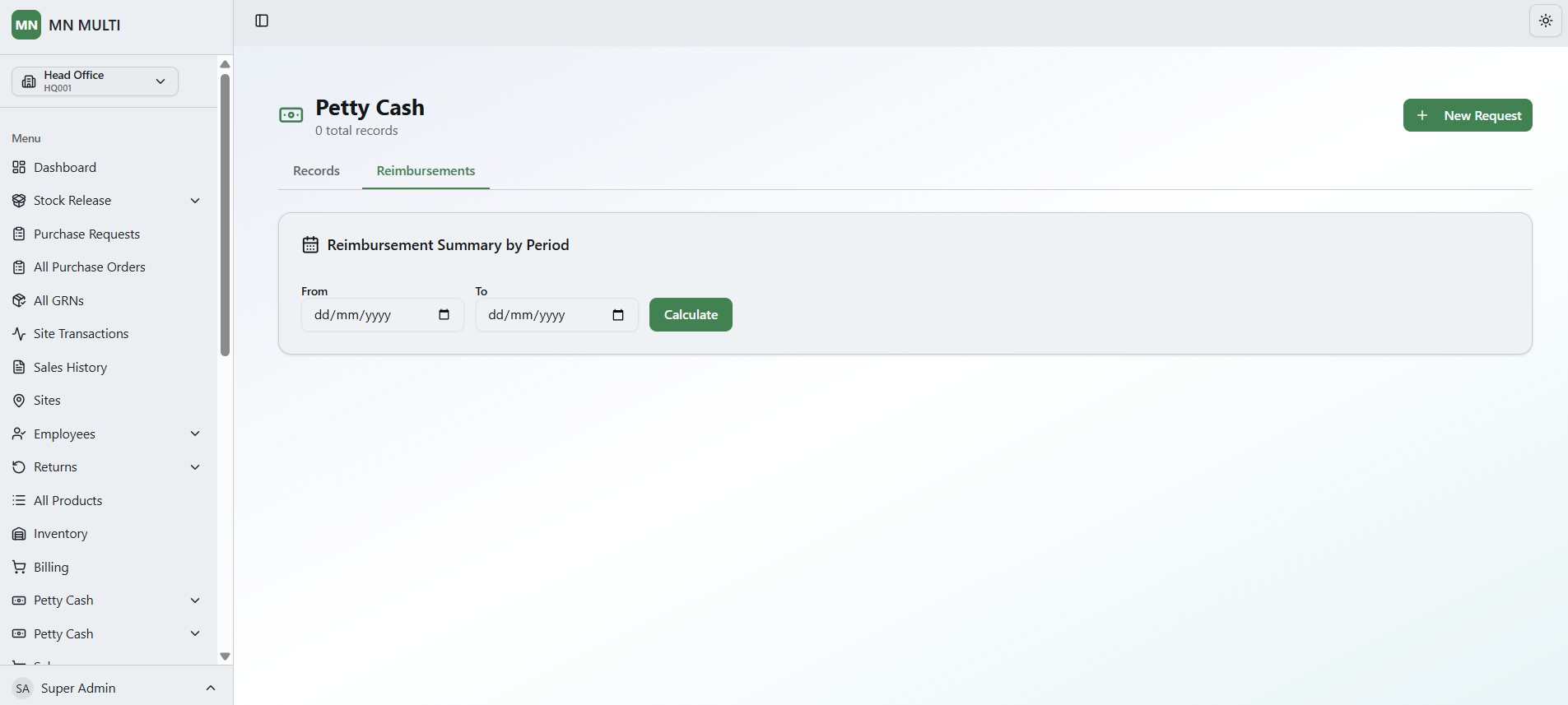
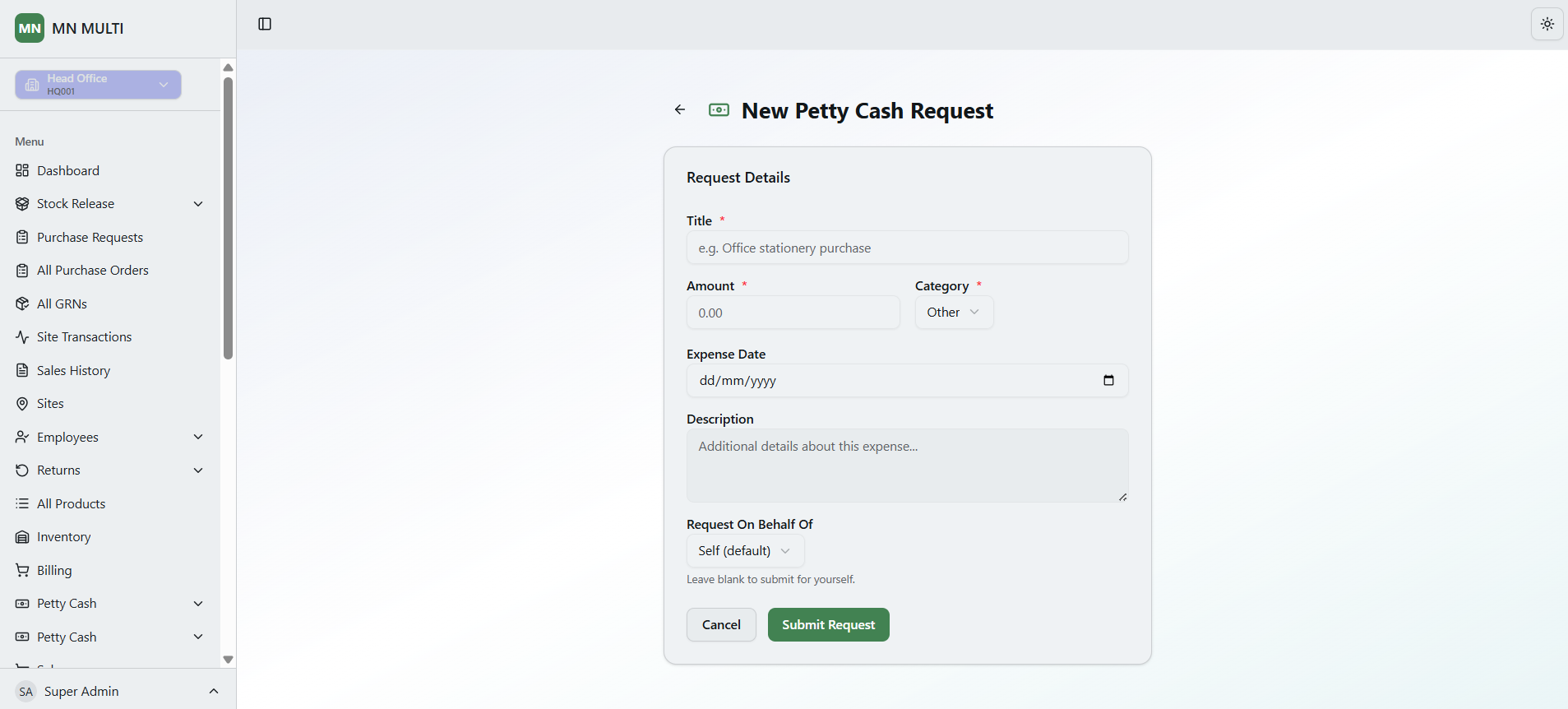
Petty Cash Management
This is a Petty Cash Management interface for administrators. Instead of tracking attendance or subcontractors, this screen allows users to submit, track, and reimburse small expense requests. It includes a request form, a list of existing requests with statuses, and a separate reimbursement summary section.
- ✦Petty Cash Request List (Records Tab)
- ✦Reimbursements Tab
- ✦New Petty Cash Request Form
Stock Releases
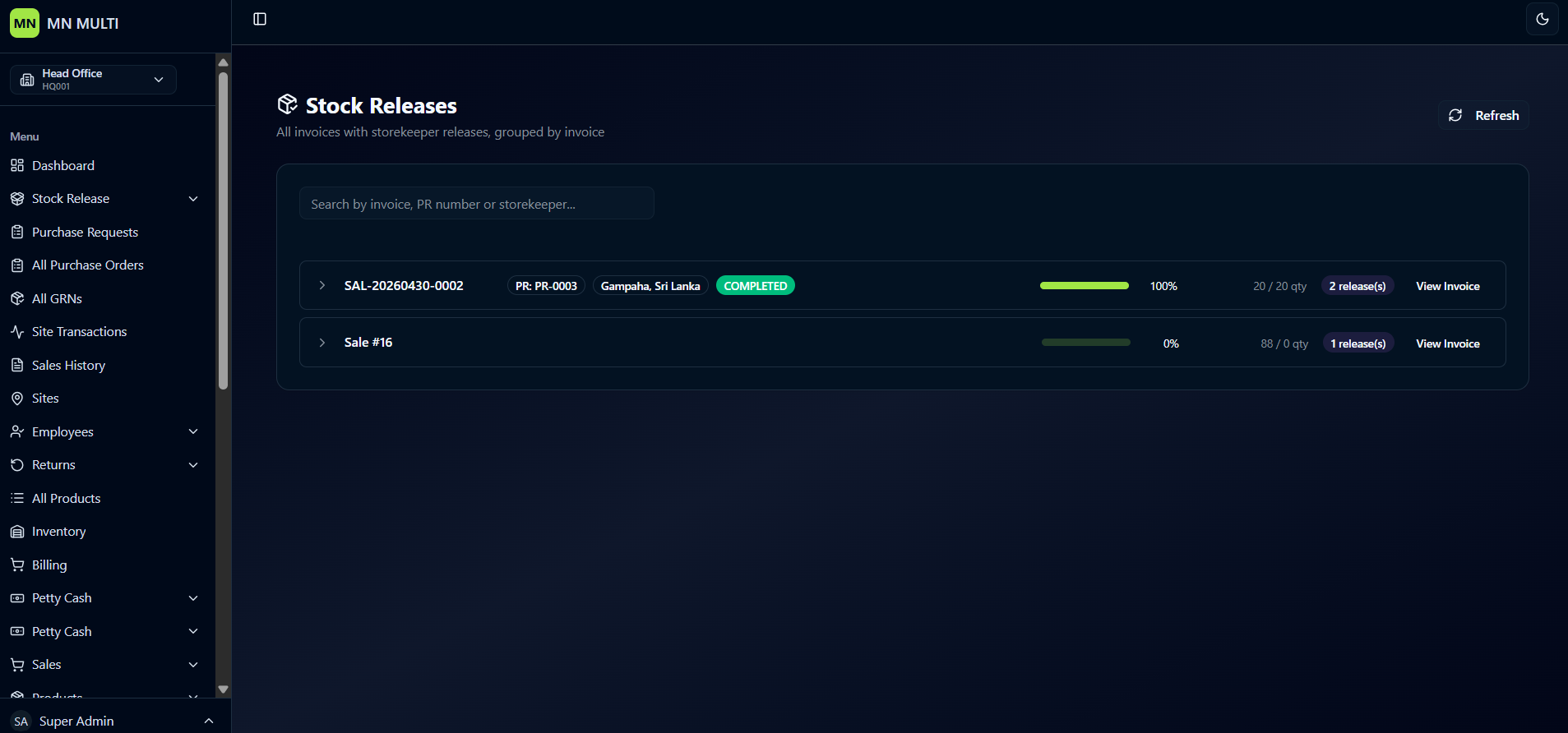
A clean interface for viewing all invoices with storekeeper releases, grouped by invoice.
- ✦Search Functionality
- ✦Grouped Invoice View
- ✦Invoice & PR Reference
- ✦Site Location
- ✦Progress Percentage
- ✦Quantity Tracking
- ✦Release Count
- ✦View Invoice Action
Procurement Requests
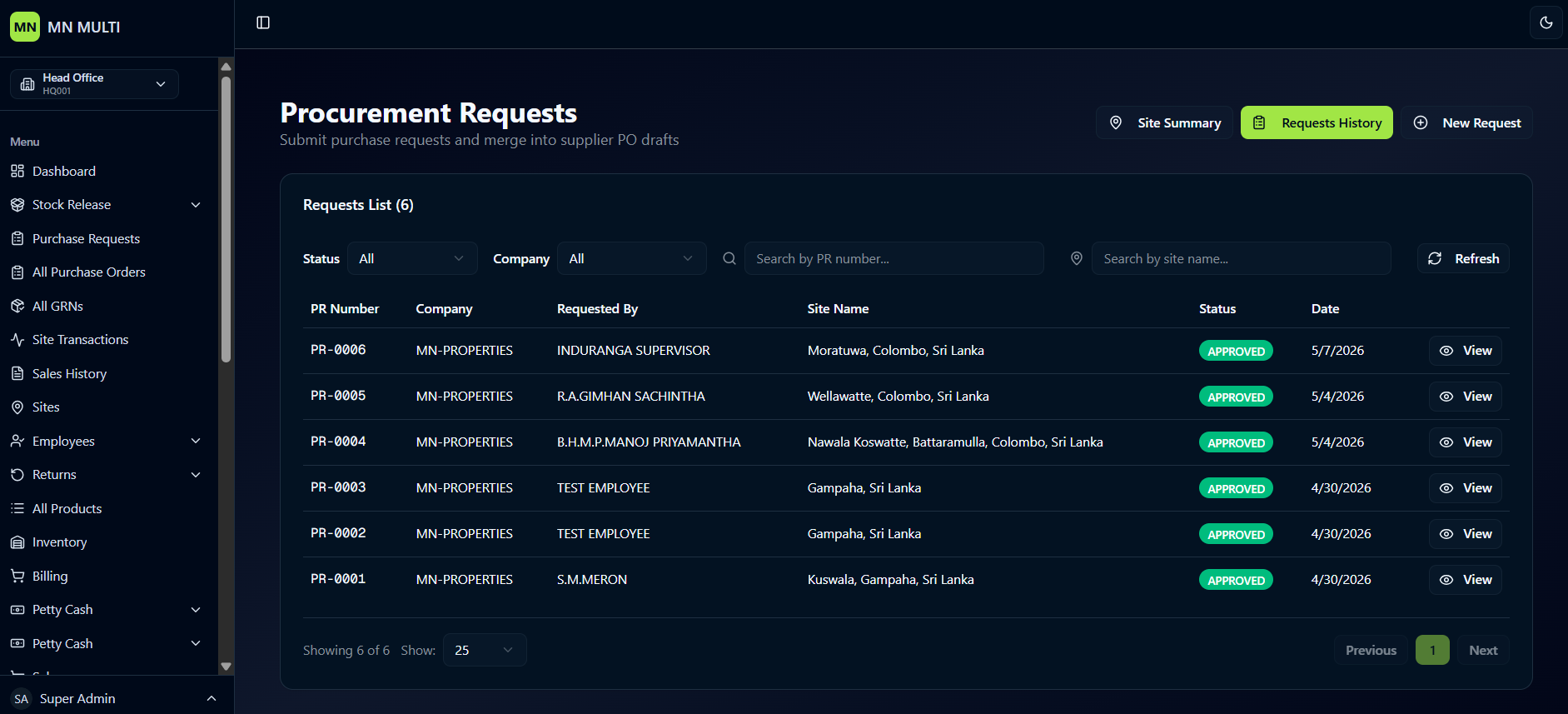
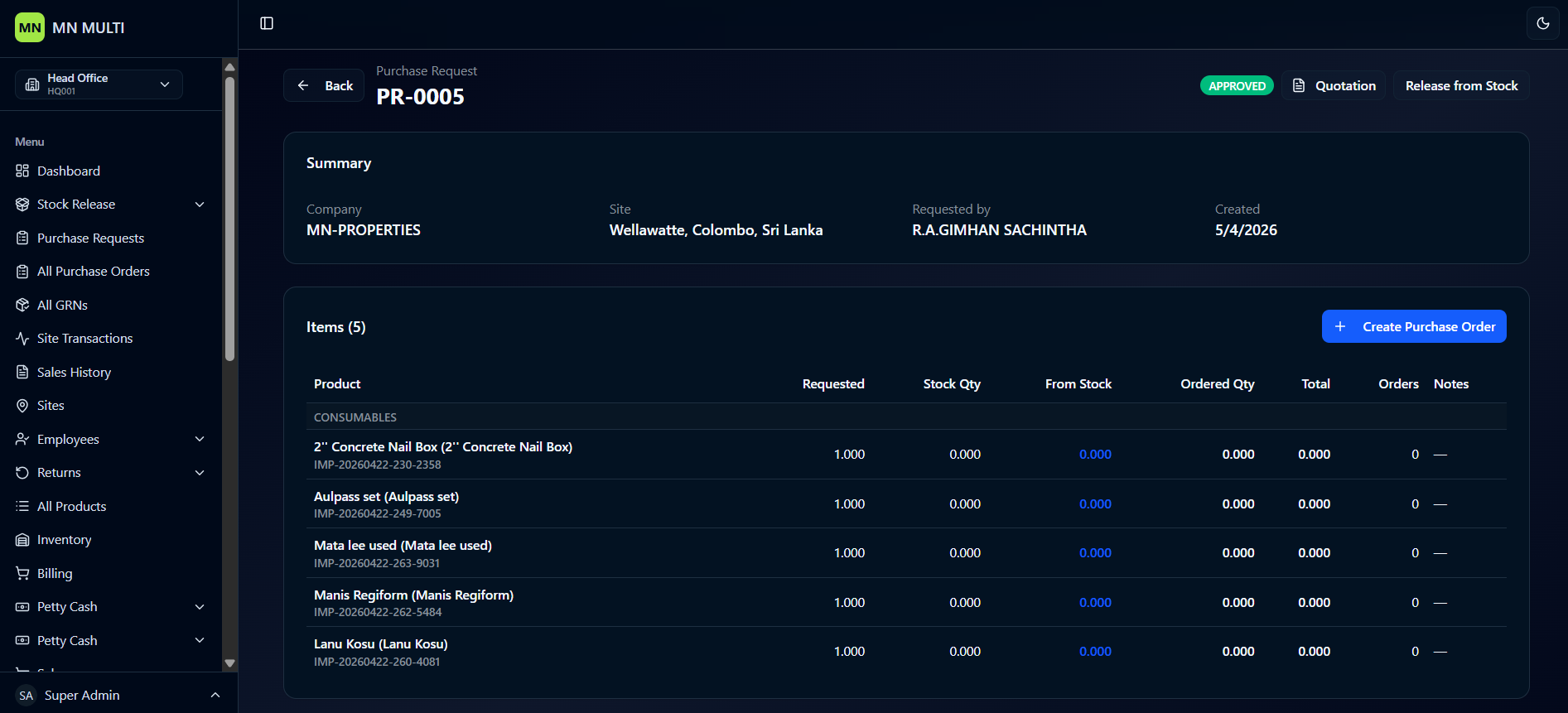
A clean purchase request management interface for submitting requests and merging them into supplier PO drafts. It includes a sortable requests list with status filters, company filters, and search by PR number. The detailed view shows request summary, itemized product list with stock availability, and options to create a purchase order.
- ✦Requests List
- ✦Status & Company Filters
- ✦Request Details View (Company, Site, Requested By, Created Date)
- ✦Items Table
- ✦Status Badge (APPROVED)
- ✦Action Options (Quotation, Release from Stock)
- ✦Create Purchase Order Button
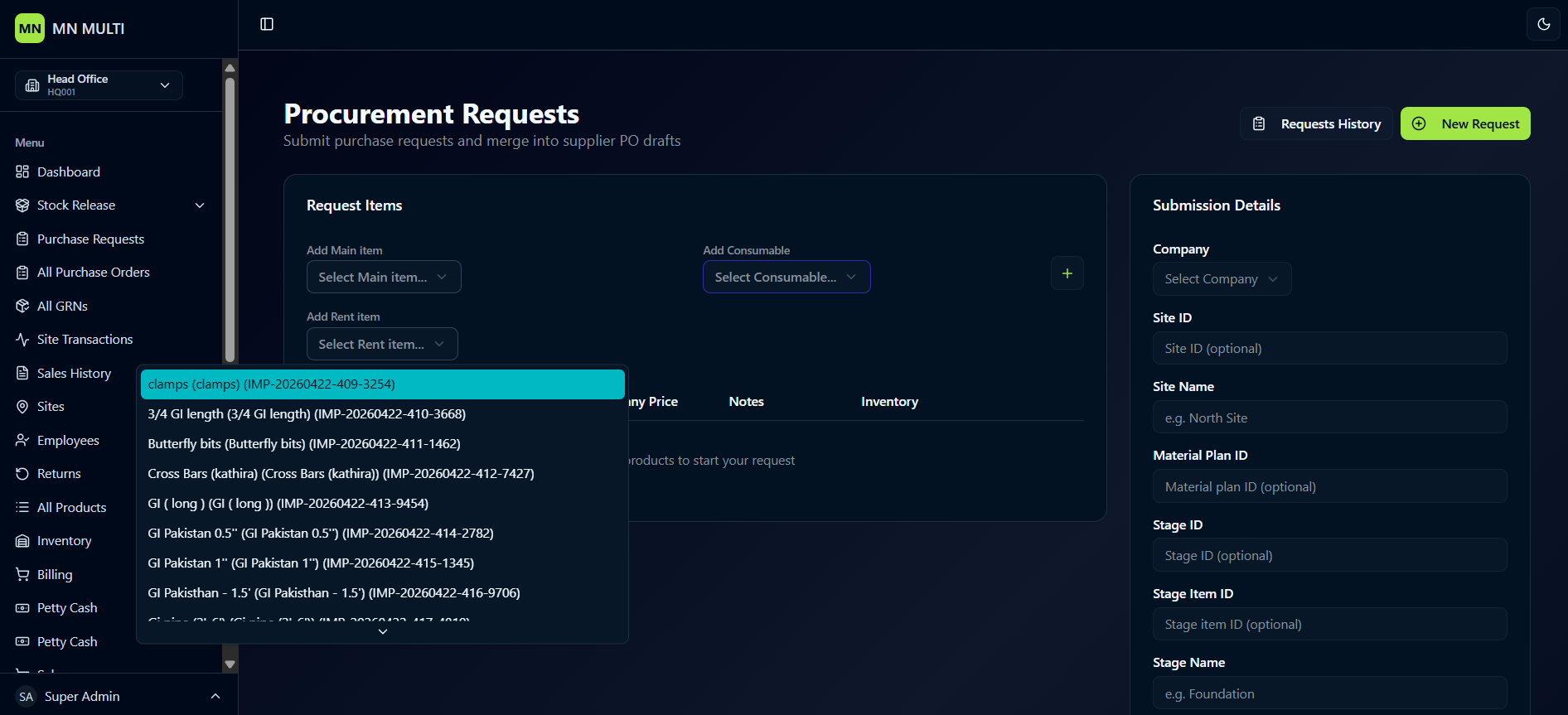
Create Purchase Requests
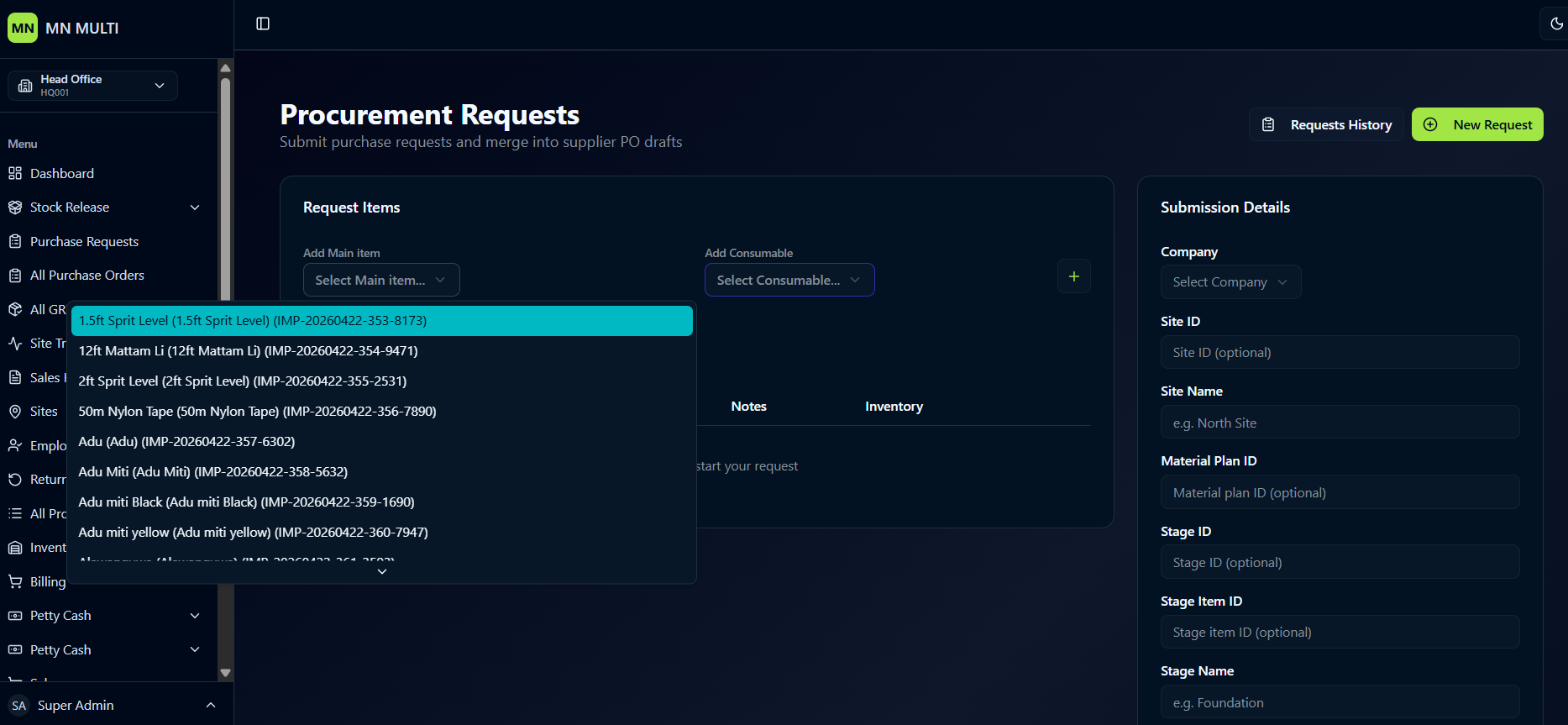
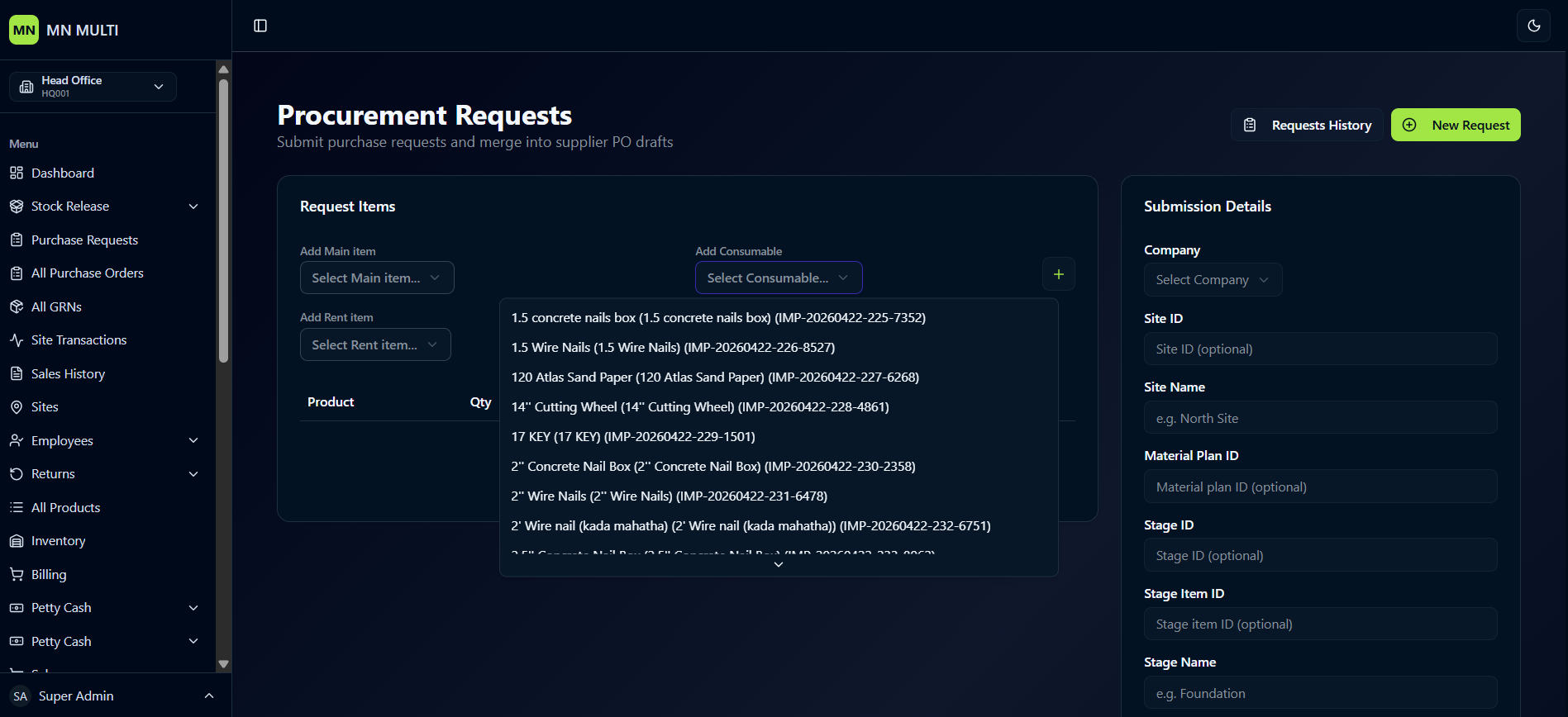
A clean interface for submitting new purchase requests. It allows users to add main items, consumable items, or rent items from product lists, then fill in submission details like company, site name, material plan ID, stage ID, stage item ID, and stage name before submitting.
- ✦Add Main Item, Add Consumable & Add Rent Item Options
- ✦Product Selection from Predefined Lists
- ✦Submission Details (Company, Site ID, Site Name, Material Plan ID, Stage ID, Stage Item ID, Stage Name)
- ✦Optional Fields for Flexibility
- ✦Example Placeholders (e.g., North Site, Foundation)
- ✦Notes Section with Additional Product List
Purchase Orders
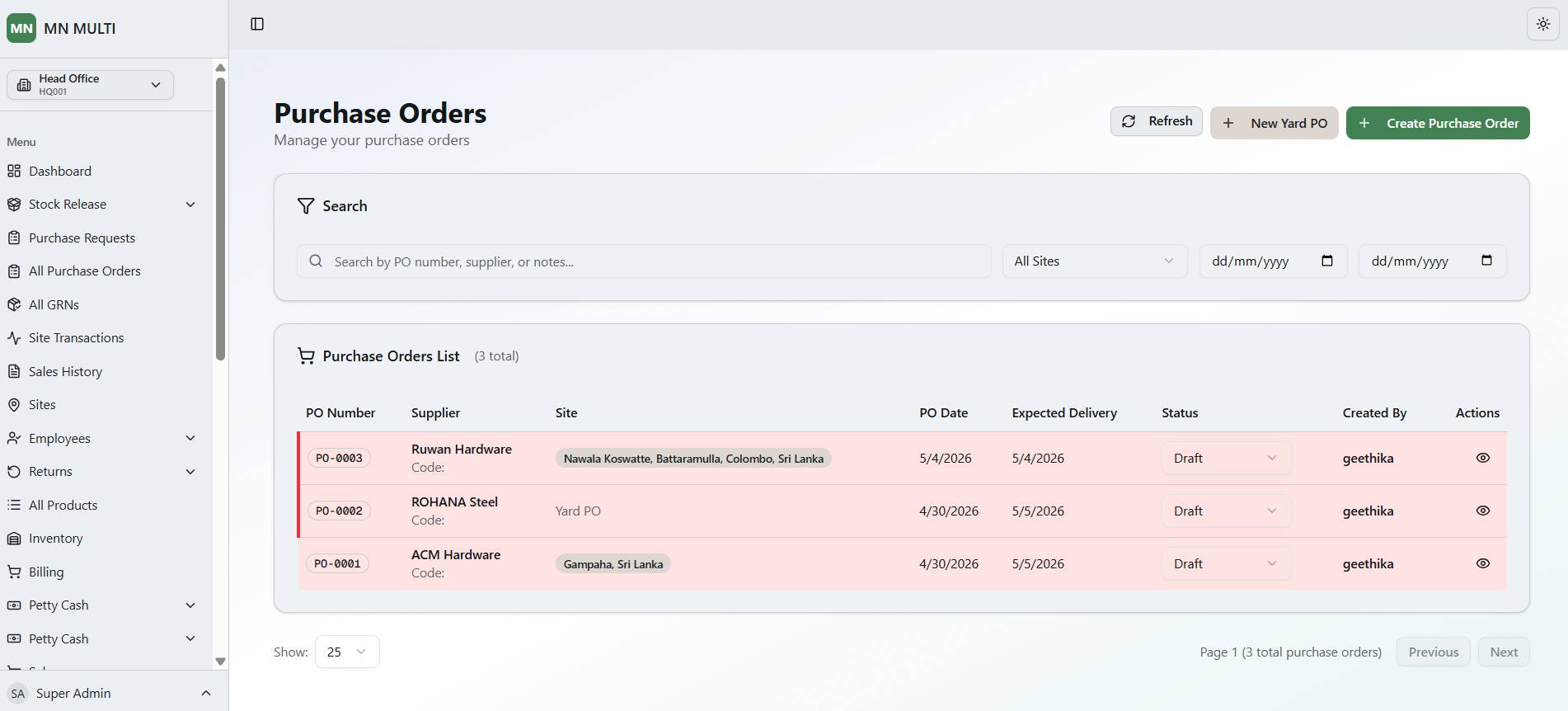
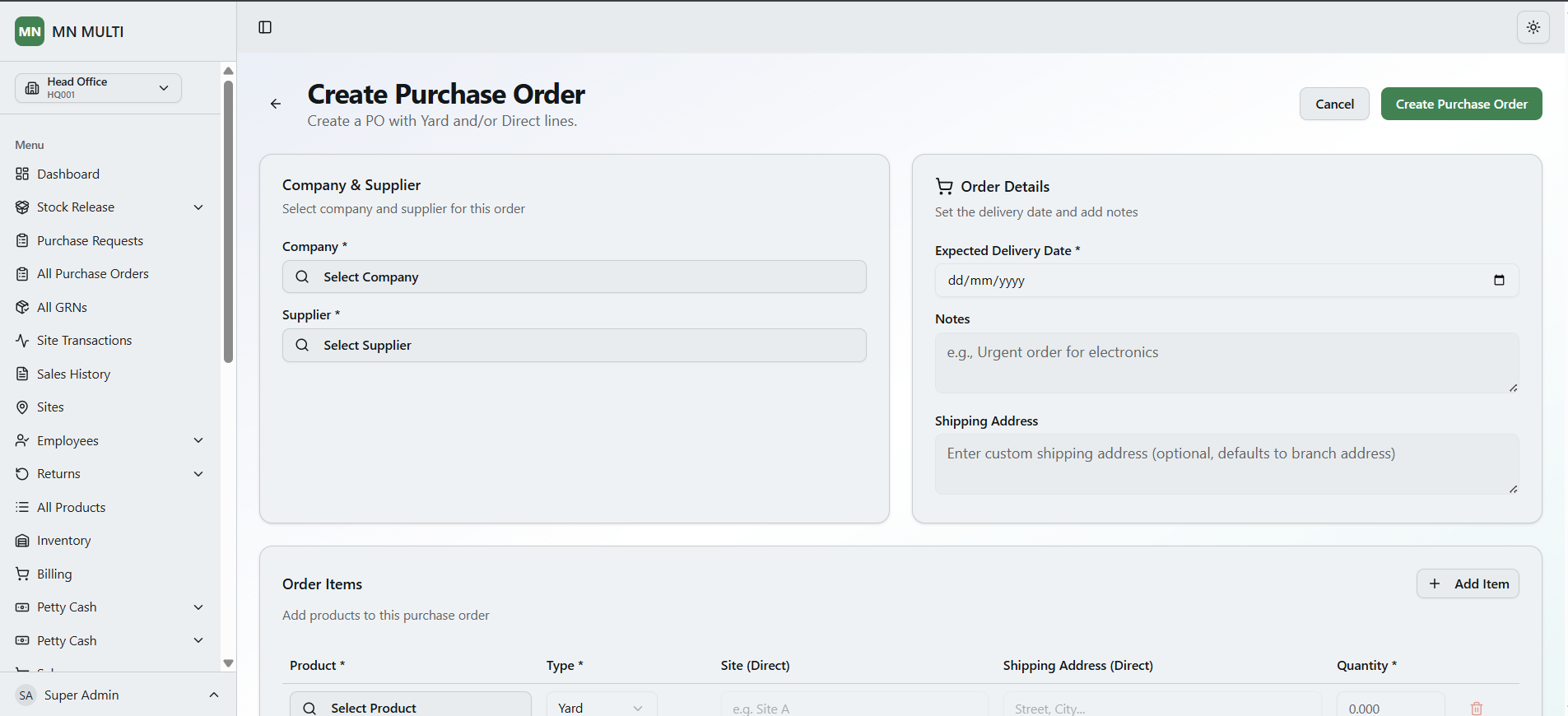
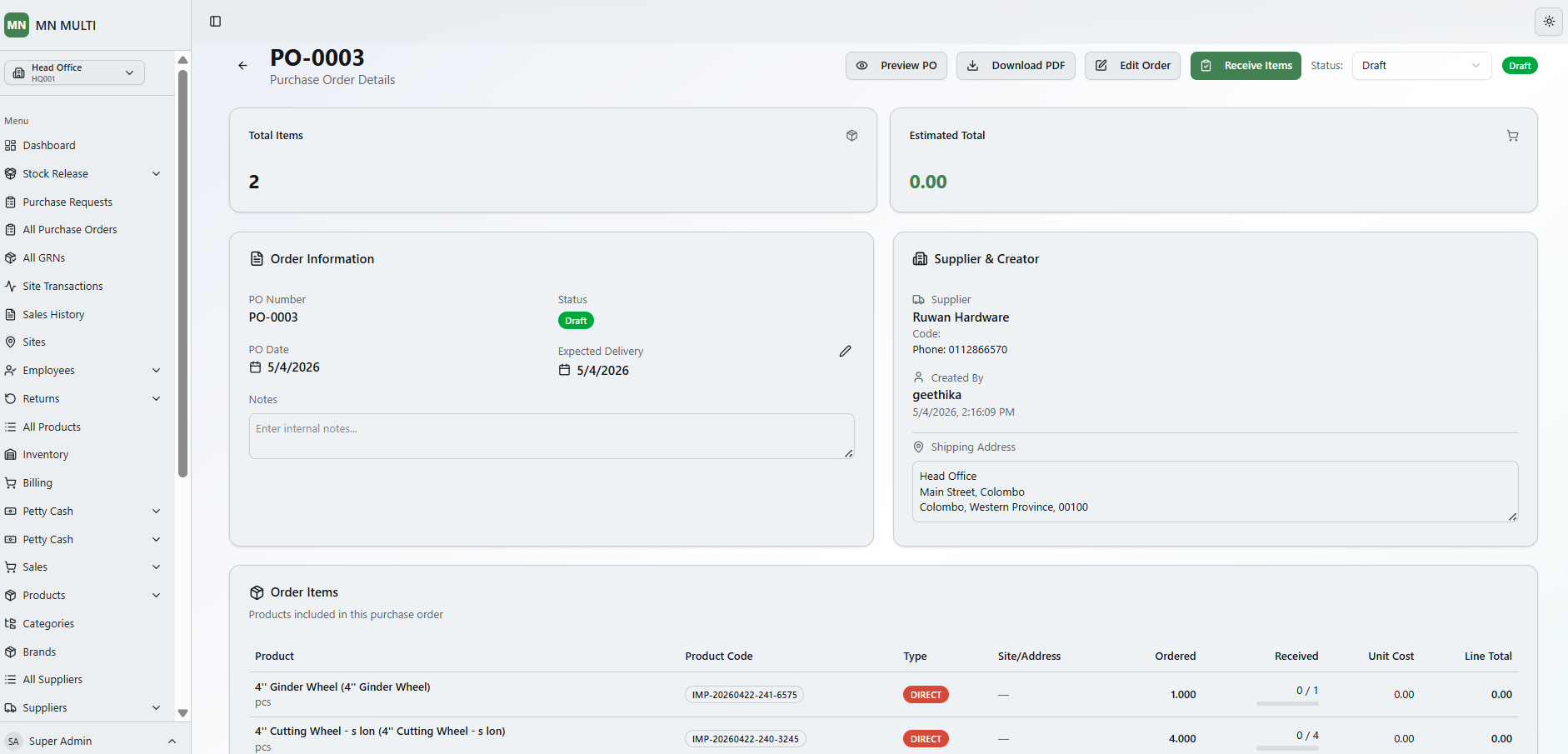
A clean purchase order management interface for viewing, searching, and creating POs. It includes a sortable PO list with supplier, site, date, status, and actions. The create PO form allows users to select company and supplier, add yard or direct order items, set delivery date, add notes, and provide a shipping address.
- ✦Search by PO Number, Supplier or Notes
- ✦PO Table (PO Number, Supplier, Site, PO Date, Expected Delivery, Status, Created By, Actions)
- ✦Create Purchase Order Form
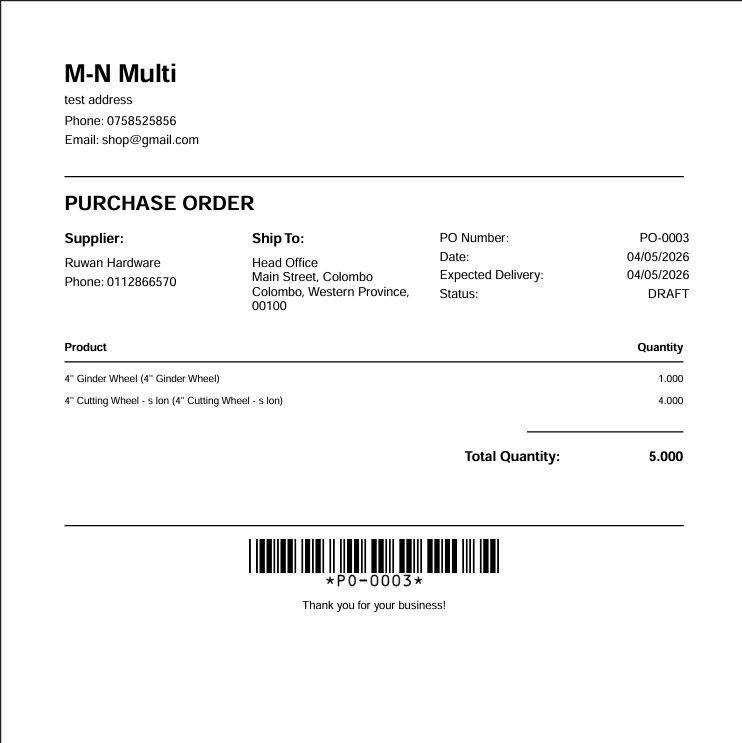
Purchase Order Preview
A clean PO preview interface for reviewing and downloading purchase orders as PDF. It includes paper size selection, company details, supplier information, shipping address, PO number, date, expected delivery, status, product table with quantities, and total quantity summary.
- ✦Paper Size Selection (A4 Default)
- ✦Company Details (Name, Address, Phone, Email)
- ✦Supplier Information (Name, Phone)
- ✦Shipping Address (Ship To)
- ✦PO Number, Date, Expected Delivery & Status (DRAFT)
- ✦Product List Table (Product Name, Quantity)
- ✦Total Quantity Summary
- ✦Download Purchase Order PDF Option
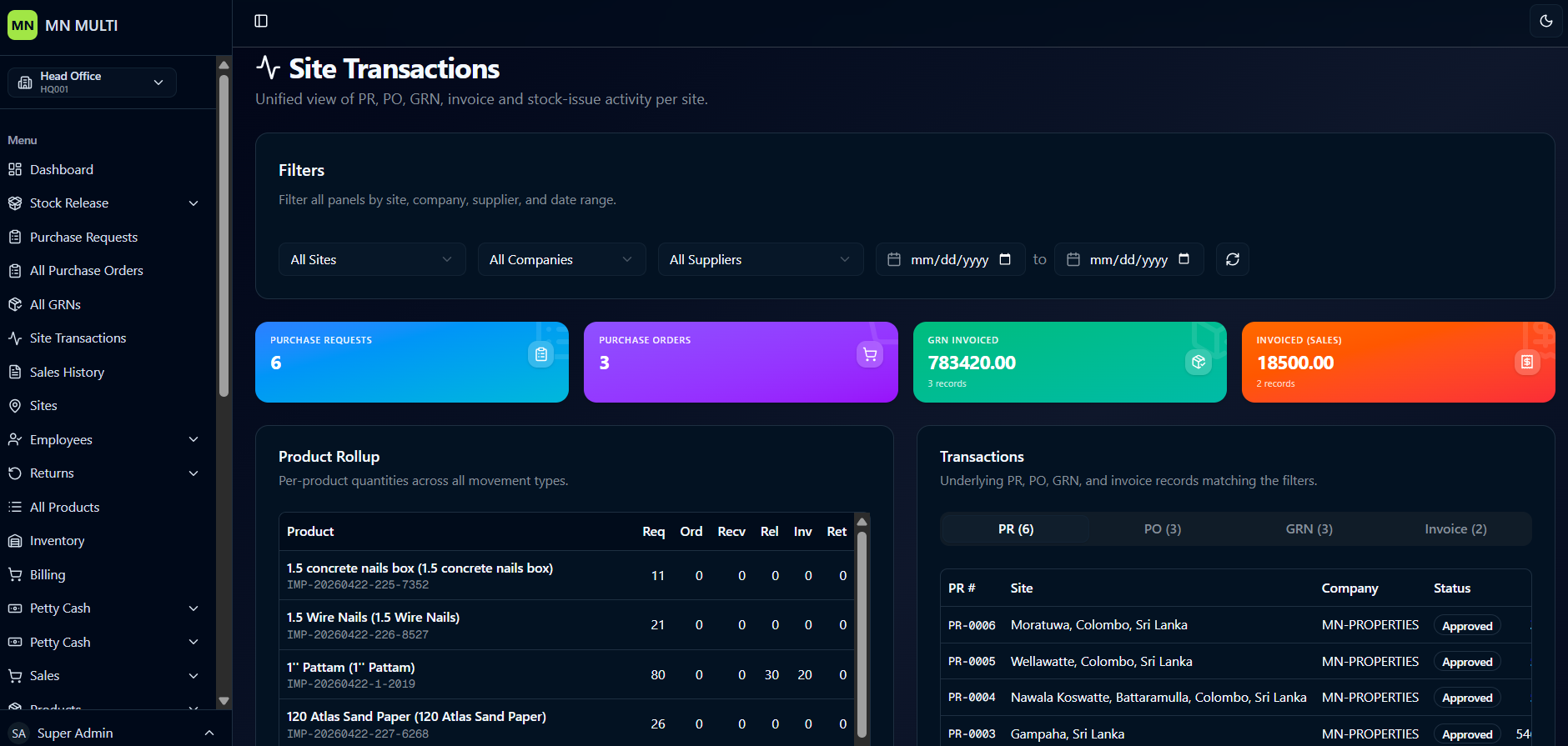
Site Transactions
A unified view of purchase requests, purchase orders, GRNs, invoices, and stock-issue activity per site. It includes filters for site, company, supplier, and date range — with a product rollup table showing requested, ordered, received, released, invoiced, and returned quantities. Summary cards display total POs, PRs, GRN invoiced value, and sales invoiced value, followed by a detailed transaction list.
- ✦Filters (Site, Company, Supplier, Date Range)
- ✦Product Rollup Table (Product Name, Req, Ord, Recv, Rel, Inv, Ret)
- ✦Summary Cards (Total Purchase Orders, Purchase Requests, GRN Invoiced, Invoiced Sales)
- ✦Transactions List (PR #, Site, Company, Status)
- ✦Status Badge (Approved)
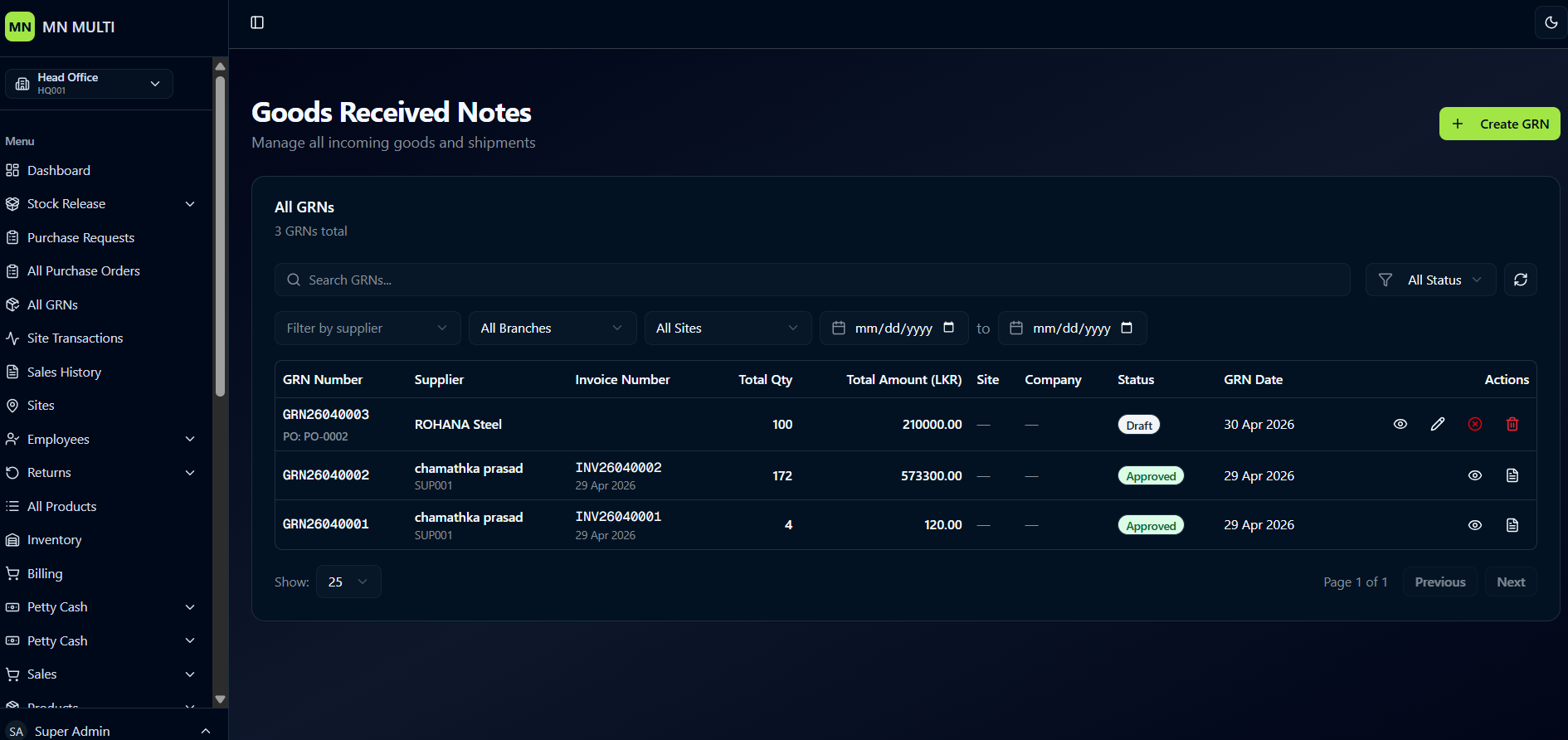
Goods Received Notes
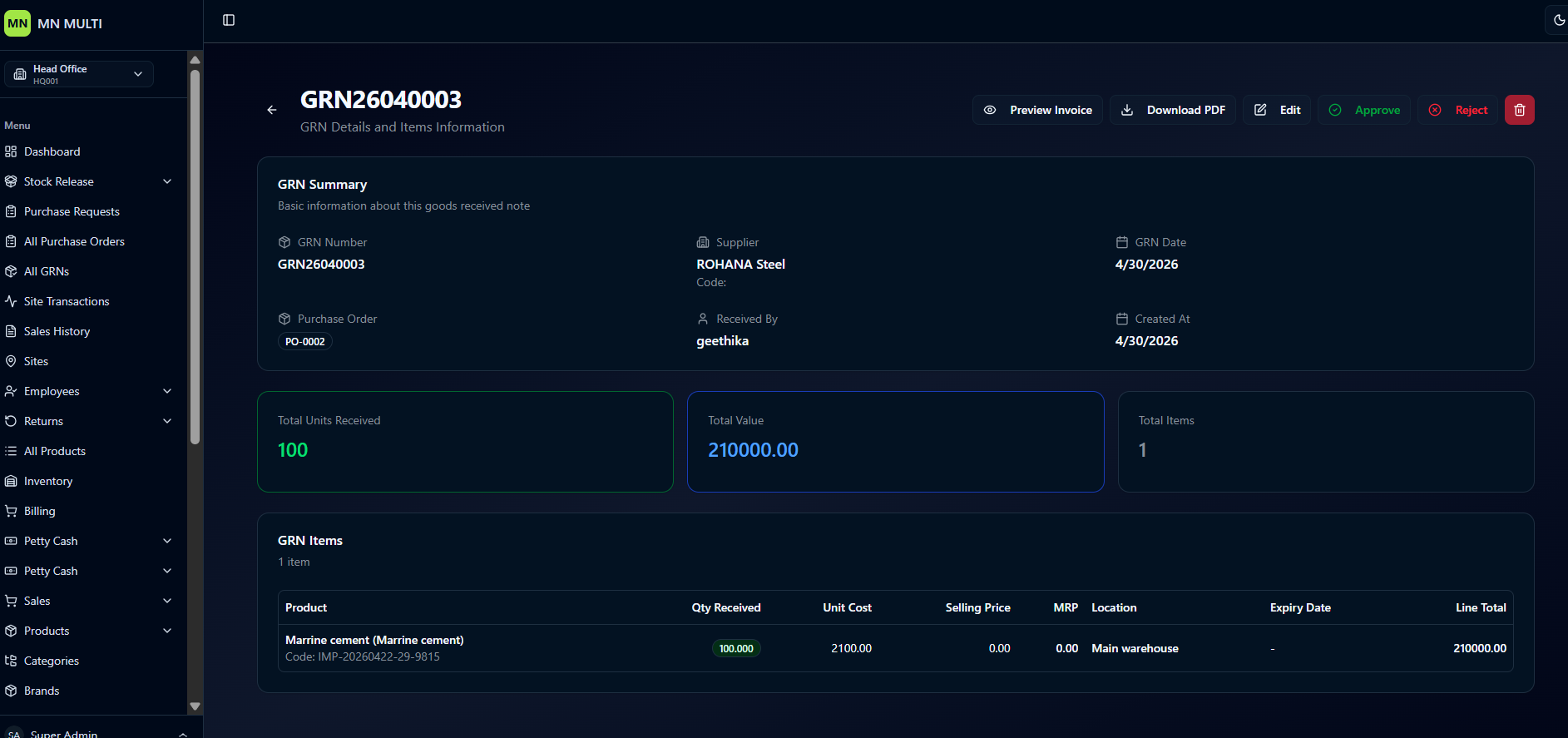
A clean GRN management interface for tracking all incoming goods and shipments. It includes a searchable GRN list with supplier, invoice number, total quantity, total amount, site, company, status, and date. The detailed view shows GRN summary, total units received, total value, unit cost, selling price, MRP, location, and action buttons for editing, approving, or rejecting.
- ✦Search GRNs & Filter by Supplier, Branch, Site
- ✦GRN Table
- ✦Pagination (Previous, Next)
- ✦GRN Details View (GRN Number, Supplier, Received By, Created At)
- ✦Total Units Received, Total Value, Unit Cost, Selling Price, MRP
- ✦Location (Main Warehouse)
- ✦Action Buttons (Edit, Approve, Reject)
Sales History
A clean sales tracking interface for viewing and analyzing all sales transactions. It includes key metrics like total sales, total revenue, gross profit, margin, and average sale per transaction. The sales trend chart shows revenue and profit over time, while the payment status distribution displays paid vs pending percentages. A filterable and searchable sales records table provides detailed transaction information.
- ✦Total Sales Count & Total Revenue
- ✦Gross Profit & Profit Margin
- ✦Average Sale Per Transaction
- ✦Sales Trend Chart (Last 7 Days)
- ✦Payment Status Distribution (Paid vs Pending Pie Chart)
- ✦Search & Filter Options (Status, Limit, Date Range)
- ✦Sales Records Table
Products
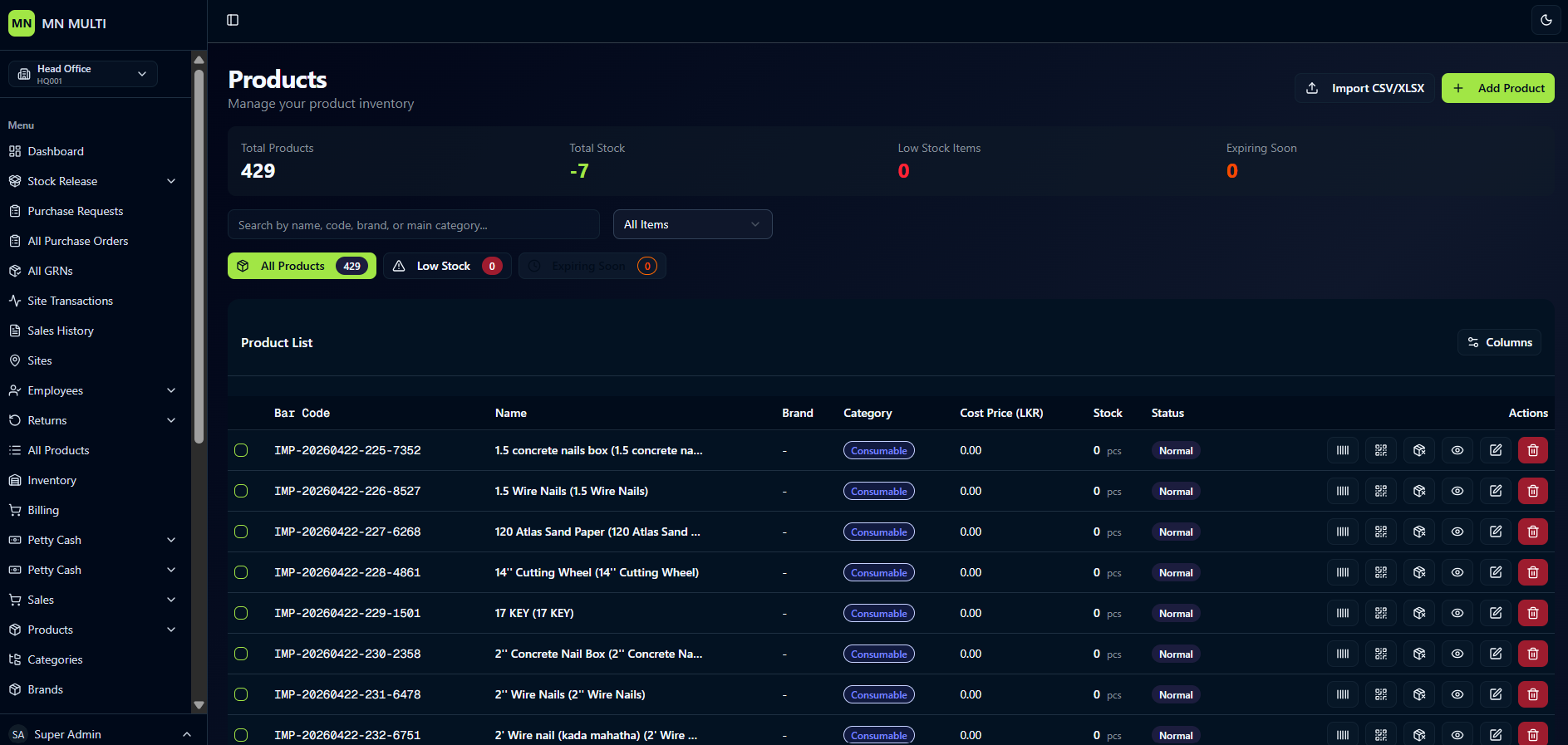
A clean product inventory management interface for viewing and managing all products. It includes key metrics like total products, total stock, low stock items, and expiring soon. The product list is searchable by name, code, brand, or category — with columns for barcode, name, brand, category, cost price, stock, status, and actions.
- ✦Total Products, Total Stock, Low Stock Items & Expiring Soon Counts
- ✦Search by Name, Code, Brand or Category
- ✦Product List Table (Bar Code, Name, Brand, Category, Cost Price, Stock, Status, Actions)
- ✦Status Badge (Normal)
- ✦Action Buttons (Edit, Delete, Add)
Inventory Ledger
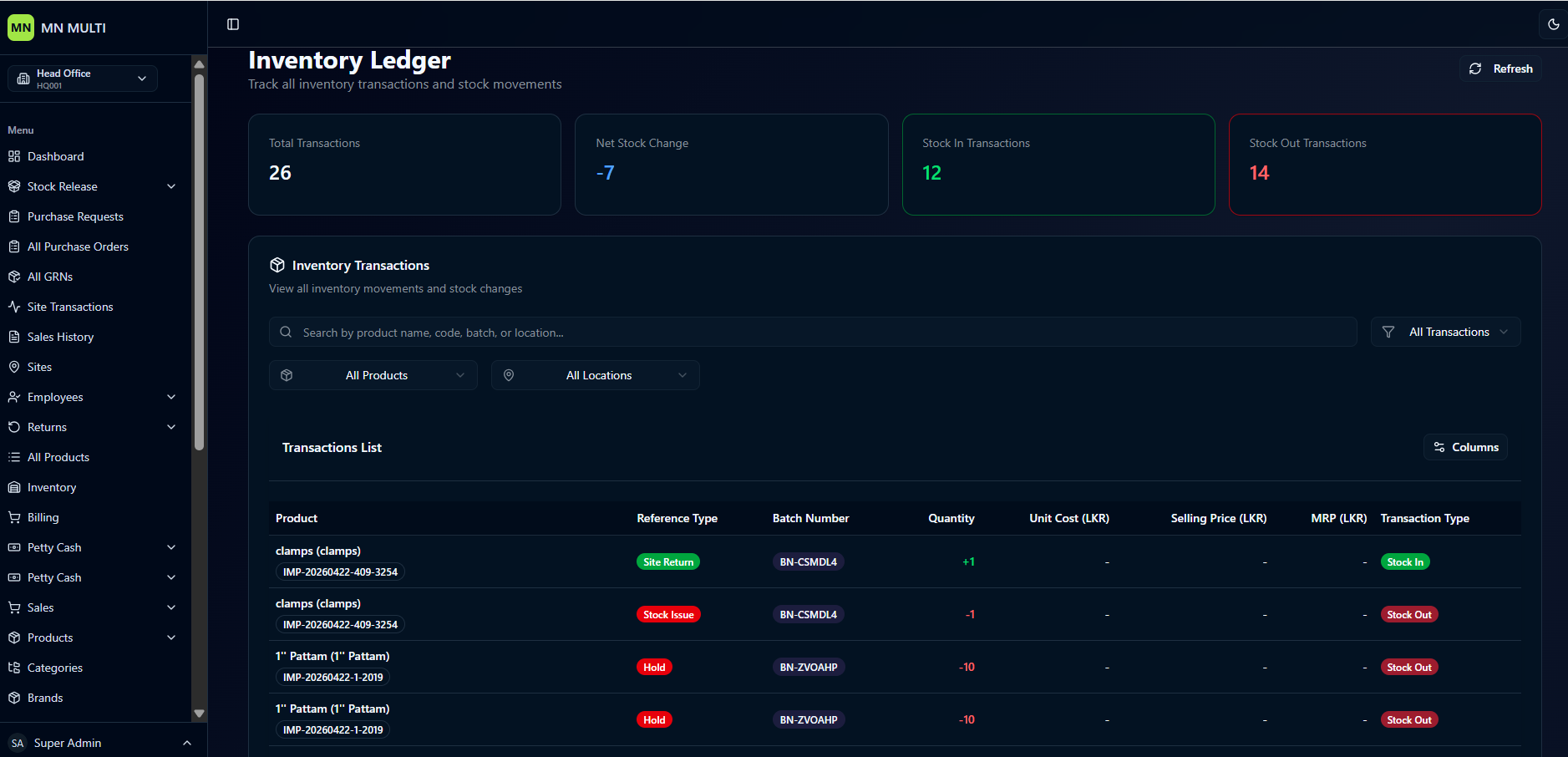
A clean inventory tracking interface for monitoring all stock movements and transactions. It includes key metrics like total transactions, net stock change, stock in transactions, and stock out transactions. The transaction list is searchable by product name, code, batch, or location — with columns for product, reference type, batch number, quantity, cost price, selling price, MRP, and transaction type.
- ✦Total Transactions, Net Stock Change, Stock In & Stock Out Counts
- ✦Search by Product Name, Code, Batch or Location
- ✦Transaction List Table (Product, Reference Type, Batch Number, Quantity, Unit Cost, Selling Price, MRP, Transaction Type)
- ✦Transaction Type Badges (Stock In, Stock Out)
- ✦Reference Types (Site Return, Stock Issue, Hold)
Transactions
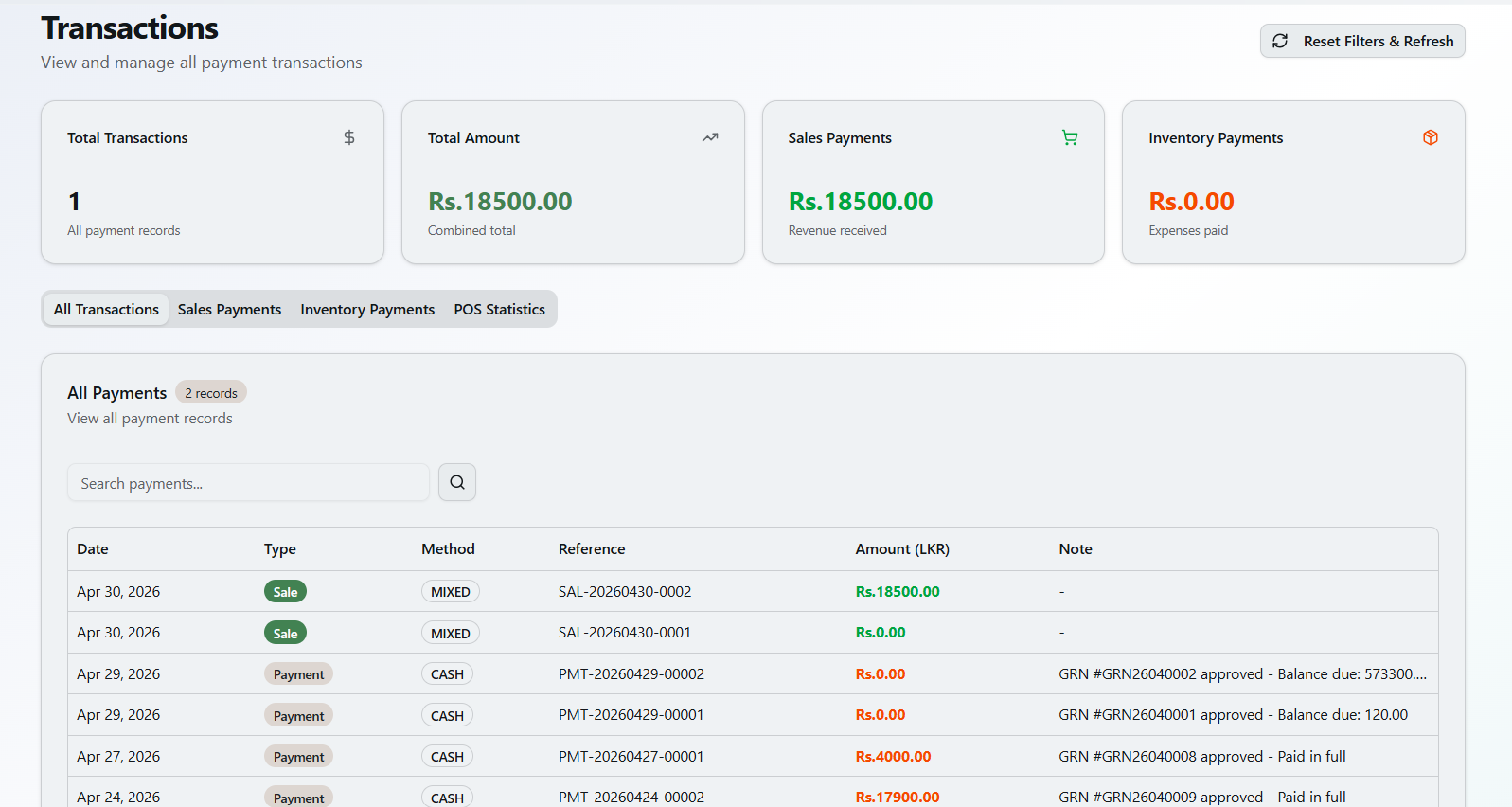
A clean payment transaction management interface for viewing all payment records. It includes key metrics like total transactions, total amount, sales payments, and inventory payments. Tabs allow switching between all transactions, sales payments, inventory payments, and POS statistics. A searchable transaction table shows date, type, method, reference, amount, and notes.
- ✦Total Transactions Count
- ✦Total Amount, Sales Payments & Inventory Payments
- ✦Tab Views (All Transactions, Sales Payments, Inventory Payments, POS Statistics)
- ✦Search Payments
- ✦Transaction Table (Date, Type, Method, Reference, Amount, Note)
- ✦Transaction Types (Sale, Payment)
- ✦Payment Methods (MIXED, CASH)
Finance Statistics
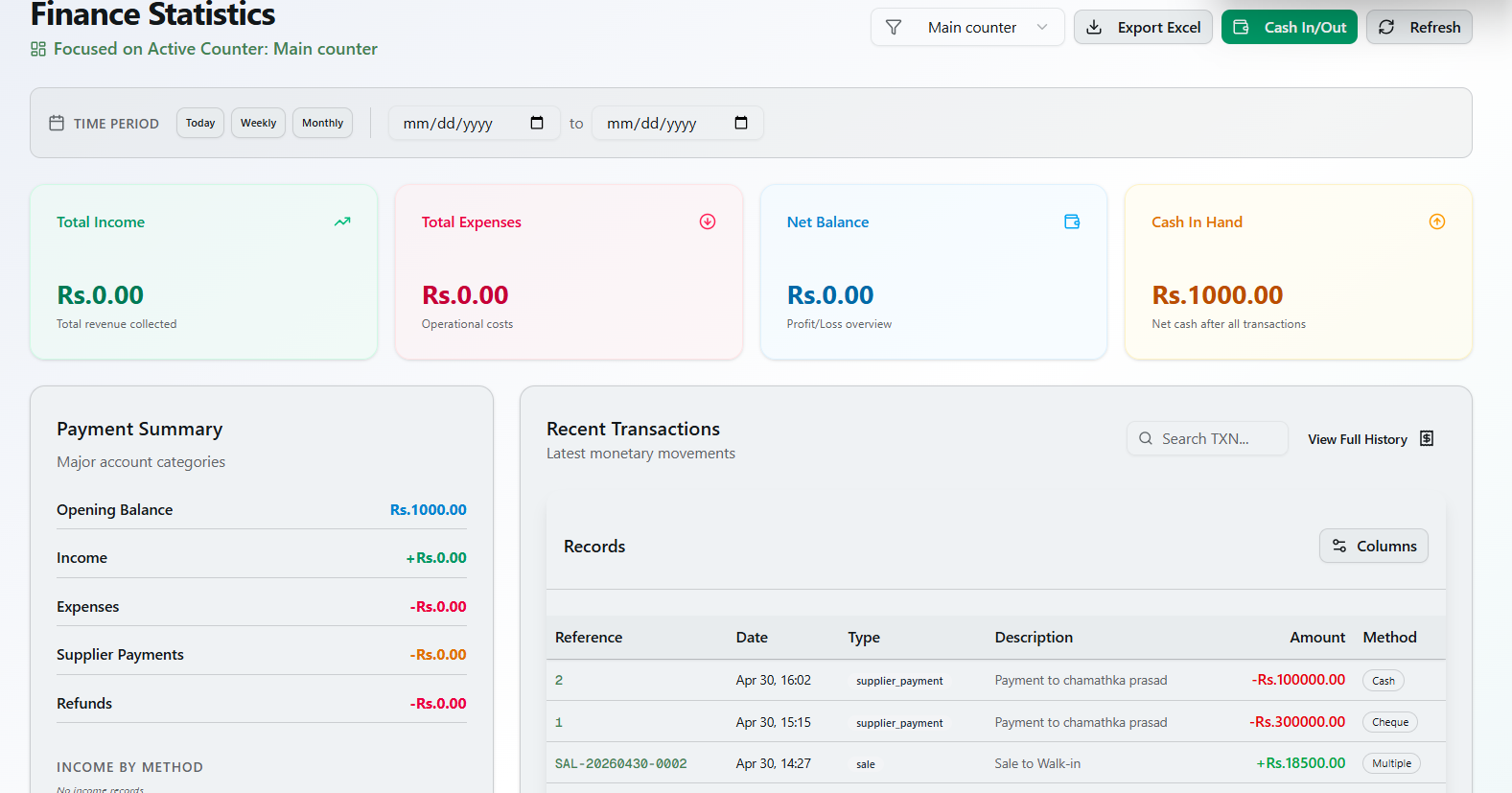
A clean financial overview dashboard focused on a specific counter. It includes time period filters (Today, Weekly, Monthly), key metrics like total income, total expenses, net balance, and cash in hand. A payment summary shows opening balance, income, expenses, and refunds. Recent transactions table displays records, reference, date, type, description, amount, and method.
- ✦Time Period Filters (Today, Weekly, Monthly)
- ✦Total Income, Total Expenses & Net Balance
- ✦Cash In Hand
- ✦Payment Summary (Opening Balance, Income, Expenses, Refunds)
- ✦Recent Transactions Table (Records, Reference, Date, Type, Description, Amount, Method)
- ✦Action Options (Export Excel, Cash In/Out, Refresh)
Rent Pool
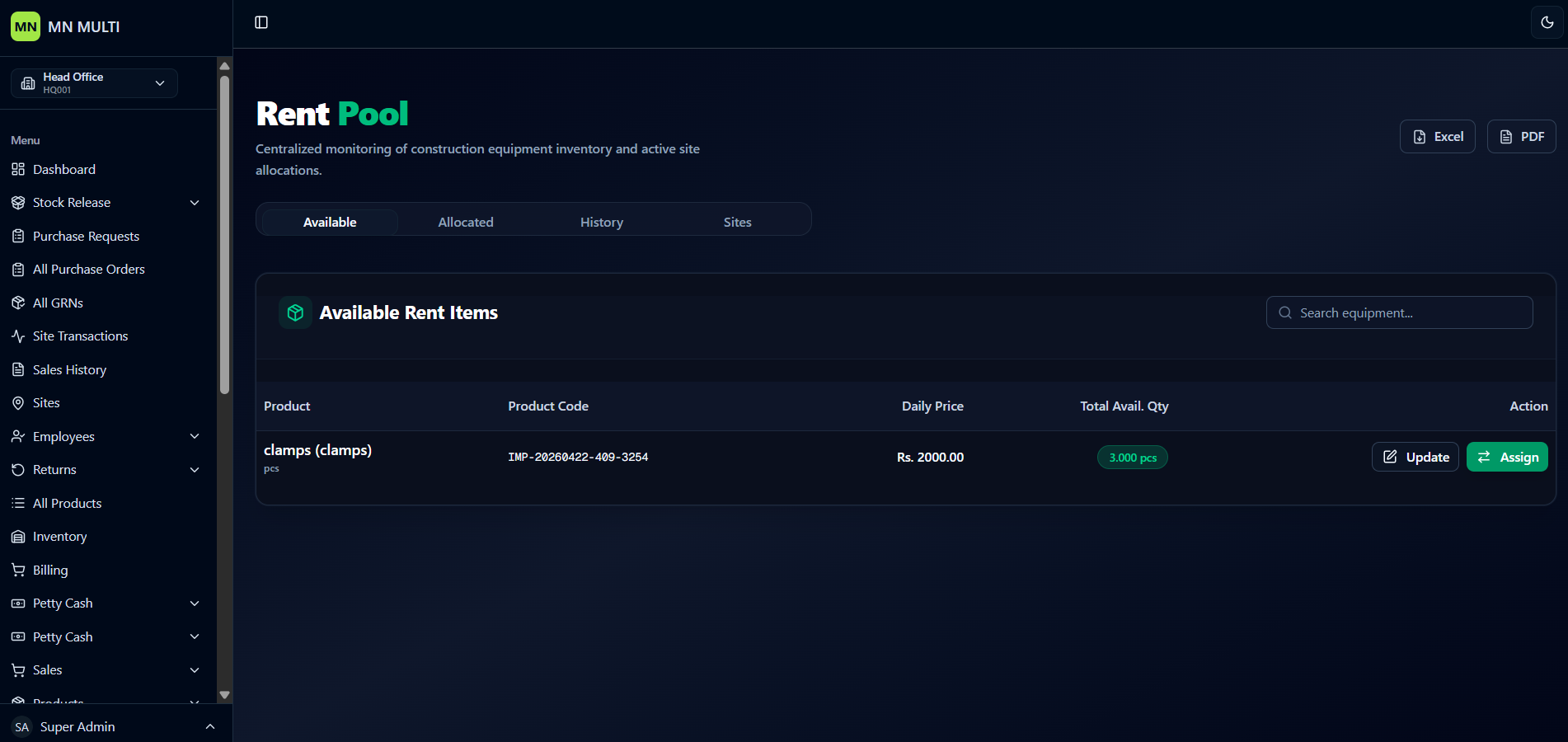
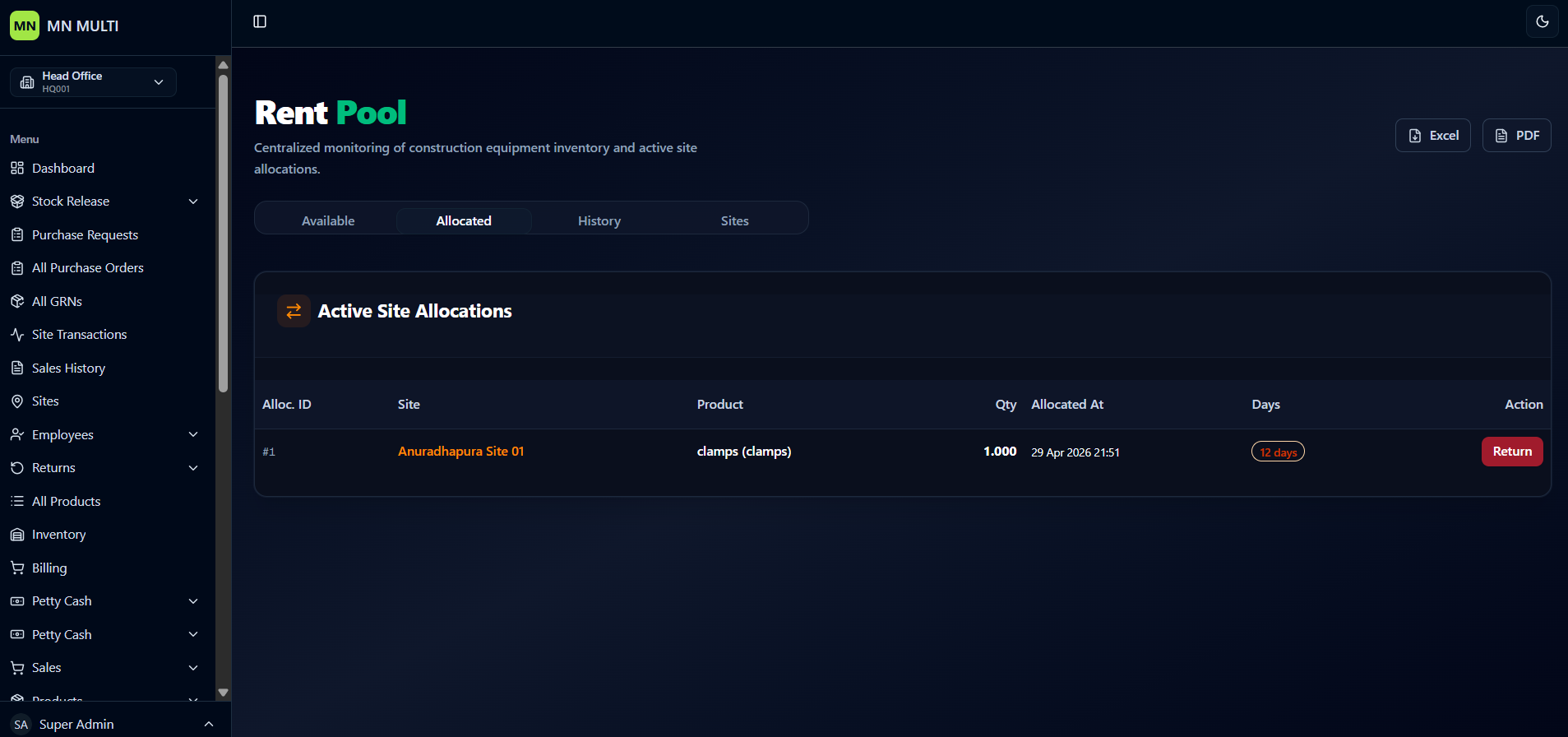
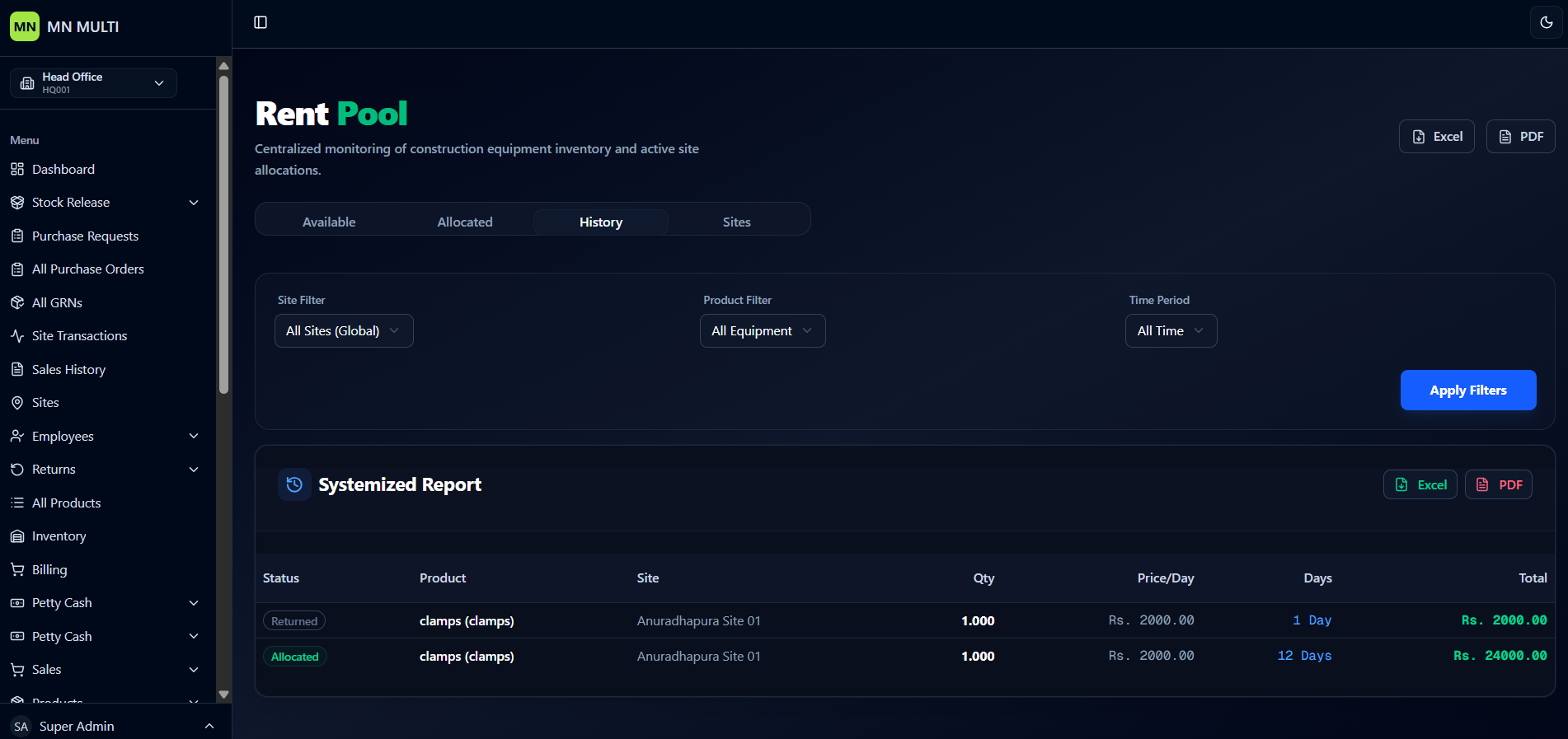
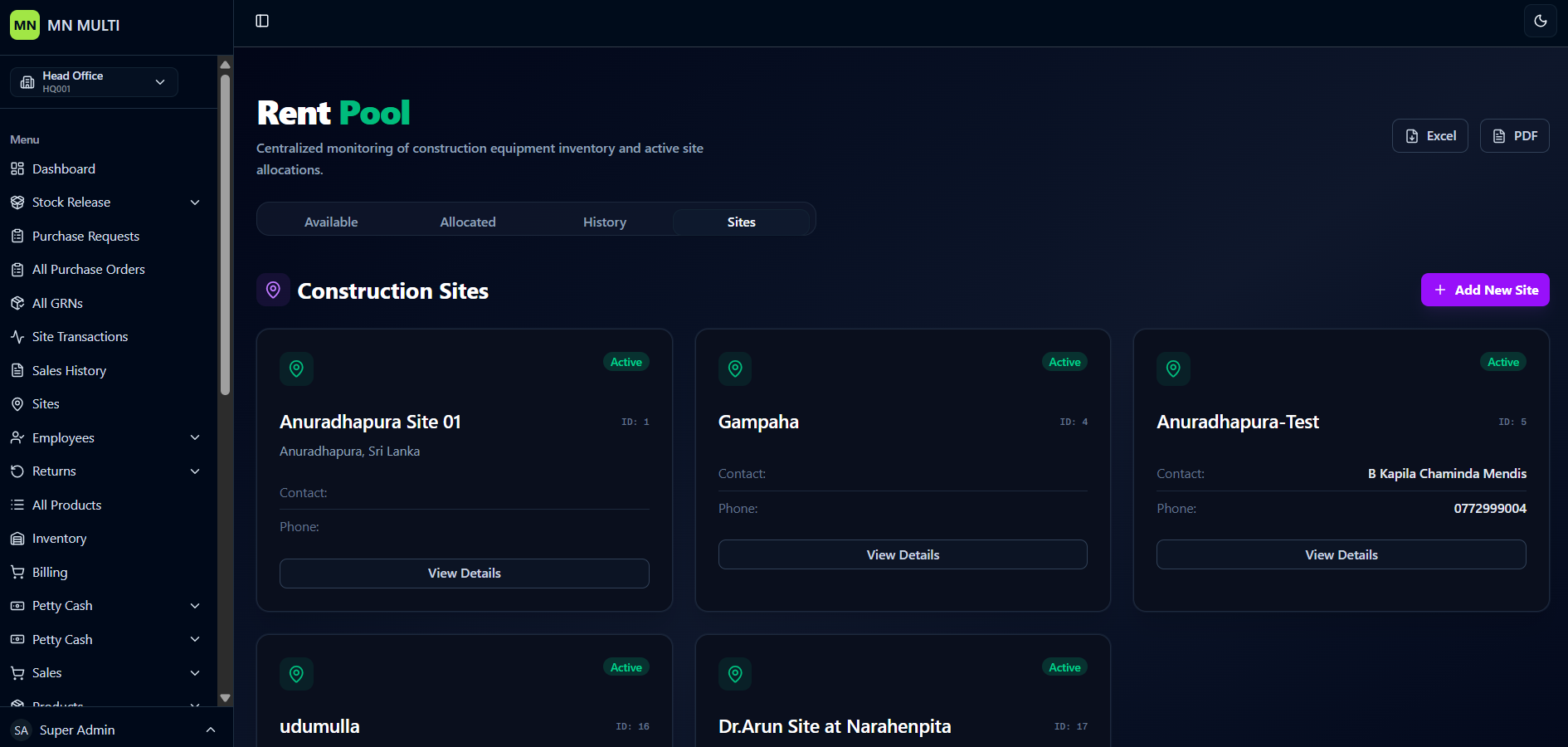
A centralized equipment tracking interface for monitoring construction equipment inventory and active site allocations. It includes four main tabs: Available, Allocated, History, and Sites.
- ✦Tabs (Available, Allocated, History, Sites)
- ✦Available Rent Items Table (Product, Product Code, Daily Price, Total Available Quantity, Update Action)
- ✦Search Equipment & Export Options (PDF, Excel)
- ✦Active Site Allocations Table (Alloc. ID, Site, Product, Quantity, Allocated Date, Days, Return Action)
- ✦History Section with Filters (Site, Product, Time Period)
- ✦Systemized Report (Status, Product, Site, Quantity, Price/Day, Days, Total Cost)
- ✦Construction Sites List (Site Name, ID, Address, View Details Button)