


Tax Management System
Our Tax Management System simplifies tax filing for individuals, corporations, and partnerships. Customers can register and file returns through their own dashboard, while admins review registrations, manage tax returns, and track submissions by year — all in one organized platform.
Core Modules & Architecture
- ✦ Individual Tax Registration (Customer Side)
- ✦ Corporate Tax Registration (Customer Side)
- ✦ Partnership Tax Registration (Customer Side)
- ✦ Admin Tax Registration Review Panel
- ✦ Admin Tax Return
- ✦ Tax Customer Dashboard
- ✦ Customer Tax Returns by Year

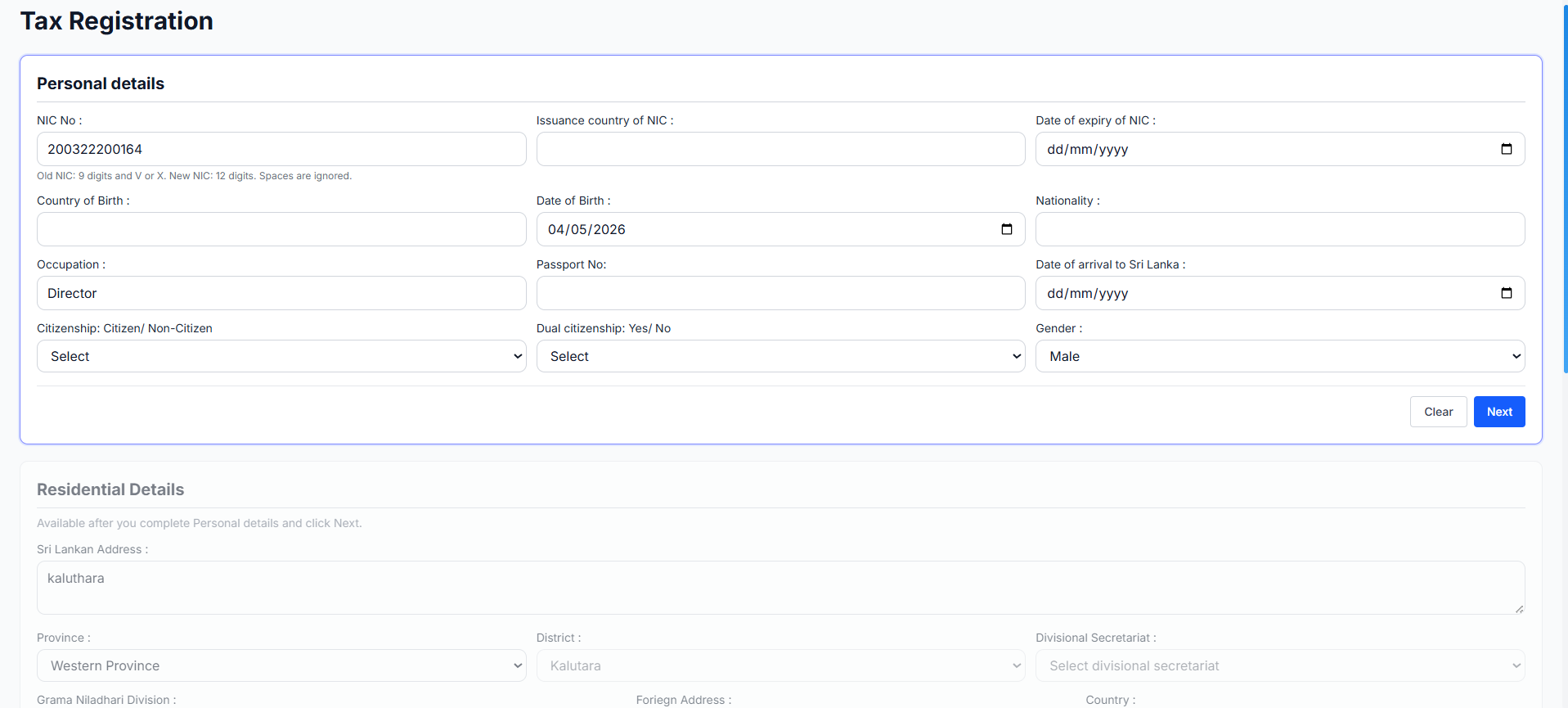
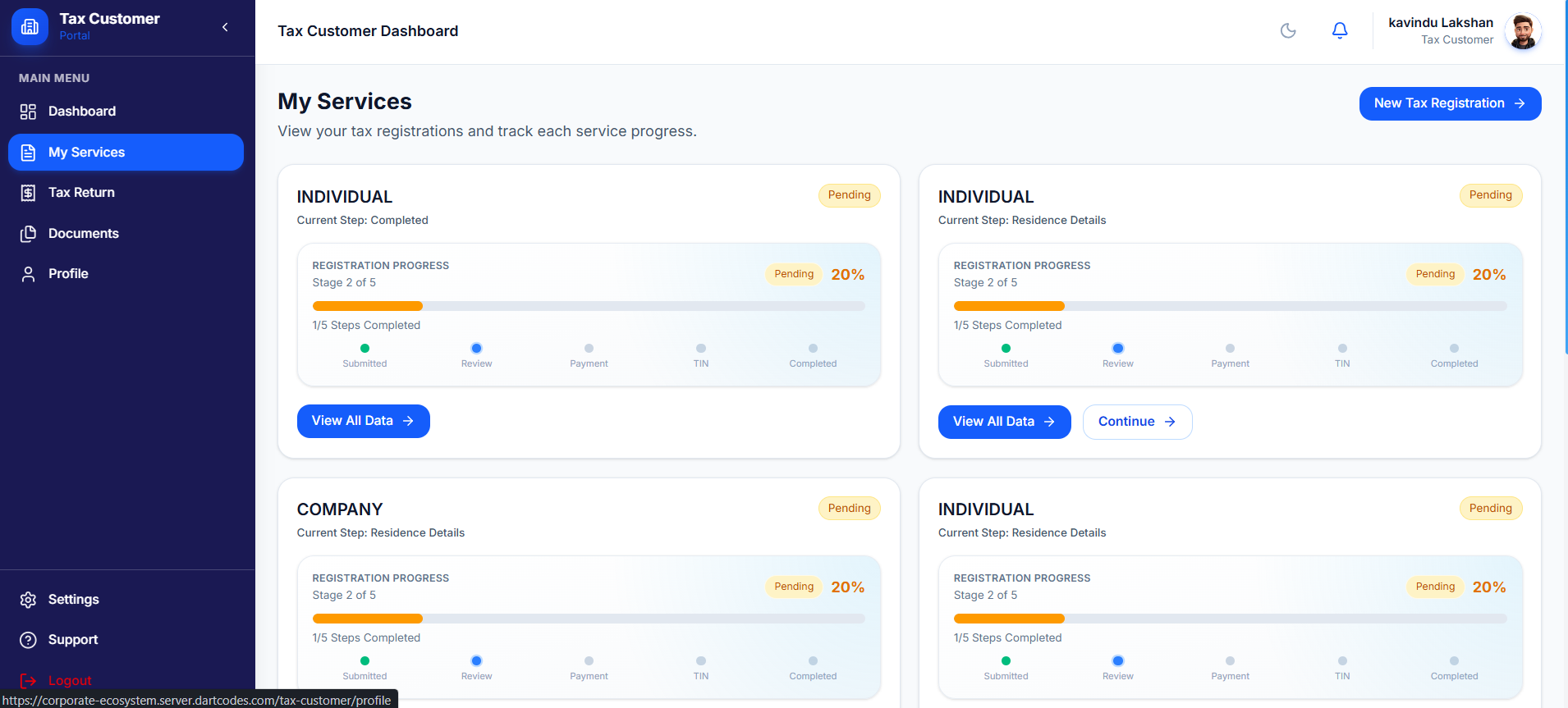
Individual Tax Registration (Customer Side)
This module provides a comprehensive digital onboarding process for individuals to register for tax purposes. It features a structured, multi-step data entry system designed to collect all necessary legal, residential, and professional information required for the issuance of a Taxpayer Identification Number (TIN).
- ✦Comprehensive Data Collection
- ✦Secure Document Upload Portal
- ✦Real-time Progress & Status Monitoring
- ✦Direct Administrative Integration

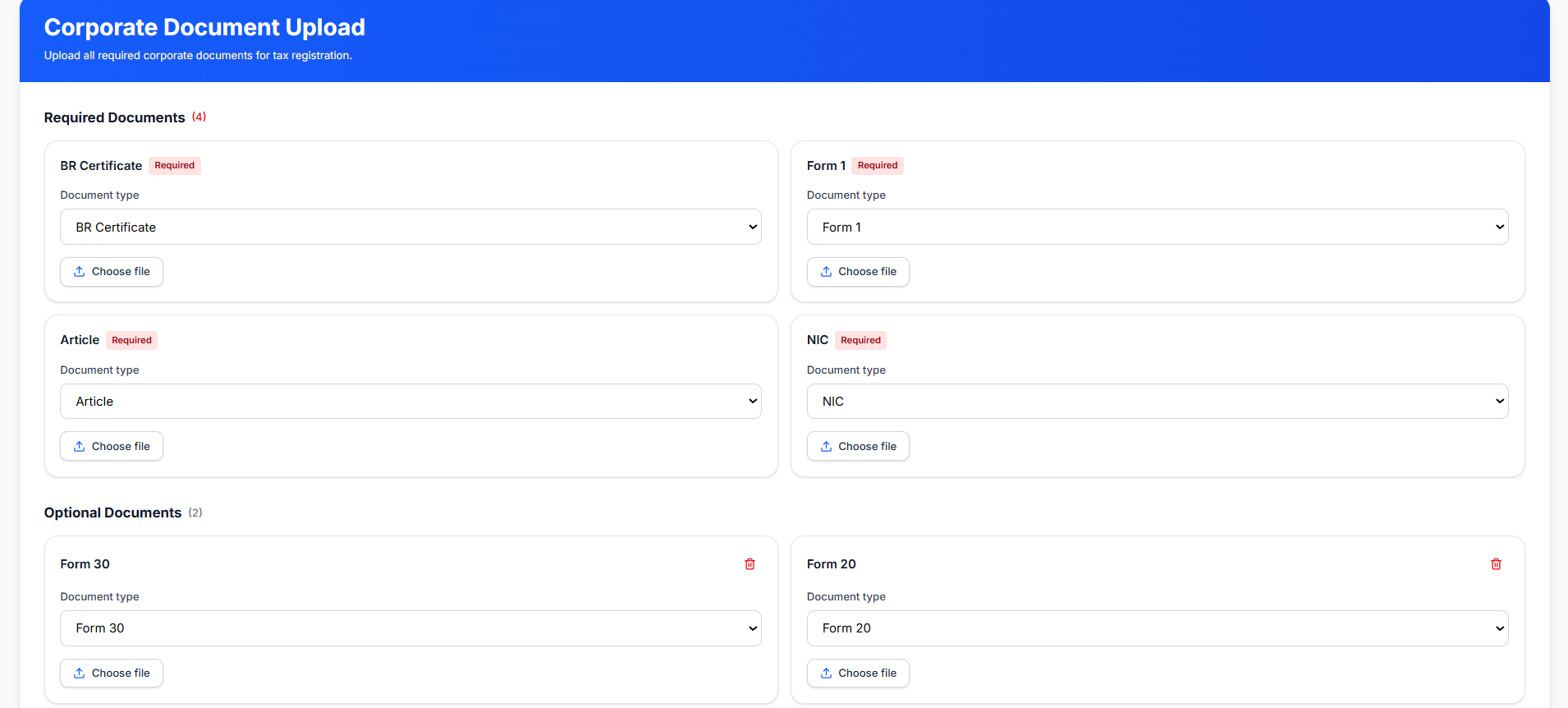
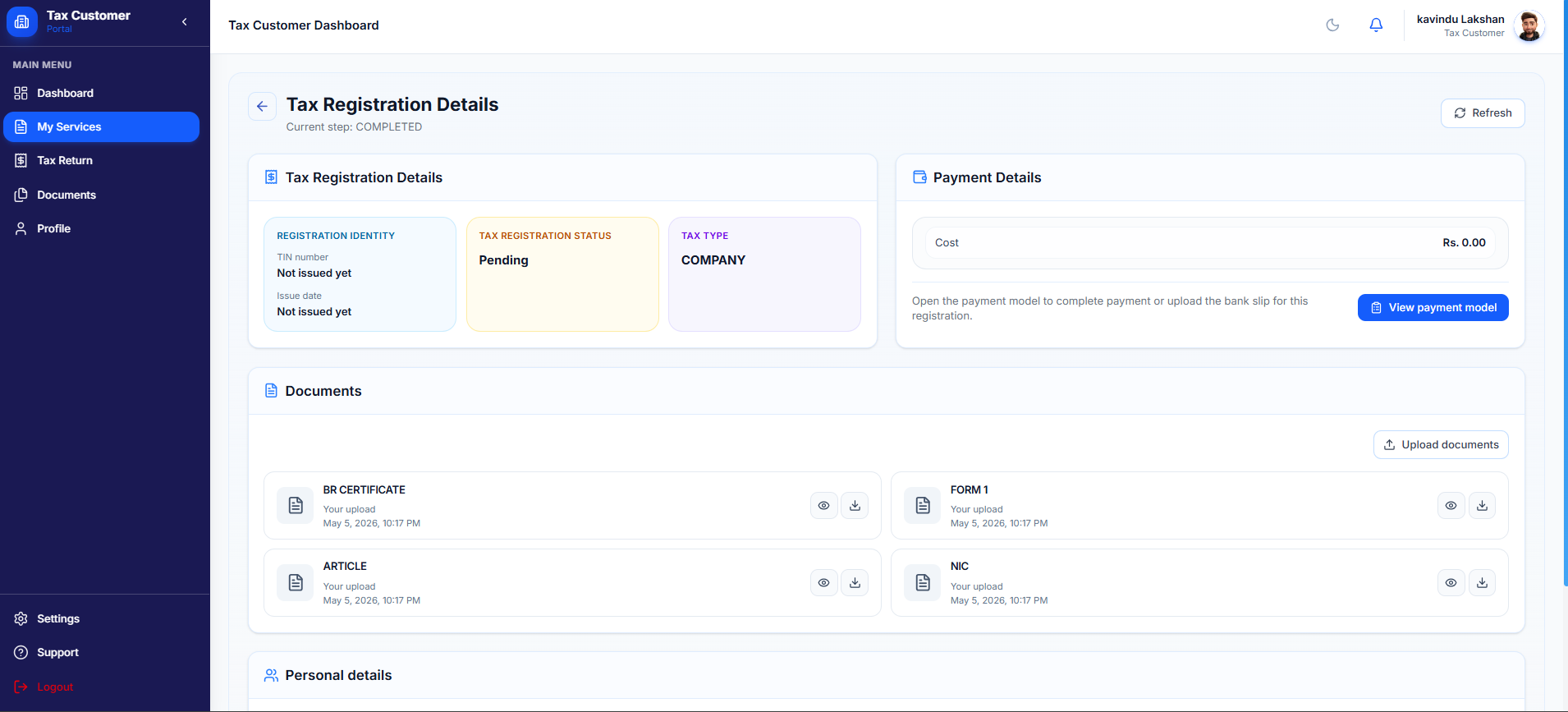
Corporate Tax Registration (Customer Side)
This module allows business entities to initiate and manage their tax registration process through a dedicated digital portal. It provides a guided workflow for selecting tax types, uploading legal documents, and tracking the status of their Taxpayer Identification Number (TIN) issuance.
- ✦Guided Document Upload Workflow
- ✦Required Documents
- ✦Optional Documents
- ✦Real-time Registration Tracking
- ✦Digital Document Vault
- ✦Centralized Tax Dashboard

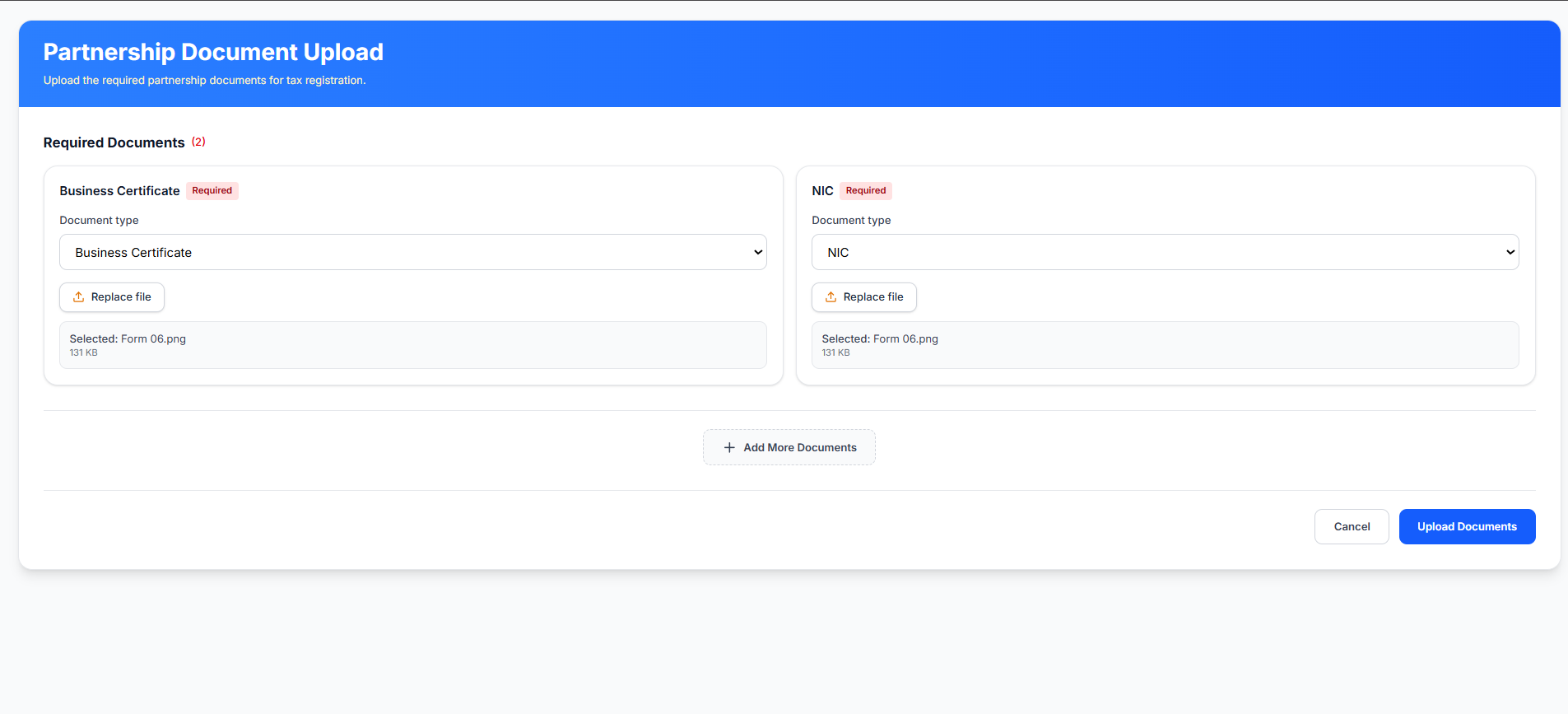
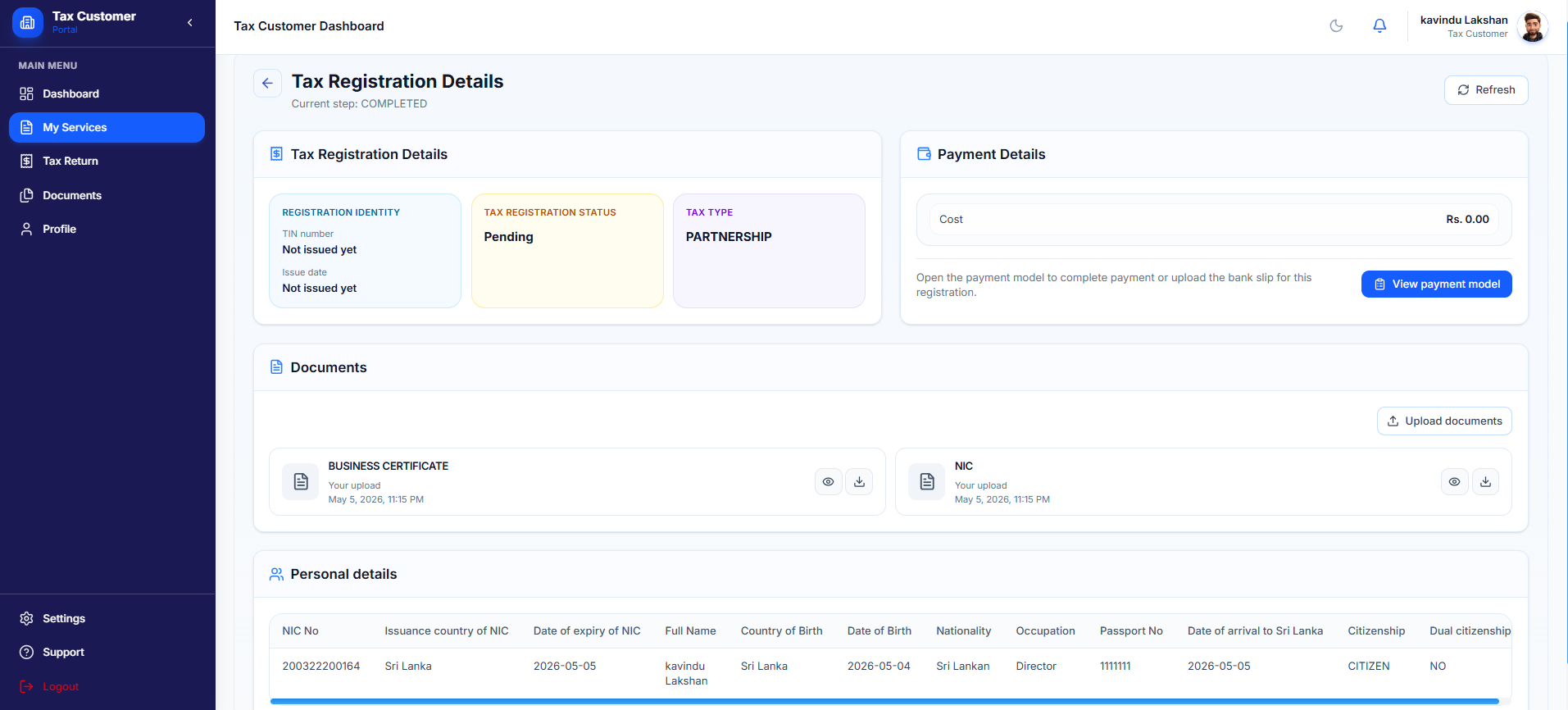
Partnership Tax Registration (Customer Side)
This module facilitates the tax registration process for business partnerships and joint ventures. It provides a structured digital workflow for uploading foundational business documents and tracking the official issuance of the partnership's Taxpayer Identification Number (TIN).
- ✦Partnership Document Upload Interface
- ✦Dynamic File Management
- ✦Expandable Document List
- ✦Real-time Registration Identity Tracking
- ✦Audit-Ready Personal Records
- ✦Historical Document Vault
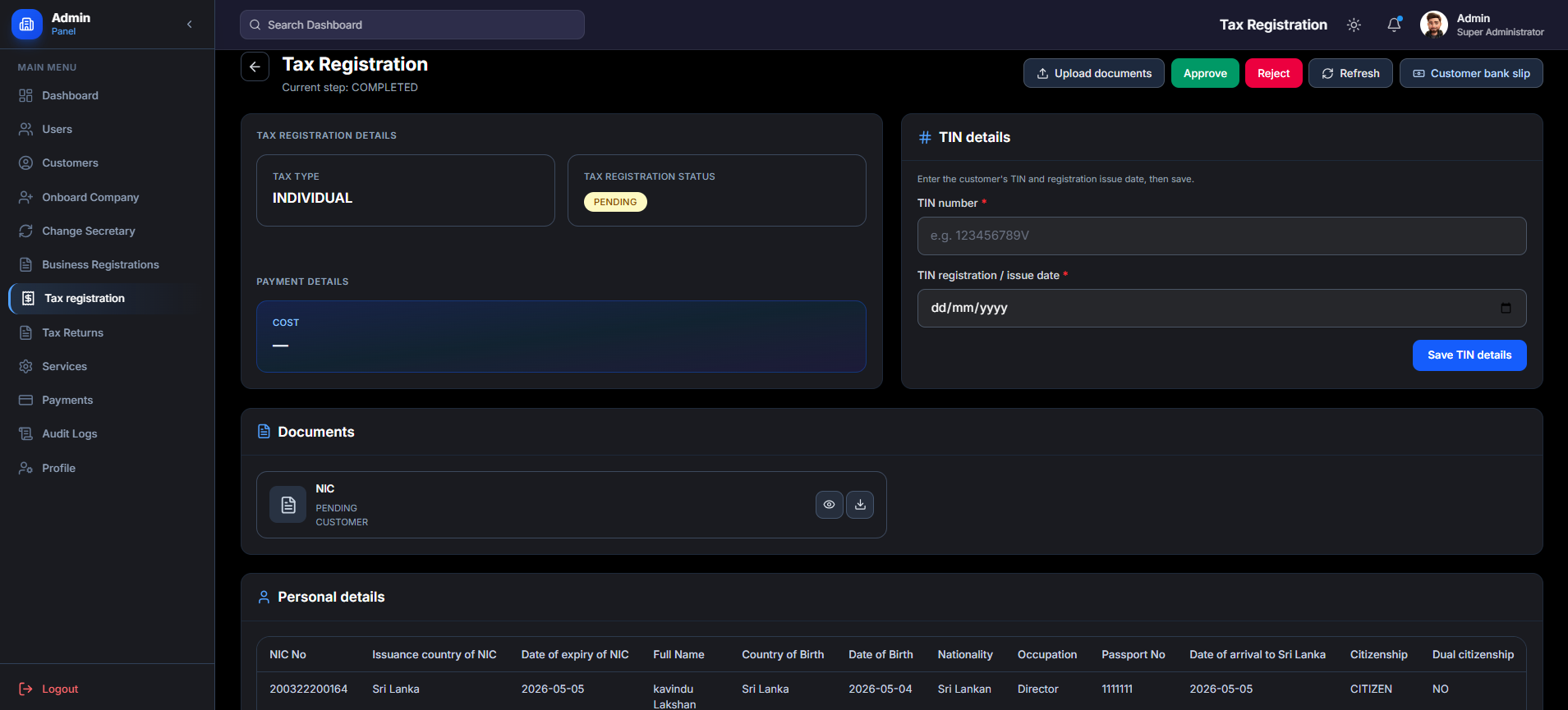
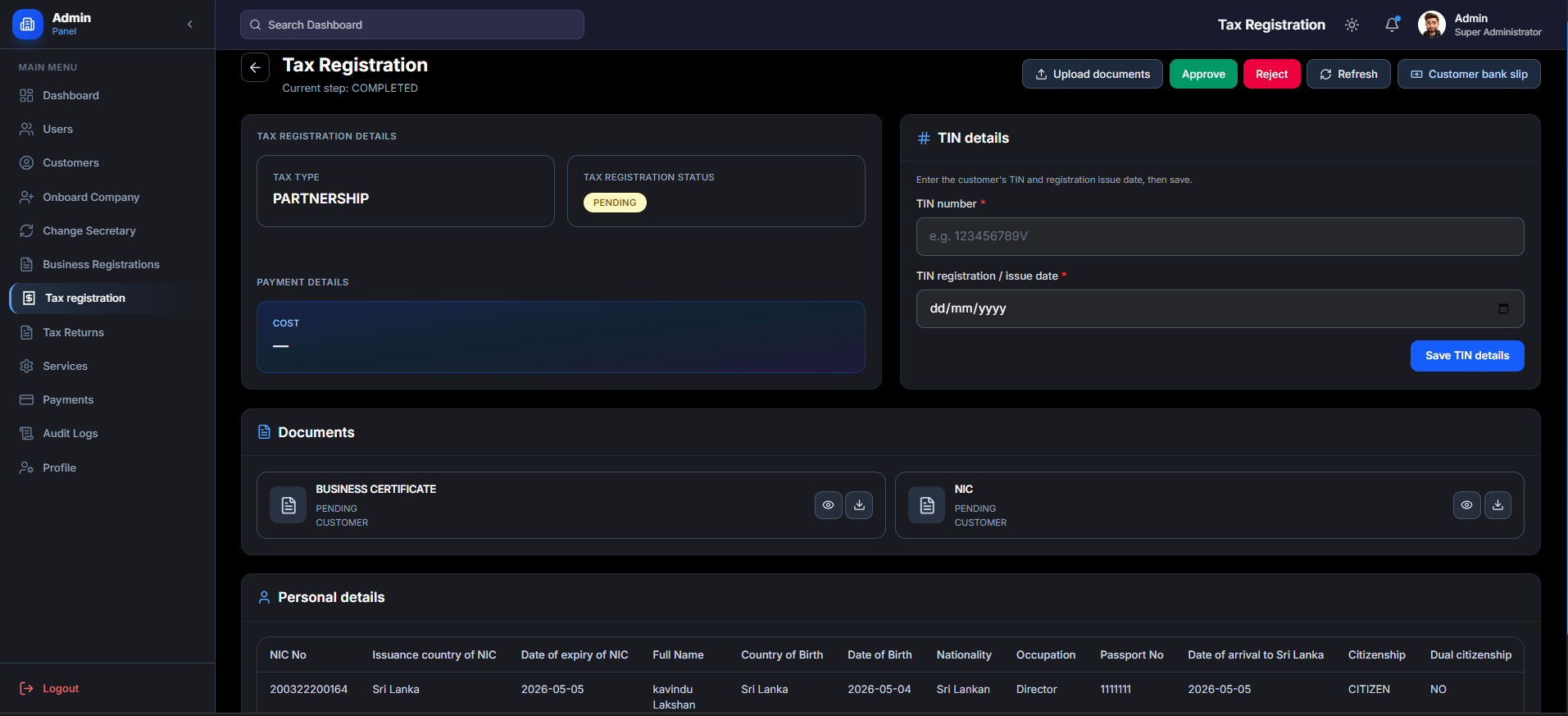
Admin Tax Registration Review Panel
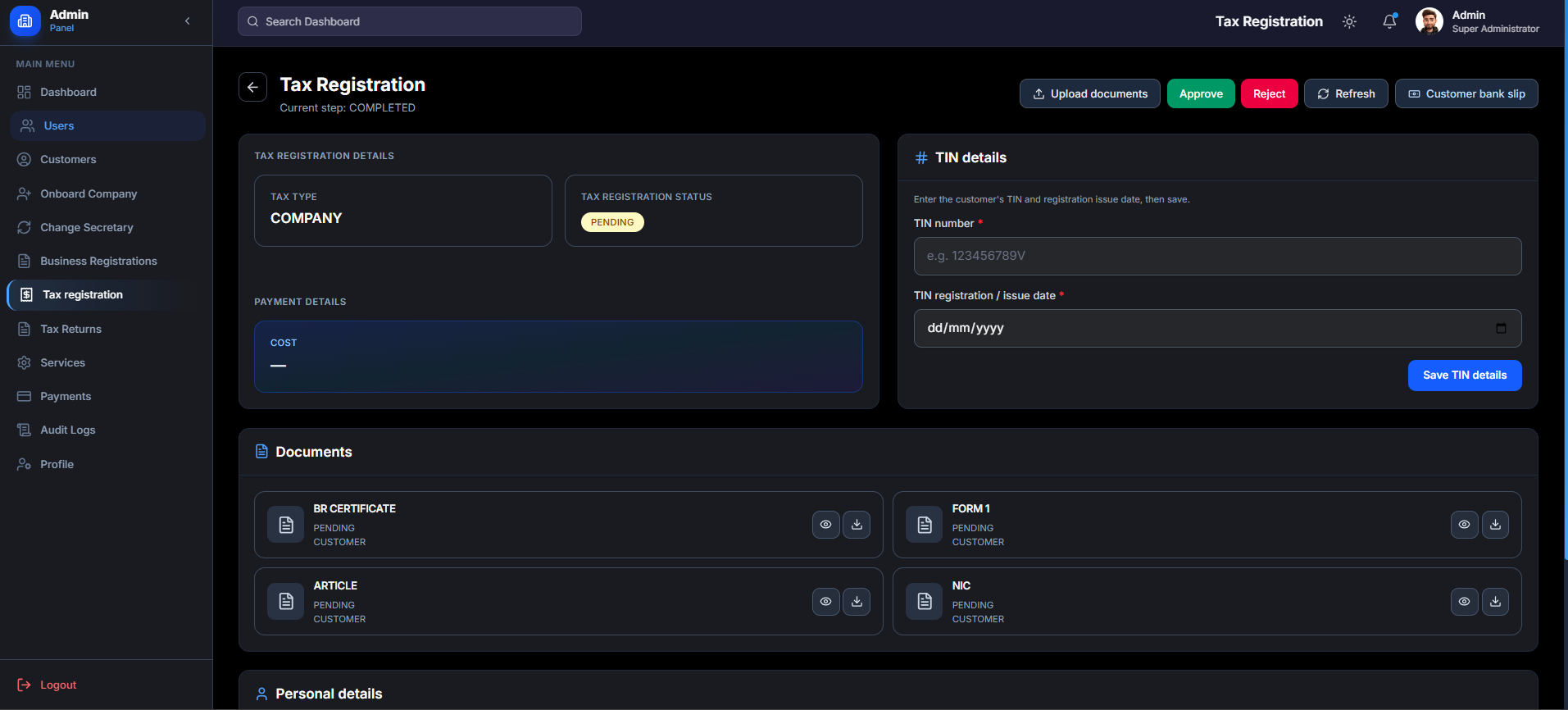
This interface provides a unified command center for super administrators to verify and process tax applications for Individuals, Companies (Corporate), and Partnerships. It features a standardized workflow to audit submitted data and legal documents before officially issuing a Taxpayer Identification Number (TIN).
- ✦Tax Type Classification
- ✦Centralized TIN Management
- ✦Decision Control Center
- ✦Type-Specific Document Auditing
- ✦Comprehensive Data Tables
- ✦Administrative Supplemental Tools
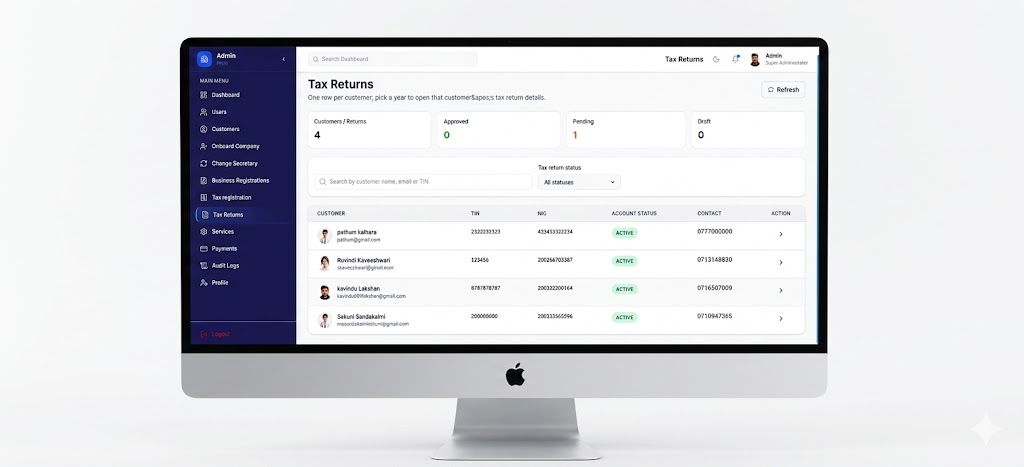
Admin Tax Return
A simple dashboard that helps admins manage all tax return submissions. It shows quick stats (Approved, Pending, Draft) at the top and a clean table below with customer details and return status—making it easy to track and process each submission.
- ✦Quick Stats Cards (Approved, Pending, Draft)
- ✦Customer Details at a Glance (Name, TIN, NIC, Contact)
- ✦Pending vs. Approved Return Tracker
- ✦Search, Filter & Action Buttons
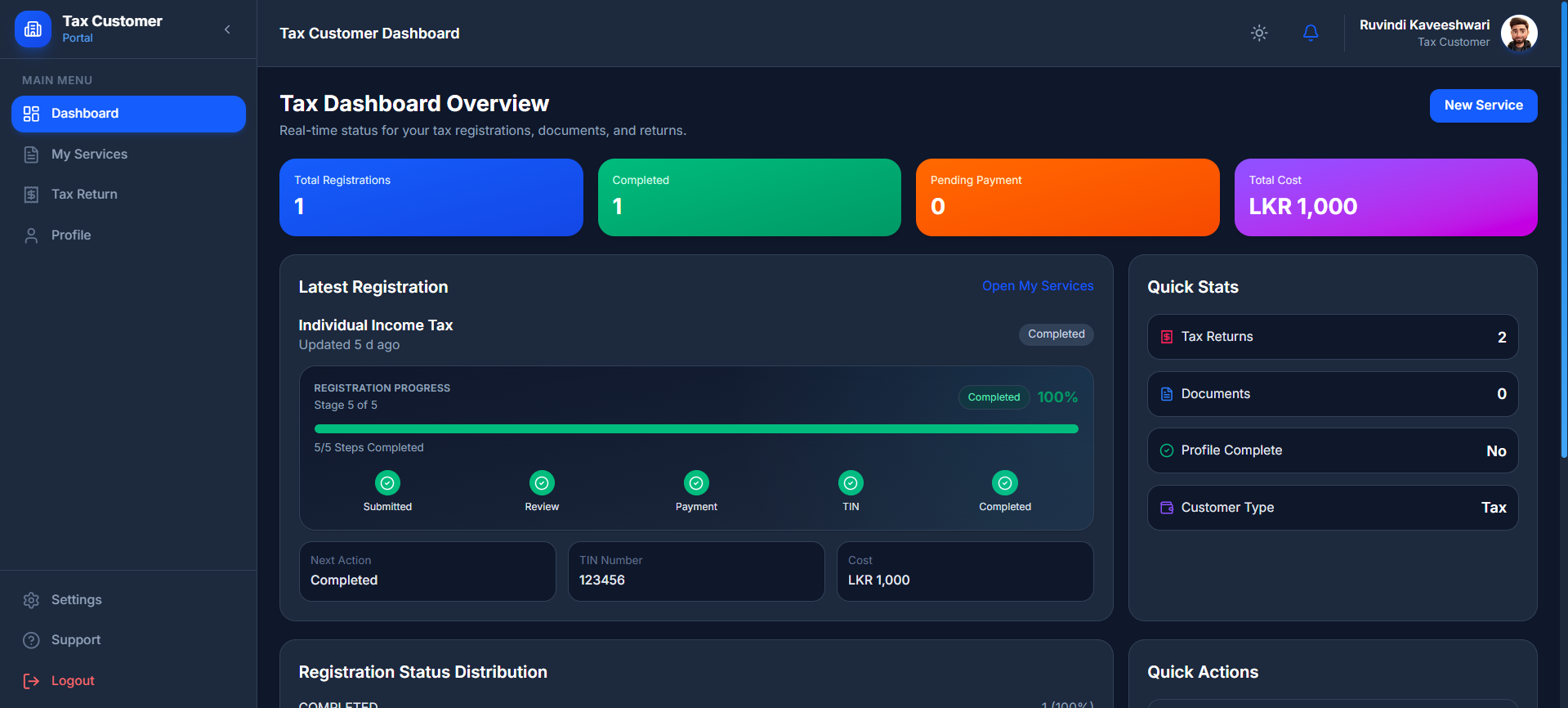
Tax Customer Dashboard
A simple, customer-friendly dashboard that helps users track their tax registration progress. It shows exactly which step they're on, what's paid, and what's pending—so customers always know where they stand.
- ✦Easy Progress Tracker
- ✦Registration Status & Payment Summary
- ✦Quick Stats at a Glance
- ✦Quick Action Buttons & Recent Activity Log

Customer Tax Returns by Year
A simple card layout that helps customers view their tax returns organized by year. Each card shows the assessment year, status, and deadline—making it easy to see what's done and what's still pending.
- ✦Clean Year-by-Year Cards
- ✦Assessment Year (2026, 2027, etc.)
- ✦Status Badge (Pending, Accepted) & Deadline
- ✦Click to View or Continue Filing